Download KSeF (Poland’s e-invoicing system) invoices to an Excel spreadsheet

Workflow preview

Workflow preview
100%
Download KSeF (Poland’s e-invoicing system) invoices to an Excel spreadsheet preview
Open on n8n.io

1. Workflow Overview

TL;DR; Download invoices from Poland's KSeF (Krajowy System e Faktur) and export them as an XLSX spreadsheet. Handles the full v2 authentication flow automatically. Download KSeF invoices through n...

Best for

  • Invoice Processing automation workflows
  • advanced n8n builders looking for reusable templates

Tools used

n8n-nodes-base.stickynote, n8n-nodes-base.manualtrigger, n8n-nodes-base.set, n8n-nodes-base.httprequest, n8n-nodes-base.code, n8n-nodes-base.spreadsheetfile

Source and attribution

This workflow is cataloged by N8N Workflows and links back to its original n8n.io source page by Greg Brzezinka.

Original n8n.io source

1.1 Workflow description

Title
Download KSeF (Poland’s e-invoicing system) invoices to an Excel spreadsheet
Workflow name
Download KSeF (Poland’s e-invoicing system) invoices to an Excel spreadsheet

TL;DR;

Download invoices from Poland's KSeF (Krajowy System e-Faktur) and export them as an XLSX spreadsheet. Handles the full v2 authentication flow automatically.


Download KSeF invoices through n8n

What it does

This workflow connects to Poland's KSeF (Krajowy System e-Faktur) API v2, downloads invoice metadata for a configurable date range, and exports everything as a clean Excel spreadsheet (.xlsx).

The spreadsheet includes: KSeF number, invoice number, issue date, seller/buyer NIP and name, net/VAT/gross amounts, currency, invoice type, and more.

Who is it for

Polish companies and accountants who need to bulk-download invoice data from KSeF for bookkeeping, reconciliation, or tax reporting.

How to set up

  1. Get your KSeF authorization token — log in at ksef.mf.gov.pl, go to token management, and generate a token. It looks like: YYYYMMDD-XX-XXXXXXXXXX-XXXXXXXXXX-XX|nip-XXXXXXXXXX|hash
  2. Open the ⚙️ Config node and fill in:
  • nip — your 10-digit NIP
  • authToken — the KSeF token from step 1
  • startDate / endDate — the date range in ISO 8601 format (e.g. 2026-01-01T00:00:00Z)
  • subjectType — use Subject2 for invoices you received (as buyer), Subject1 for invoices you issued (as seller)
  1. Click "Test workflow" — the spreadsheet will appear as binary output in the Write XLSX node

How it works (under the hood)

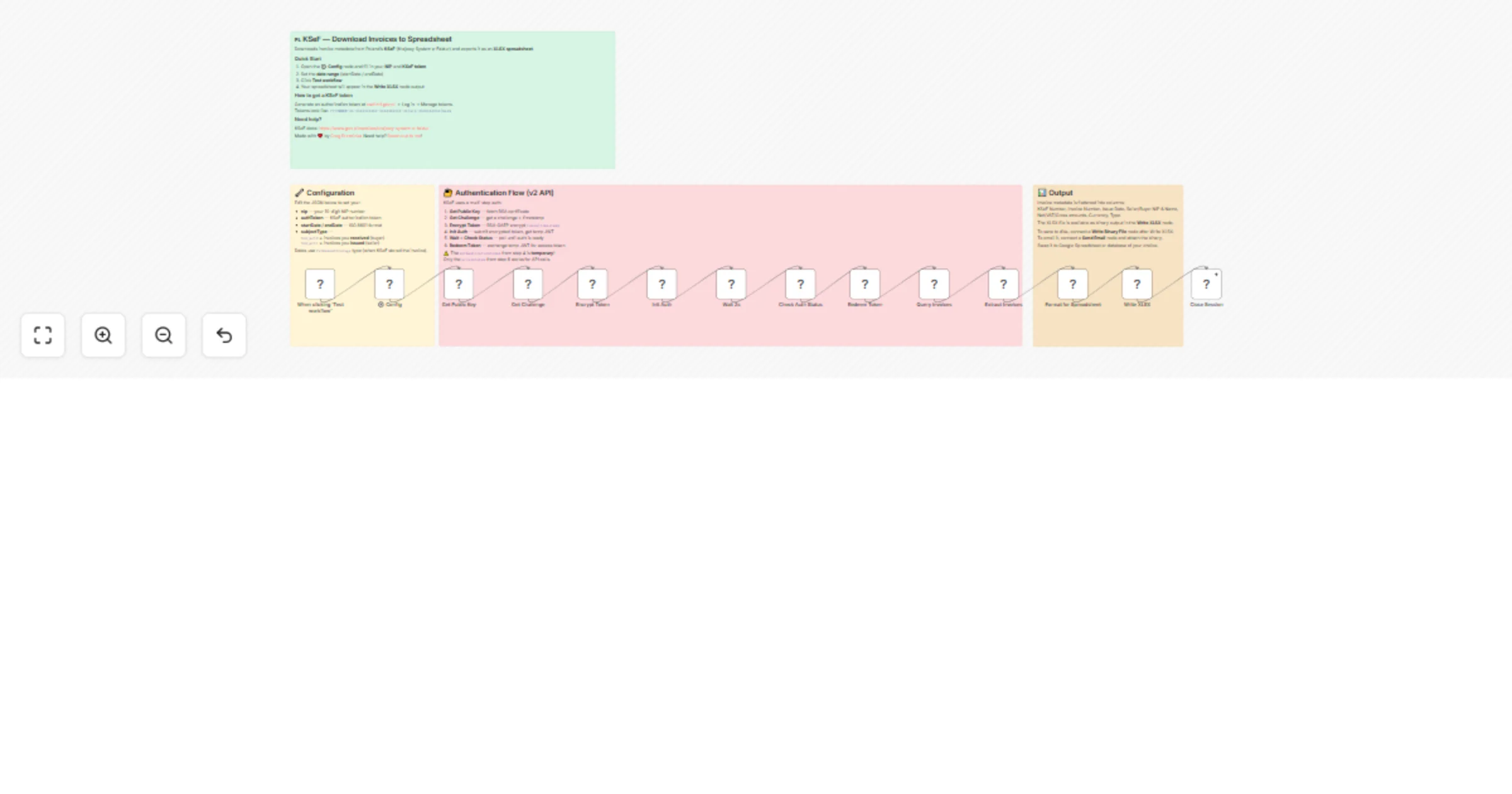
KSeF API v2 requires a 6-step authentication flow:

  1. Fetch the RSA public key certificate from KSeF
  2. Request a challenge (nonce + timestamp)
  3. RSA-OAEP encrypt your token with the challenge timestamp
  4. Initialize authentication — returns a temporary JWT
  5. Poll the auth status until it's ready
  6. Redeem the temporary JWT for a real access token

Only after step 6 can you query invoices. This workflow handles all of that automatically — you just provide your token and NIP.

Extending the workflow

Some ideas for what you can add after the Write XLSX node:

  • Write Binary File — save the spreadsheet to disk
  • Send Email (Gmail / SMTP) — email the spreadsheet as an attachment
  • Google Drive — upload the spreadsheet to Drive
  • Postgres / MySQL — write invoice data to a database for querying
  • Download Invoice XML — add an HTTP Request node to GET /invoices/{ksefNumber} with the access token to download the full invoice XML

Requirements

  • A KSeF authorization token (generated at ksef.mf.gov.pl)
  • No external credentials or API keys needed in n8n — everything goes through the Config node
  • Works with n8n self-hosted and cloud

API reference

Made with ❤️ by Greg Brzezinka Need help? Reach out to me!

Tags

ksef, poland, invoices, tax, e-invoicing, spreadsheet, xlsx, accounting

Categories

Finance & Accounting, Data Transformation

1.2 Logical Blocks

This catalog entry is organized from the workflow JSON. The node-level section below shows the executable blocks available for review before importing the template.

2. Block-by-Block Analysis

Block 1 - Sticky Note

Type / Role
n8n-nodes-base.stickyNote - stickyNote
Config choices
Version 1

Block 2 - Sticky Note1

Type / Role
n8n-nodes-base.stickyNote - stickyNote
Config choices
Version 1

Block 3 - Sticky Note2

Type / Role
n8n-nodes-base.stickyNote - stickyNote
Config choices
Version 1

Block 4 - Sticky Note3

Type / Role
n8n-nodes-base.stickyNote - stickyNote
Config choices
Version 1

Block 5 - When clicking 'Test workflow'

Type / Role
n8n-nodes-base.manualTrigger - manualTrigger
Config choices
Version 1

Block 6 - ⚙️ Config

Type / Role
n8n-nodes-base.set - set
Config choices
Version 3.4

Block 7 - Get Public Key

Type / Role
n8n-nodes-base.httpRequest - httpRequest
Config choices
Version 4.4

Block 8 - Get Challenge

Type / Role
n8n-nodes-base.httpRequest - httpRequest
Config choices
Version 4.4

Block 9 - Encrypt Token

Type / Role
n8n-nodes-base.code - code
Config choices
Version 2

Block 10 - Init Auth

Type / Role
n8n-nodes-base.httpRequest - httpRequest
Config choices
Version 4.4

Block 11 - Wait 2s

Type / Role
n8n-nodes-base.code - code
Config choices
Version 2

Block 12 - Check Auth Status

Type / Role
n8n-nodes-base.httpRequest - httpRequest
Config choices
Version 4.4

Block 13 - Redeem Token

Type / Role
n8n-nodes-base.httpRequest - httpRequest
Config choices
Version 4.4

Block 14 - Query Invoices

Type / Role
n8n-nodes-base.httpRequest - httpRequest
Config choices
Version 4.4

Block 15 - Extract Invoices

Type / Role
n8n-nodes-base.code - code
Config choices
Version 2

Block 16 - Format for Spreadsheet

Type / Role
n8n-nodes-base.code - code
Config choices
Version 2

Block 17 - Write XLSX

Type / Role
n8n-nodes-base.spreadsheetFile - spreadsheetFile
Config choices
Version 2

Block 18 - Close Session

Type / Role
n8n-nodes-base.httpRequest - httpRequest
Config choices
Version 4.4

3. Summary Table

Workflow Download KSeF (Poland’s e-invoicing system) invoices to an Excel spreadsheet
Complexity advanced
Nodes 18
Categories Invoice Processing
Author Greg Brzezinka
Published 06 Mar 2026

4. Reproducing the Workflow from Scratch

  1. 1. Download the workflow JSON

    Use the JSON export at /data/workflows/13925/13925.json as the source template for this automation.

  2. 2. Import the template into n8n

    Open n8n, import the downloaded JSON, and review each node before activating the workflow.

  3. 3. Configure credentials and variables

    Replace placeholder credentials, API keys, webhook URLs, account IDs, and environment-specific values with your own settings.

  4. 4. Test with sample data

    Run the workflow manually or in a staging workspace, inspect node output, and confirm downstream systems receive the expected data.

  5. 5. Activate and monitor

    Enable the workflow only after testing, then monitor executions, errors, and rate limits during the first production runs.

5. General Notes & Resources

Review imported nodes carefully before activation. This catalog entry is intended to help you inspect the workflow structure, understand required services, and find related templates faster.

Node names, credentials, schedules, webhook paths, and external service limits may need adjustment for your workspace.

Frequently asked questions

What does Download KSeF (Poland’s e-invoicing system) invoices to an Excel spreadsheet do?

TL;DR; Download invoices from Poland's KSeF (Krajowy System e Faktur) and export them as an XLSX spreadsheet. Handles the full v2 authentication flow automatically. Download KSeF invoices through n...

What do I need before importing this workflow?

Review the workflow JSON, configure any required credentials in n8n, and test the automation in a safe workspace before using it in production.

Can I customize this workflow?

Yes. Use the block-by-block analysis and the downloadable JSON to inspect each node, then adjust credentials, prompts, schedules, filters, or destinations for your Invoice Processing use case.