Daily Import Yesterday's Forex Factory Calendar to Google Sheets with Telegram Alerts
Workflow preview


 Early Deal
DISCOUNT 20%

Important notice
This workflow is provided as-is. Please review and test before using in production.
Overview
Overview
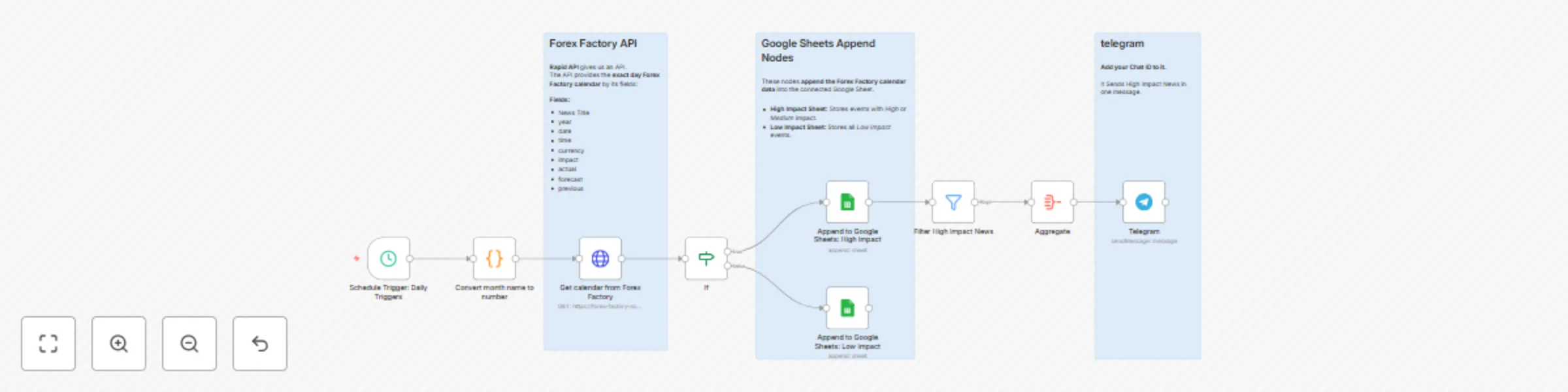
This n8n workflow automatically fetches the Forex Factory calendar for yesterday using Rapid API, then saves the data to a connected Google Sheet and sends Telegram alerts for high and medium impact events.
It runs daily on schedule, collecting key fields such as currency, time, impact, and market indicators, and organizes them for easy tracking and analysis. Perfect for forex traders and analysts who need quick access to reliable market data from the previous day’s events.
✅ Tasks
- ⏰ Runs automatically every day
- 🌐 Fetches yesterday’s Forex Factory calendar via Rapid API
- 🧾 Collects key data fields: year, date, time, currency, impact, actual, forecast, previous
- 📊 Saves all records to Google Sheets for tracking and analysis
- 🚨 Sends Telegram alerts for high and medium impact events
- ⚙️ Keeps your market data updated and organized with no manual work required
🛠 How to Use
📄 Create a Google Spreadsheet
Create a new spreadsheet in Google Sheets and add two sheets: High Impact and Low Impact.
Connect it to your Google Sheets nodes in n8n.🌐 Find the API on Rapid API
Go to Rapid API and search for Forex Factory Scraper.
Subscribe to the API to get your access key.🔑 Connect Rapid API to n8n
In your HTTP Request node, add the header below to authenticate your request:💬 Add Your Telegram Chat ID
In the Telegram node, paste your Chat ID to receive daily alerts for high-impact news.🕒 Activate the Workflow
Enable the Schedule Trigger to run daily.
The workflow will automatically fetch yesterday’s Forex Factory calendar,
save it to Google Sheets, and send Telegram notifications.