Create dynamic Twitter profile banner
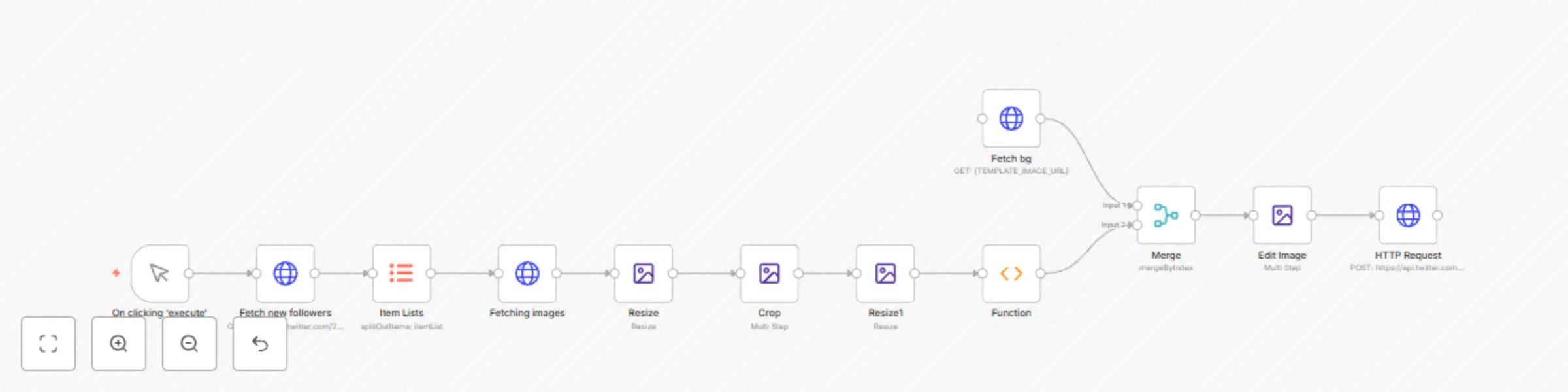
Workflow preview

$20/month : Unlimited workflows
2500 executions/month

THE #1 IN WEB SCRAPING
Scrape any website without limits
HOSTINGER  Early Deal
DISCOUNT 20% Try free
Early DealDISCOUNT 20%
Self-hosted n8n
Unlimited workflows - from $4.99/mo

#1 hub for scraping, AI & automation
6000+ actors - $5 credits/mo
Important notice
This workflow is provided as-is. Please review and test before using in production.
Overview
This workflow updates your Twitter profile banner when you have a new follower.
To use this workflow:
- Configure Header Auth in the Fetch New Followers to connect to your Twitter account.
- Update the URL of the template image in the Fetch BG node.
- Create and configure your Twitter OAuth 1.0 credentials in the last HTTP Request node.
You can configure the size, and position of the avatar images in the Edit Image nodes.
Check out this video to learn how to build it from scratch: How to automatically update your Twitter Profile Banner