Cold email outreach personalized by business with Gmail, Google Sheet and Gemini

Workflow preview

Workflow preview
100%
Cold email outreach personalized by business with Gmail, Google Sheet and Gemini preview
Open on n8n.io

Important notice

This workflow is provided as-is. Please review and test before using in production.

1. Workflow Overview

AI Powered Personalized Cold Email Outreach System Categories: Lead Generation, Business Automation, AI This workflow automates personalized cold email outreach by fetching lead data from a Google ...

Best for

  • Lead Nurturing automation workflows
  • Multimodal AI automation workflows
  • intermediate n8n builders looking for reusable templates

Tools used

n8n-nodes-base.splitinbatches, n8n-nodes-base.stickynote, n8n-nodes-base.scheduletrigger, @n8n/n8n-nodes-langchain.agent, @n8n/n8n-nodes-langchain.lmchatgooglegemini, n8n-nodes-base.gmailtool, n8n-nodes-base.googlesheetstool, n8n-nodes-base.httprequesttool

Source and attribution

This workflow is cataloged by N8N Workflows and links back to its original n8n.io source page by Zain Khan.

Original n8n.io source

1.1 Workflow description

Title
Cold email outreach personalized by business with Gmail, Google Sheet and Gemini
Workflow name
Cold email outreach personalized by business with Gmail, Google Sheet and Gemini

AI-Powered Personalized Cold Email Outreach System

Categories: Lead Generation, Business Automation, AI

This workflow automates personalized cold email outreach by fetching lead data from a Google Sheet, using an AI Agent (e.g., GPT-5) to analyze the prospect's business website, crafting a tailored message, and sending it via Gmail. It updates the sheet to track who has been contacted, creating a completely automated and intelligent outreach system.


Benefits

  • Hyper-Personalized Outreach - Generates unique email copy for each lead by analyzing their specific business website.
  • Automated & Efficient - Runs automatically on a schedule, saving hours of manual lead research and email writing.
  • Seamless Integration - Connects directly to Google Sheets and Gmail for a smooth, end-to-end process.
  • Flexible & Customizable - The AI Agent's prompt can be easily adjusted to change the email tone, focus, and call-to-action.
  • Clear Tracking - Updates the lead's status in your spreadsheet to prevent duplicate outreach and maintain a clean record.

How It Works

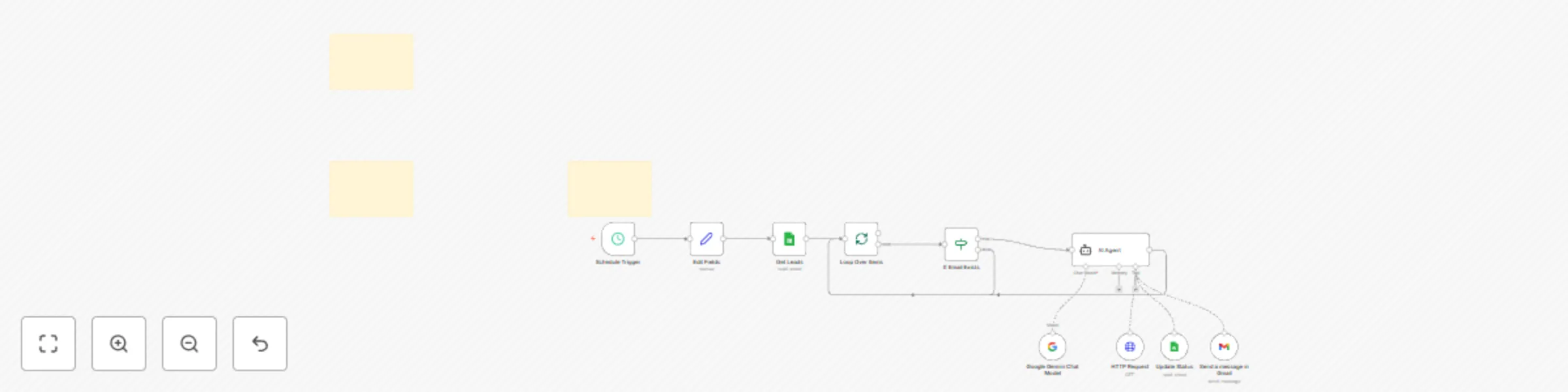
  1. Scheduled Trigger: The workflow is activated at a pre-set time using the Schedule Trigger node.
  2. Lead Ingestion: It pulls leads from a designated Google Sheet where the Outreach Status is marked as Pending.
  3. AI Analysis & Email Crafting:
    • The AI Agent node reads the lead's website and other data.
    • It uses an advanced prompt to act as an email specialist, crafting a unique, value-driven email pitch tailored to the prospect.
  4. Email Dispatch: The workflow sends the personalized email to the prospect's address using the Gmail node.
  5. Status Update: It updates the Outreach Status in the Google Sheet from Pending to Sent for the processed lead.

Requirements

  • n8n: A deployed instance of n8n.
  • Google Sheets: A Google account with a designated spreadsheet for your leads.
  • Gmail: A Google account for sending emails.
  • AI/LLM service: A credential for an AI service like Google Gemini or OpenAI.

How to Use

  1. Set up your spreadsheet: Ensure your Google Sheet has the required columns: Title, Website, Email, Industry, and Outreach Status. Mark leads you want to process as Pending.
  2. Configure the workflow:
    • Authenticate your Google Sheets, Gmail, and AI/LLM accounts.
    • Open the Edit Fields node to add your name and company for the email signature.
  3. Customize & Run: Adjust the prompt in the AI Agent node to refine the email's style and set the Schedule Trigger to your preferred time. The workflow will begin automatically sending emails.

Business Use Cases

  • Sales Teams - Generate hyper-personalized cold emails at scale to close more deals.
  • Marketing Agencies - Offer AI-driven outreach services to clients to boost their lead generation efforts.
  • Recruiters - Send tailored emails to passive candidates by referencing their professional profiles.
  • SaaS Companies - Target potential customers with highly relevant email pitches that address their specific business needs.
  • Startups - Efficiently validate product ideas or find early adopters by reaching out to a targeted audience.

Revenue Potential

This system can completely revolutionize your sales and marketing efforts:

  • High conversion rates due to personalized and relevant outreach can help you win clients of $5000+.
  • Reduced manual effort allows you to focus on high-value tasks.
  • Scalable to handle thousands of leads with minimal per-email cost.
  • Perfect for agencies offering "Done-For-You" AI-powered outreach services.

Difficulty Level: Intermediate Estimated Setup Time: 20 min Monthly Operating Cost: Low (variable based on AI usage)

Advanced Optimizations

  • Enrichment: Add a step to automatically enrich your leads with company data before the AI personalization step.
  • A/B Testing: Create multiple versions of the AI Agent prompt to test different messaging styles and optimize for conversion.
  • Follow-up Sequence: Extend the workflow to automatically send a follow-up email if the prospect doesn't reply within a certain number of days.

Google Sheet Template

You can copy this sample Google Sheet to get started.

Need a lead generation pipeline to feed this workflow? Check out this n8n workflow that automates Google Maps lead generation without any paid tools.

1.2 Logical Blocks

This catalog entry is organized from the workflow JSON. The node-level section below shows the executable blocks available for review before importing the template.

2. Block-by-Block Analysis

Block 1 - Loop Over Items

Type / Role
n8n-nodes-base.splitInBatches - splitInBatches
Config choices
Version 3

Block 2 - Sticky Note

Type / Role
n8n-nodes-base.stickyNote - stickyNote
Config choices
Version 1

Block 3 - Sticky Note1

Type / Role
n8n-nodes-base.stickyNote - stickyNote
Config choices
Version 1

Block 4 - Sticky Note2

Type / Role
n8n-nodes-base.stickyNote - stickyNote
Config choices
Version 1

Block 5 - Schedule Trigger

Type / Role
n8n-nodes-base.scheduleTrigger - scheduleTrigger
Config choices
Version 1.2

Block 6 - AI Agent

Type / Role
@n8n/n8n-nodes-langchain.agent - agent
Config choices
Version 2.1

Block 7 - Google Gemini Chat Model

Type / Role
@n8n/n8n-nodes-langchain.lmChatGoogleGemini - lmChatGoogleGemini
Config choices
Version 1

Block 8 - Send a message in Gmail

Type / Role
n8n-nodes-base.gmailTool - gmailTool
Config choices
Version 2.1

Block 9 - Update Status

Type / Role
n8n-nodes-base.googleSheetsTool - googleSheetsTool
Config choices
Version 4.6

Block 10 - HTTP Request

Type / Role
n8n-nodes-base.httpRequestTool - httpRequestTool
Config choices
Version 4.2

Block 11 - If Email Exists

Type / Role
n8n-nodes-base.if - if
Config choices
Version 2.2

Block 12 - Get Leads

Type / Role
n8n-nodes-base.googleSheets - googleSheets
Config choices
Version 4.6

Block 13 - Edit Fields

Type / Role
n8n-nodes-base.set - set
Config choices
Version 3.4

3. Summary Table

Workflow Cold email outreach personalized by business with Gmail, Google Sheet and Gemini
Complexity intermediate
Nodes 13
Categories Lead Nurturing, Multimodal AI
Author Zain Khan
Published 18 Aug 2025

4. Reproducing the Workflow from Scratch

  1. 1. Download the workflow JSON

    Use the JSON export at /data/workflows/7532/7532.json as the source template for this automation.

  2. 2. Import the template into n8n

    Open n8n, import the downloaded JSON, and review each node before activating the workflow.

  3. 3. Configure credentials and variables

    Replace placeholder credentials, API keys, webhook URLs, account IDs, and environment-specific values with your own settings.

  4. 4. Test with sample data

    Run the workflow manually or in a staging workspace, inspect node output, and confirm downstream systems receive the expected data.

  5. 5. Activate and monitor

    Enable the workflow only after testing, then monitor executions, errors, and rate limits during the first production runs.

5. General Notes & Resources

Review imported nodes carefully before activation. This catalog entry is intended to help you inspect the workflow structure, understand required services, and find related templates faster.

Node names, credentials, schedules, webhook paths, and external service limits may need adjustment for your workspace.

Frequently asked questions

What does Cold email outreach personalized by business with Gmail, Google Sheet and Gemini do?

AI Powered Personalized Cold Email Outreach System Categories: Lead Generation, Business Automation, AI This workflow automates personalized cold email outreach by fetching lead data from a Google ...

What do I need before importing this workflow?

Review the workflow JSON, configure any required credentials in n8n, and test the automation in a safe workspace before using it in production.

Can I customize this workflow?

Yes. Use the block-by-block analysis and the downloadable JSON to inspect each node, then adjust credentials, prompts, schedules, filters, or destinations for your Lead Nurturing, Multimodal AI use case.