Block 1 - Fetch Unscored Leads1
- Type / Role
- n8n-nodes-base.supabase - supabase
- Config choices
- Version 1


 Early Deal
How it works This workflow captures incoming leads from Gmail, validates and stores them in Supabase, then uses AI to score and classify each lead. Based on the classification, leads are automatica...
n8n-nodes-base.supabase, n8n-nodes-base.set, n8n-nodes-base.if, @n8n/n8n-nodes-langchain.lmchatgroq, n8n-nodes-base.switch, n8n-nodes-base.slack, n8n-nodes-base.gmailtrigger, n8n-nodes-base.gmail
This workflow is cataloged by N8N Workflows and links back to its original n8n.io source page by Avkash Kakdiya.
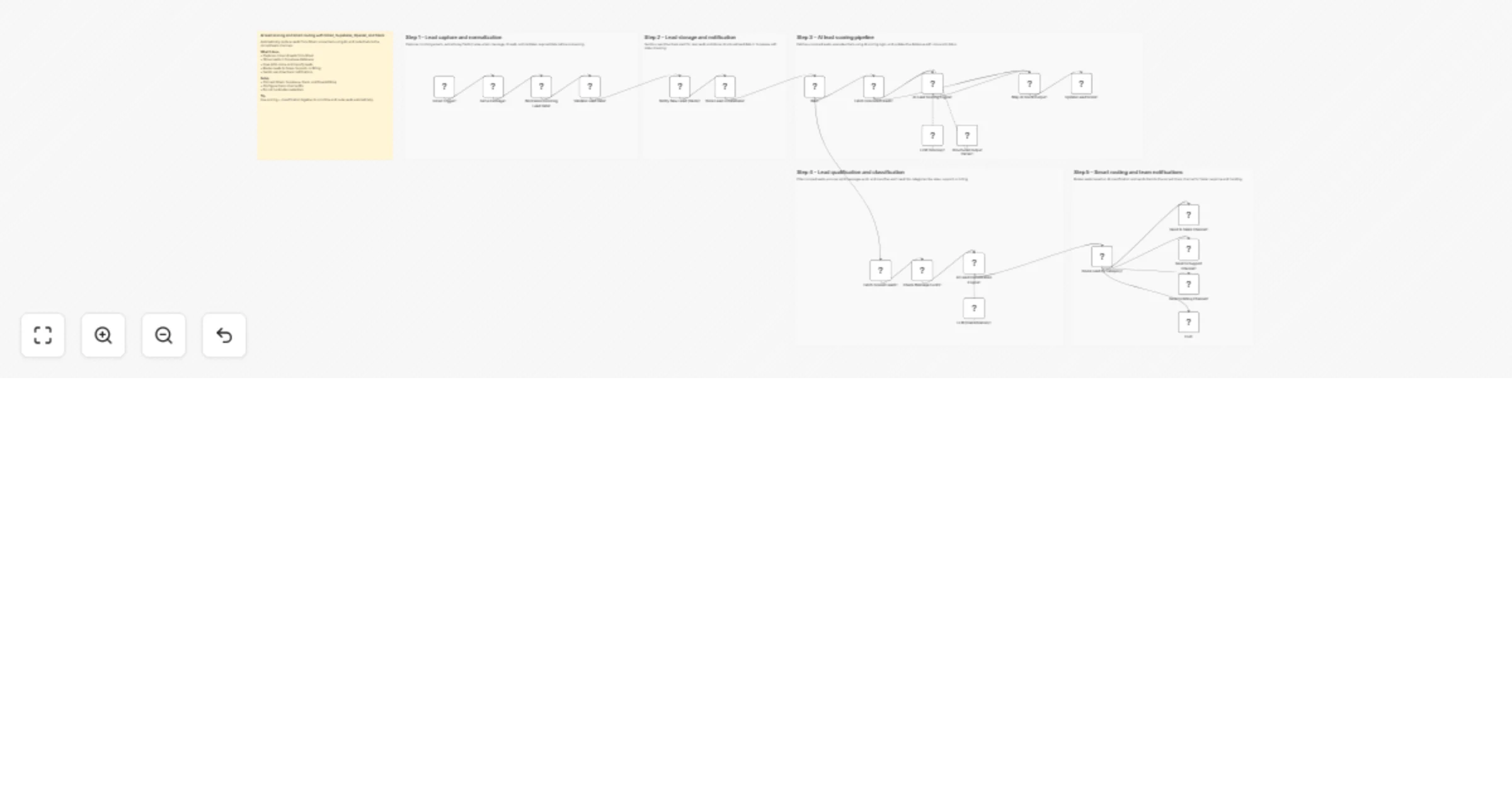
Original n8n.io sourceThis workflow captures incoming leads from Gmail, validates and stores them in Supabase, then uses AI to score and classify each lead. Based on the classification, leads are automatically routed to the appropriate Slack channel. It runs continuously with a wait cycle to process new and updated leads. The result is a fully automated lead qualification and routing system.
Lead capture and validation
Gmail Trigger – Monitors inbox for new lead emails.
Get a message – Retrieves full email content.
Normalize Incoming Lead Data – Extracts name, message, email, and source.
Validate Lead Data – Ensures required fields are present.
Lead storage and notification
Notify New Lead (Slack) – Sends alert to Slack channel.
Store Lead in Database – Saves lead data in Supabase.
AI lead scoring pipeline
Wait – Delays execution before next cycle.
Fetch Unscored Leads – Retrieves leads with score = 0.
AI Lead Scoring Engine – Generates score and summary.
LLM (Scoring) – Provides AI model for scoring.
Structured Output Parser – Formats AI response.
Map AI Score Output – Prepares score data fields.
Update Lead Score – Updates score and status in database.
Lead qualification and classification
Fetch Scored Leads – Gets leads ready for routing.
Check Message Exists – Filters valid messages.
AI Lead Classification Engine – Categorizes lead type.
LLM (Classification) – Provides classification logic.
Smart routing and notifications
Route Lead by Category – Splits leads by category.
Send to Sales Channel – Sends sales leads to Slack.
Send to Support Channel – Sends support leads.
Send to Billing Channel – Sends billing-related leads.
End – Stops workflow for unmatched cases.
This catalog entry is organized from the workflow JSON. The node-level section below shows the executable blocks available for review before importing the template.
Showing the first 24 of 28 workflow blocks. Download the JSON for the full node graph.
| Workflow | Capture, score and route Gmail leads with Groq Llama 3.3, Supabase and Slack |
|---|---|
| Complexity | advanced |
| Nodes | 28 |
| Categories | Lead Generation, AI Summarization |
| Author | Avkash Kakdiya |
| Published | 26 Mar 2026 |
Use the JSON export at /data/workflows/14362/14362.json as the source template for this automation.
Open n8n, import the downloaded JSON, and review each node before activating the workflow.
Replace placeholder credentials, API keys, webhook URLs, account IDs, and environment-specific values with your own settings.
Run the workflow manually or in a staging workspace, inspect node output, and confirm downstream systems receive the expected data.
Enable the workflow only after testing, then monitor executions, errors, and rate limits during the first production runs.
Review imported nodes carefully before activation. This catalog entry is intended to help you inspect the workflow structure, understand required services, and find related templates faster.
Node names, credentials, schedules, webhook paths, and external service limits may need adjustment for your workspace.
How it works This workflow captures incoming leads from Gmail, validates and stores them in Supabase, then uses AI to score and classify each lead. Based on the classification, leads are automatica...
Review the workflow JSON, configure any required credentials in n8n, and test the automation in a safe workspace before using it in production.
Yes. Use the block-by-block analysis and the downloadable JSON to inspect each node, then adjust credentials, prompts, schedules, filters, or destinations for your Lead Generation, AI Summarization use case.