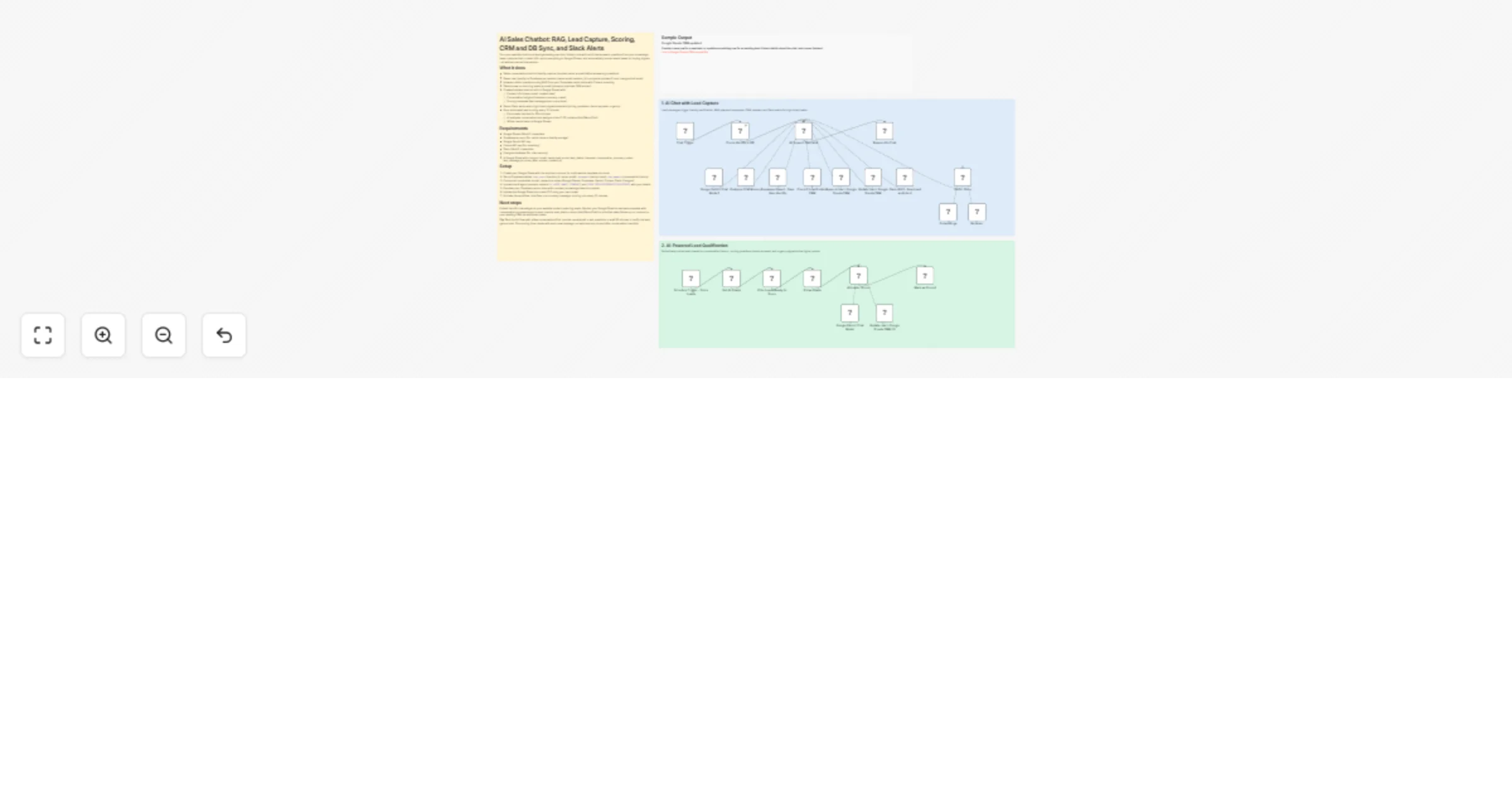
Capture and score website leads with Gemini RAG, Supabase, Google Sheets and Slack alerts

Workflow preview

Workflow preview
100%
Capture and score website leads with Gemini RAG, Supabase, Google Sheets and Slack alerts preview
Open on n8n.io

1. Workflow Overview

Turn your website chat into a lead generating machine. Visitors chat with an AI that answers questions from your knowledge base, captures their contact info, syncs everything to Google Sheets, and ...

Best for

  • Lead Nurturing automation workflows
  • AI Chatbot automation workflows
  • advanced n8n builders looking for reusable templates

Tools used

@n8n/n8n-nodes-langchain.chattrigger, @n8n/n8n-nodes-langchain.vectorstoresupabase, @n8n/n8n-nodes-langchain.embeddingsgooglegemini, @n8n/n8n-nodes-langchain.rerankercohere, n8n-nodes-base.httprequesttool, n8n-nodes-base.supabase, @n8n/n8n-nodes-langchain.chat, n8n-nodes-base.scheduletrigger

Source and attribution

This workflow is cataloged by N8N Workflows and links back to its original n8n.io source page by Dean Pike.

Original n8n.io source

1.1 Workflow description

Title
Capture and score website leads with Gemini RAG, Supabase, Google Sheets and Slack alerts
Workflow name
Capture and score website leads with Gemini RAG, Supabase, Google Sheets and Slack alerts

Turn your website chat into a lead-generating machine. Visitors chat with an AI that answers questions from your knowledge base, captures their contact info, syncs everything to Google Sheets, and automatically scores leads based on buying signals - all without manual intervention.

What it does

  • Gates conversations behind identity capture (requires name + email before answering questions)
  • Saves user identity to Supabase per session (name, email, session_id)—supports updates if user changes their email
  • Answers visitor questions using RAG from your Supabase vector store with Cohere reranking
  • Detects new vs returning leads by email (prevents duplicate CRM entries)
  • Creates/updates lead records in Google Sheets with:
  • Contact info (name, email, created date)
  • Conversation insights (interests, summary, notes)
  • Scoring metadata (last message time, score timer)
  • Sends Slack alerts when high-intent signals detected (pricing questions, demo requests, urgency)
  • Runs automated lead scoring every 10 minutes:
  • Finds leads inactive for 30+ minutes
  • AI analyzes conversation and assigns score (1-10) + status (Hot/Warm/Cold)
  • Writes results back to Google Sheets

Requirements

  • Google Sheets OAuth2 credentials
  • Supabase account (for vector store + identity storage)
  • Google Gemini API key
  • Cohere API key (for reranking)
  • Slack OAuth2 credentials
  • Postgres database (for chat memory)
  • A Google Sheet with columns: email, name, lead_score, lead_status, interests, conversation_summary, notes, last_message_at, score_after, scored, created_at

Setup

  1. Create your Google Sheet with the required columns (or duplicate the template structure)
  2. Set up Supabase tables: chat_users (session_id, name, email), documents (vector store), chat_memory (conversation history)
  3. Connect all credentials to their respective nodes (Google Sheets, Supabase, Gemini, Cohere, Slack, Postgres)
  4. Update the AI agent prompts: replace [AI AGENT NAME], [COMPANY], and [YOUR SERVICES/PRODUCTS/SOLUTIONS] with your details
  5. Populate your Supabase vector store with company knowledge base documents
  6. Update the Google Sheet document ID if using your own sheet
  7. Activate the workflow: chat flow runs on every message, scoring runs every 10 minutes

Next steps

Embed the n8n chat widget on your website to start capturing leads. Monitor your Google Sheet to see leads populate with conversation summaries and scores. Use the lead_status column (Hot/Warm/Cold) to prioritize sales follow-up, or connect to your existing CRM via additional nodes.

Tip: Test the full flow with a few conversations first: provide name/email → ask questions → wait 30 minutes → verify the lead gets scored. The scoring timer resets with each new message, so leads are only scored after conversation inactivity.

Sample Outputs

AI support agent refusing to answer questions until identity received and confirmed

via embedded n8n chat module.

n8n RAG chatbot running with hosted chat interface on external website

via hosted n8n chat trigger.

Supabase DB table updated with users' name and email address once provided

Creates a new row, or updates the row if the user requests to change their email address in the same chat session.

Google Sheets CRM updated

Creates a new row for a new lead, or updates an existing row for an existing lead. Enters details about the chat, and scores the lead. Link to Google Sheets CRM sample file

Slack alerts triggered in leads channel

Alerts the relevant channel with automated Slack messages any time a lead shares their name and email, plus any time they show possible buying intent.

1.2 Logical Blocks

This catalog entry is organized from the workflow JSON. The node-level section below shows the executable blocks available for review before importing the template.

2. Block-by-Block Analysis

Block 1 - Chat Trigger

Type / Role
@n8n/n8n-nodes-langchain.chatTrigger - chatTrigger
Config choices
Version 1.3

Block 2 - Vector Store

Type / Role
@n8n/n8n-nodes-langchain.vectorStoreSupabase - vectorStoreSupabase
Config choices
Version 1.3

Block 3 - Embeddings

Type / Role
@n8n/n8n-nodes-langchain.embeddingsGoogleGemini - embeddingsGoogleGemini
Config choices
Version 1

Block 4 - Reranker

Type / Role
@n8n/n8n-nodes-langchain.rerankerCohere - rerankerCohere
Config choices
Version 1

Block 5 - Supabase Upsert - Save User Identity

Type / Role
n8n-nodes-base.httpRequestTool - httpRequestTool
Config choices
Version 4.2

Block 6 - Check Identity In DB

Type / Role
n8n-nodes-base.supabase - supabase
Config choices
Version 1

Block 7 - Respond to Chat

Type / Role
@n8n/n8n-nodes-langchain.chat - chat
Config choices
Version 1

Block 8 - Schedule Trigger - Score Leads

Type / Role
n8n-nodes-base.scheduleTrigger - scheduleTrigger
Config choices
Version 1.2

Block 9 - If Has Leads

Type / Role
n8n-nodes-base.if - if
Config choices
Version 2.2

Block 10 - Filter Leads Ready to Score

Type / Role
n8n-nodes-base.filter - filter
Config choices
Version 2.2

Block 11 - Google Gemini Chat Model

Type / Role
@n8n/n8n-nodes-langchain.lmChatGoogleGemini - lmChatGoogleGemini
Config choices
Version 1

Block 12 - Google Gemini Chat Model1

Type / Role
@n8n/n8n-nodes-langchain.lmChatGoogleGemini - lmChatGoogleGemini
Config choices
Version 1

Block 13 - Postgres Chat Memory

Type / Role
@n8n/n8n-nodes-langchain.memoryPostgresChat - memoryPostgresChat
Config choices
Version 1.3

Block 14 - Get All Leads

Type / Role
n8n-nodes-base.googleSheets - googleSheets
Config choices
Version 4.5

Block 15 - Mark as Scored

Type / Role
n8n-nodes-base.googleSheets - googleSheets
Config choices
Version 4.5

Block 16 - Update row in Google Sheets CRM

Type / Role
n8n-nodes-base.googleSheetsTool - googleSheetsTool
Config choices
Version 4.7

Block 17 - Update row in Google Sheets CRM (2)

Type / Role
n8n-nodes-base.googleSheetsTool - googleSheetsTool
Config choices
Version 4.7

Block 18 - Check if Lead Exists in CRM

Type / Role
n8n-nodes-base.googleSheetsTool - googleSheetsTool
Config choices
Version 4.7

Block 19 - Append row in Google Sheets CRM

Type / Role
n8n-nodes-base.googleSheetsTool - googleSheetsTool
Config choices
Version 4.7

Block 20 - AI Support Specialist

Type / Role
@n8n/n8n-nodes-langchain.agent - agent
Config choices
Version 3.1

Block 21 - AI Leader Scorer

Type / Role
@n8n/n8n-nodes-langchain.agent - agent
Config choices
Version 3.1

Block 22 - Sticky Note

Type / Role
n8n-nodes-base.stickyNote - stickyNote
Config choices
Version 1

Block 23 - Slack Alert - New Lead and Intent

Type / Role
n8n-nodes-base.slackTool - slackTool
Config choices
Version 2.4

Block 24 - Sticky Note2

Type / Role
n8n-nodes-base.stickyNote - stickyNote
Config choices
Version 1

Showing the first 24 of 26 workflow blocks. Download the JSON for the full node graph.

3. Summary Table

Workflow Capture and score website leads with Gemini RAG, Supabase, Google Sheets and Slack alerts
Complexity advanced
Nodes 26
Categories Lead Nurturing, AI Chatbot
Author Dean Pike
Published 05 Nov 2025

4. Reproducing the Workflow from Scratch

  1. 1. Download the workflow JSON

    Use the JSON export at /data/workflows/10534/10534.json as the source template for this automation.

  2. 2. Import the template into n8n

    Open n8n, import the downloaded JSON, and review each node before activating the workflow.

  3. 3. Configure credentials and variables

    Replace placeholder credentials, API keys, webhook URLs, account IDs, and environment-specific values with your own settings.

  4. 4. Test with sample data

    Run the workflow manually or in a staging workspace, inspect node output, and confirm downstream systems receive the expected data.

  5. 5. Activate and monitor

    Enable the workflow only after testing, then monitor executions, errors, and rate limits during the first production runs.

5. General Notes & Resources

Review imported nodes carefully before activation. This catalog entry is intended to help you inspect the workflow structure, understand required services, and find related templates faster.

Node names, credentials, schedules, webhook paths, and external service limits may need adjustment for your workspace.

Frequently asked questions

What does Capture and score website leads with Gemini RAG, Supabase, Google Sheets and Slack alerts do?

Turn your website chat into a lead generating machine. Visitors chat with an AI that answers questions from your knowledge base, captures their contact info, syncs everything to Google Sheets, and ...

What do I need before importing this workflow?

Review the workflow JSON, configure any required credentials in n8n, and test the automation in a safe workspace before using it in production.

Can I customize this workflow?

Yes. Use the block-by-block analysis and the downloadable JSON to inspect each node, then adjust credentials, prompts, schedules, filters, or destinations for your Lead Nurturing, AI Chatbot use case.