Batch upload Instagram Reels to YouTube with scheduled delays
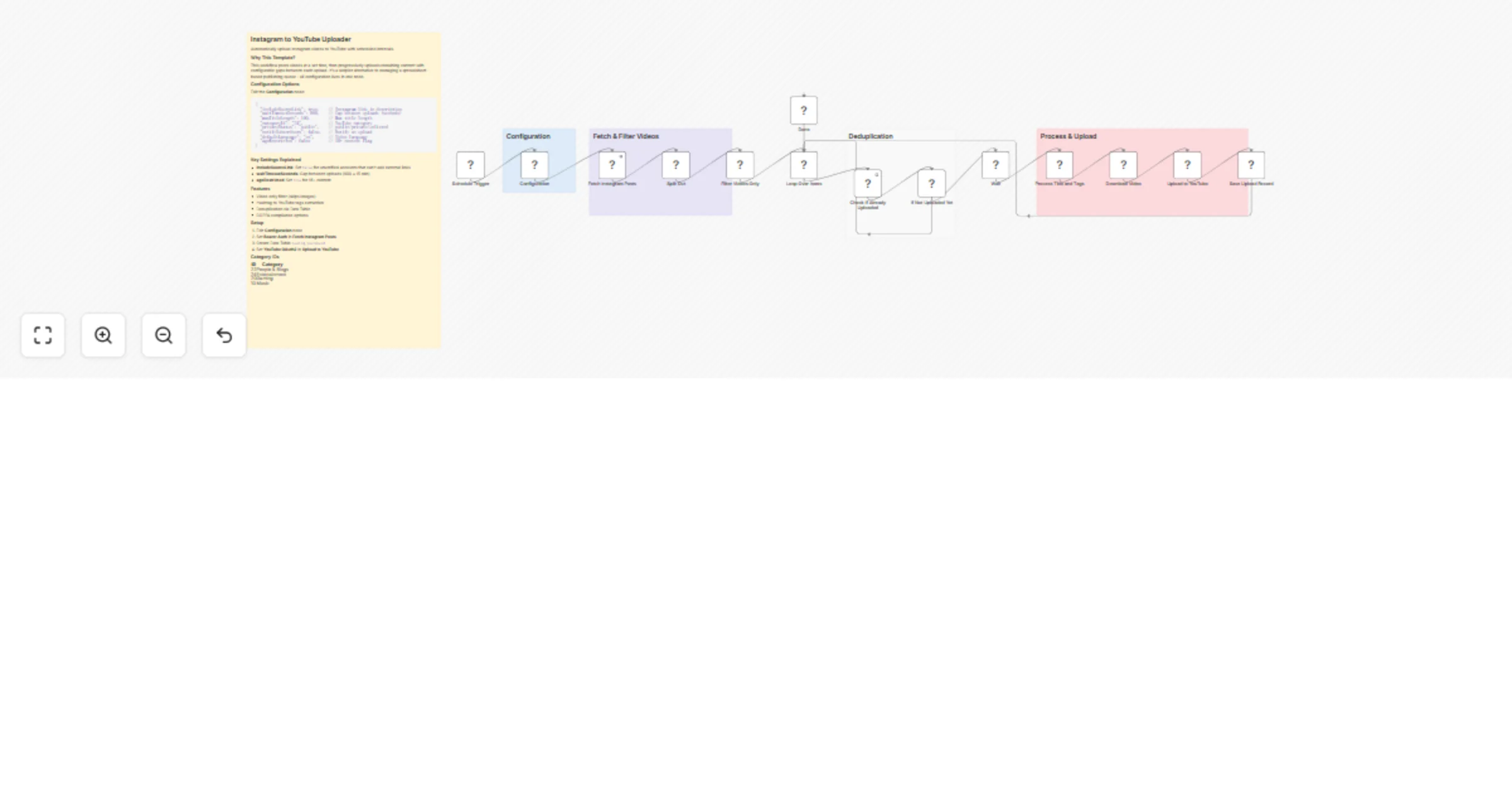
Workflow preview

$20/month : Unlimited workflows
2500 executions/month

THE #1 IN WEB SCRAPING
Scrape any website without limits
HOSTINGER  Early Deal
DISCOUNT 20% Try free
Early DealDISCOUNT 20%
Self-hosted n8n
Unlimited workflows - from $4.99/mo

#1 hub for scraping, AI & automation
6000+ actors - $5 credits/mo
Overview
Automatically upload your Instagram videos to YouTube with configurable time gaps between each upload, using n8n Tables for deduplication.
How it works
- Fetches recent Instagram posts via the Meta Graph API and filters to only video content (VIDEO/REELS)
- Checks each video against an n8n Table to skip already-uploaded content
- Waits a configurable delay between uploads to space out your publishing schedule
- Processes metadata - extracts title from caption, converts hashtags to YouTube tags
- Uploads to YouTube with your configured privacy, category, and safety settings
- Records the upload in the n8n Table to prevent duplicates on future runs
Set up steps
Time estimate: 10-15 minutes
- Create an n8n Table with two text fields:
postIdandyoutubeId - Connect your Instagram credentials (Meta Developer Bearer Token)
- Connect your YouTube OAuth2 account
- Edit the Configuration node to set your preferred upload delay, privacy status, and category
- Activate the workflow
Detailed setup instructions and configuration options are documented in the sticky notes inside the workflow.
Required n8n Table
| Field | Type | Purpose |
|---|---|---|
postId |
String | Stores the Instagram post ID to prevent re-uploading |
youtubeId |
String | Stores the resulting YouTube video ID for reference |
How to create:
- Go to n8n Tables in your n8n instance
- Create a new table named "Instagram To YouTube"
- Add two columns:
postId(text) andyoutubeId(text) - Select this table in both the "Check If Already Uploaded" and "Save Upload Record" nodes
Configuration Options
Edit the Configuration node to customize:
{
 "includeSourceLink": true, // Include Instagram link in description
 "waitTimeoutSeconds": 900, // Delay between uploads (900 = 15 min)
 "maxTitleLength": 100, // Maximum YouTube title length
 "categoryId": "24", // YouTube category (24 = Entertainment)
 "privacyStatus": "public", // public, private, or unlisted
 "notifySubscribers": false, // Send notifications to subscribers
 "defaultLanguage": "en", // Video language code
 "ageRestricted": false // Mark as 18+ content
}
Key Settings Explained
| Setting | Default | Description |
|---|---|---|
includeSourceLink |
true |
Set to false if your YouTube account can't add external links (unverified accounts) |
waitTimeoutSeconds |
900 |
Gap between uploads in seconds. 900 = 15 minutes, 3600 = 1 hour |
ageRestricted |
false |
Set to true if your content is for mature audiences (18+) |
notifySubscribers |
false |
Set to true to notify subscribers on each upload |
Requirements
- n8n version: 1.0+
- Instagram: Meta Developer account with Graph API access and Bearer Token
- YouTube: Google Cloud project with YouTube Data API v3 enabled and OAuth2 credentials
Features
- Filters to VIDEO and REELS only (skips images)
- Smart title extraction from captions
- Hashtag to YouTube tags conversion
- Deduplication via n8n Tables
- COPPA compliance options (madeForKids settings)
- Configurable upload delays for drip-feeding content
Category IDs Reference
| ID | Category |
|---|---|
| 1 | Film & Animation |
| 10 | Music |
| 17 | Sports |
| 20 | Gaming |
| 22 | People & Blogs |
| 23 | Comedy |
| 24 | Entertainment |
| 25 | News & Politics |
| 27 | Education |
| 28 | Science & Technology |