Automated work attendance with location triggers
Workflow preview

$20/month : Unlimited workflows
2500 executions/month

THE #1 IN WEB SCRAPING
Scrape any website without limits
HOSTINGER  Early Deal
DISCOUNT 20% Try free
Early DealDISCOUNT 20%
Self-hosted n8n
Unlimited workflows - from $4.99/mo

#1 hub for scraping, AI & automation
6000+ actors - $5 credits/mo
Important notice
This workflow is provided as-is. Please review and test before using in production.
Overview
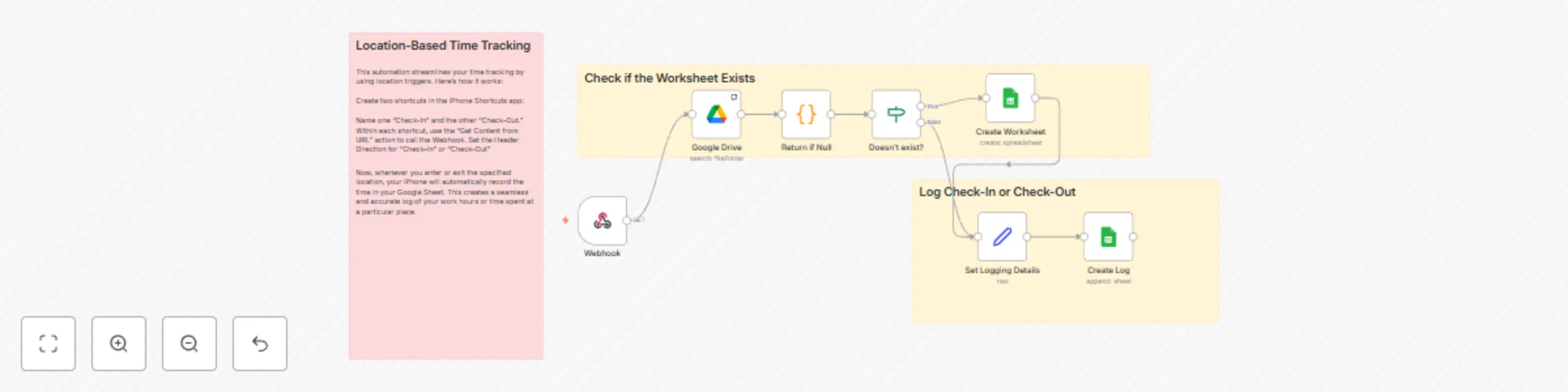
his workflow automates time tracking using location-based triggers.
How it works
- Trigger: It starts when you enter or exit a specified location, triggering a shortcut on your iPhone.
- Webhook: The shortcut sends a request to a webhook in n8n.
- Check-In/Check-Out: The webhook receives the request and records the time and whether it was a "Check-In" or "Check-Out" event.
- Google Sheets: This data is then logged into a Google Sheet, creating a record of your work hours.
Set up steps
- Google Drive: Connect your Google Drive account.
- Google Sheets: Connect your Google Sheets account.
- Webhook: Set up a webhook node in n8n.
- iPhone Shortcuts: Create two shortcuts on your iPhone, one for "Check-In" and one for "Check-Out."
- Configure Shortcuts: Configure each shortcut to send a request to the webhook with the appropriate "Direction" header.
It's easy to setup, around 5 minutes.