Automated replies to X threads with Airtop browser automation
Workflow preview

$20/month : Unlimited workflows
2500 executions/month

THE #1 IN WEB SCRAPING
Scrape any website without limits
HOSTINGER  Early Deal
DISCOUNT 20% Try free
Early DealDISCOUNT 20%
Self-hosted n8n
Unlimited workflows - from $4.99/mo

#1 hub for scraping, AI & automation
6000+ actors - $5 credits/mo
Important notice
This workflow is provided as-is. Please review and test before using in production.
Overview
Use Case
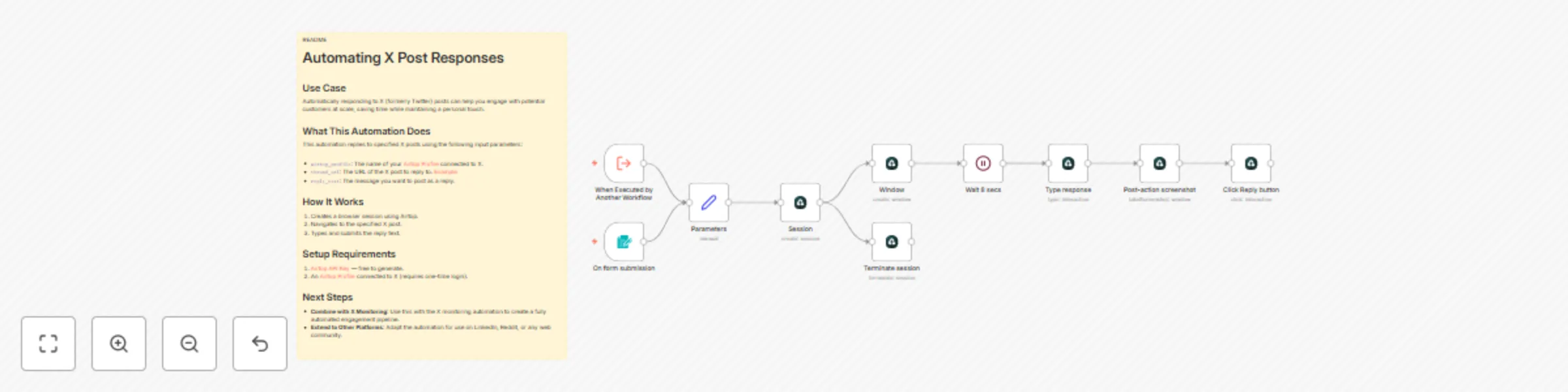
Automatically responding to X (formerly Twitter) posts can help you engage with potential customers at scale, saving time while maintaining a personal touch.
What This Automation Does
This automation replies to specified X posts using the following input parameters:
airtop_profile: The name of your Airtop Profile connected to X.thread_url: The URL of the X post to reply to. Examplereply_text: The message you want to post as a reply.
How It Works
- Creates a browser session using Airtop.
- Navigates to the specified X post.
- Types and submits the reply text.
Setup Requirements
- Airtop API Key — free to generate.
- An Airtop Profile connected to X (requires one-time login).
Next Steps
- Combine with X Monitoring: Use this with the X monitoring automation to create a fully automated engagement pipeline.
- Extend to Other Platforms: Adapt the automation for use on LinkedIn, Reddit, or any web community.
Read more about this Airtop Automation.