Automate webinar registration with Zoom & KlickTipp form integration

Workflow preview

Workflow preview
100%
Automate webinar registration with Zoom & KlickTipp form integration preview
Open on n8n.io

Important notice

This workflow is provided as-is. Please review and test before using in production.

1. Workflow Overview

Community Node Disclaimer : This workflow uses KlickTipp community nodes. Introduction This workflow automates Zoom recurring webinar registrations by captu...

Best for

  • Lead Nurturing automation workflows
  • intermediate n8n builders looking for reusable templates

Tools used

n8n-nodes-klicktipp.klicktipptrigger, n8n-nodes-base.switch, n8n-nodes-base.stickynote, custom.klicktipp, n8n-nodes-base.httprequest

Source and attribution

This workflow is cataloged by N8N Workflows and links back to its original n8n.io source page by KlickTipp.

Original n8n.io source

1.1 Workflow description

Title
Automate webinar registration with Zoom & KlickTipp form integration
Workflow name
Automate webinar registration with Zoom & KlickTipp form integration

Community Node Disclaimer: This workflow uses KlickTipp community nodes.

Introduction

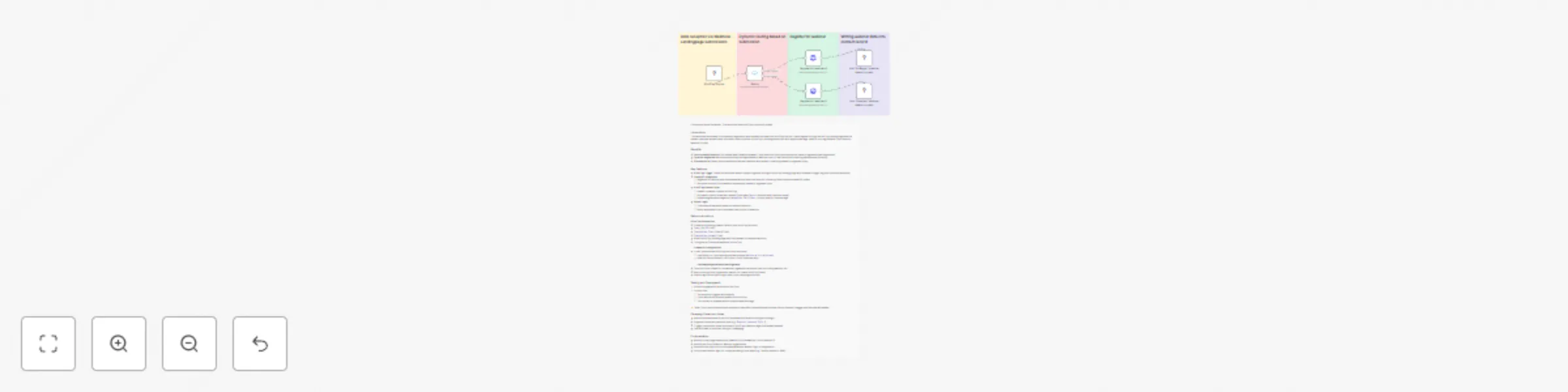
This workflow automates Zoom recurring webinar registrations by capturing form submissions from a KlickTipp Landingpage and enriching contacts with webinar details. Depending on the registrant’s webinar choice (for example “E-Mail Zustellung für Anfänger” or “E-Mail Zustellung für Experten”), the system fetches the correct Zoom webinar info and writes it into KlickTipp. Ideal for running scalable webinar funnels without manual data entry.

Benefits

  • Instant contact enrichment: Automatically populates KlickTipp with Zoom join links and session times.
  • Dynamic segmentation: Applies specific tags for “Beginner” or “Expert” webinar participants.
  • Scalable structure: Router logic allows easy extension for more webinar types.

Key Features

  • KlickTipp Trigger:
    • Starts the workflow when a landing-page form is submitted via outbound webhook.
  • Switch Router:
    • Routes based on the webinar selection.
    • Supports multiple webinar options.
  • Zoom API Integration:
    • Retrieves recurring webinar data including join URL and future occurrences.
    • webinar IDs are set per path (Beginner vs Expert).
  • KlickTipp Contact Sync:
    • Updates or subscribes contacts in the correct list.
    • Writes custom fields for join link and next session timestamp.
    • Applies topic-specific tags for segmentation.

Custom Fields (KlickTipp Setup)

Name Field type
Zoom | webinar choice Line Text
Zoom | webinar start timestamp Date & Time
Zoom | Join URL URL
Zoom | Registration ID Line Text
Zoom | Duration webinar Line Text

Tags (Segmentation)

  • Zoom webinar E-Mail Zustellung für Anfänger
  • Zoom webinar E-Mail Zustellung für Experten

Setup Instructions

KlickTipp Preparation

  • Create the custom fields above.
  • Add dropdown for webinar choice on landing page.
  • Configure outbound webhook to n8n.

Credential Configuration

  • Authenticate KlickTipp API.
  • Connect Zoom via OAuth2 (webinar:write:registrant scope).
  • Insert correct Zoom webinar IDs in workflow nodes.

Field Mapping

  • Map the zoom data to the newly created KlickTipp custom fields.
  • Ensure tags match campaign setup.

Testing and Deployment

  1. Submit a registration form.
  2. Confirm workflow triggers and Zoom data is fetched.
  3. Verify KlickTipp contact is updated with:
    • Join URL
    • Start timestamp
    • Correct segmentation tag

⚠️ Note: Zoom OAuth tokens may expire — refresh when needed. Zoom may also enforce API rate limits.


Campaign Expansion Ideas

  • Add more webinar types and extend router.
  • Build reminder and follow-up campaigns in KlickTipp by tag.
  • Track attendance tags for automated post-event actions.

Customization

  • Adapt Zoom nodes for webinars.
  • Add fallback logic if Zoom data is missing.
  • Trigger cross-tool automations (CRM, Slack, invoicing).

Resources:

1.2 Logical Blocks

This catalog entry is organized from the workflow JSON. The node-level section below shows the executable blocks available for review before importing the template.

2. Block-by-Block Analysis

Block 1 - KlickTipp Trigger

Type / Role
n8n-nodes-klicktipp.klicktippTrigger - klicktippTrigger
Config choices
Version 1

Block 2 - Switch

Type / Role
n8n-nodes-base.switch - switch
Config choices
Version 3.2

Block 3 - Sticky Note

Type / Role
n8n-nodes-base.stickyNote - stickyNote
Config choices
Version 1

Block 4 - Sticky Note1

Type / Role
n8n-nodes-base.stickyNote - stickyNote
Config choices
Version 1

Block 5 - Sticky Note2

Type / Role
n8n-nodes-base.stickyNote - stickyNote
Config choices
Version 1

Block 6 - Sticky Note3

Type / Role
n8n-nodes-base.stickyNote - stickyNote
Config choices
Version 1

Block 7 - Sticky Note4

Type / Role
n8n-nodes-base.stickyNote - stickyNote
Config choices
Version 1

Block 8 - Add "Anfänger" webinar data to contact

Type / Role
CUSTOM.klicktipp - klicktipp
Config choices
Version 2

Block 9 - Add "Experten" webinar data to contact

Type / Role
CUSTOM.klicktipp - klicktipp
Config choices
Version 2

Block 10 - Register for webinar A

Type / Role
n8n-nodes-base.httpRequest - httpRequest
Config choices
Version 4.2

Block 11 - Register for webinar B

Type / Role
n8n-nodes-base.httpRequest - httpRequest
Config choices
Version 4.2

3. Summary Table

Workflow Automate webinar registration with Zoom & KlickTipp form integration
Complexity intermediate
Nodes 11
Categories Lead Nurturing
Author KlickTipp
Published 09 Sept 2025

4. Reproducing the Workflow from Scratch

  1. 1. Download the workflow JSON

    Use the JSON export at /data/workflows/8416/8416.json as the source template for this automation.

  2. 2. Import the template into n8n

    Open n8n, import the downloaded JSON, and review each node before activating the workflow.

  3. 3. Configure credentials and variables

    Replace placeholder credentials, API keys, webhook URLs, account IDs, and environment-specific values with your own settings.

  4. 4. Test with sample data

    Run the workflow manually or in a staging workspace, inspect node output, and confirm downstream systems receive the expected data.

  5. 5. Activate and monitor

    Enable the workflow only after testing, then monitor executions, errors, and rate limits during the first production runs.

5. General Notes & Resources

Review imported nodes carefully before activation. This catalog entry is intended to help you inspect the workflow structure, understand required services, and find related templates faster.

Node names, credentials, schedules, webhook paths, and external service limits may need adjustment for your workspace.

Frequently asked questions

What does Automate webinar registration with Zoom & KlickTipp form integration do?

Community Node Disclaimer : This workflow uses KlickTipp community nodes. Introduction This workflow automates Zoom recurring webinar registrations by captu...

What do I need before importing this workflow?

Review the workflow JSON, configure any required credentials in n8n, and test the automation in a safe workspace before using it in production.

Can I customize this workflow?

Yes. Use the block-by-block analysis and the downloadable JSON to inspect each node, then adjust credentials, prompts, schedules, filters, or destinations for your Lead Nurturing use case.