Automate LLM testing with GPT-4 judge & Google Sheets tracking
Workflow preview

$20/month : Unlimited workflows
2500 executions/month

THE #1 IN WEB SCRAPING
Scrape any website without limits
HOSTINGER  Early Deal
DISCOUNT 20% Try free
Early DealDISCOUNT 20%
Self-hosted n8n
Unlimited workflows - from $4.99/mo

#1 hub for scraping, AI & automation
6000+ actors - $5 credits/mo
Important notice
This workflow is provided as-is. Please review and test before using in production.
Overview
How it works
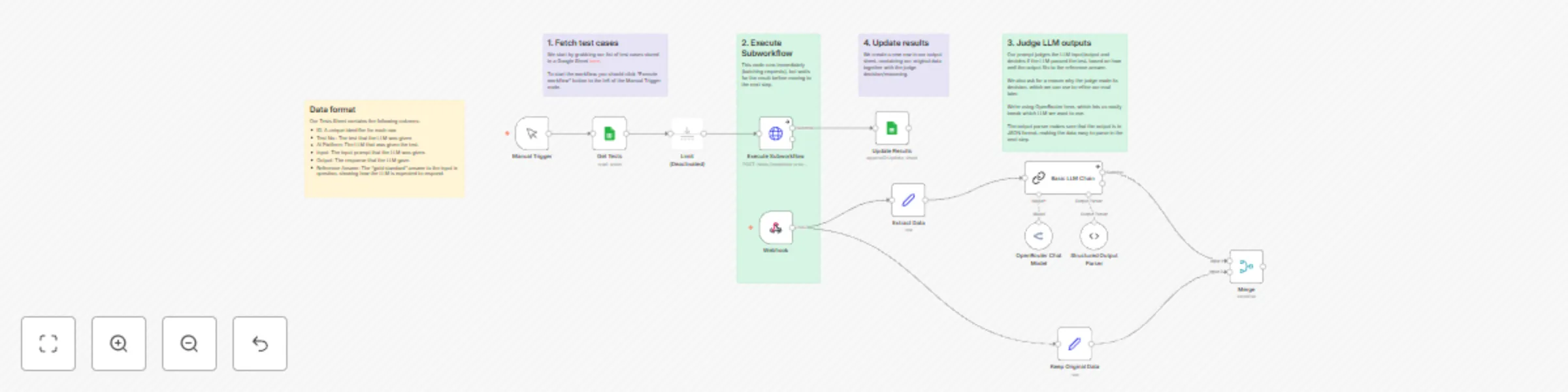
- The workflow loads a list of test cases from a Google Sheet (previous results stored from an LLM)
- For each test case, we execute a call to an LLM judge in parallel (using HTTP Request + Webhook nodes)
- The judge uses the Input, Output, and Reference Answer fields from the spreadsheet to mark each LLM response as Pass/Fail
- The results are logged into a separate sheet in the same Sheets file.
Set up steps:
- Add your credentials for Google Sheets and OpenRouter (or replace the OpenRouter node with your favourite chat model).
- Make a copy of the example Sheet to populate it with you own test data.
- Run the workflow with the Execute Workflow button next to the Manual Trigger node.