Block 1 - When clicking ‘Test workflow’
- Type / Role
- n8n-nodes-base.manualTrigger - manualTrigger
- Config choices
- Version 1


 Early Deal
This workflow is provided as-is. Please review and test before using in production.
Disclaimer: As this workflow uses a Community node, it is available only to self hosted installation of n8n Who is this for? This n8n template is designed for professionals, recruiters, and markete...
n8n-nodes-base.manualtrigger, n8n-nodes-base.if, n8n-nodes-base.googlesheets, n8n-nodes-base.scheduletrigger, n8n-nodes-base.executeworkflow, n8n-nodes-base.httprequest, n8n-nodes-base.splitout, n8n-nodes-base.limit
This workflow is cataloged by N8N Workflows and links back to its original n8n.io source page by PollupAI.
Original n8n.io sourceDisclaimer: As this workflow uses a Community node, it is available only to self-hosted installation of n8n
This n8n template is designed for professionals, recruiters, and marketers who need to automate LinkedIn data population and contact request processes. It is particularly useful for those looking to streamline their outreach efforts and manage LinkedIn connections more efficiently.
The workflow addresses the challenge of manually managing LinkedIn connections and sending contact requests followed by an AI generated ice-breaker. By automating these tasks, users can save time, reduce errors, and ensure consistent follow-ups with potential clients, partners, or candidates.
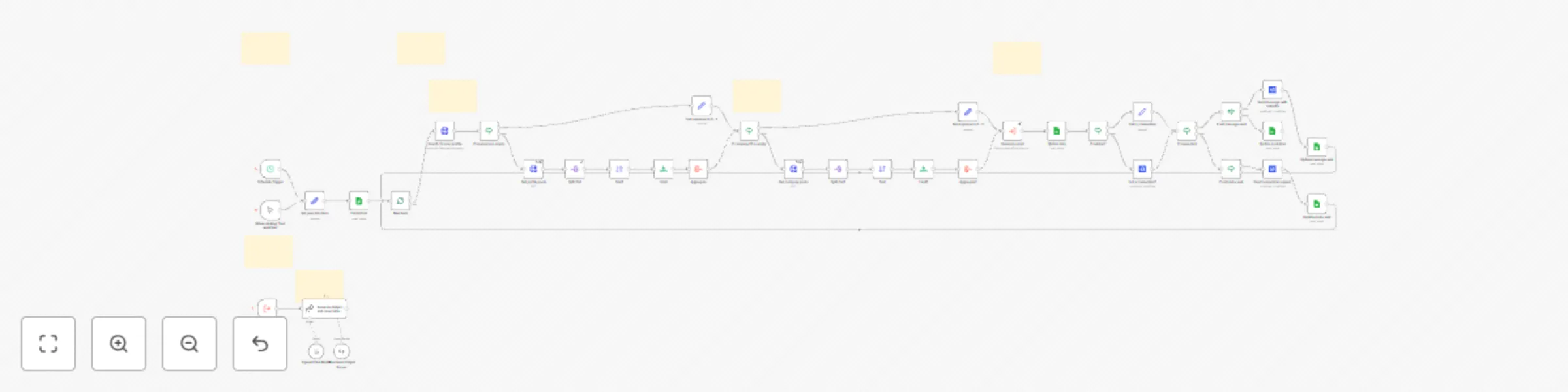
This template extract LinkedIn adresses from a google sheet, check if they already are connected to you, and send them a contact request if hey are not. Then it sends to them an AI generated Ice breaker messages, which take into account the personal and company posts, and your company description, to find common points of interest. You can contact up to 50 persons for free.
Copy this google sheet to your Google account
Enter your data in "Set your Data Here":
Set an account on Rapid API, you are allowed for free to 50 credits (5$ for 500) and most of the calls cost 1 credit.
Setup an account at Browserflow You will benefit from a 7 days free trial. And then you will have to pay $17.95. With this account you'll be able to send 1920 connection invites and 3204 messages.
Install n8n-nodes-browserflow from your n8n Settings > Community Nodes. (it means for now that you'll need a self-hosted installation of n8n). and paste the API key you copied earlier as a credential.
Execute it regularly to check if your connections have accepted your connection request.
By following this setup and customization guide, users can leverage this n8n template to enhance their LinkedIn outreach and connection management processes.
This catalog entry is organized from the workflow JSON. The node-level section below shows the executable blocks available for review before importing the template.
Showing the first 24 of 44 workflow blocks. Download the JSON for the full node graph.
| Workflow | Automate LinkedIn requests & icebreaker with Browserflow and Google sheets |
|---|---|
| Complexity | advanced |
| Nodes | 44 |
| Categories | Lead Nurturing, Multimodal AI |
| Author | PollupAI |
| Published | 28 Mar 2025 |
Use the JSON export at /data/workflows/3345/3345.json as the source template for this automation.
Open n8n, import the downloaded JSON, and review each node before activating the workflow.
Replace placeholder credentials, API keys, webhook URLs, account IDs, and environment-specific values with your own settings.
Run the workflow manually or in a staging workspace, inspect node output, and confirm downstream systems receive the expected data.
Enable the workflow only after testing, then monitor executions, errors, and rate limits during the first production runs.
Review imported nodes carefully before activation. This catalog entry is intended to help you inspect the workflow structure, understand required services, and find related templates faster.
Node names, credentials, schedules, webhook paths, and external service limits may need adjustment for your workspace.
Disclaimer: As this workflow uses a Community node, it is available only to self hosted installation of n8n Who is this for? This n8n template is designed for professionals, recruiters, and markete...
Review the workflow JSON, configure any required credentials in n8n, and test the automation in a safe workspace before using it in production.
Yes. Use the block-by-block analysis and the downloadable JSON to inspect each node, then adjust credentials, prompts, schedules, filters, or destinations for your Lead Nurturing, Multimodal AI use case.