Automate LinkedIn job search, AI scoring, and resume creation with OpenRouter, OpenAI, Google Sheets & Docs

Workflow preview

Workflow preview
100%
Automate LinkedIn job search, AI scoring, and resume creation with OpenRouter, OpenAI, Google Sheets & Docs preview
Open on n8n.io

1. Workflow Overview

Who is this for? Job seekers who want to automate their entire job search pipeline — from discovering new listings to generating tailored resumes and cover letters — without manually browsing Linke...

Best for

  • HR automation workflows
  • AI Summarization automation workflows
  • advanced n8n builders looking for reusable templates

Tools used

n8n-nodes-base.httprequest, n8n-nodes-base.markdown, n8n-nodes-base.scheduletrigger, n8n-nodes-base.stickynote, n8n-nodes-base.filter, n8n-nodes-base.set, @n8n/n8n-nodes-langchain.chainllm, n8n-nodes-base.merge

Source and attribution

This workflow is cataloged by N8N Workflows and links back to its original n8n.io source page by Wassim Abid.

Original n8n.io source

1.1 Workflow description

Title
Automate LinkedIn job search, AI scoring, and resume creation with OpenRouter, OpenAI, Google Sheets & Docs
Workflow name
Automate LinkedIn job search, AI scoring, and resume creation with OpenRouter, OpenAI, Google Sheets & Docs

Who is this for?

Job seekers who want to automate their entire job search pipeline — from discovering new listings to generating tailored resumes and cover letters — without manually browsing LinkedIn every day.

What does this workflow do?

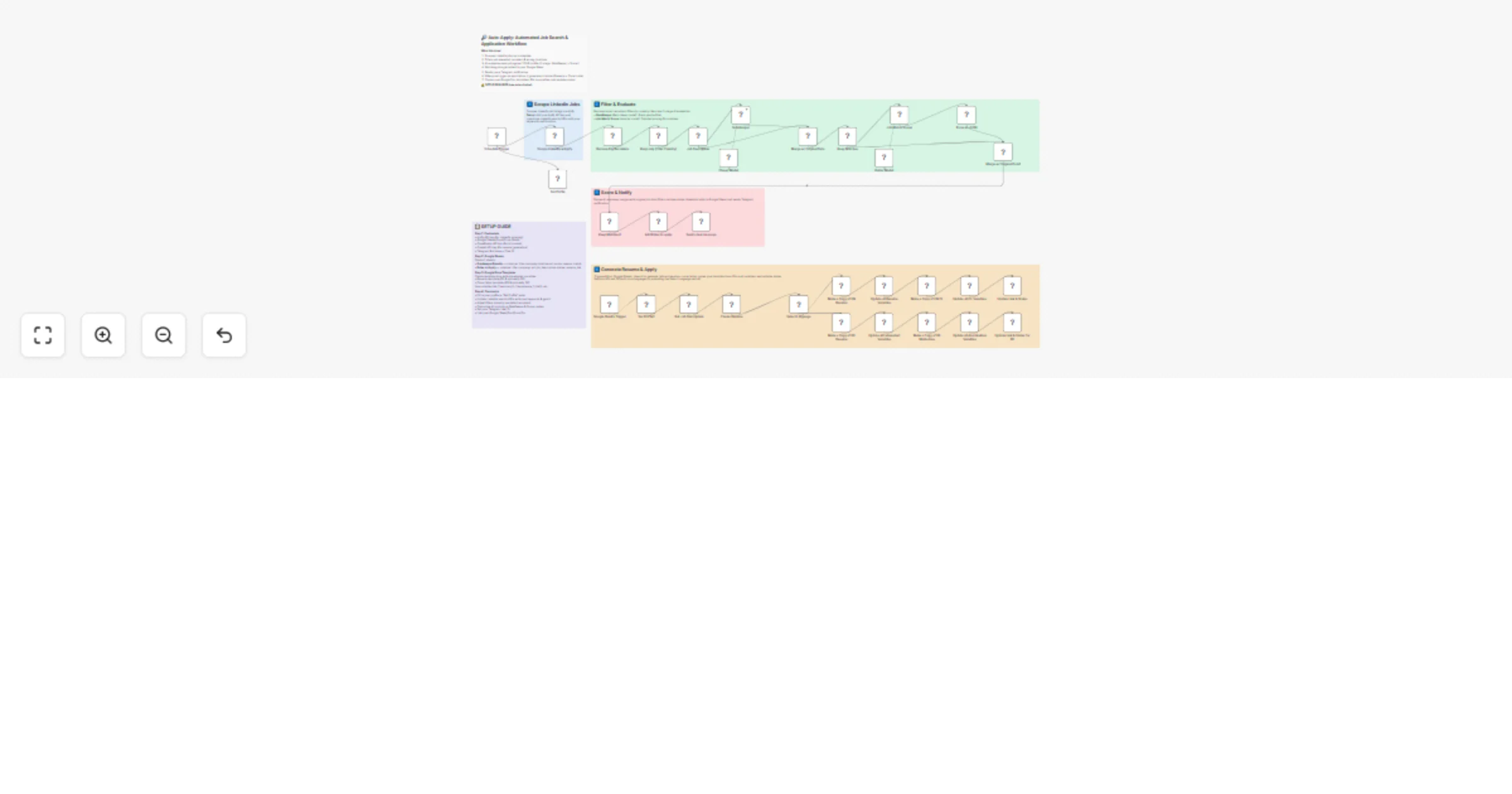
This workflow runs on a schedule, scrapes LinkedIn jobs via Apify, filters out spam recruiters and wrong locations, then uses a 2-stage AI evaluation to find the best matches for your profile. Matching jobs are logged to Google Sheets and you get a Telegram notification. When you're ready to apply, a second trigger generates a tailored resume + cover letter using AI and fills in your Google Docs templates automatically.

How it works

Stage 1 — Scrape & Filter (runs on schedule)

  1. Schedule Trigger fires hourly (customizable cron)
  2. Apify LinkedIn Scraper pulls fresh job listings based on your keywords and location
  3. Filter nodes remove unwanted recruiter companies and jobs outside your target country
  4. HTML → Markdown converts job descriptions for better AI processing
  5. GateKeeper AI (fast, cheap model) does a quick yes/no — rejects 90% of irrelevant jobs
  6. Results are saved to a "Gatekeeper Results" Google Sheet

Stage 2 — Score & Notify (for GateKeeper matches)

  1. Job Match Scorer AI (smarter model) evaluates matches in detail with a 0–100 score
  2. Jobs above your threshold are added to a "Roles to Apply" Google Sheet
  3. Telegram notification alerts you about new matches

Stage 3 — Generate Resume & Apply (triggered from Google Sheets)

  1. When you update a row in your sheet, the workflow triggers
  2. AI Resume Writer generates a tailored resume + cover letter in JSON format
  3. Language detection routes to EN or DE templates (extensible to more languages)
  4. Google Drive copies your template documents and fills in all variables
  5. Links and status are updated back in Google Sheets — ready to submit

Setup Guide

Prerequisites

  • n8n instance (self-hosted or cloud)
  • Apify account (free tier works) — for LinkedIn scraping
  • OpenRouter account — for AI models (GateKeeper + Job Match Scorer)
  • OpenAI API key — for resume generation
  • Google Workspace — Sheets, Docs, Drive (OAuth2)
  • Telegram Bot — for notifications

Step 1: Credentials

Add the following credentials in n8n (do not hardcode API keys):

  • HTTP Query Auth → Apify API token
  • OpenRouter API → your OpenRouter key
  • OpenAI API → your OpenAI key
  • Google Sheets OAuth2 → connect your Google account
  • Google Docs OAuth2 → same Google account
  • Google Drive OAuth2 → same Google account
  • Telegram API → your bot token

Step 2: Google Sheets

Create two Google Sheets:

Sheet 1 — Gatekeeper Results Columns: title, company, location, url, score, reason, match

Sheet 2 — Roles to Apply Columns: title, company, url, job_description, status, resume_link

Paste each sheet's ID into the corresponding Google Sheets nodes.

Step 3: Google Docs Templates

Create resume and cover letter templates in Google Docs with placeholder variables like {{summary}}, {{experience_1_title}}, {{experience_1_company}}, etc. The AI output JSON keys map directly to these variables.

Step 4: Customize the Workflow

  1. Set Profile node — Replace the placeholder with your full career profile (the more detailed, the better the AI results)
  2. LinkedIn URLs — Update the Apify scraper with your own search URLs (keywords, geoId, filters)
  3. GateKeeper prompt — Customize rejection criteria, "sweet spot" description, and location preferences
  4. Job Match Scorer prompt — Adjust scoring criteria to your skills
  5. Filter nodes — Update country filter and recruiter blocklist
  6. Telegram Chat ID — Set your personal chat ID for notifications
  7. Google Sheet/Doc/Drive IDs — Link all nodes to your own documents

Step 5: Activate

Turn on the Schedule Trigger and the Google Sheets Trigger. You're live!

Nodes used in this workflow

  • Schedule Trigger
  • HTTP Request (Apify)
  • Filter, Switch, Merge
  • Markdown (HTML to Markdown)
  • LangChain LLM Chain (OpenRouter — Haiku for GateKeeper, Sonnet for Scorer)
  • OpenAI (GPT for resume generation)
  • Code (JSON parsing)
  • Google Sheets, Google Docs, Google Drive
  • Telegram

Questions or need help?

If you have any questions about this workflow or want the ready-made Google Docs/Sheets templates to get started faster, feel free to reach out:

👉 Connect with me on LinkedIn

1.2 Logical Blocks

This catalog entry is organized from the workflow JSON. The node-level section below shows the executable blocks available for review before importing the template.

2. Block-by-Block Analysis

Block 1 - Scrape Linkedin w/Apify

Type / Role
n8n-nodes-base.httpRequest - httpRequest
Config choices
Version 4.2

Block 2 - Job Description

Type / Role
n8n-nodes-base.markdown - markdown
Config choices
Version 1

Block 3 - Schedule Trigger

Type / Role
n8n-nodes-base.scheduleTrigger - scheduleTrigger
Config choices
Version 1.2

Block 4 - Sticky Note1

Type / Role
n8n-nodes-base.stickyNote - stickyNote
Config choices
Version 1

Block 5 - Remove Big Recruiters

Type / Role
n8n-nodes-base.filter - filter
Config choices
Version 2.2

Block 6 - Keep only [Your Country]

Type / Role
n8n-nodes-base.filter - filter
Config choices
Version 2.3

Block 7 - Set Profile

Type / Role
n8n-nodes-base.set - set
Config choices
Version 3.4

Block 8 - Job Match Scorer

Type / Role
@n8n/n8n-nodes-langchain.chainLlm - chainLlm
Config choices
Version 1.9

Block 9 - GateKeeper

Type / Role
@n8n/n8n-nodes-langchain.chainLlm - chainLlm
Config choices
Version 1.9

Block 10 - Merge w/ Original Data

Type / Role
n8n-nodes-base.merge - merge
Config choices
Version 3.2

Block 11 - Keep Matches

Type / Role
n8n-nodes-base.switch - switch
Config choices
Version 3.4

Block 12 - Merge w/ Original Data1

Type / Role
n8n-nodes-base.merge - merge
Config choices
Version 3.2

Block 13 - Keep Matches1

Type / Role
n8n-nodes-base.switch - switch
Config choices
Version 3.4

Block 14 - Add Roles to apply

Type / Role
n8n-nodes-base.googleSheets - googleSheets
Config choices
Version 4.7

Block 15 - Parse in JSON

Type / Role
n8n-nodes-base.code - code
Config choices
Version 2

Block 16 - Send a text message

Type / Role
n8n-nodes-base.telegram - telegram
Config choices
Version 1.2

Block 17 - Create Resume

Type / Role
@n8n/n8n-nodes-langchain.openAi - openAi
Config choices
Version 2.1

Block 18 - Google Sheets Trigger

Type / Role
n8n-nodes-base.googleSheetsTrigger - googleSheetsTrigger
Config choices
Version 1

Block 19 - Update Link & Status

Type / Role
n8n-nodes-base.googleSheets - googleSheets
Config choices
Version 4.7

Block 20 - Get Job Description

Type / Role
n8n-nodes-base.googleSheets - googleSheets
Config choices
Version 4.7

Block 21 - Select Language

Type / Role
n8n-nodes-base.switch - switch
Config choices
Version 3.4

Block 22 - Make a Copy of EN Resume

Type / Role
n8n-nodes-base.googleDrive - googleDrive
Config choices
Version 3

Block 23 - Update all Resume Variables

Type / Role
n8n-nodes-base.googleDocs - googleDocs
Config choices
Version 2

Block 24 - Make a Copy of EN CL

Type / Role
n8n-nodes-base.googleDrive - googleDrive
Config choices
Version 3

Showing the first 24 of 38 workflow blocks. Download the JSON for the full node graph.

3. Summary Table

Workflow Automate LinkedIn job search, AI scoring, and resume creation with OpenRouter, OpenAI, Google Sheets & Docs
Complexity advanced
Nodes 38
Categories HR, AI Summarization
Author Wassim Abid
Published 14 Mar 2026

4. Reproducing the Workflow from Scratch

  1. 1. Download the workflow JSON

    Use the JSON export at /data/workflows/14037/14037.json as the source template for this automation.

  2. 2. Import the template into n8n

    Open n8n, import the downloaded JSON, and review each node before activating the workflow.

  3. 3. Configure credentials and variables

    Replace placeholder credentials, API keys, webhook URLs, account IDs, and environment-specific values with your own settings.

  4. 4. Test with sample data

    Run the workflow manually or in a staging workspace, inspect node output, and confirm downstream systems receive the expected data.

  5. 5. Activate and monitor

    Enable the workflow only after testing, then monitor executions, errors, and rate limits during the first production runs.

5. General Notes & Resources

Review imported nodes carefully before activation. This catalog entry is intended to help you inspect the workflow structure, understand required services, and find related templates faster.

Node names, credentials, schedules, webhook paths, and external service limits may need adjustment for your workspace.

Frequently asked questions

What does Automate LinkedIn job search, AI scoring, and resume creation with OpenRouter, OpenAI, Google Sheets & Docs do?

Who is this for? Job seekers who want to automate their entire job search pipeline — from discovering new listings to generating tailored resumes and cover letters — without manually browsing Linke...

What do I need before importing this workflow?

Review the workflow JSON, configure any required credentials in n8n, and test the automation in a safe workspace before using it in production.

Can I customize this workflow?

Yes. Use the block-by-block analysis and the downloadable JSON to inspect each node, then adjust credentials, prompts, schedules, filters, or destinations for your HR, AI Summarization use case.