Block 1 - Workflow Configuration
- Type / Role
- n8n-nodes-base.set - set
- Config choices
- Version 3.4


 Early Deal
This workflow is provided as-is. Please review and test before using in production.
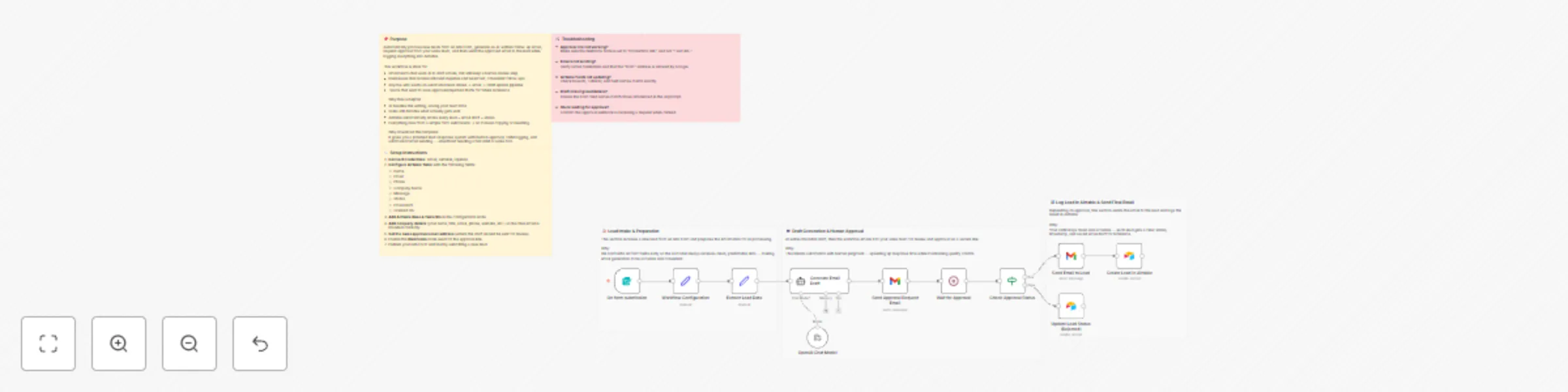
AI Assisted Lead Follow Up With Human Approval This workflow automates your lead response process from end to end. When someone submits your n8n Form, the workflow generates an AI written follow up...
n8n-nodes-base.set, @n8n/n8n-nodes-langchain.agent, @n8n/n8n-nodes-langchain.lmchatopenai, n8n-nodes-base.wait, n8n-nodes-base.if, n8n-nodes-base.gmail, n8n-nodes-base.airtable, n8n-nodes-base.formtrigger
This workflow is cataloged by N8N Workflows and links back to its original n8n.io source page by Calvin Cunningham.
Original n8n.io sourceThis workflow automates your lead response process from end to end. When someone submits your n8n Form, the workflow generates an AI-written follow-up email, sends that draft to your sales team for approval, and then sends the approved email to the lead or marks it as needing revision. All lead details, drafts, approval decisions, and timestamps are stored in Airtable.
Teams that want AI to draft emails while keeping a human approval step
Businesses receiving inbound inquiries that need fast, consistent responses
Users building a simple form → email → CRM workflow
Teams that want a record of all drafts and approval outcomes
AI-generated follow-up email drafts
Human approval flow, using Approve and Reject links
Automatic Airtable logging of leads, drafts, and statuses
Fully automated pipeline triggered by a simple form submission
Gmail
Airtable
OpenAI
Use the following fields:
Insert them into the Workflow Configuration node.
Add your:
These values will appear in the final approved email sent to the lead.
Specify the email address where draft approval requests should be sent.
Switch the Webhook node to the Production URL, and confirm that the Approve and Reject links point to it.
Submit a test lead to verify:
AI draft generation
Approval email delivery
Airtable logging
Final email sending
This workflow creates a reliable, semi-automated follow-up process that blends AI speed with human judgment. It ensures consistent communication, maintains accurate CRM records, and reduces manual work without requiring a full CRM platform.
This catalog entry is organized from the workflow JSON. The node-level section below shows the executable blocks available for review before importing the template.
| Workflow | Automate lead response with GPT and human approval to Airtable CRM |
|---|---|
| Complexity | advanced |
| Nodes | 17 |
| Categories | Lead Nurturing, Multimodal AI |
| Author | Calvin Cunningham |
| Published | 20 Nov 2025 |
Use the JSON export at /data/workflows/11059/11059.json as the source template for this automation.
Open n8n, import the downloaded JSON, and review each node before activating the workflow.
Replace placeholder credentials, API keys, webhook URLs, account IDs, and environment-specific values with your own settings.
Run the workflow manually or in a staging workspace, inspect node output, and confirm downstream systems receive the expected data.
Enable the workflow only after testing, then monitor executions, errors, and rate limits during the first production runs.
Review imported nodes carefully before activation. This catalog entry is intended to help you inspect the workflow structure, understand required services, and find related templates faster.
Node names, credentials, schedules, webhook paths, and external service limits may need adjustment for your workspace.
AI Assisted Lead Follow Up With Human Approval This workflow automates your lead response process from end to end. When someone submits your n8n Form, the workflow generates an AI written follow up...
Review the workflow JSON, configure any required credentials in n8n, and test the automation in a safe workspace before using it in production.
Yes. Use the block-by-block analysis and the downloadable JSON to inspect each node, then adjust credentials, prompts, schedules, filters, or destinations for your Lead Nurturing, Multimodal AI use case.