Block 1 - Google Sheets Trigger1
- Type / Role
- n8n-nodes-base.googleSheetsTrigger - googleSheetsTrigger
- Config choices
- Version 1


 Early Deal
This workflow is provided as-is. Please review and test before using in production.
Description: Eliminate duplicate entries and streamline your lead management process with this n8n workflow template! Automatically capture new form submissions, check against existing records, upd...
n8n-nodes-base.googlesheetstrigger, n8n-nodes-base.googlesheets, n8n-nodes-base.httprequest, n8n-nodes-base.filter, n8n-nodes-base.if, n8n-nodes-base.stickynote, n8n-nodes-base.code
This workflow is cataloged by N8N Workflows and links back to its original n8n.io source page by Rahul Joshi.
Original n8n.io sourceDescription:
Eliminate duplicate entries and streamline your lead management process with this n8n workflow template! Automatically capture new form submissions, check against existing records, update duplicates, and sync leads seamlessly into GoHighLevel (GHL) CRM and your Google Sheets database.
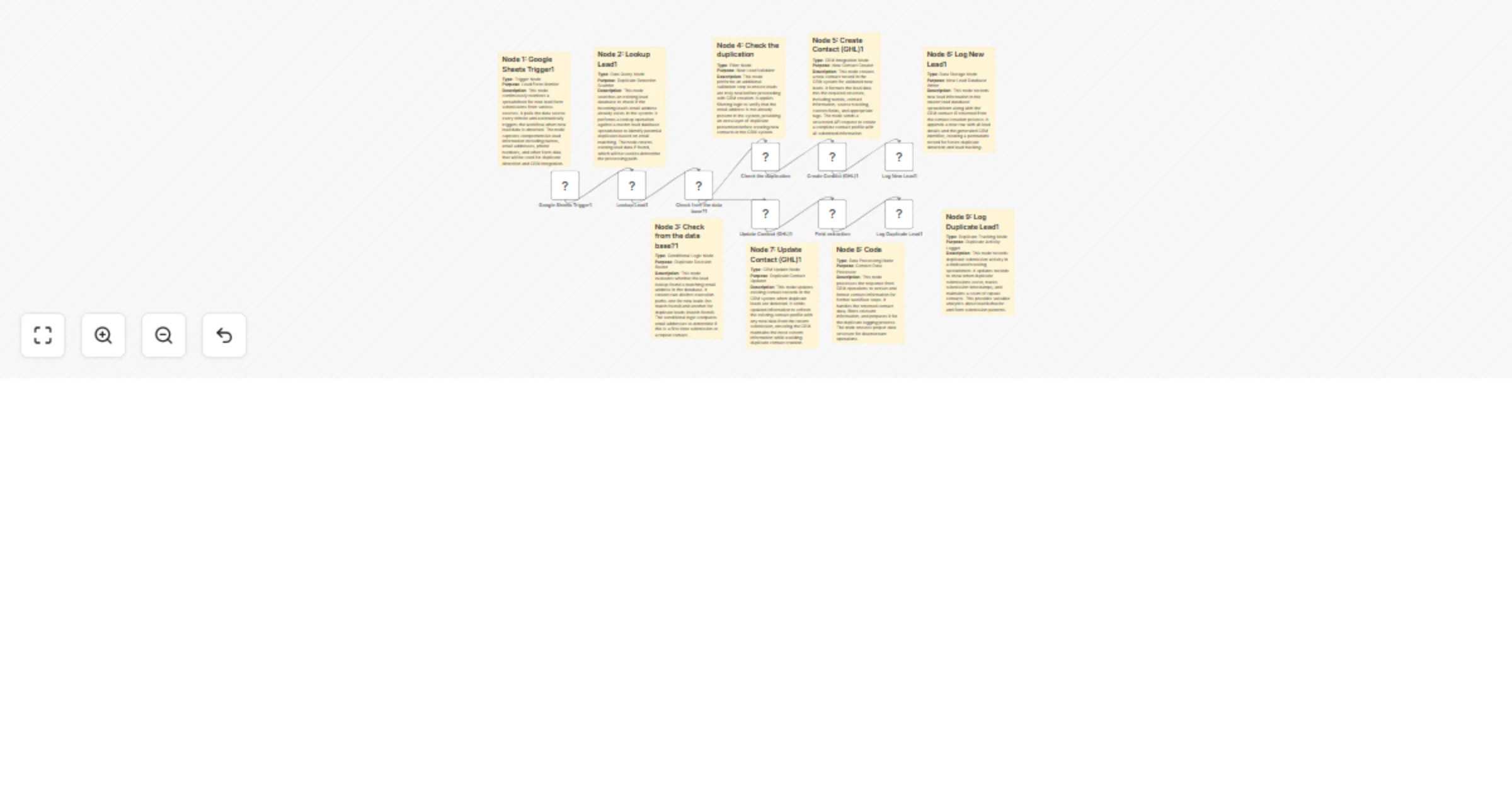
This automation monitors Google Form submissions in real time, verifies if a lead already exists, and routes them accordingly:
✅ New leads are created in GoHighLevel and logged in your master database. ♻️ Duplicates are updated with the latest details and tracked in a dedicated duplicate log.
Perfect for sales, marketing, and operations teams that need clean, accurate, and up-to-date lead records without manual effort.
What This Template Does
📥 Captures new lead form submissions from Google Sheets 🔎 Checks existing records to detect duplicate entries 🆕 Creates new contacts in GoHighLevel CRM for unique leads ♻️ Updates existing GHL contacts with fresh submission details 📂 Logs new leads in a master database spreadsheet 📑 Tracks duplicate leads in a dedicated log for analytics 🌟 Fully automated: ensures a clean, organized, and deduplicated lead pipeline
How It Works
Setup Instructions-
Customization
🕒 Business Logic: Adjust duplicate detection rules (e.g., match on email only, or email + phone). 📑 Data Fields: Add more fields (e.g., industry, source, notes) and map them to GHL + Sheets. 📊 Reporting: Use the Duplicate Log Sheet for analytics, dashboards, or reporting pipelines. 🔔 Notifications: Add a Telegram or Slack node to notify your team when duplicates occur.
Security Best Practices ❌ Do not hardcode your GoHighLevel API key. Use n8n credentials. ✅ Remove private sheet IDs and tokens before sharing workflows. ✅ Restrict credential access to authorized team members only.
Requirements
This workflow is perfect for: 🏢 Sales Teams managing growing lead databases 📈 Marketing Teams syncing form submissions with CRM ⚙️ Operations Teams preventing duplicate records 🚀 Businesses wanting a reliable, automated lead pipeline
This catalog entry is organized from the workflow JSON. The node-level section below shows the executable blocks available for review before importing the template.
| Workflow | Automate lead intake & deduplication with Google Forms, Sheets and GoHighLevel CRM |
|---|---|
| Complexity | advanced |
| Nodes | 18 |
| Categories | Lead Generation |
| Author | Rahul Joshi |
| Published | 08 Sept 2025 |
Use the JSON export at /data/workflows/8370/8370.json as the source template for this automation.
Open n8n, import the downloaded JSON, and review each node before activating the workflow.
Replace placeholder credentials, API keys, webhook URLs, account IDs, and environment-specific values with your own settings.
Run the workflow manually or in a staging workspace, inspect node output, and confirm downstream systems receive the expected data.
Enable the workflow only after testing, then monitor executions, errors, and rate limits during the first production runs.
Review imported nodes carefully before activation. This catalog entry is intended to help you inspect the workflow structure, understand required services, and find related templates faster.
Node names, credentials, schedules, webhook paths, and external service limits may need adjustment for your workspace.
Description: Eliminate duplicate entries and streamline your lead management process with this n8n workflow template! Automatically capture new form submissions, check against existing records, upd...
Review the workflow JSON, configure any required credentials in n8n, and test the automation in a safe workspace before using it in production.
Yes. Use the block-by-block analysis and the downloadable JSON to inspect each node, then adjust credentials, prompts, schedules, filters, or destinations for your Lead Generation use case.