Automate Dutch Public Procurement Data Collection with TenderNed
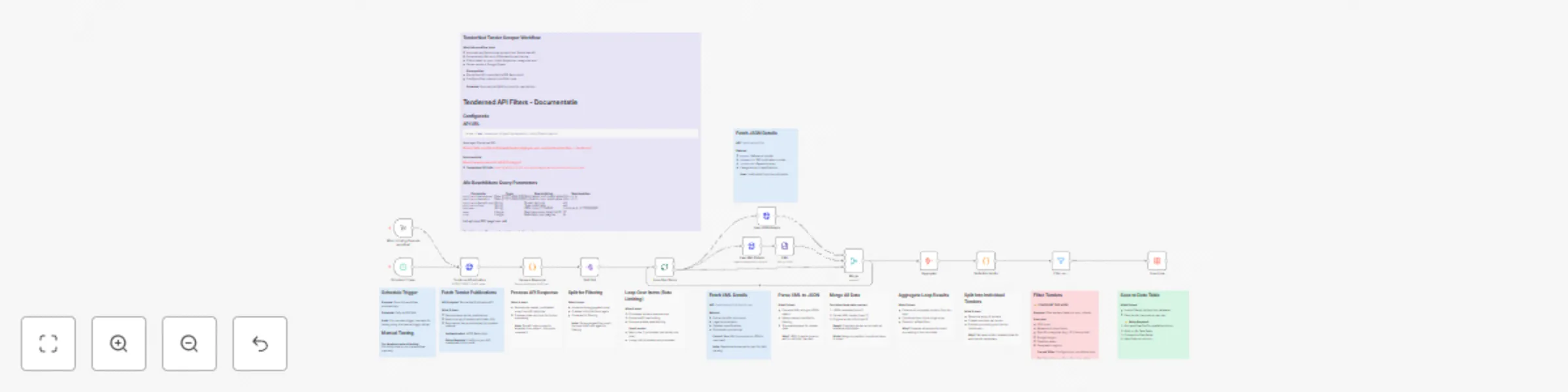
Workflow preview


 Early Deal
DISCOUNT 20%

Important notice
This workflow is provided as-is. Please review and test before using in production.
Overview
TenderNed Public Procurement
What This Workflow Does
This workflow automates the collection of public procurement data from TenderNed (the official Dutch tender platform). It:
- Fetches the latest tender publications from the TenderNed API
- Retrieves detailed information in both XML and JSON formats for each tender
- Parses and extracts key information like organization names, titles, descriptions, and reference numbers
- Filters results based on your custom criteria
- Stores the data in a database for easy querying and analysis
Setup Instructions
This template comes with sticky notes providing step-by-step instructions in Dutch and various query options you can customize.
Prerequisites
- TenderNed API Access - Register at TenderNed for API credentials
Configuration Steps
Set up TenderNed credentials:
- Add HTTP Basic Auth credentials with your TenderNed API username and password
- Apply these credentials to the three HTTP Request nodes:
- "Tenderned Publicaties"
- "Haal XML Details"
- "Haal JSON Details"
Customize filters:
- Modify the "Filter op ..." node to match your specific requirements
- Examples: specific organizations, contract values, regions, etc.
How It Works
Step 1: Trigger
The workflow can be triggered either manually for testing or automatically on a daily schedule.
Step 2: Fetch Publications
Makes an API call to TenderNed to retrieve a list of recent publications (up to 100 per request).
Step 3: Process & Split
Extracts the tender array from the response and splits it into individual items for processing.
Step 4: Fetch Details
For each tender, the workflow makes two parallel API calls:
- XML endpoint - Retrieves the complete tender documentation in XML format
- JSON endpoint - Fetches metadata including reference numbers and keywords
Step 5: Parse & Merge
Parses the XML data and merges it with the JSON metadata and batch information into a single data structure.
Step 6: Extract Fields
Maps the raw API data to clean, structured fields including:
- Publication ID and date
- Organization name
- Tender title and description
- Reference numbers (kenmerk, TED number)
Step 7: Filter
Applies your custom filter criteria to focus on relevant tenders only.
Step 8: Store
Inserts the processed data into your database for storage and future analysis.
Customization Tips
Modify API Parameters
In the "Tenderned Publicaties" node, you can adjust:
offset: Starting position for paginationsize: Number of results per request (max 100)- Add query parameters for date ranges, status filters, etc.
Add More Fields
Extend the "Splits Alle Velden" node to extract additional fields from the XML/JSON data, such as:
- Contract value estimates
- Deadline dates
- CPV codes (procurement classification)
- Contact information
Integrate Notifications
Add a Slack, Email, or Discord node after the filter to get notified about new matching tenders.
Incremental Updates
Modify the workflow to only fetch new tenders by:
- Storing the last execution timestamp
- Adding date filters to the API query
- Only processing publications newer than the last run
Troubleshooting
No data returned?
- Verify your TenderNed API credentials are correct
- Check that you have setup youre filter proper
Need help setting this up or interested in a complete tender analysis solution?
Get in touch