W

Wessel Bulte

5
Workflows

Workflows by Wessel Bulte

Workflow preview: Generate Weekly Workflow Analytics Reports with n8n API & Email Delivery
Free advanced

Generate Weekly Workflow Analytics Reports with n8n API & Email Delivery

Generate Weekly n8n Execution Report and Email Summary ``` **Description:** ``` ## How it works - Automatically runs every 7 days to pull all n8n workflow executions from the past week - Merges execution data with workflow information to provide context - Generates a professional HTML report with execution statistics (errors, successes, waiting status) - Sends the formatted report with Outlook or Gmail ## Set up steps ### 1. Configure n8n API Credential - Go to your n8n instance → Settings → API - Create a new API token with read access to workflows and executions - In this workflow, add a new "n8n" credential and paste your API token - This credential is used by two nodes: "Get all Workflows" and "Get all previous executions" ### 2. Connect Email Services - Configure your Outlook credential in the "Send a message outlook" node - Configure your Gmail credential in the "Send a message gmail" node - Set your preferred email recipients in both nodes ### 3. Adjust Schedule (Optional) - By default, the workflow runs every 7 days - Edit the "Schedule Trigger" node to change the interval if needed ## Key features - Tracks workflow execution status and runtime metrics - Calculates average and total runtime for each status type - Provides visual HTML report with color-coded status indicators - Dual email delivery (Outlook + Gmail options) - Requires only n8n API credentials (no external API keys needed) - - ## Need Help 🔗 [LinkedIn – Wessel Bulte](https://www.linkedin.com/in/wessel-bulte/)

W
Wessel Bulte
DevOps
28 Oct 2025
194
0

Workflow preview: Automate Dutch Public Procurement Data Collection with TenderNed
Free advanced

Automate Dutch Public Procurement Data Collection with TenderNed

# TenderNed Public Procurement ## What This Workflow Does This workflow automates the collection of public procurement data from TenderNed (the official Dutch tender platform). It: 1. **Fetches** the latest tender publications from the TenderNed API 2. **Retrieves** detailed information in both XML and JSON formats for each tender 3. **Parses** and extracts key information like organization names, titles, descriptions, and reference numbers 4. **Filters** results based on your custom criteria 5. **Stores** the data in a database for easy querying and analysis ## Setup Instructions This template comes with sticky notes providing step-by-step instructions in Dutch and various query options you can customize. ### Prerequisites 1. **TenderNed API Access** - Register at [TenderNed](https://www.tenderned.nl/) for API credentials ### Configuration Steps 1. **Set up TenderNed credentials:** - Add HTTP Basic Auth credentials with your TenderNed API username and password - Apply these credentials to the three HTTP Request nodes: - "Tenderned Publicaties" - "Haal XML Details" - "Haal JSON Details" 2. **Customize filters:** - Modify the "Filter op ..." node to match your specific requirements - Examples: specific organizations, contract values, regions, etc. ## How It Works ### Step 1: Trigger The workflow can be triggered either manually for testing or automatically on a daily schedule. ### Step 2: Fetch Publications Makes an API call to TenderNed to retrieve a list of recent publications (up to 100 per request). ### Step 3: Process & Split Extracts the tender array from the response and splits it into individual items for processing. ### Step 4: Fetch Details For each tender, the workflow makes two parallel API calls: - **XML endpoint** - Retrieves the complete tender documentation in XML format - **JSON endpoint** - Fetches metadata including reference numbers and keywords ### Step 5: Parse & Merge Parses the XML data and merges it with the JSON metadata and batch information into a single data structure. ### Step 6: Extract Fields Maps the raw API data to clean, structured fields including: - Publication ID and date - Organization name - Tender title and description - Reference numbers (kenmerk, TED number) ### Step 7: Filter Applies your custom filter criteria to focus on relevant tenders only. ### Step 8: Store Inserts the processed data into your database for storage and future analysis. ## Customization Tips ### Modify API Parameters In the "Tenderned Publicaties" node, you can adjust: - `offset`: Starting position for pagination - `size`: Number of results per request (max 100) - Add query parameters for date ranges, status filters, etc. ### Add More Fields Extend the "Splits Alle Velden" node to extract additional fields from the XML/JSON data, such as: - Contract value estimates - Deadline dates - CPV codes (procurement classification) - Contact information ### Integrate Notifications Add a Slack, Email, or Discord node after the filter to get notified about new matching tenders. ### Incremental Updates Modify the workflow to only fetch new tenders by: 1. Storing the last execution timestamp 2. Adding date filters to the API query 3. Only processing publications newer than the last run ## Troubleshooting **No data returned?** - Verify your TenderNed API credentials are correct - Check that you have setup youre filter proper ## Need help setting this up or interested in a complete tender analysis solution? Get in touch 🔗 [LinkedIn – Wessel Bulte](https://www.linkedin.com/in/wessel-bulte/)

W
Wessel Bulte
Market Research
23 Oct 2025
231
0

Workflow preview: Automate meeting documentation with SharePoint, Word, Excel & Outlook
Free advanced

Automate meeting documentation with SharePoint, Word, Excel & Outlook

## What this template does Receives meeting data via a webform, cleans/structures it, fills a Word **docx** template, uploads the file to **SharePoint**, appends a row to **Excel 365**, and sends an **Outlook** email with the document attached. --- ## Good to know - Uses a community node: [**DocxTemplater**](https://www.npmjs.com/package/n8n-nodes-docxtemplater) to render the DOCX from a template. Install it from the Community Nodes catalog. - The template context is the workflow item JSON. In your `docx` file, use placeholders. - Includes a minimal HTML form snippet (outside n8n) you can host anywhere. Replace the placeholder **WEBHOOK_URL** with your Webhook URL before testing. - Microsoft nodes require Azure app credentials with correct permissions (SharePoint, Excel/Graph, Outlook). --- ## How it works 1. **Webhook** — Receives meeting form JSON (POST). 2. **Code (Parse Meeting Data)** — Parses/normalizes fields, builds semicolon‑separated strings for attendees/absentees, and flattens discussion points / action items. 3. **SharePoint (Download)** — Fetches the DOCX template (e.g., `meeting_minutes_template.docx`). 4. **Merge** — Combines template binary + JSON context by position. 5. **DocxTemplater** — Renders `meeting_{{now:yyyy-MM-dd}}.docx` using the JSON context. 6. **SharePoint (Upload)** — Saves the generated DOCX to a target folder (e.g., `/Meetings`). 7. **Microsoft Excel 365 (Append)** — Appends a row to your sheet (Date, Time, Attendees, etc.). 8. **Microsoft Outlook (Send message)** — Emails the generated DOCX as an attachment. --- ## Requirements - Community node **DocxTemplater** installed - Microsoft 365 access with credentials for: - **SharePoint** (download template + upload output) - **Excel 365** (append to table/worksheet) - **Outlook** (send email) - A Word template with placeholders matching the JSON keys --- - ## Need Help 🔗 [LinkedIn – Wessel Bulte](https://www.linkedin.com/in/wessel-bulte/)

W
Wessel Bulte
Document Extraction
17 Sep 2025
2067
0

Workflow preview: Transform Excel data into AI-ready vectors with OpenAI and Supabase
Free advanced

Transform Excel data into AI-ready vectors with OpenAI and Supabase

## Description This workflow is a **practical, “dirty” solution** for real-world scenarios where frontline workers keep using Excel in their daily processes. Instead of forcing change, we take their spreadsheets as-is, clean and normalize the data, generate embeddings, and store everything in Supabase. The benefit: frontline staff continue with their familiar tools, while **data analysts gain clean, structured, and vectorized data** ready for analysis or RAG-style AI applications. ## How it works - **Frontline workers continue with Excel** – no disruption to their daily routines. - **Upload & trigger** – The workflow runs when a new Excel sheet is ready. - **Read Excel rows** – Data is pulled from the specified workbook and worksheet. - **Clean & normalize** – HTML is stripped, Excel dates are fixed, and text fields are standardized. - **Batch & switch** – Rows are split and routed into Question/Answer processing paths. - **Generate embeddings** – Cleaned Questions and Answers are converted into vectors via OpenAI. - **Merge enriched records** – Original business data is combined with embeddings. - **Write into Supabase** – Data lands in a structured table (`excel_records`) with vector and FTS indexes. ## Why it’s “dirty but useful” - **No disruption** – frontline workers don’t need to change how they work. - **Analyst-ready data** – Supabase holds clean, queryable data for dashboards, reporting, or AI pipelines. - **Bridge between old and new** – Excel remains the input, but the backend becomes modern and scalable. - **Incremental modernization** – paves the way for future workflow upgrades without blocking current work. ## Outcome Frontline workers keep their Excel-based workflows, while **data can immediately be structured, searchable, and vectorized in Supabase** — enabling AI-powered search, reporting, and retrieval-augmented generation. ## Required setup **Supabase account** - Create a project and enable the **pgvector** extension. **OpenAI API Key** - Required for generating embeddings (`text-embedding-3-small`). **Microsoft Excel credentials** - Needed to connect to your workbook and worksheet. - ## Need Help 🔗 [LinkedIn – Wessel Bulte](https://www.linkedin.com/in/wessel-bulte/)

W
Wessel Bulte
Document Extraction
13 Sep 2025
1394
0
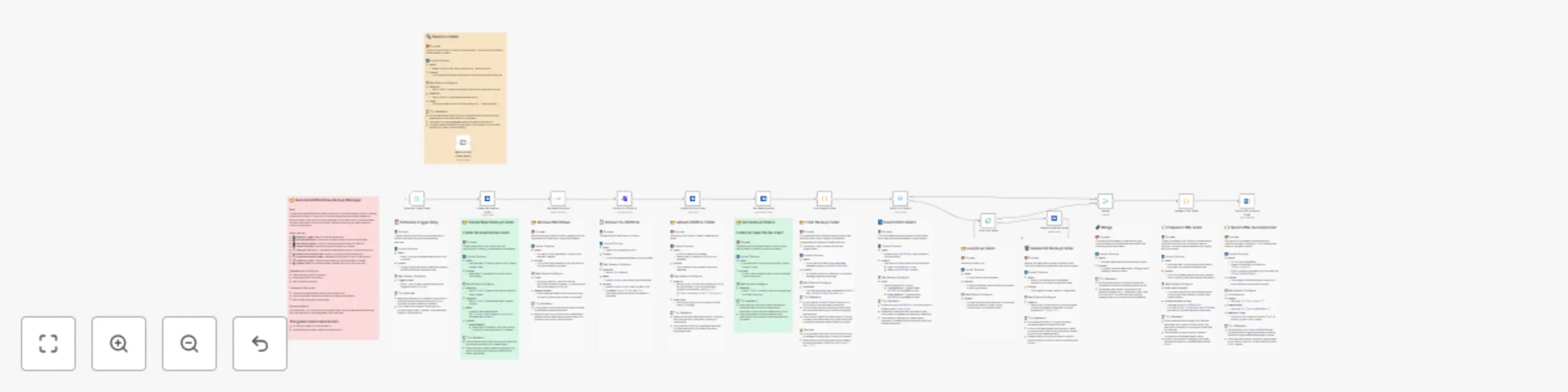
Workflow preview: Auto-backup n8n workflows to OneDrive with cleanup & email notifications
Free advanced

Auto-backup n8n workflows to OneDrive with cleanup & email notifications

## Automatically BackUp Your n8n Workflows to OneDrive This workflow automates the backup of your self-hosted n8n instance by exporting all workflows and saving them as individual `.json` files to a designated OneDrive folder. Each file is timestamped for easy versioning and audit tracking. After a successful backup, the workflow optionally cleans up old backup files and sends a confirmation email to notify you that the process completed. ## How it works 1. Uses the **HTTP Request** node to fetch all workflows via the `/rest/workflows` API. 2. Iterates through each workflow using **SplitInBatches**. 3. Converts each workflow to a `.json` file using **Set** and **Function** nodes. 4. Uploads each file to a target **Microsoft OneDrive** folder using OAuth2. 5. Deletes old backup files from OneDrive after upload, with the option to keep backups for a configurable number of time. 6. Sends an email notification once all backups have completed successfully. ## Setup instructions - Enter your **n8n Base URL** and authentication details in the HTTP Request node. - Set up **Microsoft OneDrive OAuth2** credentials for cloud upload. - Configure the **Email node** with SMTP credentials to receive backup confirmation. - (Optional) Adjust the file retention logic to keep backups for a set duration. - A **Cron** trigger to schedule the workflow automatically (e.g., daily or weekly). 👉 Sticky notes inside the workflow explain each step for easy setup. ## Need Help - ## Need Help 🔗 [LinkedIn – Wessel Bulte](https://www.linkedin.com/in/wessel-bulte/)

W
Wessel Bulte
DevOps
10 Sep 2025
725
0