Audience problem keyword research workflow with OpenAI, Ahrefs and Google Sheets
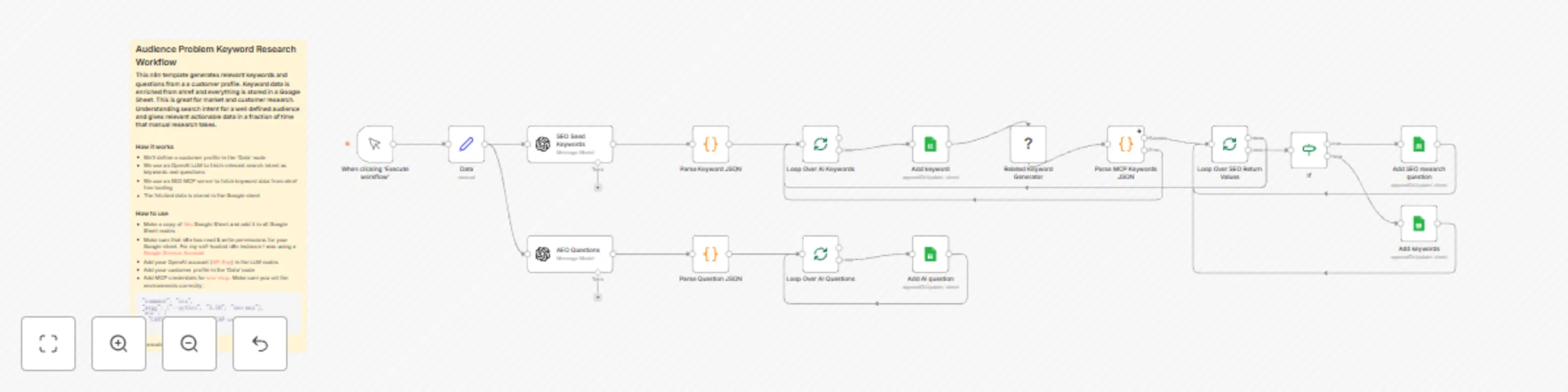
Workflow preview

$20/month : Unlimited workflows
2500 executions/month

THE #1 IN WEB SCRAPING
Scrape any website without limits
HOSTINGER  Early Deal
DISCOUNT 20% Try free
Early DealDISCOUNT 20%
Self-hosted n8n
Unlimited workflows - from $4.99/mo

#1 hub for scraping, AI & automation
6000+ actors - $5 credits/mo
Important notice
This workflow is provided as-is. Please review and test before using in production.
Overview
This workflow contains community nodes that are only compatible with the self-hosted version of n8n.
Generates relevant keywords and questions from a a customer profile. Keyword data is enriched from ahref and everything is stored in a Google Sheet. This is great for market and customer research. Understanding search intent for a well defined audience and gives relevant actionable data in a fraction of time that manual research takes.
How it works
- We'll define a customer profile in the 'Data' node
- We use an OpenAI LLM to fetch relevant search intent as keywords and questions
- We use an SEO MCP server to fetch keyword data from ahref free tooling
- The fetched data is stored in the Google sheet