Block 1 - Webhook Trigger - Input URL
- Type / Role
- n8n-nodes-base.webhook - webhook
- Config choices
- Version 2.1


 Early Deal
Analyze website SEO issues and generate optimization actions with AI Author: Hyrum Hurst, AI Automation Engineer at QuarterSmart Contact: [email protected] This workflow provides a fully autom...
n8n-nodes-base.webhook, n8n-nodes-base.set, n8n-nodes-base.httprequest, n8n-nodes-base.html, @n8n/n8n-nodes-langchain.openai, n8n-nodes-base.switch, n8n-nodes-base.googlesheets, n8n-nodes-base.slack
This workflow is cataloged by N8N Workflows and links back to its original n8n.io source page by Hyrum Hurst.
Original n8n.io sourceAnalyze website SEO issues and generate optimization actions with AI
Author: Hyrum Hurst, AI Automation Engineer at QuarterSmart Contact: [email protected]
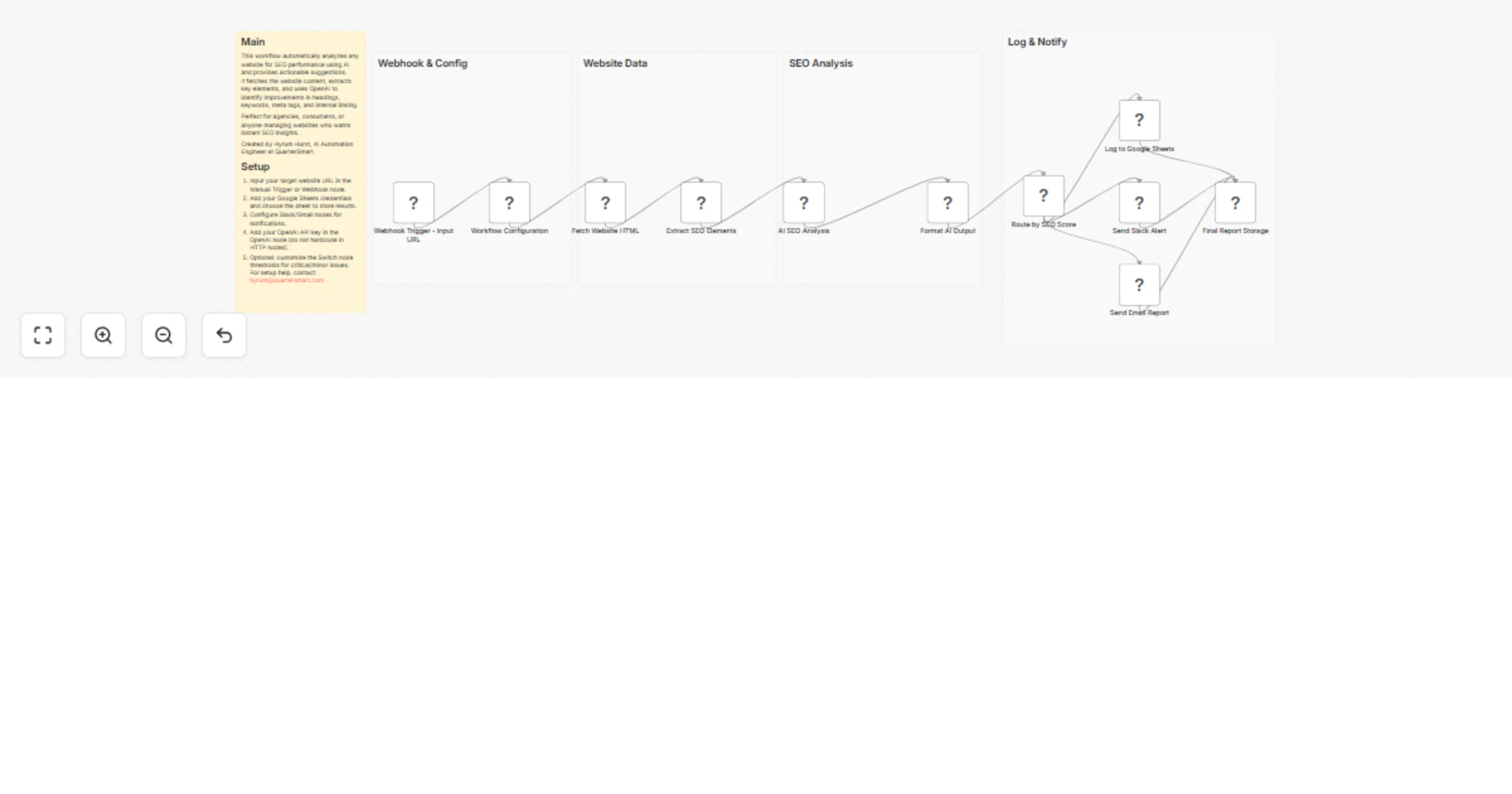
This workflow provides a fully automated, AI-powered SEO analysis system designed to turn any website URL into a structured set of clear, actionable optimization recommendations. Instead of relying on manual audits, browser extensions, or generic SEO tools, this automation programmatically inspects a page’s core on-page elements and uses AI to translate raw data into practical next steps.
The workflow is built for repeatability, scale, and operational use inside agencies, internal marketing teams, and consulting environments. Results are logged, scored, and routed automatically so teams can focus on execution rather than analysis.
When a URL is submitted, the workflow:
This creates a hands-off SEO assistant that can be run on demand, scheduled, or integrated into larger automation systems.
The workflow is modular and can easily be extended with additional checks, scoring logic, or integrations.
This template is applicable across many industries and workflows, including:
Digital marketing agencies Run fast, consistent SEO audits for client websites and landing pages.
SEO consultants and freelancers Automate recurring audits and deliver structured recommendations at scale.
Ecommerce businesses Analyze product pages and category pages for discoverability improvements.
SaaS companies Optimize landing pages, feature pages, and pricing pages for search traffic.
Content teams and bloggers Improve on-page SEO without manual checklists or tooling overhead.
Web development agencies Validate SEO readiness before site launches or migrations.
Local businesses Continuously monitor service pages for SEO health and optimization gaps.
Real estate, travel, and hospitality websites Improve visibility of listings, booking pages, and informational content.
This workflow is designed to act as a practical SEO operations layer, not just an analysis tool.
For setup support, customization, or help integrating this workflow into your agency or internal systems, contact Hyrum Hurst, AI Automation Engineer at QuarterSmart, at [email protected].
This catalog entry is organized from the workflow JSON. The node-level section below shows the executable blocks available for review before importing the template.
| Workflow | Analyze website SEO and log AI recommendations to Google Sheets with OpenAI |
|---|---|
| Complexity | advanced |
| Nodes | 16 |
| Categories | Market Research, AI Summarization |
| Author | Hyrum Hurst |
| Published | 16 Jan 2026 |
Use the JSON export at /data/workflows/12767/12767.json as the source template for this automation.
Open n8n, import the downloaded JSON, and review each node before activating the workflow.
Replace placeholder credentials, API keys, webhook URLs, account IDs, and environment-specific values with your own settings.
Run the workflow manually or in a staging workspace, inspect node output, and confirm downstream systems receive the expected data.
Enable the workflow only after testing, then monitor executions, errors, and rate limits during the first production runs.
Review imported nodes carefully before activation. This catalog entry is intended to help you inspect the workflow structure, understand required services, and find related templates faster.
Node names, credentials, schedules, webhook paths, and external service limits may need adjustment for your workspace.
Analyze website SEO issues and generate optimization actions with AI Author: Hyrum Hurst, AI Automation Engineer at QuarterSmart Contact: [email protected] This workflow provides a fully autom...
Review the workflow JSON, configure any required credentials in n8n, and test the automation in a safe workspace before using it in production.
Yes. Use the block-by-block analysis and the downloadable JSON to inspect each node, then adjust credentials, prompts, schedules, filters, or destinations for your Market Research, AI Summarization use case.