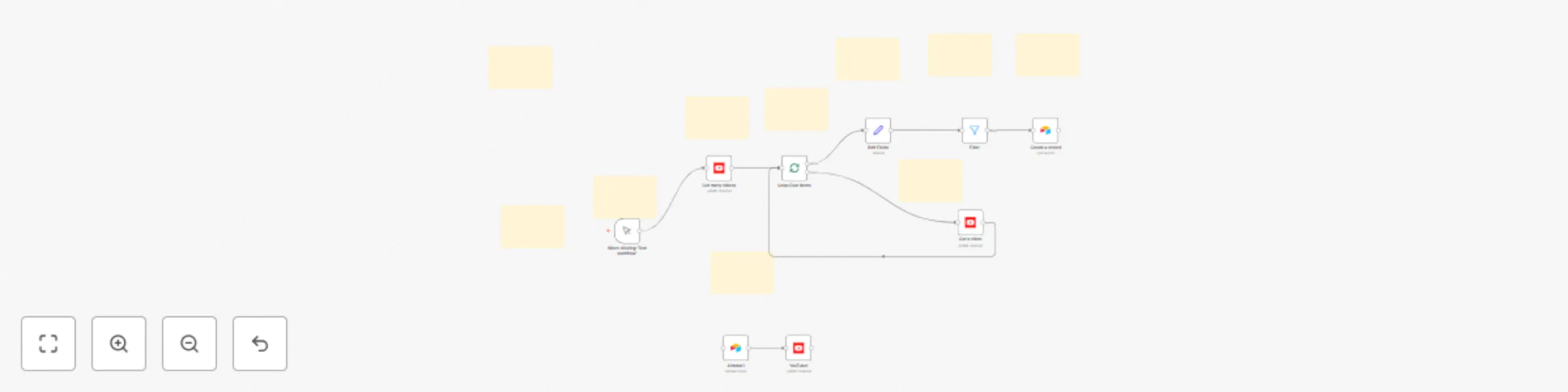
YouTube-Airtable two-way sync for channel management & video analytics

Workflow preview

Workflow preview
100%
YouTube-Airtable two-way sync for channel management & video analytics preview
Open on n8n.io

Important notice

This workflow is provided as-is. Please review and test before using in production.

1. Workflow Overview

Automatically sync your YouTube channel videos with Airtable for comprehensive content management, analytics tracking, and bulk video updates. How it works This workflow creates a powerful bridge b...

Best for

  • Social Media automation workflows
  • advanced n8n builders looking for reusable templates

Tools used

n8n-nodes-base.manualtrigger, n8n-nodes-base.airtable, n8n-nodes-base.youtube, n8n-nodes-base.splitinbatches, n8n-nodes-base.filter, n8n-nodes-base.set, n8n-nodes-base.stickynote

Source and attribution

This workflow is cataloged by N8N Workflows and links back to its original n8n.io source page by Rish.

Original n8n.io source

1.1 Workflow description

Title
YouTube-Airtable two-way sync for channel management & video analytics
Workflow name
YouTube-Airtable two-way sync for channel management & video analytics

Automatically sync your YouTube channel videos with Airtable for comprehensive content management, analytics tracking, and bulk video updates.

How it works

This workflow creates a powerful bridge between your YouTube channel and Airtable database, enabling you to:

  1. Fetch & Analyze: Retrieves all videos from your YouTube channel and extracts detailed metadata including views, likes, duration, and publishing information
  2. Smart Filtering: Automatically filters videos based on your criteria (public videos over 3 minutes) to focus on meaningful content
  3. Database Sync: Creates organized records in Airtable with all video data formatted for easy analysis and reporting
  4. Bulk Updates: Provides a secondary workflow path to update multiple YouTube videos directly from your Airtable data

The workflow processes videos in batches to prevent API rate limiting and ensure reliable execution, making it suitable for channels of any size.

Set up steps

Time required: 15-20 minutes

Prerequisites

  • YouTube channel with videos
  • Airtable account with a prepared base
  • Basic understanding of API credentials

1. YouTube API Setup (5 minutes)

  • Create a Google Cloud project and enable YouTube Data API v3
  • Generate OAuth2 credentials for YouTube access
  • Configure your OAuth consent screen

2. Airtable Configuration (8 minutes)

  • Create an Airtable base with two tables:
    • Main table for video storage with fields: VideoID, Video Name, Publishing Date, Description, Thumbnail, Views, Likes, Duration
    • Vid_Update table for videos you want to update on YouTube
  • Generate a Personal Access Token in Airtable
  • Note your base ID and table IDs

3. n8n Workflow Setup (5 minutes)

  • Import the workflow into your n8n instance
  • Add your YouTube OAuth2 credentials
  • Add your Airtable Personal Access Token
  • Update the Airtable base and table IDs in the workflow nodes
  • Test the connection to both services

4. Customization (2 minutes)

  • Adjust the video filter criteria if needed (currently set to public videos over 3 minutes)
  • Modify the region code if your audience is outside India
  • Set up scheduling if you want automatic syncing

Key Features

  • Batch Processing: Handles large video libraries without API timeouts
  • Data Transformation: Converts YouTube's ISO 8601 duration format to seconds for easy analysis
  • Dual Functionality: Both one-way sync (YouTube → Airtable) and update capability (Airtable → YouTube)
  • Smart Filtering: Focuses on public, substantial content (>3 minutes)
  • Error Handling: Robust processing with built-in safeguards

Use Cases

  • Content creators tracking video performance
  • Marketing teams analyzing YouTube metrics
  • Agencies managing multiple channels
  • Bulk video metadata updates
  • Content calendar planning and analysis

1.2 Logical Blocks

This catalog entry is organized from the workflow JSON. The node-level section below shows the executable blocks available for review before importing the template.

2. Block-by-Block Analysis

Block 1 - When clicking 'Test workflow'

Type / Role
n8n-nodes-base.manualTrigger - manualTrigger
Config choices
Version 1

Block 2 - Airtable1

Type / Role
n8n-nodes-base.airtable - airtable
Config choices
Version 2.1

Block 3 - YouTube1

Type / Role
n8n-nodes-base.youTube - youTube
Config choices
Version 1

Block 4 - Get many videos

Type / Role
n8n-nodes-base.youTube - youTube
Config choices
Version 1

Block 5 - Create a record

Type / Role
n8n-nodes-base.airtable - airtable
Config choices
Version 2.1

Block 6 - Loop Over Items

Type / Role
n8n-nodes-base.splitInBatches - splitInBatches
Config choices
Version 3

Block 7 - Get a video

Type / Role
n8n-nodes-base.youTube - youTube
Config choices
Version 1

Block 8 - Filter

Type / Role
n8n-nodes-base.filter - filter
Config choices
Version 2.2

Block 9 - Edit Fields

Type / Role
n8n-nodes-base.set - set
Config choices
Version 3.4

Block 10 - Sticky Note

Type / Role
n8n-nodes-base.stickyNote - stickyNote
Config choices
Version 1

Block 11 - Sticky Note1

Type / Role
n8n-nodes-base.stickyNote - stickyNote
Config choices
Version 1

Block 12 - Sticky Note2

Type / Role
n8n-nodes-base.stickyNote - stickyNote
Config choices
Version 1

Block 13 - Sticky Note3

Type / Role
n8n-nodes-base.stickyNote - stickyNote
Config choices
Version 1

Block 14 - Sticky Note4

Type / Role
n8n-nodes-base.stickyNote - stickyNote
Config choices
Version 1

Block 15 - Sticky Note5

Type / Role
n8n-nodes-base.stickyNote - stickyNote
Config choices
Version 1

Block 16 - Sticky Note6

Type / Role
n8n-nodes-base.stickyNote - stickyNote
Config choices
Version 1

Block 17 - Sticky Note7

Type / Role
n8n-nodes-base.stickyNote - stickyNote
Config choices
Version 1

Block 18 - Sticky Note8

Type / Role
n8n-nodes-base.stickyNote - stickyNote
Config choices
Version 1

Block 19 - Sticky Note9

Type / Role
n8n-nodes-base.stickyNote - stickyNote
Config choices
Version 1

3. Summary Table

Workflow YouTube-Airtable two-way sync for channel management & video analytics
Complexity advanced
Nodes 19
Categories Social Media
Author Rish
Published 28 Jul 2025

4. Reproducing the Workflow from Scratch

  1. 1. Download the workflow JSON

    Use the JSON export at /data/workflows/6560/6560.json as the source template for this automation.

  2. 2. Import the template into n8n

    Open n8n, import the downloaded JSON, and review each node before activating the workflow.

  3. 3. Configure credentials and variables

    Replace placeholder credentials, API keys, webhook URLs, account IDs, and environment-specific values with your own settings.

  4. 4. Test with sample data

    Run the workflow manually or in a staging workspace, inspect node output, and confirm downstream systems receive the expected data.

  5. 5. Activate and monitor

    Enable the workflow only after testing, then monitor executions, errors, and rate limits during the first production runs.

5. General Notes & Resources

Review imported nodes carefully before activation. This catalog entry is intended to help you inspect the workflow structure, understand required services, and find related templates faster.

Node names, credentials, schedules, webhook paths, and external service limits may need adjustment for your workspace.

Frequently asked questions

What does YouTube-Airtable two-way sync for channel management & video analytics do?

Automatically sync your YouTube channel videos with Airtable for comprehensive content management, analytics tracking, and bulk video updates. How it works This workflow creates a powerful bridge b...

What do I need before importing this workflow?

Review the workflow JSON, configure any required credentials in n8n, and test the automation in a safe workspace before using it in production.

Can I customize this workflow?

Yes. Use the block-by-block analysis and the downloadable JSON to inspect each node, then adjust credentials, prompts, schedules, filters, or destinations for your Social Media use case.