R

Rish

6
Workflows

Workflows by Rish

Workflow preview: YouTube-Airtable two-way sync for channel management & video analytics
Free advanced

YouTube-Airtable two-way sync for channel management & video analytics

Automatically sync your YouTube channel videos with Airtable for comprehensive content management, analytics tracking, and bulk video updates. ## How it works This workflow creates a powerful bridge between your YouTube channel and Airtable database, enabling you to: 1. **Fetch & Analyze**: Retrieves all videos from your YouTube channel and extracts detailed metadata including views, likes, duration, and publishing information 2. **Smart Filtering**: Automatically filters videos based on your criteria (public videos over 3 minutes) to focus on meaningful content 3. **Database Sync**: Creates organized records in Airtable with all video data formatted for easy analysis and reporting 4. **Bulk Updates**: Provides a secondary workflow path to update multiple YouTube videos directly from your Airtable data The workflow processes videos in batches to prevent API rate limiting and ensure reliable execution, making it suitable for channels of any size. ## Set up steps **Time required:** 15-20 minutes ### Prerequisites - YouTube channel with videos - Airtable account with a prepared base - Basic understanding of API credentials ### 1. YouTube API Setup (5 minutes) - Create a Google Cloud project and enable YouTube Data API v3 - Generate OAuth2 credentials for YouTube access - Configure your OAuth consent screen ### 2. Airtable Configuration (8 minutes) - Create an Airtable base with two tables: - **Main table** for video storage with fields: VideoID, Video Name, Publishing Date, Description, Thumbnail, Views, Likes, Duration - **Vid_Update table** for videos you want to update on YouTube - Generate a Personal Access Token in Airtable - Note your base ID and table IDs ### 3. n8n Workflow Setup (5 minutes) - Import the workflow into your n8n instance - Add your YouTube OAuth2 credentials - Add your Airtable Personal Access Token - Update the Airtable base and table IDs in the workflow nodes - Test the connection to both services ### 4. Customization (2 minutes) - Adjust the video filter criteria if needed (currently set to public videos over 3 minutes) - Modify the region code if your audience is outside India - Set up scheduling if you want automatic syncing ## Key Features - **Batch Processing**: Handles large video libraries without API timeouts - **Data Transformation**: Converts YouTube's ISO 8601 duration format to seconds for easy analysis - **Dual Functionality**: Both one-way sync (YouTube → Airtable) and update capability (Airtable → YouTube) - **Smart Filtering**: Focuses on public, substantial content (>3 minutes) - **Error Handling**: Robust processing with built-in safeguards ## Use Cases - Content creators tracking video performance - Marketing teams analyzing YouTube metrics - Agencies managing multiple channels - Bulk video metadata updates - Content calendar planning and analysis

R
Rish
Social Media
28 Jul 2025
100
0
Workflow preview: Summarize documents, images & spreadsheets with Gemma 3 on Ollama
Free advanced

Summarize documents, images & spreadsheets with Gemma 3 on Ollama

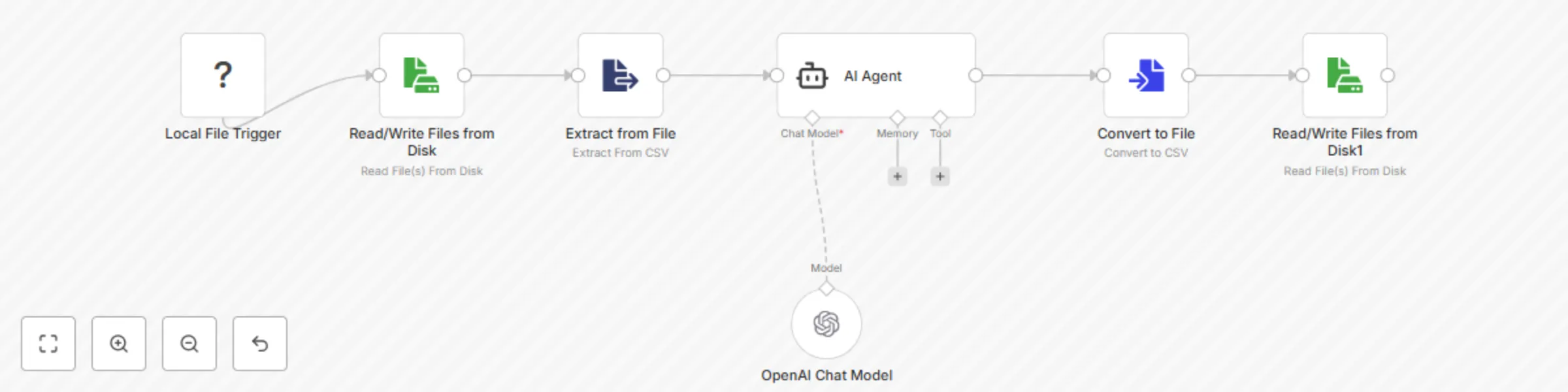
![Add a heading.png](fileId:1876) [Tutorial Video](https://www.youtube.com/watch?v=6f7715tnqjs) 🚀 Overview Transform your file management with this intelligent workflow that automatically processes and summarizes any file dropped into a monitored folder. Using local AI powered by Ollama, this workflow provides instant insights for images, documents, and data files. ✨ Key Features 🔄 Automatic Processing: Monitors a folder and processes files instantly upon detection 🎯 Multi-Format Support: Handles images (JPG, PNG), documents (PDF), and data files (CSV, XLS) 🤖 AI-Powered Analysis: Uses Ollama's Gemma 3 model for intelligent content understanding 📝 Smart Summaries: Generates concise, informative summaries tailored to each file type 💾 Organized Output: Saves all summaries as text files with descriptive naming 🛠️ What It Does Image Analysis: Describes visual content and identifies key elements in photos and graphics Document Summarization: Extracts and summarizes text from PDF documents Data Insights: Analyzes spreadsheet data and provides structural insights 📋 Prerequisites Ollama Installation: Download and install Ollama on your system Model Setup: Pull the Gemma 3 model with ollama pull gemma3:4b Service Running: Ensure Ollama is running with ollama serve Credentials: Configure Ollama API credentials in n8n 🔧 Setup Instructions Clone this workflow to your n8n instance Update the folder path in the "Local File Trigger" node to your desired monitoring directory Configure Ollama credentials for all three AI model nodes Test the workflow by dropping a sample file into your monitored folder 📊 Supported File Types TypeExtensionsProcessingImages.jpg, .pngAI vision analysis and descriptionDocuments.pdfText extraction and summarizationData Files.csv, .xlsData structure analysis and insights 🎯 Perfect For Content Creators: Quickly understand and catalog image collections Researchers: Summarize academic papers and research documents Data Analysts: Get instant insights into dataset structures Knowledge Workers: Organize and understand file collections efficiently 🔒 Privacy & Security 100% Local Processing: All AI processing happens on your machine No Cloud Dependencies: Files never leave your system Private & Secure: Complete control over your data and processing 🚦 Getting Started Simply drop any supported file into your monitored folder and watch as the workflow automatically: Detects the file type Processes the content appropriately Generates an intelligent summary Saves the result as a text file Your intelligent file assistant is ready to help you understand and organize your digital content!

R
Rish
Document Extraction
11 Jul 2025
580
0

Workflow preview: Twitter/X content analysis & insights with Grok AI and Telegram delivery
Free intermediate

Twitter/X content analysis & insights with Grok AI and Telegram delivery

👉🏻 **[Tutorial Video](https://www.youtube.com/@b2brish)** ## 🔬 Introducing **X-Ray Pro**: Your Intelligent X (Twitter) & Web Insight Machine! 💡 Hey n8n community! 👋 Tired of sifting through endless feeds to find meaningful insights on X (formerly Twitter) and the web? We've got something special for you! I'm excited to unveil **X-Ray Pro**, a powerful n8n workflow designed to be your ultimate information curator. It cuts through the digital noise and delivers precise, actionable intelligence right to your fingertips. Say goodbye to information overload and hello to clarity! 🚀 --- # Step-by-Step Setup Instructions ## 1. Create Required Credentials ### Grok AI (xAI) Credentials 1. Visit the xAI platform and create an account 2. Generate an API key 3. In n8n, create a new credential: - **Type:** "Generic Credential" - **Name:** "Grok AI API" - **Add field:** `Authorization` with value `Bearer YOUR_API_KEY` ### Telegram Bot Credentials 1. Contact @BotFather on Telegram 2. Create a new bot with `/newbot` 3. Save the bot token 4. In n8n, create "Telegram" credential with your bot token 5. Get your chat ID by messaging your bot and checking the webhook ### OpenAI Credentials 1. Get your OpenAI API key from platform.openai.com 2. Create "OpenAI" credential in n8n with your API key ## 2. Import and Configure the Workflow ### Import the Workflow 1. Copy the provided workflow JSON 2. In n8n, go to "Workflows" → "Import from URL/File" 3. Paste the JSON content ### Update Node Names and Structure The workflow includes these key components: **Trigger Node:** - `Telegram Trigger` - Receives messages from Telegram **Analysis Nodes:** (Rename for clarity) - `Tech Leaders Monitor` (was "Updates from Tech Leaders") - `Breaking News Scanner` (was "Real-Time Breaking News") - `Cross-Source Analyzer` (was "Multi-Source Analysis") - `Historical Data Miner` (was "Historical Events") - `Community Sentiment Tracker` (was "Community Pulse Check") - `Viral Content Detector` (was "Find Memes and Trends") **Core Processing:** - `AI Agent Coordinator` (was "X-Ray Pro") - `Language Model` (OpenAI Chat Model) **Output Node:** - `Telegram Response` (was "Telegram") ## 3. Secure API Key Configuration **CRITICAL SECURITY UPDATE:** Replace the hardcoded API keys in all HTTP Request nodes with credential references: 1. Select each HTTP Request node 2. Remove the hardcoded `Authorization` header 3. In "Headers" section, select "Credentials" 4. Choose your "Grok AI API" credential 5. Repeat for all 6 analysis nodes Give **X-Ray Pro** a try and transform how you gather insights!

R
Rish
Market Research
21 Jun 2025
136
0
Workflow preview: Process legal documents with Ollama AI & generate HTML reports (100% local)
Free intermediate

Process legal documents with Ollama AI & generate HTML reports (100% local)

![law_thumb.jpg](fileId:1477) [TUTORIAL VIDEO](https://youtu.be/oiUau1pwUwk) ## Key Features 🧠 AI-Powered Analysis - Use any Ollama-compatible model (Llama, Mistral, CodeLlama, etc.) 🔧 Flexible Input - Supports PDFs, Word docs, text files, and more 📊 Structured Output - Generates clean HTML reports and summaries 🔄 Automated Pipeline - Set-and-forget document processing ### Perfect For: - Enterprise Environments - Where data privacy is paramount - Research Organizations - Processing sensitive or proprietary documents - Small Teams - Cost-effective alternative to cloud AI services - Compliance-Heavy Industries - Healthcare, finance, legal where data must stay local - Developers - Experimenting with different open-source models - Content Teams - Batch processing large document libraries ### Prerequisites - n8n instance (self-hosted recommended) - Ollama server running locally - Compatible AI models downloaded (Llama 3.1, Mistral, etc.) - Local file system access - Documents to process ## Customization Ideas - 🎯 Multi-Model Pipeline - Route different document types to specialized models - 🌐 Language Detection - Automatically select appropriate language models - ⚡ Batch Processing - Handle multiple files simultaneously - 🎖️ Quality Scoring - Use multiple models to cross-validate outputs - ✏️ Custom Prompts - Tailor analysis for specific document types or industries - 🔗 Integration Hooks - Connect to databases, CMS, or notification systems ## Why Choose Local Processing? 🏆 Data Sovereignty - Your sensitive documents never leave your control 💰 Predictable Costs - No surprise API bills or usage limits 🎨 Customization Freedom - Fine-tune models for your specific use cases 📶 Offline Capability - Works without internet connectivity ✅ Compliance Ready - Meets strict data residency requirements ## Conclusion This workflow represents the future of document processing - combining the convenience of automation with the security and control of local AI models. It's particularly valuable for organizations that need to balance AI capabilities with strict data governance requirements. Ready to build your own private AI document processing pipeline? This workflow shows you exactly how to get started with local Ollama integration! 🏠🤖

R
Rish
Document Extraction
11 Jun 2025
920
0

Workflow preview: Automate Your LinkedIn Engagement with AI-Powered Comments! 💬✨
Free advanced

Automate Your LinkedIn Engagement with AI-Powered Comments! 💬✨

![linkedin_unipile_thumbnail0.5x.jpg](fileId:1374) [Tutorial Video](https://youtu.be/fCjkmLWcL8k) This n8n workflow is your ultimate tool for smart LinkedIn interaction, leveraging the power of AI to generate witty comments and engage with posts via the Unipile API. Perfect for community managers, marketers, or anyone looking to scale their professional presence with intelligent automation! How It Works: Trigger by Chat Message: Simply send a chat message (e.g., from Telegram) containing a LinkedIn post ID. 📨 Extract Post ID with LLM: An intelligent Large Language Model (LLM) precisely extracts the LinkedIn post ID from your message, ready for action. 🧠 Get Post Details: The workflow fetches all the juicy details of the target LinkedIn post from Unipile. 📥 AI-Crafted Comment: An OpenAI LLM, acting as your personal AI & startup expert, generates a unique, witty, and cheeky comment tailored to the post's content. No boring, generic replies here! ✒️🤖 Publish & React: The generated comment is then published to the LinkedIn post via Unipile, and a reaction (like a 'like' or 'upvote') is automatically added to boost engagement. 👍💬 Confirmation to Telegram: Get instant feedback! A confirmation message is sent back to your Telegram, showing the post URL and the exact comment that was shared. ✅ Why You'll Love This Template: Intelligent Engagement: Move beyond simple replies with AI-powered comments that resonate on a professional platform. Time-Saving Automation: Automate repetitive LinkedIn tasks and free up your schedule for more strategic activities. Scalable: Easily adapt and expand this workflow for various professional engagement types. Customizable: Tweak the LLM prompts to match your professional brand's voice and desired tone. Get Started: Unipile API Key: Secure your UNIPILE_API_KEY and set it as an environment variable in n8n. Unipile Account ID: The account_id (e.g., PXAEQeyiS2iSkSJCRuNcvg) is currently hardcoded within the HTTP Request nodes. For a production setup, consider making this dynamic or using n8n credentials if Unipile offers them. OpenAI Credentials: Ensure your OpenAI API key is configured as an n8n credential. Telegram Integration: Configure the Trigger: Chat Message Received node and the Telegram: Send Confirmation node with your Telegram Bot Token and Chat ID. The confirmation node is currently disabled; enable it to receive notifications. Ready to supercharge your LinkedIn engagement? Give it a try! 🚀

R
Rish
Social Media
24 May 2025
933
0
Workflow preview: Convert boring images to stunning photos and videos
Free advanced

Convert boring images to stunning photos and videos

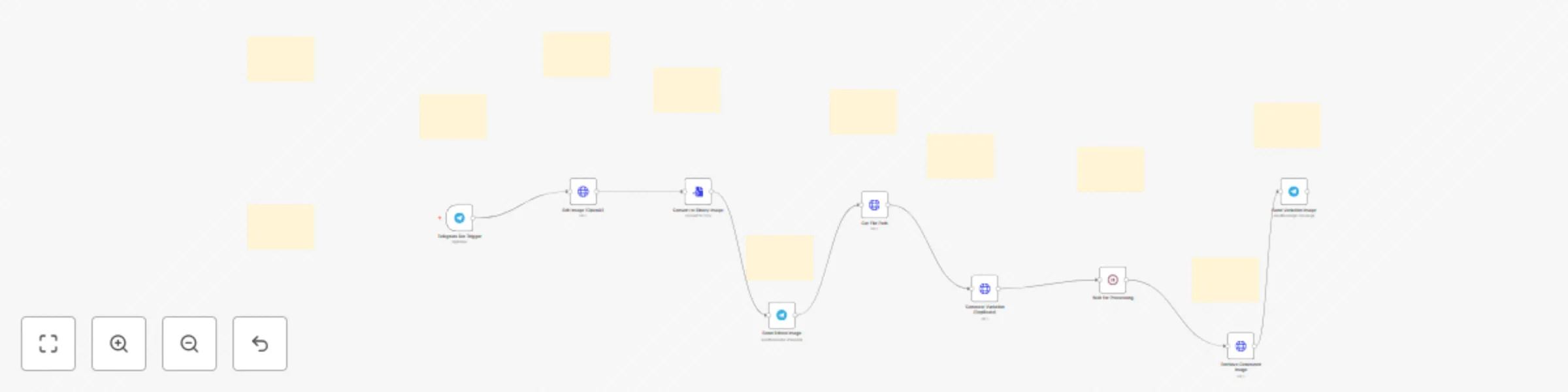
![maxresdefault.jpg](fileId:1881) [Tutorial Video](https://www.youtube.com/watch?v=imi7xKQvKh8) ✨ Transform ordinary photos into AI masterpieces This powerful workflow creates a complete AI image editing system that your Telegram contacts can use with a simple message. Let users send images with creative instructions and watch as cutting-edge AI transforms their ideas into reality. 🤖 What This Workflow Does Connect your Telegram bot to OpenAI and Replicate's advanced image models to: Edit photos based on text descriptions Generate creative variations of original images Deliver professional-quality results in seconds Handle the entire process automatically 🎨 Perfect For Digital creators seeking quick design iterations Photography enthusiasts wanting AI enhancements Product marketers creating concept visualizations Community managers offering image editing services Anyone looking to explore AI image capabilities 🔧 Easy Setup Just configure your API credentials, customize a few prompts, and your Telegram bot becomes a powerful AI image editor. The workflow handles all the technical complexity including file conversions, API communications, and asynchronous processing. 💡 Expandable Design Built with flexibility in mind, you can easily: Add additional AI models Implement image moderation Create branching paths based on user requests Integrate with other services like cloud storage Elevate your image editing capabilities with this seamless blend of messaging and AI technology!

R
Rish
Content Creation
21 May 2025
4673
0