Block 1 - Telegram Bot Trigger
- Type / Role
- n8n-nodes-base.telegramTrigger - telegramTrigger
- Config choices
- Version 1.2


 Early Deal
This workflow is provided as-is. Please review and test before using in production.
Tutorial Video Transform ordinary photos into AI masterpieces This powerful workflow creates a complete AI image e...
n8n-nodes-base.telegramtrigger, n8n-nodes-base.stickynote, n8n-nodes-base.httprequest, n8n-nodes-base.converttofile, n8n-nodes-base.telegram, n8n-nodes-base.wait
This workflow is cataloged by N8N Workflows and links back to its original n8n.io source page by Rish.
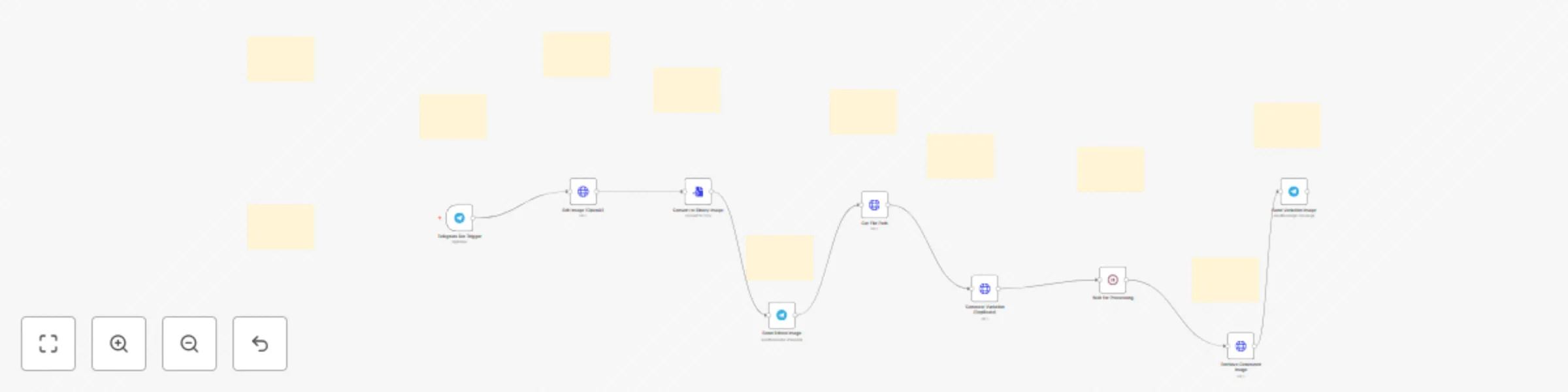
Original n8n.io source✨ Transform ordinary photos into AI masterpieces This powerful workflow creates a complete AI image editing system that your Telegram contacts can use with a simple message. Let users send images with creative instructions and watch as cutting-edge AI transforms their ideas into reality.
🤖 What This Workflow Does Connect your Telegram bot to OpenAI and Replicate's advanced image models to:
Edit photos based on text descriptions Generate creative variations of original images Deliver professional-quality results in seconds Handle the entire process automatically
🎨 Perfect For
Digital creators seeking quick design iterations Photography enthusiasts wanting AI enhancements Product marketers creating concept visualizations Community managers offering image editing services Anyone looking to explore AI image capabilities
🔧 Easy Setup Just configure your API credentials, customize a few prompts, and your Telegram bot becomes a powerful AI image editor. The workflow handles all the technical complexity including file conversions, API communications, and asynchronous processing.
💡 Expandable Design Built with flexibility in mind, you can easily:
Add additional AI models Implement image moderation Create branching paths based on user requests Integrate with other services like cloud storage
Elevate your image editing capabilities with this seamless blend of messaging and AI technology!
This catalog entry is organized from the workflow JSON. The node-level section below shows the executable blocks available for review before importing the template.
| Workflow | Convert boring images to stunning photos and videos |
|---|---|
| Complexity | advanced |
| Nodes | 20 |
| Categories | Content Creation, Multimodal AI |
| Author | Rish |
| Published | 21 May 2025 |
Use the JSON export at /data/workflows/4275/4275.json as the source template for this automation.
Open n8n, import the downloaded JSON, and review each node before activating the workflow.
Replace placeholder credentials, API keys, webhook URLs, account IDs, and environment-specific values with your own settings.
Run the workflow manually or in a staging workspace, inspect node output, and confirm downstream systems receive the expected data.
Enable the workflow only after testing, then monitor executions, errors, and rate limits during the first production runs.
Review imported nodes carefully before activation. This catalog entry is intended to help you inspect the workflow structure, understand required services, and find related templates faster.
Node names, credentials, schedules, webhook paths, and external service limits may need adjustment for your workspace.
Tutorial Video Transform ordinary photos into AI masterpieces This powerful workflow creates a complete AI image e...
Review the workflow JSON, configure any required credentials in n8n, and test the automation in a safe workspace before using it in production.
Yes. Use the block-by-block analysis and the downloadable JSON to inspect each node, then adjust credentials, prompts, schedules, filters, or destinations for your Content Creation, Multimodal AI use case.