Block 1 - Webhook
- Type / Role
- n8n-nodes-base.webhook - webhook
- Config choices
- Version 2.1


 Early Deal
Automated Webinar Signup Verification & Personalized Welcome Kit Description Transform your webinar registrations from basic form submissions into a verified, personalized, and premium attendee exp...
n8n-nodes-base.webhook, n8n-nodes-verifiemail.verifiemail, n8n-nodes-base.if, n8n-nodes-base.slack, n8n-nodes-base.stopanderror, n8n-nodes-base.googlesheets, @n8n/n8n-nodes-langchain.openai, n8n-nodes-base.googledrive
This workflow is cataloged by N8N Workflows and links back to its original n8n.io source page by Jitesh Dugar.
Original n8n.io sourceTransform your webinar registrations from basic form submissions into a verified, personalized, and premium attendee experience.
This intelligent workflow automates webinar signup intake, email verification, attendee validation, AI-powered personalization, welcome kit generation, PDF creation, and automated email delivery — ensuring only genuine attendees are onboarded while delivering a high-quality first impression at scale.
No manual checks, no fake signups, and no generic emails — just clean data and tailored communication.
Turns a simple webinar signup into a fully automated onboarding pipeline:
📝 Capture Webinar Signup – Collects attendee details such as name, email, company, and session preferences.
📧 Email Verification – Validates the attendee’s email address in real time to prevent fake or mistyped signups.
🚫 Invalid Signup Handling – Stops unverified registrations and alerts organizers instantly.
📊 Verified Attendee Storage – Stores confirmed attendee data in Google Sheets for tracking and reporting.
🧠 AI-Powered Personalization – Generates a customized welcome message based on attendee details and interests.
📄 Welcome Kit Generation – Creates a professional welcome document and converts it into a PDF.
📧 Automated Email Delivery – Sends the personalized welcome kit directly to the attendee.
📚 Optional Extra Materials – Dynamically generates and emails advanced learning resources when requested.
✅ Email Verification Built-In – Keeps your attendee list clean and reliable 🤖 AI-Generated Personalized Content – No generic welcome emails 📄 Professional PDF Welcome Kits – Polished, shareable onboarding assets ⚡ Fully Automated Signup Flow – Zero manual intervention required 📊 Centralized Attendee Tracking – Easy reporting and follow-ups
🎤 Webinar Hosts & Event Organizers 🏢 Marketing & Growth Teams 📚 Educators & Online Course Creators 🚀 SaaS & Startup Communities 🎯 Anyone running high-value webinars or live sessions
📧 VerifiEmail – Real-time email validation 🤖 OpenAI – AI-generated welcome messages and learning content 📊 Google Sheets – Attendee data storage 📧 Gmail – Sending welcome and follow-up emails 📄 HTML → PDF – Welcome kit and resource PDF generation
💬 Slack Notifications – Alert organizers of verified or invalid signups 📅 Calendar Invites – Auto-add webinar events to attendee calendars 🎨 Branding – Add logos, colors, and custom layouts to PDFs 🌍 Multilingual Support – Localize welcome kits for global audiences 📈 CRM Sync – Push verified attendees to your CRM
1️⃣ Import the workflow into your n8n workspace 2️⃣ Connect VerifiEmail, OpenAI, Google Sheets, Gmail, and PDF credentials 3️⃣ Update spreadsheet ID, email sender, and Slack channel (if used) 4️⃣ Customize AI prompts and email templates 5️⃣ Test with a sample webinar signup 6️⃣ Activate the workflow
1️⃣ Verification Rules – Change email validation strictness 2️⃣ AI Prompt Tuning – Adjust tone (formal, friendly, premium, etc.) 3️⃣ Welcome Kit Content – Add agenda, speaker bios, or links 4️⃣ Follow-Up Logic – Add reminder or post-webinar emails 5️⃣ Data Fields – Capture job title, industry, or experience level
📈 Higher-quality webinar attendees 🧹 Clean, verified signup lists 🤝 Stronger first impression with personalized onboarding ⏱️ Reduced manual verification work 📧 Professional, automated attendee communication
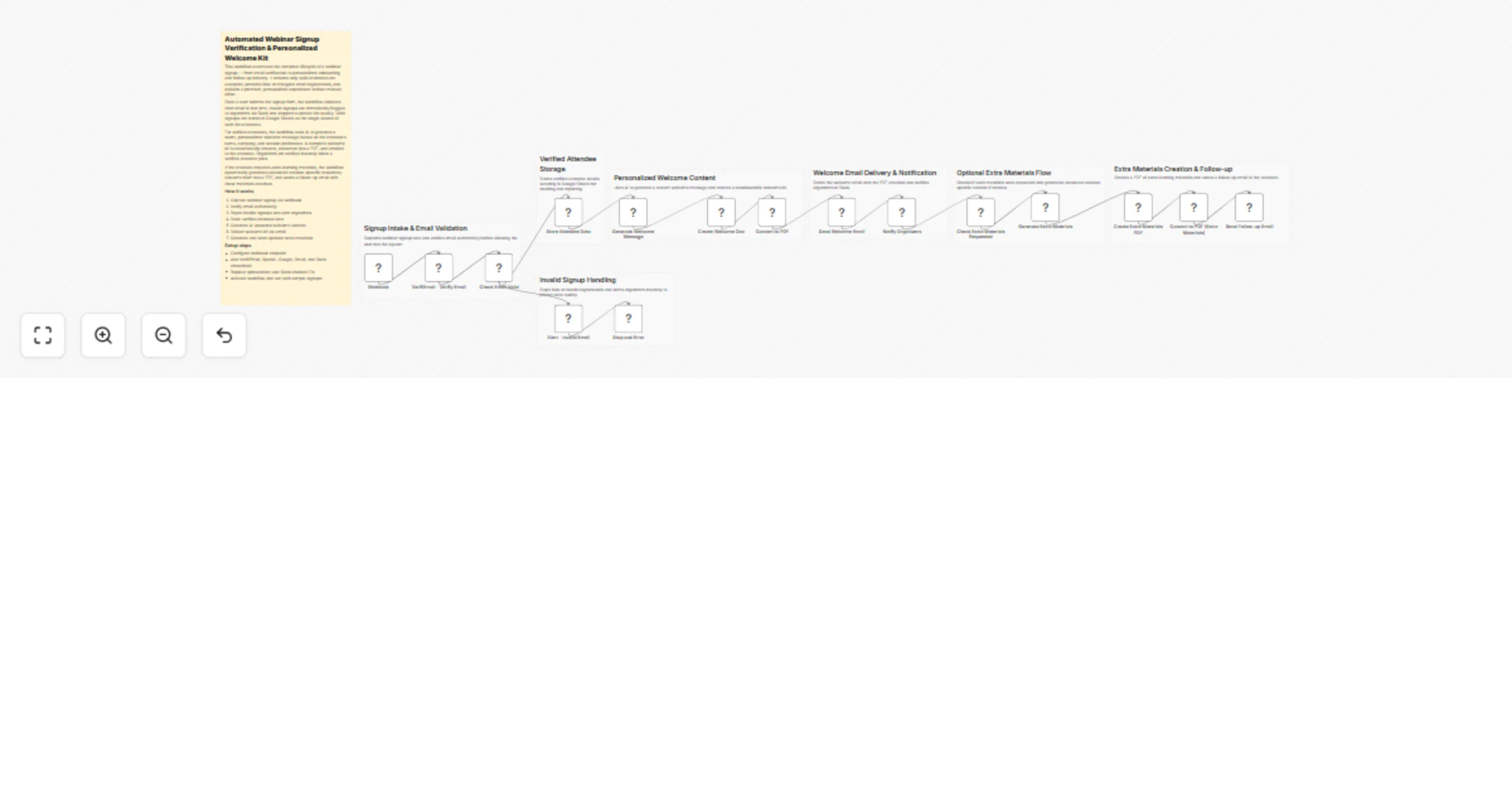
📝 Webinar Signup ↓ 📧 Email Verification ↓ 🚫 Invalid Signup Handling / ✅ Verified Attendee Storage ↓ 🧠 AI Welcome Message ↓ 📄 Welcome Kit Creation ↓ 📑 PDF Generation ↓ 📧 Welcome Email ↓ 📚 Optional Extra Materials & Follow-Up
This catalog entry is organized from the workflow JSON. The node-level section below shows the executable blocks available for review before importing the template.
| Workflow | Verify webinar signups and send personalized GPT-4 welcome kits via Gmail and Google Sheets |
|---|---|
| Complexity | advanced |
| Nodes | 24 |
| Categories | Lead Nurturing, AI Summarization |
| Author | Jitesh Dugar |
| Published | 12 Dec 2025 |
Use the JSON export at /data/workflows/11730/11730.json as the source template for this automation.
Open n8n, import the downloaded JSON, and review each node before activating the workflow.
Replace placeholder credentials, API keys, webhook URLs, account IDs, and environment-specific values with your own settings.
Run the workflow manually or in a staging workspace, inspect node output, and confirm downstream systems receive the expected data.
Enable the workflow only after testing, then monitor executions, errors, and rate limits during the first production runs.
Review imported nodes carefully before activation. This catalog entry is intended to help you inspect the workflow structure, understand required services, and find related templates faster.
Node names, credentials, schedules, webhook paths, and external service limits may need adjustment for your workspace.
Automated Webinar Signup Verification & Personalized Welcome Kit Description Transform your webinar registrations from basic form submissions into a verified, personalized, and premium attendee exp...
Review the workflow JSON, configure any required credentials in n8n, and test the automation in a safe workspace before using it in production.
Yes. Use the block-by-block analysis and the downloadable JSON to inspect each node, then adjust credentials, prompts, schedules, filters, or destinations for your Lead Nurturing, AI Summarization use case.