Block 1 - Convert Report to Text File Format
- Type / Role
- n8n-nodes-base.convertToFile - convertToFile
- Config choices
- Version 1.1


 Early Deal
This workflow is provided as-is. Please review and test before using in production.
Description: This workflow automates end to end validation, assessment, and reporting of n8n workflow JSON templates using Google Drive, Azure OpenAI GPT 4o, Gmail, and Slack. It retrieves workf...
n8n-nodes-base.converttofile, n8n-nodes-base.code, @n8n/n8n-nodes-langchain.memorybufferwindow, @n8n/n8n-nodes-langchain.lmchatazureopenai, @n8n/n8n-nodes-langchain.outputparserstructured, @n8n/n8n-nodes-langchain.agent, n8n-nodes-base.extractfromfile, n8n-nodes-base.if
This workflow is cataloged by N8N Workflows and links back to its original n8n.io source page by Rahul Joshi.
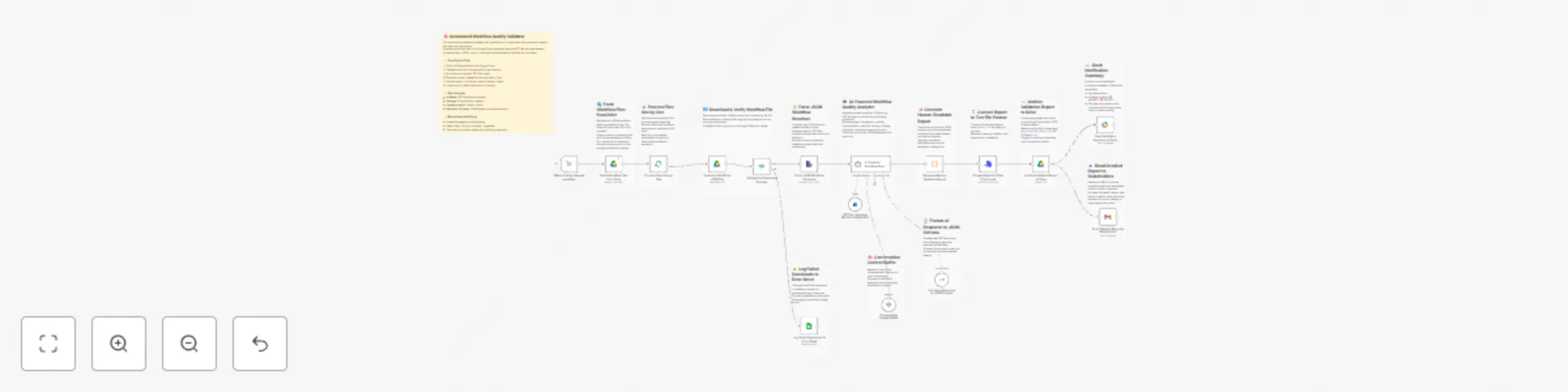
Original n8n.io sourceThis workflow automates end-to-end validation, assessment, and reporting of n8n workflow JSON templates using Google Drive, Azure OpenAI GPT-4o, Gmail, and Slack. It retrieves workflows from a Drive folder, validates their integrity, analyzes their quality against official n8n Template Publishing Guidelines, generates a structured report, converts it into a formatted .txt file, and archives it with instant notifications sent via Slack and email. It ensures a fully autonomous review cycle for workflow publishing, complete with error tracking, AI-based evaluations, and automated reporting.
▶️ When Clicking ‘Execute Workflow’ (Manual Trigger) Initiates the validation pipeline manually, allowing users to start the batch evaluation process on demand.
📂 Fetch Workflow Files from Drive Retrieves all JSON workflow files from the “n8n json checker” Google Drive folder, including their metadata (ID, name, timestamps). Acts as the primary input source for the validation loop.
🔄 Process Files One by One Splits the list of files into individual items to ensure controlled, sequential processing. Prevents API overload and maintains order during AI evaluation.
⬇️ Download Workflow JSON File Fetches each workflow file from Drive using its file ID. Ensures a complete, uncorrupted copy before validation begins.
🔍 Validate File Download Success (IF Node) Checks if the downloaded file includes a valid id and JSON structure. ✅ True Path: Continues to parsing and analysis. ❌ False Path: Logs the failed file to a Google Sheet for audit and debugging.
🧾 Parse JSON Workflow Structure Converts raw JSON files into object data structures readable by AI. Verifies JSON syntax and schema readiness for further evaluation.
🧠 GPT-4o Language Model Configuration Initializes Azure OpenAI’s GPT-4o as the reasoning engine for advanced workflow quality analysis.
🗂 Conversation Context Buffer Maintains contextual memory across multiple files, enabling GPT-4o to stay consistent across batch validations and apply uniform judgment standards.
🤖 AI-Powered Workflow Quality Analyzer Uses GPT-4o to evaluate each workflow against eight defined quality checkpoints: 1️⃣ JSON Validity 2️⃣ Documentation Presence 3️⃣ Security & Credentials 4️⃣ Node Naming Standards 5️⃣ Workflow Validity 6️⃣ Originality & Usefulness 7️⃣ Industry-Readiness 8️⃣ Visual Presentation
Produces a structured JSON output summarizing each checkpoint’s result, reason, and overall assessment.
🧩 Format AI Response to JSON Schema Normalizes GPT-4o output into a clean JSON schema for easy parsing. Ensures consistency across all AI-generated reports.
📝 Generate Human-Readable Report Transforms structured JSON results into a formatted plain-text report with headers, dividers, and human-friendly phrasing. Provides an executive-style summary of workflow quality.
📋 Convert Report to Text File Format Converts the formatted analysis into a .txt file suitable for archival. Preserves visual layout and divider styles for readability.
☁️ Archive Validation Report to Drive Uploads the finalized text report to the “EOD Updates report” Google Drive folder. Automatically names files with a timestamp (e.g., workflow_report_2025-11-03_103020.txt) for easy tracking.
📧 Email Detailed Report to Stakeholders Sends an HTML-formatted email summary including report metadata: file name, size, type, created time, and owner. Includes “View in Drive” and “Download” buttons for quick access.
💬 Send Validation Summary to Slack Notifies internal teams with a Slack message summarizing the workflow’s assessment result, report name, size, and links to Drive resources. Ensures real-time transparency for the QA team.
⚠️ Log Failed Downloads to Error Sheet Captures download or validation errors in a dedicated Google Sheet. Supports quick debugging and failure traceability across runs.
Google Drive OAuth connection (Techdome Account) Azure OpenAI GPT-4o credentials Gmail and Slack API integrations Google Sheets connection for error tracking
✅ Fully automated n8n workflow review and quality assurance pipeline ✅ Structured GPT-4o analysis aligned with official publishing standards ✅ Instant report archival and real-time notifications ✅ Built-in error logging and recovery tracking ✅ Reduces manual review workload by over 90%
n8n Template Publishers & Marketplace Moderators QA Engineers validating workflow submissions Automation Teams managing template quality and compliance Organizations maintaining standardized workflow repositories
This catalog entry is organized from the workflow JSON. The node-level section below shows the executable blocks available for review before importing the template.
Showing the first 24 of 30 workflow blocks. Download the JSON for the full node graph.
| Workflow | Validate workflows: GPT-4o with Drive, Slack & Gmail |
|---|---|
| Complexity | advanced |
| Nodes | 30 |
| Categories | Engineering, AI Summarization |
| Author | Rahul Joshi |
| Published | 15 Oct 2025 |
Use the JSON export at /data/workflows/9681/9681.json as the source template for this automation.
Open n8n, import the downloaded JSON, and review each node before activating the workflow.
Replace placeholder credentials, API keys, webhook URLs, account IDs, and environment-specific values with your own settings.
Run the workflow manually or in a staging workspace, inspect node output, and confirm downstream systems receive the expected data.
Enable the workflow only after testing, then monitor executions, errors, and rate limits during the first production runs.
Review imported nodes carefully before activation. This catalog entry is intended to help you inspect the workflow structure, understand required services, and find related templates faster.
Node names, credentials, schedules, webhook paths, and external service limits may need adjustment for your workspace.
Description: This workflow automates end to end validation, assessment, and reporting of n8n workflow JSON templates using Google Drive, Azure OpenAI GPT 4o, Gmail, and Slack. It retrieves workf...
Review the workflow JSON, configure any required credentials in n8n, and test the automation in a safe workspace before using it in production.
Yes. Use the block-by-block analysis and the downloadable JSON to inspect each node, then adjust credentials, prompts, schedules, filters, or destinations for your Engineering, AI Summarization use case.