Startup Pitch Deck Submission Validator & Auto-Processor
Overview
A comprehensive n8n workflow template that completely automates the startup pitch deck submission process for accelerators, incubators, VC firms, and startup competitions. This workflow validates founder emails, stores pitch decks securely, generates professional PDF summaries, and sends notifications to both your team and the founders—all in under 30 seconds per submission.
Key Features
Email Verification & Spam Protection
- Real-time email validation using VerifiEmail API
- Checks for RFC compliance, MX records, disposable emails, and spoofed addresses
- Automatically rejects invalid submissions before file storage
- Prevents spam, fake entries, and temporary email addresses
Automated File Management
- Downloads pitch deck PDFs from provided URLs
- Uploads to organized Google Drive folders with automatic naming
- Creates two permanent archives:
- Original pitch decks in
/PitchDecks/
- Generated summaries in
/Submission Summaries/
- Maintains clean folder structure with timestamp-based filenames
Professional PDF Reports
- Generates beautiful, branded PDF summary reports
- Includes company info, founder details, email verification status
- Professional gradient design with interactive elements
- Links to Google Drive documents for easy access
Smart Email Notifications
- Admin Team Notification: Comprehensive email with all details and clickable document links
- Founder Confirmation: Professional thank-you email with next steps and timeline
- Invalid Submission Alerts: Immediate notification for failed verifications with detailed reasons
Intelligent Routing
- Conditional logic based on email validation results
- Valid submissions proceed through full workflow
- Invalid submissions trigger admin alerts and stop processing
- No wasted resources on fake submissions
Error Handling
- Comprehensive error detection at every step
- Admin alerts for failed email verifications
- Graceful handling of file download failures
- Detailed logging for troubleshooting
Perfect For
- Startup Accelerators (Y Combinator, Techstars, 500 Startups style programs)
- Incubators & Innovation Hubs
- Venture Capital Firms (deal flow management)
- Pitch Competitions (local, national, international events)
- Investment Rounds (seed, Series A applications)
- Government Innovation Programs
- Corporate Accelerators
- University Entrepreneurship Programs
Workflow Statistics
- Total Nodes: 11
- Complexity: ⭐⭐⭐ Medium
- Processing Time: 15-30 seconds per submission
- Setup Time: 15-20 minutes
- Code Required: None (no-code solution)
- Maintenance: Minimal (set and forget)
Requirements
Required Services & APIs
VerifiEmail API
Google Drive
- Purpose: File storage
- Setup: Enable Drive API in Google Cloud Console
Gmail
- Purpose: Email notifications
- Setup: Enable Gmail API in Google Cloud Console
HTML to PDF API (pdfmunk.com)
Optional Integrations
- Typeform - For frontend submission forms
- Google Forms - Alternative form solution
- Webflow - For custom landing pages
- Airtable - For additional database logging
- Slack - For team notifications
What Gets Created
Folder Structure in Google Drive
My Drive/
├── PitchDecks/
│ ├── TechVenture_JohnDoe_PitchDeck.pdf
│ ├── AIStartup_JaneSmith_PitchDeck.pdf
│ └── GreenTech_MikeJones_PitchDeck.pdf
│
└── Submission Summaries/
├── TechVenture_Summary_20251012_143025.pdf
├── AIStartup_Summary_20251012_145532.pdf
└── GreenTech_Summary_20251012_151147.pdf
Email Notifications
Admin Team Email (to: [email protected])
- All startup details
- Founder information with verified email badge
- Clickable buttons to view pitch deck and summary
- Email verification breakdown (RFC, MX, disposable check)
- Google Drive folder structure overview
- Document IDs for reference
Founder Confirmation (to: founder's email)
- Personalized thank you message
- Submission confirmation checklist
- Detailed submission summary table
- Clear next steps with timeline (5-7 day review)
- PDF summary attached for records
- Contact information for questions
Invalid Email Alert (to: [email protected])
- Failed submission details
- Email verification failure reasons
- Timestamp for tracking
- Option for manual review
Quick Start Guide
1. Import Template
- Download the JSON file
- In n8n: Workflows → Import from File
- Select: startup-pitch-deck-validator-template.json
2. Configure Credentials (15 minutes)
A. VerifiEmail API
- Sign up at https://verifi.email
- Get API key from dashboard
- In n8n: Credentials → VerifiEmail API → Paste key
B. Google Drive OAuth2
C. Gmail OAuth2
- Same Google Cloud project
- Enable Gmail API
- In n8n: Credentials → Gmail OAuth2 → Authorize
D. HTML to PDF API
3. Create Google Drive Folders
Create these folders in your Google Drive:
/PitchDecks/ (for original pitch decks)/Submission Summaries/ (for generated reports)
Then select them in the workflow nodes.
4. Update Email Addresses
Replace placeholder emails in these nodes:
5. Test the Workflow
Send a test webhook:
curl -X POST https://your-n8n.com/webhook/startup-submission
-H "Content-Type: application/json"
-d '{
"name": "Jane Smith",
"email": "[email protected]",
"startup_name": "TechVenture AI",
"website": "https://techventure.io",
"industry": "Artificial Intelligence",
"pitch_deck_file_url": "https://www.w3.org/WAI/ER/tests/xhtml/testfiles/resources/pdf/dummy.pdf"
}'
6. Activate Workflow
Click the toggle in top-right corner to activate!
Detailed Setup Instructions
Step 1: VerifiEmail Configuration
- Visit https://verifi.email and create account
- Navigate to API section in dashboard
- Copy your API key
- In n8n workflow, click "Verifi Email" node
- Create new credential → Paste API key
- Test credential to ensure it works
Step 2: Google Cloud Project Setup
Create Google Cloud Project
Enable Required APIs
- Go to "APIs & Services" → "Library"
- Search and enable: "Google Drive API"
- Search and enable: "Gmail API"
Create OAuth Credentials
- Go to "APIs & Services" → "Credentials"
- Click "Create Credentials" → "OAuth 2.0 Client ID"
- Application type: "Web application"
- Add authorized redirect URI from n8n
- Download credentials JSON
Configure in n8n
- In workflow, click any Google Drive node
- Create new credential → Google Drive OAuth2
- Upload credentials JSON or paste values
- Complete OAuth flow and authorize
- Repeat for Gmail nodes using same project
Step 3: Folder Setup
- Open Google Drive in browser
- Create folder: "PitchDecks" (note the folder ID from URL)
- Create folder: "Submission Summaries"
- In workflow, select these folders in the respective nodes:
- "Upload Pitch Deck to Drive" → PitchDecks folder
- "Save Summary PDF to Drive" → Submission Summaries folder
Step 4: PDF API Setup
- Sign up at https://pdfmunk.com
- Get API key from account dashboard
- In "HTML to PDF" node, create new credential
- Paste API key
- Test with sample execution
Step 5: Email Customization
In "Notify Accelerator Team" node:
- Line 7: Change recipient email
- Update company name in footer (optional)
In "Send Founder Confirmation" node:
- Line 69-70: Update support email
- Line 72: Update company name and year
In "Alert Admin - Invalid Email" node:
- Line 3: Change recipient email
Step 6: Test & Validate
Test with Valid Email:
- Use your own email address
- Valid pitch deck URL
- Verify you receive confirmation email
- Check Google Drive for files
Test with Invalid Email:
- Use temporary email service
- Verify admin receives alert
- Confirm no files are stored
Test Error Handling:
- Use invalid file URL
- Check error messages
- Verify graceful failure
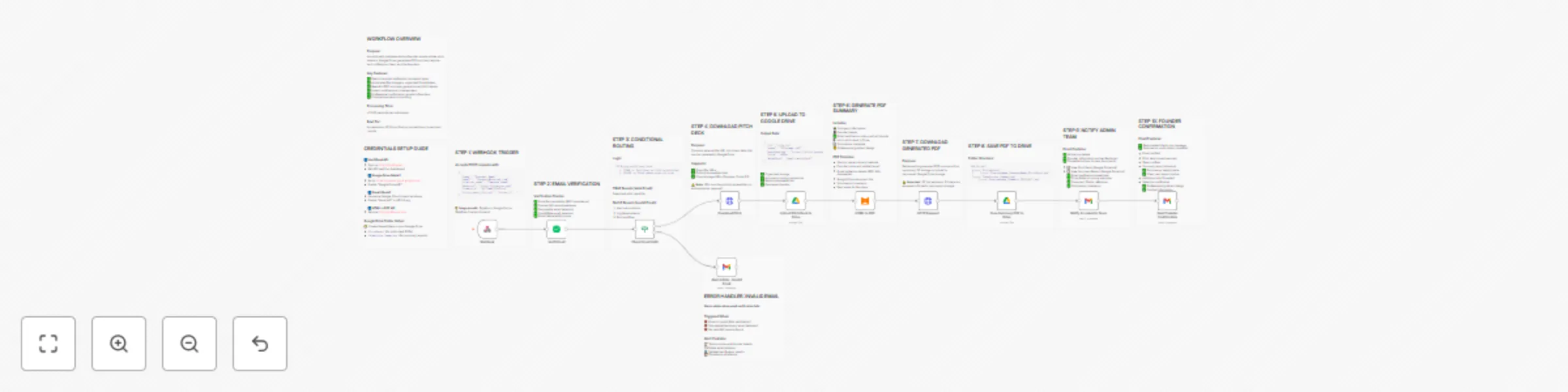
Workflow
DiagramStart → Webhook Trigger
↓
Email Verification (VerifiEmail API)
↓
Conditional Check (Valid?)
↙️           ↘️
TRUE          FALSE
↓             ↓
Download PDF   Alert Admin
↓            (end)
Upload to Drive
↓
Generate Summary PDF
↓
Download Summary
↓
Save to Drive
↓
Notify Admin Team
↓
Confirm to Founder
↓
Done! ✅
Processing Flow Details
For Valid Submissions (TRUE Branch):
- Webhook receives data → ~0s
- Email verification → ~2-3s
- Download pitch deck → ~3-5s
- Upload to Google Drive → ~2-3s
- Generate PDF summary → ~5-8s
- Download PDF → ~1-2s
- Save PDF to Drive → ~2-3s
- Send admin notification → ~2-3s
- Send founder confirmation → ~2-3s
Total: 15-30 seconds
For Invalid Submissions (FALSE Branch):
- Webhook receives data → ~0s
- Email verification → ~2-3s
- Send admin alert → ~2-3s
Total: 4-6 seconds (saves resources!)
Customization Options
Easy Customizations
Email Templates
- Modify HTML in Gmail nodes
- Add your logo
- Change colors and branding
- Adjust text and messaging
PDF Template
- Edit HTML in "HTML to PDF" node
- Add custom styling
- Include additional fields
- Add company logo/branding
Folder Structure
- Create subfolders by industry
- Add year-based organization
- Implement custom naming conventions
Notification Preferences
- Add Slack notifications
- Set up SMS alerts
- Create calendar events
- Log to Airtable/database
Advanced Customizations
Add Duplicate Detection
- Check if email already submitted
- Prevent multiple submissions
- Create whitelist/blacklist
Implement Scoring System
- Add rating fields to PDF
- Create evaluation criteria
- Automate preliminary screening
Multi-Stage Workflow
- Add approval process
- Create interview scheduling
- Implement status updates
Analytics & Reporting
- Track submission metrics
- Generate monthly reports
- Monitor email verification rates
- Analyze industry trends
Troubleshooting
Common Issues & Solutions
1. Email Verification Fails
- Problem: All emails marked as invalid
- Solution: Check VerifiEmail API key and quota
2. Google Drive Upload Error
- Problem: "Insufficient permissions" error
- Solution: Re-authorize OAuth, ensure Drive API enabled
- Check: Folder exists and is accessible
3. PDF Generation Fails
- Problem: PDF not generated or broken
- Solution: Check HTML to PDF API key and quota
- Verify: HTML template syntax is valid
4. Emails Not Sending
- Problem: Gmail node fails
- Solution: Re-authorize Gmail OAuth, check API quota
- Check: Email addresses are valid format
5. File Download Fails
- Problem: "Cannot fetch file from URL"
- Solution: Verify URL is publicly accessible
- Check: File exists and is not behind authentication
6. Webhook Not Triggering
- Problem: No workflow execution
- Solution: Check webhook URL is correct
- Verify: Workflow is activated (toggle ON)
Performance & Scalability
Current Capacity
- Concurrent Submissions: Up to 10-20 simultaneously
- Daily Volume: ~500-1000 submissions (depends on API quotas)
- File Size Limit: Up to 100MB per pitch deck
- Storage: Unlimited (within Google Drive quota)
Scaling Considerations
For High Volume (1000+ submissions/day):
- Upgrade to paid API tiers
- Use queue system for processing
- Add database for tracking
- Implement rate limiting
For Large Files (>100MB):
- Use direct file upload to Drive
- Skip PDF generation for large files
- Add file size validation
Security & Privacy
Data Protection
- Email verification via secure API
- Encrypted file transfer (HTTPS)
- OAuth2 authentication for Google services
- No data stored in n8n beyond execution logs
Compliance
- GDPR compliant (data minimization)
- No sensitive data retention
- Secure credential storage
- Audit trail via execution logs
Community Support
📄 License
This template is provided as-is for commercial and personal use.


 Early Deal