Upload files to Dropbox and generate direct download links
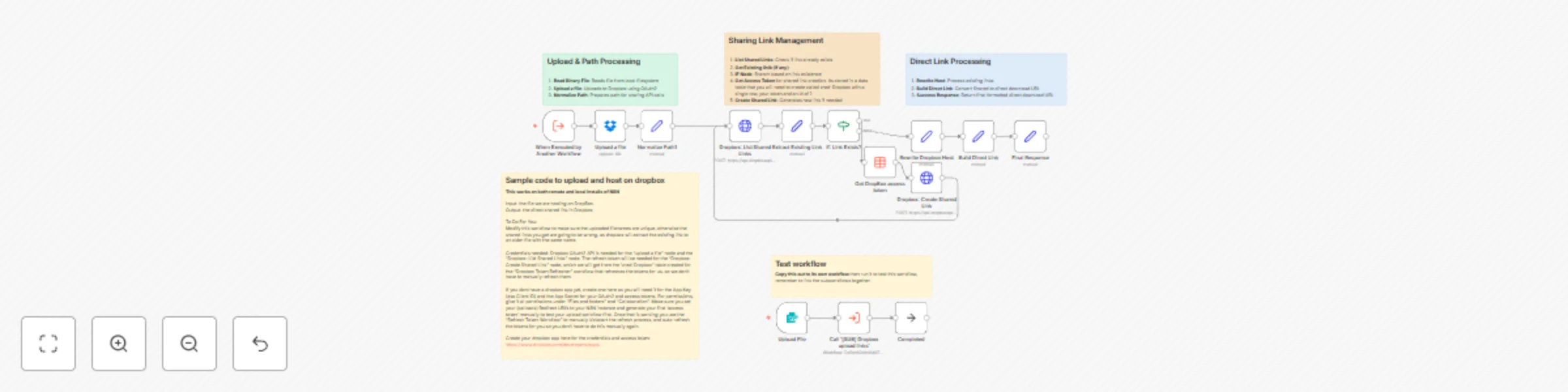
Workflow preview


 Early Deal
DISCOUNT 20%

Important notice
This workflow is provided as-is. Please review and test before using in production.
Overview
How It Works This sub-workflow uploads files to Dropbox and returns a direct download link:
Upload file - Receives file from parent workflow and uploads to Dropbox Check for existing link - Queries Dropbox API to see if a shared link already exists for this file Create or reuse link - If no link exists, creates a new public shared link; otherwise uses existing one Convert to direct link - Transforms Dropbox's standard sharing URL (dropbox.com) into a direct download URL (dl.dropboxusercontent.com) Return URL - Outputs the final direct download link for use in other workflows
Important: File names must be unique, or you'll get links to old files with the same name.
Setup Steps Time estimate: ~25-30 minutes (first time)
Create Dropbox app - Register at https://www.dropbox.com/developers/apps and get App Key + App Secret. Grant "Files and folders" + "Collaboration" permissions Configure OAuth2 credentials - Add Dropbox OAuth2 credentials in n8n (2 places: "Upload a file" and "List Shared Links" nodes). Set redirect URI to your n8n instance
Create data table - Make a table called "cred-Dropbox" with columns: id (value: 1) and token (your access token)
Set up token refresh - Deploy the companion "Dropbox Token Refresher" workflow (referenced but not included as its a paid workflow) to auto-refresh tokens
Customize upload path - Update the path in "Upload a file" node (currently /Automate/N8N/host/)
Test with form - Use the included test workflow to verify everything works
Pro tip: Generate your first access token manually in the Dropbox app console to test uploads before setting up auto-refresh.