Turn websites into a Google Sheets database with MrScraper and Gmail
Workflow preview

$20/month : Unlimited workflows
2500 executions/month

THE #1 IN WEB SCRAPING
Scrape any website without limits
HOSTINGER  Early Deal
DISCOUNT 20% Try free
Early DealDISCOUNT 20%
Self-hosted n8n
Unlimited workflows - from $4.99/mo

#1 hub for scraping, AI & automation
6000+ actors - $5 credits/mo
Overview
Turn Internet Into Database — n8n Workflow
Description
This n8n template automates the entire process of turning any website into a structured database — no manual scraping required. It uses MrScraper's AI-powered agents to crawl a domain, extract listing pages, scrape detail pages, and export everything into Google Sheets with an email notification via Gmail.
Whether you're building a real estate database, product catalog, job board aggregator, or competitor price tracker, this workflow handles the full pipeline end-to-end.
How It Works
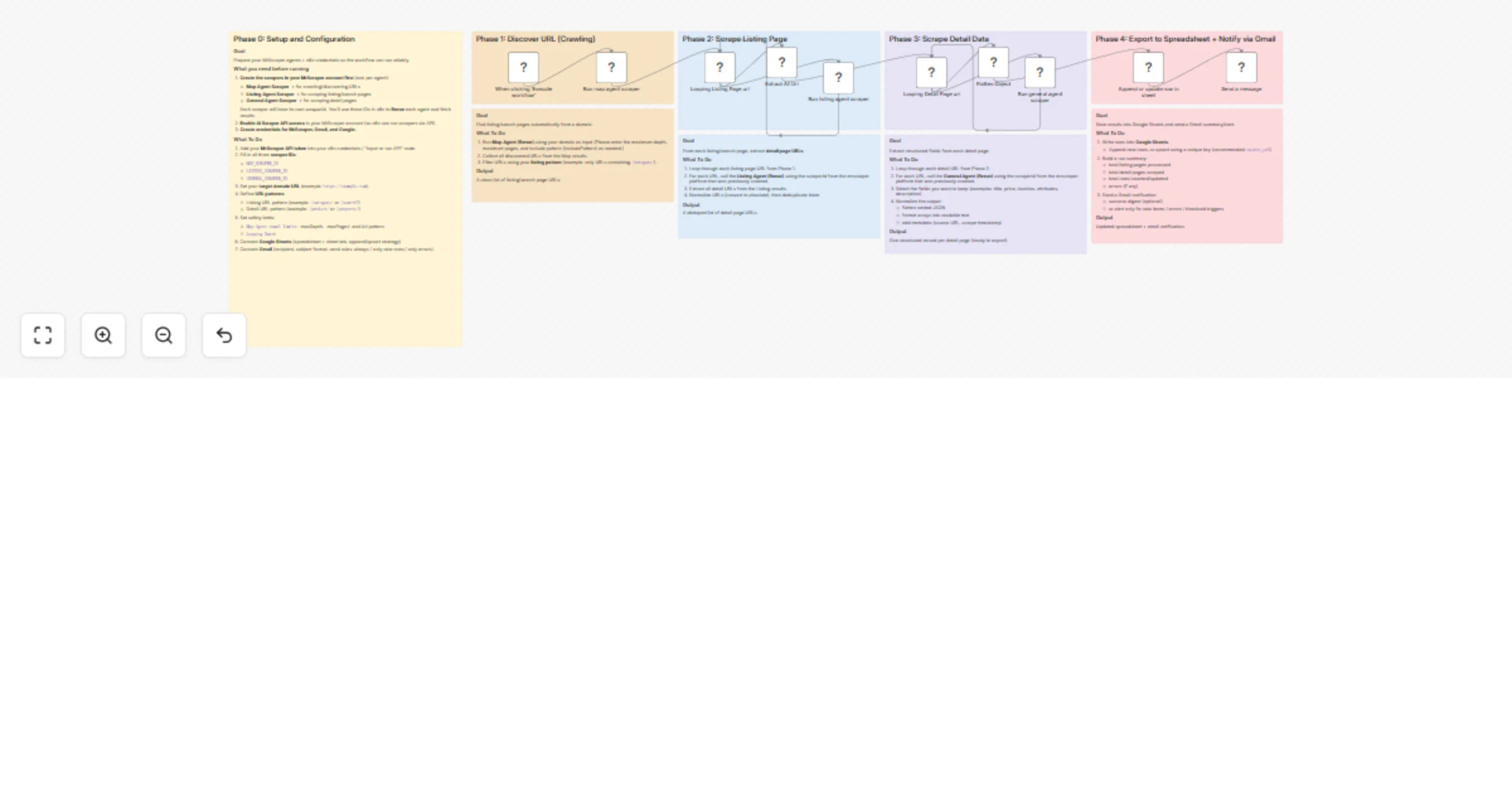
- Phase 1 – Discover URLs (Crawling): The Map Agent crawls your target domain and discovers all relevant URLs based on your include/exclude patterns. It returns a clean list of listing/search page URLs.
- Phase 2 – Scrape Listing Pages: The workflow loops through each discovered listing URL and runs the Listing Agent to extract all detail page URLs. Duplicates are automatically removed.
- Phase 3 – Scrape Detail Pages: Each detail URL is looped through the General Agent, which extracts structured fields (title, price, location, description, etc.). Nested JSON is automatically flattened into clean, spreadsheet-ready rows.
- Phase 4 – Export & Notify: Scraped records are appended or upserted into Google Sheets using a unique key. Once complete, a Gmail notification is sent with a run summary.
How to Set Up
- Create 3 scrapers in your MrScraper account:
- Map Agent Scraper (for crawling/URL discovery)
- Listing Agent Scraper (for extracting detail URLs from listing pages)
- General Agent Scraper (for extracting structured data from detail pages)
- Copy the
scraperIdfor each — you'll need these in n8n.
Enable AI Scraper API access in your MrScraper account settings.
Add your credentials in n8n:
- MrScraper API token
- Google Sheets OAuth2
- Gmail OAuth2
- Configure the Map Agent node:
- Set your target domain URL (e.g.
https://example.com) - Set
includePatternsto match listing pages (e.g./category/) - Adjust
maxDepth,maxPages, andlimitas needed
- Configure the Listing Agent node:
- Enter the Listing
scraperId - Set
maxPagesbased on how many pages per listing URL to scrape
- Configure the General Agent node:
- Enter the General
scraperId
- Connect Google Sheets:
- Enter your spreadsheet and sheet tab URL
- Choose append or upsert strategy (recommended: upsert by
url)
- Configure Gmail:
- Set recipient email, subject line, and message body
Requirements
- MrScraper account with API access enabled
- Google Sheets (OAuth2 connected)
- Gmail (OAuth2 connected)
Good to Know
- The workflow uses batch looping, so large sites with hundreds of pages are handled gracefully without overloading.
- The
Flatten Objectnode automatically normalizes nested JSON — no manual field mapping needed for most sites. - Set a unique match key (e.g.
url) in the Google Sheets upsert step to avoid duplicate rows on re-runs. - Scraping speed and cost will depend on MrScraper's pricing plan and the number of pages processed.
Customising This Workflow
- Different site types: Works for real estate listings, job boards, e-commerce catalogs, directory sites, and more — just adjust your URL patterns.
- Add filtering: Insert a Code or Filter node after Phase 3 to drop incomplete records before saving.
- Schedule it: Replace the manual trigger with a Schedule Trigger to run daily or weekly and keep your database fresh automatically.
- Multi-site: Duplicate Phase 1–3 branches to scrape multiple domains in a single workflow run.