Track support performance metrics across Zendesk & Freshdesk with Sheets, Slack & Gmail

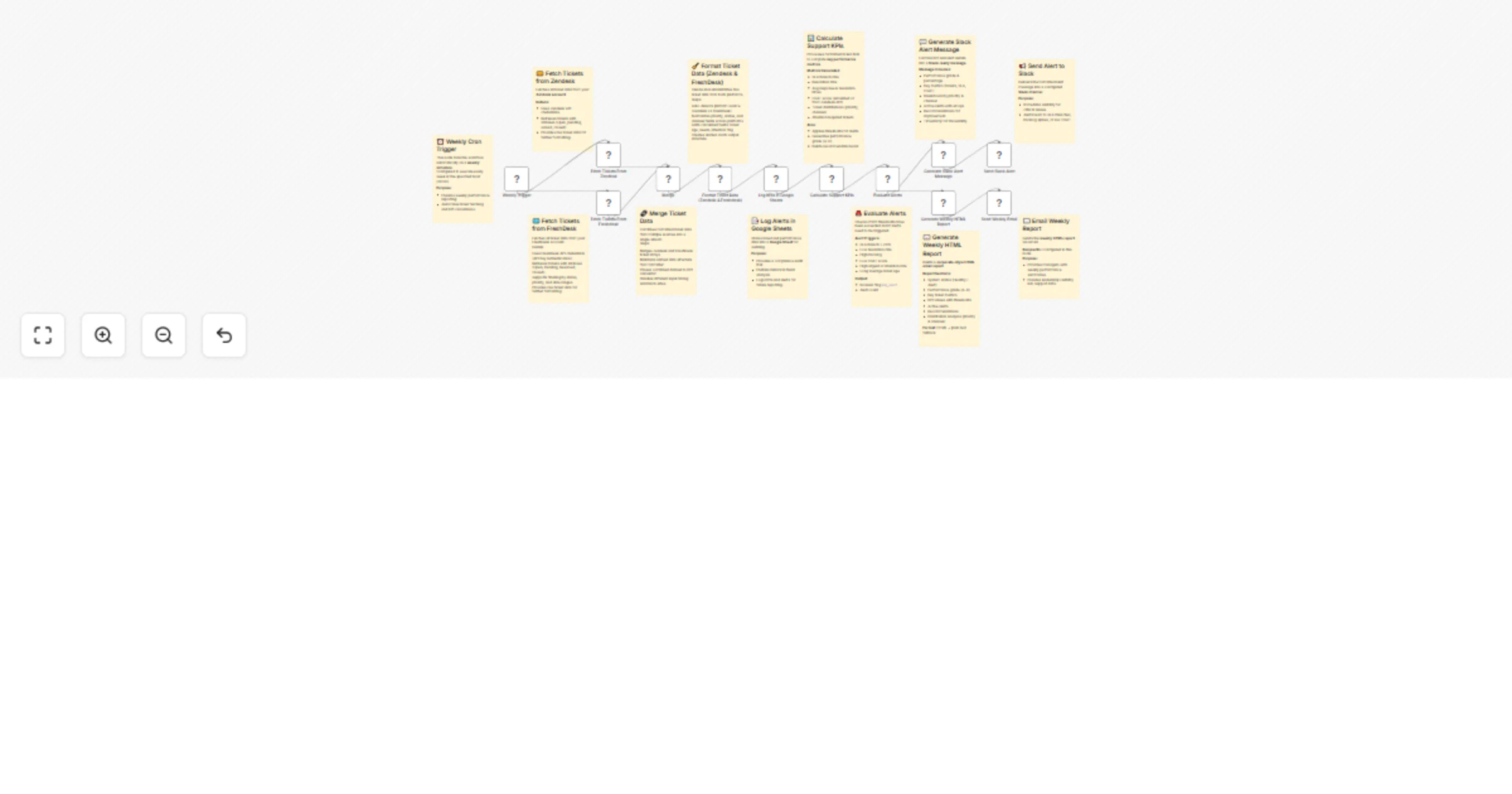
Workflow preview

Workflow preview
100%
Track support performance metrics across Zendesk & Freshdesk with Sheets, Slack & Gmail preview
Open on n8n.io

Important notice

This workflow is provided as-is. Please review and test before using in production.

1. Workflow Overview

Description Automatically consolidate Zendesk and Freshdesk ticket data into a unified performance dashboard with KPI calculations, Google Sheets logging, real time Slack alerts, and weekly Gmail e...

Best for

  • Support Chatbot automation workflows
  • advanced n8n builders looking for reusable templates

Tools used

n8n-nodes-base.slack, n8n-nodes-base.gmail, n8n-nodes-base.cron, n8n-nodes-base.zendesk, n8n-nodes-base.googlesheets, n8n-nodes-base.code, n8n-nodes-base.if, n8n-nodes-base.stickynote

Source and attribution

This workflow is cataloged by N8N Workflows and links back to its original n8n.io source page by Rahul Joshi.

Original n8n.io source

1.1 Workflow description

Title
Track support performance metrics across Zendesk & Freshdesk with Sheets, Slack & Gmail
Workflow name
Track support performance metrics across Zendesk & Freshdesk with Sheets, Slack & Gmail

Description

Automatically consolidate Zendesk and Freshdesk ticket data into a unified performance dashboard with KPI calculations, Google Sheets logging, real-time Slack alerts, and weekly Gmail email reports. Provides complete visibility into support operations, SLA compliance, and customer satisfaction across multiple platforms. ๐Ÿ“Š๐Ÿ’ฌ๐Ÿ“ง

What This Template Does

  • Runs weekly on schedule to fetch tickets from both Zendesk and Freshdesk. โฐ
  • Merges ticket data into a standardized JSON structure with normalized priorities, statuses, and channels. ๐Ÿ”„
  • Logs all tickets and metadata into Google Sheets for audit-ready performance tracking. ๐Ÿ“‘
  • Calculates advanced KPIs including resolution rates, SLA breaches, CSAT score estimation, urgent ticket rates, and performance grading. ๐Ÿ“Š
  • Evaluates alert conditions (e.g., high SLA breach, low CSAT, backlog risk). ๐Ÿšจ
  • Sends formatted Slack alerts with performance grades, key metrics, and recommendations. ๐Ÿ’ฌ
  • Generates corporate-style HTML weekly reports and delivers them via Gmail. ๐Ÿ“ง

Key Benefits

  • Unifies Zendesk and Freshdesk data into one consistent reporting flow. ๐ŸŒ
  • Provides actionable KPIs for SLA monitoring, customer satisfaction, and backlog health. โฑ๏ธ
  • Ensures leadership visibility with Google Sheets logs and professional email reports. ๐Ÿงพ
  • Alerts the support team instantly on Slack when performance drops. ๐Ÿšจ
  • Reduces manual data analysis with automated grading and recommendations. ๐Ÿค–

Features

  • Multi-Platform Ticket Integration โ€“ Fetches tickets from Zendesk and Freshdesk. ๐ŸŽซ
  • Data Normalization โ€“ Cleans descriptions, maps priorities/statuses, and detects escalations. ๐Ÿงผ
  • Google Sheets Logging โ€“ Tracks tickets with IDs, URLs, tags, timestamps, and metadata. ๐Ÿ“ˆ
  • KPI Calculation Engine โ€“ Computes SLA breach rate, resolution rate, CSAT, escalation %, and more. ๐Ÿงฎ
  • Performance Grading โ€“ Grades support performance (Aโ€“D) with detailed descriptions. ๐Ÿ…
  • Slack Alerts โ€“ Notifies with active alerts, recommendations, and emoji-based health signals. ๐Ÿ“ข
  • Weekly Gmail Reports โ€“ Delivers branded HTML reports for management and audits. โœจ

Requirements

  • n8n instance (cloud or self-hosted).
  • Zendesk API credentials with ticket read access.
  • Freshdesk API credentials with ticket read access.
  • Google Sheets OAuth2 credentials with spreadsheet write permissions.
  • Slack Bot API credentials with posting permissions.
  • Gmail OAuth2 credentials with send email permissions.
  • Pre-configured Google Sheet for KPI logging.

Target Audience

  • Support managers overseeing multi-platform ticketing systems. ๐Ÿ‘ฉโ€๐Ÿ’ป
  • Customer success teams monitoring SLA compliance and CSAT health. ๐Ÿš€
  • SMBs running Zendesk + Freshdesk who need unified dashboards. ๐Ÿข
  • Remote/global support teams needing automated KPI visibility. ๐ŸŒ
  • Executives requiring weekly performance reports and recommendations. ๐Ÿ“ˆ

Step-by-Step Setup Instructions

  • Connect Zendesk, Freshdesk, Google Sheets, Slack, and Gmail credentials in n8n. ๐Ÿ”‘
  • Update the Google Sheet ID in the โ€œLog KPIs in Google Sheetsโ€ node. ๐Ÿ“Š
  • Configure Slack channel ID for alerts (default: zendesk-churn-alerts). ๐Ÿ’ฌ
  • Replace {Enter Your Email} in the Gmail node with your recipient email. ๐Ÿ“ง
  • Adjust thresholds in the KPI calculation node (default: 4h response, 24h resolution). โฑ๏ธ
  • Test with sample tickets to validate Sheets logging, Slack alerts, and Gmail reports. โœ…
  • Deploy on schedule (default: weekly at 8 PM) for continuous tracking. ๐Ÿ—“๏ธ

1.2 Logical Blocks

This catalog entry is organized from the workflow JSON. The node-level section below shows the executable blocks available for review before importing the template.

2. Block-by-Block Analysis

Block 1 - Send Slack Alert

Type / Role
n8n-nodes-base.slack - slack
Config choices
Version 2.2

Block 2 - Send Weekly Email

Type / Role
n8n-nodes-base.gmail - gmail
Config choices
Version 1

Block 3 - Weekly Trigger

Type / Role
n8n-nodes-base.cron - cron
Config choices
Version 1

Block 4 - Fetch Tickets From Zendesk

Type / Role
n8n-nodes-base.zendesk - zendesk
Config choices
Version 1

Block 5 - Log KPIs in Google Sheets

Type / Role
n8n-nodes-base.googleSheets - googleSheets
Config choices
Version 4.4

Block 6 - Calculate Support KPIs

Type / Role
n8n-nodes-base.code - code
Config choices
Version 2

Block 7 - Evaluate Alerts

Type / Role
n8n-nodes-base.if - if
Config choices
Version 2

Block 8 - Generate Slack Alert Message

Type / Role
n8n-nodes-base.code - code
Config choices
Version 2

Block 9 - Generate Weekly HTML Report

Type / Role
n8n-nodes-base.code - code
Config choices
Version 2

Block 10 - Sticky Note

Type / Role
n8n-nodes-base.stickyNote - stickyNote
Config choices
Version 1

Block 11 - Sticky Note1

Type / Role
n8n-nodes-base.stickyNote - stickyNote
Config choices
Version 1

Block 12 - Sticky Note2

Type / Role
n8n-nodes-base.stickyNote - stickyNote
Config choices
Version 1

Block 13 - Sticky Note3

Type / Role
n8n-nodes-base.stickyNote - stickyNote
Config choices
Version 1

Block 14 - Sticky Note4

Type / Role
n8n-nodes-base.stickyNote - stickyNote
Config choices
Version 1

Block 15 - Sticky Note5

Type / Role
n8n-nodes-base.stickyNote - stickyNote
Config choices
Version 1

Block 16 - Sticky Note6

Type / Role
n8n-nodes-base.stickyNote - stickyNote
Config choices
Version 1

Block 17 - Sticky Note7

Type / Role
n8n-nodes-base.stickyNote - stickyNote
Config choices
Version 1

Block 18 - Sticky Note8

Type / Role
n8n-nodes-base.stickyNote - stickyNote
Config choices
Version 1

Block 19 - Sticky Note9

Type / Role
n8n-nodes-base.stickyNote - stickyNote
Config choices
Version 1

Block 20 - Merge

Type / Role
n8n-nodes-base.merge - merge
Config choices
Version 3.2

Block 21 - Sticky Note10

Type / Role
n8n-nodes-base.stickyNote - stickyNote
Config choices
Version 1

Block 22 - Sticky Note11

Type / Role
n8n-nodes-base.stickyNote - stickyNote
Config choices
Version 1

Block 23 - Format Ticket Data (Zendesk & Freshdesk)

Type / Role
n8n-nodes-base.code - code
Config choices
Version 2

Block 24 - Fetch Tickets From Freshdesk

Type / Role
n8n-nodes-base.freshdesk - freshdesk
Config choices
Version 1

3. Summary Table

Workflow Track support performance metrics across Zendesk & Freshdesk with Sheets, Slack & Gmail
Complexity advanced
Nodes 24
Categories Support Chatbot
Author Rahul Joshi
Published 22 Sept 2025

4. Reproducing the Workflow from Scratch

  1. 1. Download the workflow JSON

    Use the JSON export at /data/workflows/8814/8814.json as the source template for this automation.

  2. 2. Import the template into n8n

    Open n8n, import the downloaded JSON, and review each node before activating the workflow.

  3. 3. Configure credentials and variables

    Replace placeholder credentials, API keys, webhook URLs, account IDs, and environment-specific values with your own settings.

  4. 4. Test with sample data

    Run the workflow manually or in a staging workspace, inspect node output, and confirm downstream systems receive the expected data.

  5. 5. Activate and monitor

    Enable the workflow only after testing, then monitor executions, errors, and rate limits during the first production runs.

5. General Notes & Resources

Review imported nodes carefully before activation. This catalog entry is intended to help you inspect the workflow structure, understand required services, and find related templates faster.

Node names, credentials, schedules, webhook paths, and external service limits may need adjustment for your workspace.

Frequently asked questions

What does Track support performance metrics across Zendesk & Freshdesk with Sheets, Slack & Gmail do?

Description Automatically consolidate Zendesk and Freshdesk ticket data into a unified performance dashboard with KPI calculations, Google Sheets logging, real time Slack alerts, and weekly Gmail e...

What do I need before importing this workflow?

Review the workflow JSON, configure any required credentials in n8n, and test the automation in a safe workspace before using it in production.

Can I customize this workflow?

Yes. Use the block-by-block analysis and the downloadable JSON to inspect each node, then adjust credentials, prompts, schedules, filters, or destinations for your Support Chatbot use case.