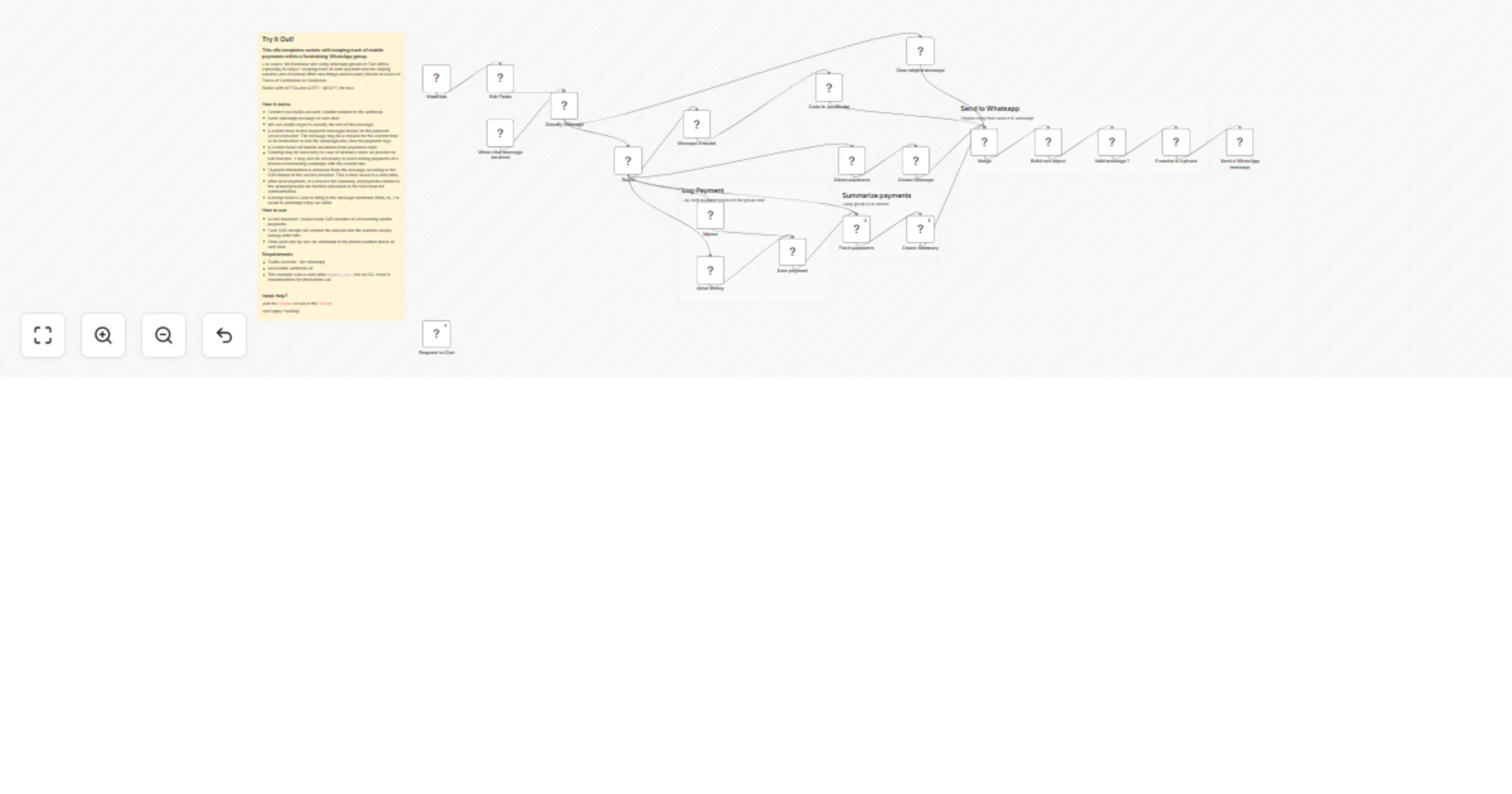
Track MPESA and Airtel mobile payments in a fundraising WhatsApp group

Workflow preview

Workflow preview
100%
Track MPESA and Airtel mobile payments in a fundraising WhatsApp group preview
Open on n8n.io

1. Workflow Overview

Try It Out! This n8n templates assists with keeping track of mobile payments within a fundraising WhatsApp group. Use cases: We fundraise alot using whatsapp groups in East Africa, especially in Ke...

Best for

  • File Management automation workflows
  • advanced n8n builders looking for reusable templates

Tools used

n8n-nodes-base.webhook, n8n-nodes-base.datatable, n8n-nodes-base.stickynote, n8n-nodes-base.set, n8n-nodes-base.merge, n8n-nodes-base.twilio, n8n-nodes-base.code, n8n-nodes-base.switch

Source and attribution

This workflow is cataloged by N8N Workflows and links back to its original n8n.io source page by Mabura Ze Guru.

Original n8n.io source

1.1 Workflow description

Title
Track MPESA and Airtel mobile payments in a fundraising WhatsApp group
Workflow name
Track MPESA and Airtel mobile payments in a fundraising WhatsApp group

Try It Out!

This n8n templates assists with keeping track of mobile payments within a fundraising WhatsApp group.

Use cases: We fundraise alot using whatsapp groups in East Africa, especially in Kenya ! Keeping track of each payment and the tallying requires alot of manual effort and brings unnecessary tension in cases of Errors of Commision or Ommision.

Works with MPESA and AIRTEL MONEY, for now.

How it works

  • Connect you twillio account / mobile number to the webhook.
  • Send whatsapp message or web chat.
  • We use simple regex to classify the text of the message.
  • A switch node routes payment messages based on the payment service provider. The message may be a request for the current total or an instruction to end the campaign and clear the payment logs.
  • A Gemini node will handle deviations from payments topic
  • Clearing may be necessary in case of mistakes since we provide no edit function. It may also be necessary to avoid mixing payments of a previous fundraising campaign with the current one.
  • Payment information is extracted from the message accoding to the SMS format of the service provider. This is then saved to a data table.
  • After each payment, or a request for summary, all payments related to the sender/groupid are fetched and taken to the next node for summarization.
  • A merge node is used to bring in the message metadata (from, to, ) to assist in whatsapp reply via twillio

How to use

  • As the treasurer / payee keep SMS receipts of all incoming mobile payments.
  • Each SMS receipt will contain the amount and the senders details, among other info.
  • Send each one by one via whatsapp to the phone number above or web chat.

Requirements

  • Twillio account - for whatsapp
  • Accessible webhook url
  • This example uses a data table payment_table but an SQL node is recommended for production use

Need Help?

Join the Discord or ask in the Forum!

Happy Hacking!

1.2 Logical Blocks

This catalog entry is organized from the workflow JSON. The node-level section below shows the executable blocks available for review before importing the template.

2. Block-by-Block Analysis

Block 1 - Webhook

Type / Role
n8n-nodes-base.webhook - webhook
Config choices
Version 1

Block 2 - Fetch payments

Type / Role
n8n-nodes-base.dataTable - dataTable
Config choices
Version 1.1

Block 3 - Save payment

Type / Role
n8n-nodes-base.dataTable - dataTable
Config choices
Version 1.1

Block 4 - Sticky Note

Type / Role
n8n-nodes-base.stickyNote - stickyNote
Config choices
Version 1

Block 5 - Sticky Note1

Type / Role
n8n-nodes-base.stickyNote - stickyNote
Config choices
Version 1

Block 6 - Edit Fields

Type / Role
n8n-nodes-base.set - set
Config choices
Version 3.4

Block 7 - Merge

Type / Role
n8n-nodes-base.merge - merge
Config choices
Version 3.2

Block 8 - Sticky Note2

Type / Role
n8n-nodes-base.stickyNote - stickyNote
Config choices
Version 1

Block 9 - Send a WhatsApp message

Type / Role
n8n-nodes-base.twilio - twilio
Config choices
Version 1

Block 10 - Build one object

Type / Role
n8n-nodes-base.code - code
Config choices
Version 2

Block 11 - Airtel Money

Type / Role
n8n-nodes-base.code - code
Config choices
Version 2

Block 12 - Mpesa

Type / Role
n8n-nodes-base.code - code
Config choices
Version 2

Block 13 - Classify Message

Type / Role
n8n-nodes-base.code - code
Config choices
Version 2

Block 14 - Route

Type / Role
n8n-nodes-base.switch - switch
Config choices
Version 3.4

Block 15 - Delete payments

Type / Role
n8n-nodes-base.dataTable - dataTable
Config choices
Version 1.1

Block 16 - Create Message

Type / Role
n8n-nodes-base.function - function
Config choices
Version 1

Block 17 - Create Summary

Type / Role
n8n-nodes-base.function - function
Config choices
Version 1

Block 18 - Sticky Note3

Type / Role
n8n-nodes-base.stickyNote - stickyNote
Config choices
Version 1

Block 19 - Drop original message

Type / Role
n8n-nodes-base.set - set
Config choices
Version 3.4

Block 20 - Valid message ?

Type / Role
n8n-nodes-base.if - if
Config choices
Version 2.3

Block 21 - When chat message received

Type / Role
@n8n/n8n-nodes-langchain.chatTrigger - chatTrigger
Config choices
Version 1.4

Block 22 - Respond to Chat

Type / Role
@n8n/n8n-nodes-langchain.chat - chat
Config choices
Version 1

Block 23 - If sender is a phone

Type / Role
n8n-nodes-base.if - if
Config choices
Version 2.3

Block 24 - Message a model

Type / Role
@n8n/n8n-nodes-langchain.googleGemini - googleGemini
Config choices
Version 1.1

Showing the first 24 of 25 workflow blocks. Download the JSON for the full node graph.

3. Summary Table

Workflow Track MPESA and Airtel mobile payments in a fundraising WhatsApp group
Complexity advanced
Nodes 25
Categories File Management
Author Mabura Ze Guru
Published 04 Feb 2026

4. Reproducing the Workflow from Scratch

  1. 1. Download the workflow JSON

    Use the JSON export at /data/workflows/13213/13213.json as the source template for this automation.

  2. 2. Import the template into n8n

    Open n8n, import the downloaded JSON, and review each node before activating the workflow.

  3. 3. Configure credentials and variables

    Replace placeholder credentials, API keys, webhook URLs, account IDs, and environment-specific values with your own settings.

  4. 4. Test with sample data

    Run the workflow manually or in a staging workspace, inspect node output, and confirm downstream systems receive the expected data.

  5. 5. Activate and monitor

    Enable the workflow only after testing, then monitor executions, errors, and rate limits during the first production runs.

5. General Notes & Resources

Review imported nodes carefully before activation. This catalog entry is intended to help you inspect the workflow structure, understand required services, and find related templates faster.

Node names, credentials, schedules, webhook paths, and external service limits may need adjustment for your workspace.

Frequently asked questions

What does Track MPESA and Airtel mobile payments in a fundraising WhatsApp group do?

Try It Out! This n8n templates assists with keeping track of mobile payments within a fundraising WhatsApp group. Use cases: We fundraise alot using whatsapp groups in East Africa, especially in Ke...

What do I need before importing this workflow?

Review the workflow JSON, configure any required credentials in n8n, and test the automation in a safe workspace before using it in production.

Can I customize this workflow?

Yes. Use the block-by-block analysis and the downloadable JSON to inspect each node, then adjust credentials, prompts, schedules, filters, or destinations for your File Management use case.