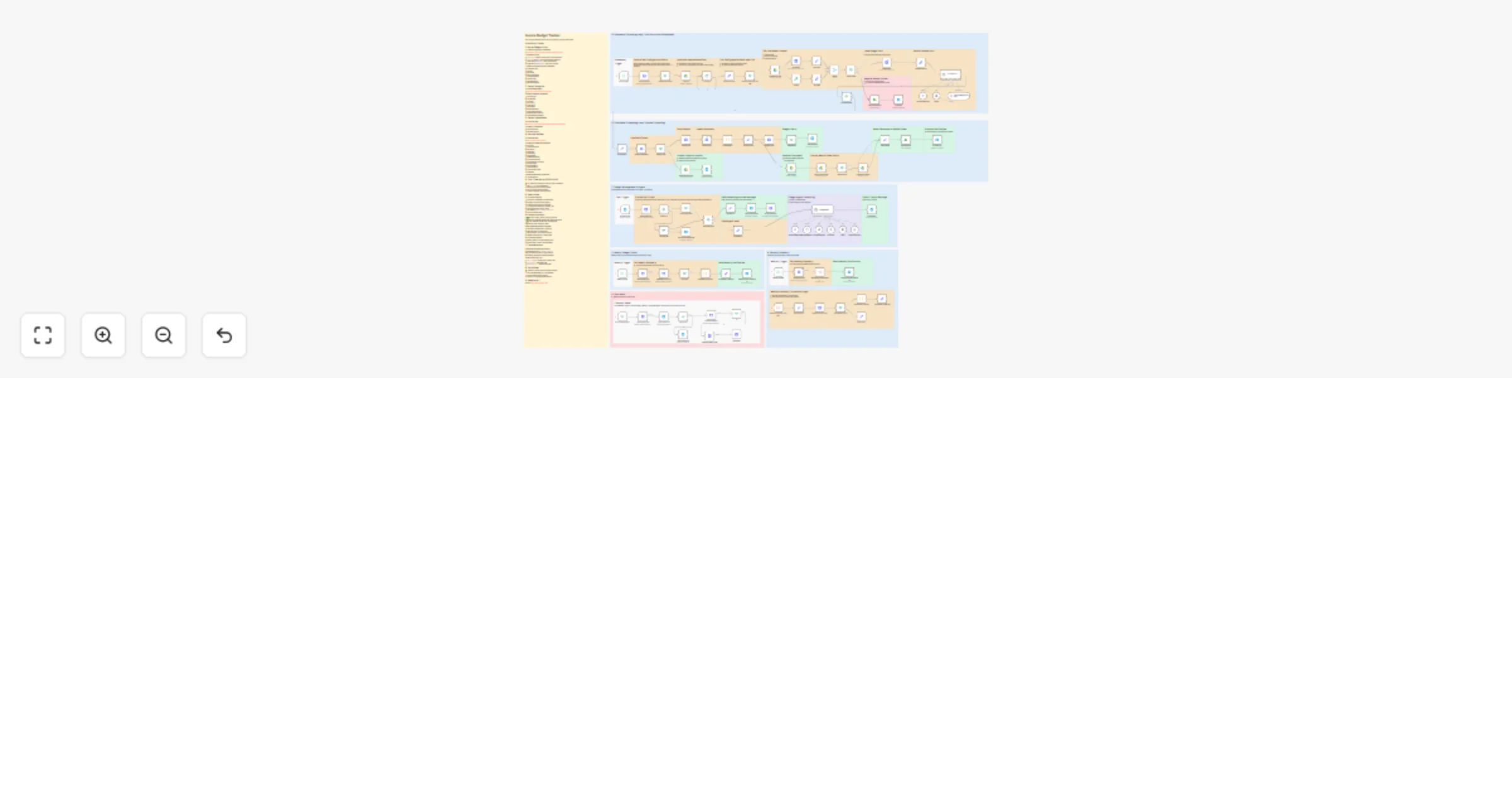
Track invoice spending vs budget from Google Drive with GPT-4o and Telegram alerts

Workflow preview

Workflow preview
100%
Track invoice spending vs budget from Google Drive with GPT-4o and Telegram alerts preview
Open on n8n.io

1. Workflow Overview

Invoice Budget Tracker Drop invoices to Google Drive and let AI handle the rest OCR extraction, automatic categorization, budget tracking, and Telegram alerts when spending reaches thresholds. Ke...

Best for

  • Invoice Processing automation workflows
  • AI Chatbot automation workflows
  • advanced n8n builders looking for reusable templates

Tools used

n8n-nodes-base.stickynote, n8n-nodes-base.googledrive, n8n-nodes-base.httprequest, n8n-nodes-base.if, @n8n/n8n-nodes-langchain.lmchatopenrouter, n8n-nodes-base.telegram, n8n-nodes-base.telegramtrigger, n8n-nodes-base.set

Source and attribution

This workflow is cataloged by N8N Workflows and links back to its original n8n.io source page by Dmitrij Zykovic.

Original n8n.io source

1.1 Workflow description

Title
Track invoice spending vs budget from Google Drive with GPT-4o and Telegram alerts
Workflow name
Track invoice spending vs budget from Google Drive with GPT-4o and Telegram alerts

Invoice Budget Tracker

Drop invoices to Google Drive and let AI handle the rest - OCR extraction, automatic categorization, budget tracking, and Telegram alerts when spending reaches thresholds.

✨ Key Features

  • πŸ“„ Invoice OCR - Extracts data from PDF/image invoices automatically
  • πŸ€– AI Categorization - Detects document type (skips contracts, delivery acts) and categorizes real invoices
  • πŸ’° Budget Tracking - Set monthly budgets per category, track spending in real-time
  • πŸ”” Smart Alerts - Get notified when category spending reaches 80%+ of budget
  • πŸ“ Auto-Organization - Files renamed and sorted into monthly folders
  • πŸ”„ Deduplication - SHA256 hash prevents duplicate processing
  • πŸ“ˆ Scheduled Reports - Weekly progress (Fridays) and monthly summaries (10th)
  • πŸ’¬ Telegram Control - Manage budgets via natural language chat

🎯 How It Works

  1. Drop invoice to Google Drive watched folder:
  • PDF invoices
  • Image scans (JPG, PNG)
  1. AI processes automatically (hourly):
  • OCR extracts text via Ainoflow
  • AI detects if it's actually an invoice (skips contracts, receipts, etc.)
  • Extracts: vendor, amount, date, invoice number
  • Categorizes based on service provided
  • Checks for duplicates
  1. Get organized:
  • File renamed: [2026-01-15] - Vendor (INV-123, 150.00 EUR).pdf
  • Moved to monthly folder: /Invoices/2026-01/
  • Budget updated, alerts sent if threshold reached
  1. Manage budgets via Telegram:
  • "Set budget Software 500"
  • "Show budgets"
  • "Budget status"

πŸ“‹ Expense Categories

Software, Marketing, Travel, Office, Professional Services, Infrastructure, Vehicle, Other

πŸ”§ Setup Requirements

  • Google Drive β€” OAuth setup for file operations
  • Telegram Bot β€” Create bot for notifications and budget management
  • OpenRouter β€” Get API key for AI processing
  • Ainoflow β€” Sign up for OCR and JSON storage

πŸ—οΈ Workflow Architecture

Section Description
Document Processing Hourly scan β†’ OCR β†’ AI categorization β†’ Budget tracking β†’ File organization
Budget Management Telegram bot for budget CRUD via AI Agent with MCP storage
Weekly Report Friday summary of current month progress
Monthly Report 10th of month detailed report for previous month
Data Reset Manual trigger to delete all invoice data (requires approval)

πŸ’¬ Usage Examples

Invoice Processing

πŸ“„ Drop "invoice_aws.pdf" to /Invoices/
β†’ βœ… AWS | 150.00 EUR | Software
β†’ File: [2026-01-15] - AWS (INV-2026-01, 150.00 EUR).pdf
β†’ Moved to: /Invoices/2026-01/

πŸ“„ Drop "contract.pdf" to /Invoices/
β†’ ⚠️ Skipped: This is a service agreement, not an invoice
β†’ File renamed: [REVIEW] - contract.pdf

Budget Management (Telegram)

"Set budget Software 500"
β†’ βœ… Budget set: Software - €500/month

"Show budgets"
β†’ πŸ“‹ Monthly Budgets:
 β€’ Software: €500
 β€’ Marketing: €1000
 Total: €1500/month

"Budget status"
β†’ πŸ“Š January 2026:
 β€’ Software: €150/€500 (30%) βœ…
 β€’ Marketing: €850/€1000 (85%) ⚠️

Scheduled Reports

πŸ“… Weekly (Friday):
β†’ πŸ“Š Week Summary:
 Processed: 12 invoices
 Total: €2,450
 Top: Software €800, Marketing €650

πŸ“… Monthly (10th):
β†’ πŸ“ˆ January 2026 Report:
 Total: €4,200 (28 invoices)
 [β–ˆβ–ˆβ–ˆβ–ˆβ–ˆβ–ˆβ–ˆβ–ˆβ–‘β–‘] Software 80%
 [β–ˆβ–ˆβ–ˆβ–ˆβ–ˆβ–ˆβ–‘β–‘β–‘β–‘] Marketing 60%

πŸ“¦ Data Storage

Invoices stored in Ainoflow JSON Storage by month (key = SHA256 hash):

{
 "vendor": "Amazon Web Services",
 "vendor_normalized": "AWS",
 "amount": 150.00,
 "currency": "EUR",
 "date": "2026-01-15",
 "invoice_number": "INV-2026-01",
 "category": "Software",
 "file_id": "1BxiMVs0XRA5nFMd...",
 "processed_at": "2026-01-15T10:30:00Z"
}

⚠️ Important Notes

  • Run /start first - Registers your chat_id, locks bot to you
  • Document type detection - Contracts, delivery acts, receipts are skipped automatically
  • Budget alerts at 80% - Only triggers if budget is set for category
  • Duplicates detected - Same file won't be processed twice (SHA256 hash)
  • Data Reset is permanent - Requires manual approval
  • Single currency - All invoices assumed same currency (no conversion)

πŸ› οΈ Customization

Categories

Edit SetDefaults node β†’ allowed_categories Then send /start to re-register with new categories

Processing Thresholds

Edit WorkflowConfig node:

  • alert_threshold - Budget alert % (default: 0.8)
  • review_prefix - Failed files prefix (default: "[REVIEW] - ")
  • duplicate_prefix - Duplicate prefix (default: "[DUPLICATE] - ")

AI Models

Swap OpenRouter models in Gpt4oCategorizer and Gpt4oBudgetAgent nodes

πŸ’Ό Need Customization?

Want to adapt this template for your business? Custom integrations, multi-user support, or enterprise deployment?

Contact us at Ainova Systems - We build AI automation solutions for businesses.


Tags: google-drive, invoice-processing, budget-tracking, ai-agent, ocr, telegram, openrouter, mcp-tools, business-automation

1.2 Logical Blocks

This catalog entry is organized from the workflow JSON. The node-level section below shows the executable blocks available for review before importing the template.

2. Block-by-Block Analysis

Block 1 - README

Type / Role
n8n-nodes-base.stickyNote - stickyNote
Config choices
Version 1

Block 2 - Budget Agent

Type / Role
n8n-nodes-base.stickyNote - stickyNote
Config choices
Version 1

Block 3 - Weekly Summary

Type / Role
n8n-nodes-base.stickyNote - stickyNote
Config choices
Version 1

Block 4 - DownloadInvoice

Type / Role
n8n-nodes-base.googleDrive - googleDrive
Config choices
Version 3

Block 5 - CheckInvoiceExists

Type / Role
n8n-nodes-base.httpRequest - httpRequest
Config choices
Version 4.2

Block 6 - IfNewInvoice

Type / Role
n8n-nodes-base.if - if
Config choices
Version 2.2

Block 7 - OcrExtract

Type / Role
n8n-nodes-base.httpRequest - httpRequest
Config choices
Version 4.2

Block 8 - IfOcrSuccess

Type / Role
n8n-nodes-base.if - if
Config choices
Version 2.2

Block 9 - GetBudgets

Type / Role
n8n-nodes-base.httpRequest - httpRequest
Config choices
Version 4.2

Block 10 - Gpt4oCategorizer

Type / Role
@n8n/n8n-nodes-langchain.lmChatOpenRouter - lmChatOpenRouter
Config choices
Version 1

Block 11 - SaveInvoice

Type / Role
n8n-nodes-base.httpRequest - httpRequest
Config choices
Version 4.2

Block 12 - GetSummary

Type / Role
n8n-nodes-base.httpRequest - httpRequest
Config choices
Version 4.2

Block 13 - SaveSummary

Type / Role
n8n-nodes-base.httpRequest - httpRequest
Config choices
Version 4.2

Block 14 - IfNeedsAlert

Type / Role
n8n-nodes-base.if - if
Config choices
Version 2.2

Block 15 - AlertMessage

Type / Role
n8n-nodes-base.telegram - telegram
Config choices
Version 1.2

Block 16 - RenameFile

Type / Role
n8n-nodes-base.googleDrive - googleDrive
Config choices
Version 3

Block 17 - SearchMonthFolder

Type / Role
n8n-nodes-base.googleDrive - googleDrive
Config choices
Version 3

Block 18 - IfFolderExists

Type / Role
n8n-nodes-base.if - if
Config choices
Version 2.2

Block 19 - CreateMonthFolder

Type / Role
n8n-nodes-base.googleDrive - googleDrive
Config choices
Version 3

Block 20 - MoveToMonth

Type / Role
n8n-nodes-base.googleDrive - googleDrive
Config choices
Version 3

Block 21 - SuccessLog

Type / Role
n8n-nodes-base.telegram - telegram
Config choices
Version 1.2

Block 22 - ErrorAlert

Type / Role
n8n-nodes-base.telegram - telegram
Config choices
Version 1.2

Block 23 - BudgetTrigger

Type / Role
n8n-nodes-base.telegramTrigger - telegramTrigger
Config choices
Version 1.2

Block 24 - IfFirstRun

Type / Role
n8n-nodes-base.if - if
Config choices
Version 2.2

Showing the first 24 of 126 workflow blocks. Download the JSON for the full node graph.

3. Summary Table

Workflow Track invoice spending vs budget from Google Drive with GPT-4o and Telegram alerts
Complexity advanced
Nodes 126
Categories Invoice Processing, AI Chatbot
Author Dmitrij Zykovic
Published 30 Jan 2026

4. Reproducing the Workflow from Scratch

  1. 1. Download the workflow JSON

    Use the JSON export at /data/workflows/13115/13115.json as the source template for this automation.

  2. 2. Import the template into n8n

    Open n8n, import the downloaded JSON, and review each node before activating the workflow.

  3. 3. Configure credentials and variables

    Replace placeholder credentials, API keys, webhook URLs, account IDs, and environment-specific values with your own settings.

  4. 4. Test with sample data

    Run the workflow manually or in a staging workspace, inspect node output, and confirm downstream systems receive the expected data.

  5. 5. Activate and monitor

    Enable the workflow only after testing, then monitor executions, errors, and rate limits during the first production runs.

5. General Notes & Resources

Review imported nodes carefully before activation. This catalog entry is intended to help you inspect the workflow structure, understand required services, and find related templates faster.

Node names, credentials, schedules, webhook paths, and external service limits may need adjustment for your workspace.

Frequently asked questions

What does Track invoice spending vs budget from Google Drive with GPT-4o and Telegram alerts do?

Invoice Budget Tracker Drop invoices to Google Drive and let AI handle the rest OCR extraction, automatic categorization, budget tracking, and Telegram alerts when spending reaches thresholds. Ke...

What do I need before importing this workflow?

Review the workflow JSON, configure any required credentials in n8n, and test the automation in a safe workspace before using it in production.

Can I customize this workflow?

Yes. Use the block-by-block analysis and the downloadable JSON to inspect each node, then adjust credentials, prompts, schedules, filters, or destinations for your Invoice Processing, AI Chatbot use case.