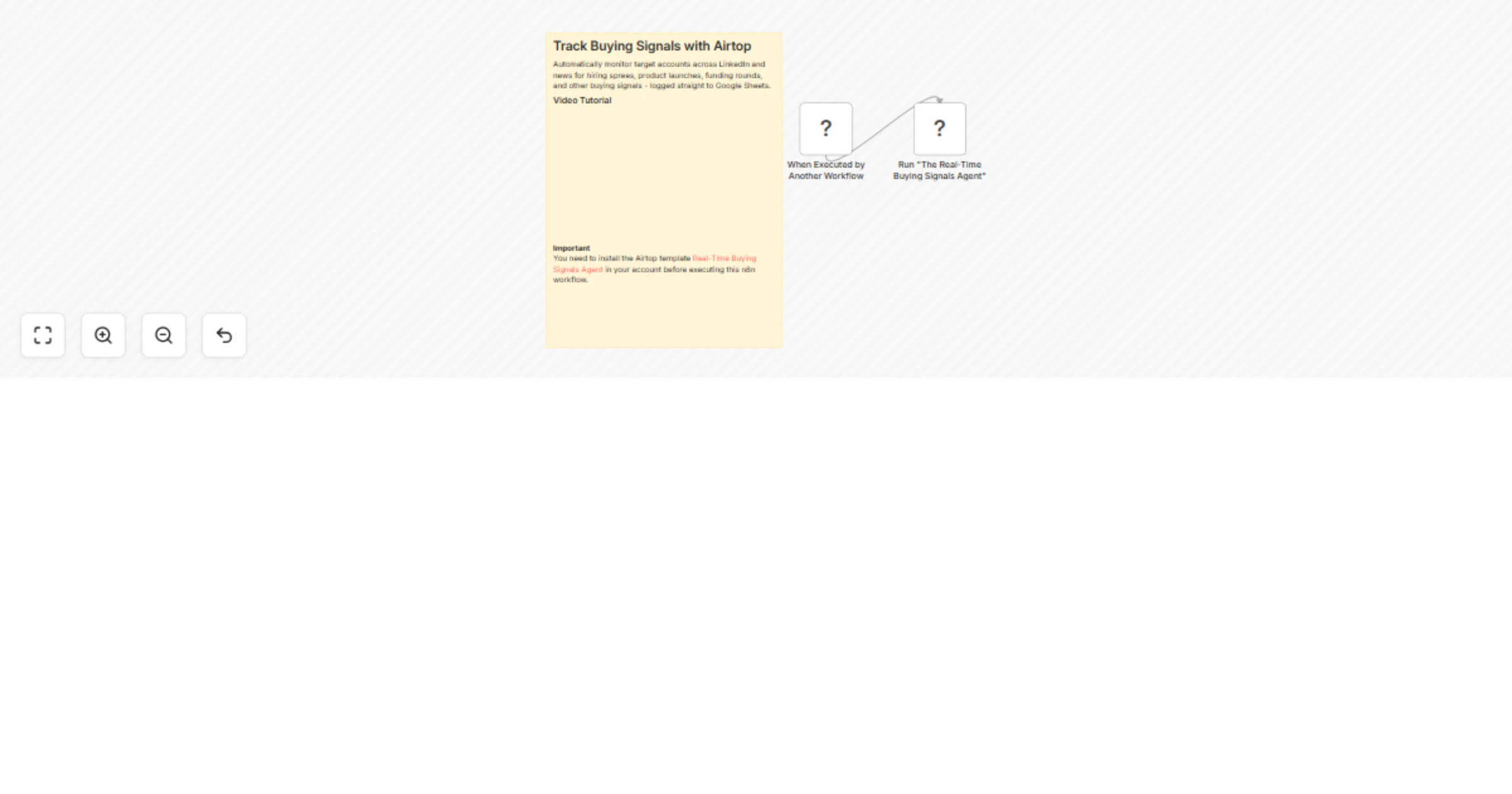
Track buying signals with Airtop and log them to Google Sheets

Workflow preview

Workflow preview
100%
Track buying signals with Airtop and log them to Google Sheets preview
Open on n8n.io

1. Workflow Overview

This powerful automation helps you stay ahead of the competition by identifying sales opportunities in real time. Here’s how it works: Reads Your Targets : It starts by reading a list of target com...

Best for

  • Market Research automation workflows
  • AI Summarization automation workflows
  • beginner n8n builders looking for reusable templates

Tools used

n8n-nodes-base.executeworkflowtrigger, n8n-nodes-base.stickynote, n8n-nodes-base.airtop

Source and attribution

This workflow is cataloged by N8N Workflows and links back to its original n8n.io source page by Airtop.

Original n8n.io source

1.1 Workflow description

Title
Track buying signals with Airtop and log them to Google Sheets
Workflow name
Track buying signals with Airtop and log them to Google Sheets

This powerful automation helps you stay ahead of the competition by identifying sales opportunities in real-time. Here’s how it works:

  • Reads Your Targets: It starts by reading a list of target companies and your custom-defined buying signals from a Google Sheet you provide.
  • Scans Multiple Sources: For each company, the automation scours the web, pulling data from:
  • LinkedIn Job Postings: To find signals related to team growth, new initiatives, and technology adoption.
  • LinkedIn Company Posts: To catch announcements, product news, and other strategic updates.
  • Web News Articles: To monitor for major events like M&A, funding rounds, and market expansion.
  • AI-Powered Analysis: An advanced AI model acts as an analyst, meticulously evaluating all the collected information against your signal definitions to identify genuine buying intent.
  • Avoids Duplicates: To ensure your signal feed is clean and actionable, the automation intelligently checks if a newly found signal has already been logged recently.
  • Logs Opportunities: New, unique buying signals are instantly recorded in your Google Sheet, creating a dynamic, up-to-date list of warm leads for your sales team.

Usage Ideas

  • Proactive Sales Outreach: Equip your sales team with timely, relevant reasons to connect with prospects, moving beyond cold calls to value-driven conversations.
  • Targeted Marketing Campaigns: Inform your account-based marketing (ABM) efforts by creating campaigns that speak directly to a target company's recent activities or challenges.
  • Competitive Intelligence: Monitor your competitors' hiring trends, product announcements, and partnerships to stay informed about their strategic direction.
  • Customer Success & Expansion: Keep an eye on your existing customers for signals that might indicate an opportunity for upselling, cross-selling, or churn risk.
  • Investment Research: Track companies in your portfolio or on your watchlist for key developments that could impact their value and growth prospects.

Customization Ideas

This template is designed to be highly adaptable to your specific sales and marketing strategy. You can easily customize it to:

  • Define Your Ideal Signals: You have complete control over the buying signals you want to track. Simply add or edit your criteria for hiring, news, or LinkedIn posts in the "Signals" tab of your Google Sheet. For example, you could track "hiring data scientists," "mentions of AI implementation," or "news of European expansion."
  • Manage Your Target List: Easily add, remove, or update the companies you want to monitor directly in the "Accounts" tab of your Google Sheet.
  • Select Your Sources: Choose which channels to monitor. You can enable or disable the modules for Hiring, LinkedIn Posts, and News at any time to focus on the sources that matter most to you.
  • Control the Timeframe: Adjust how far back the automation should look for information, such as analyzing the last 7 days of company posts or the last 30 days of news articles.
  • Customize the Output: Since all results are logged to your Google Sheet, you can easily integrate this data into your CRM, build dashboards, or set up custom alerts.

1.2 Logical Blocks

This catalog entry is organized from the workflow JSON. The node-level section below shows the executable blocks available for review before importing the template.

2. Block-by-Block Analysis

Block 1 - When Executed by Another Workflow

Type / Role
n8n-nodes-base.executeWorkflowTrigger - executeWorkflowTrigger
Config choices
Version 1.1

Block 2 - Sticky Note

Type / Role
n8n-nodes-base.stickyNote - stickyNote
Config choices
Version 1

Block 3 - Run "The Real-Time Buying Signals Agent"

Type / Role
n8n-nodes-base.airtop - airtop
Config choices
Version 1

3. Summary Table

Workflow Track buying signals with Airtop and log them to Google Sheets
Complexity beginner
Nodes 3
Categories Market Research, AI Summarization
Author Airtop
Published 24 Mar 2026

4. Reproducing the Workflow from Scratch

  1. 1. Download the workflow JSON

    Use the JSON export at /data/workflows/14285/14285.json as the source template for this automation.

  2. 2. Import the template into n8n

    Open n8n, import the downloaded JSON, and review each node before activating the workflow.

  3. 3. Configure credentials and variables

    Replace placeholder credentials, API keys, webhook URLs, account IDs, and environment-specific values with your own settings.

  4. 4. Test with sample data

    Run the workflow manually or in a staging workspace, inspect node output, and confirm downstream systems receive the expected data.

  5. 5. Activate and monitor

    Enable the workflow only after testing, then monitor executions, errors, and rate limits during the first production runs.

5. General Notes & Resources

Review imported nodes carefully before activation. This catalog entry is intended to help you inspect the workflow structure, understand required services, and find related templates faster.

Node names, credentials, schedules, webhook paths, and external service limits may need adjustment for your workspace.

Frequently asked questions

What does Track buying signals with Airtop and log them to Google Sheets do?

This powerful automation helps you stay ahead of the competition by identifying sales opportunities in real time. Here’s how it works: Reads Your Targets : It starts by reading a list of target com...

What do I need before importing this workflow?

Review the workflow JSON, configure any required credentials in n8n, and test the automation in a safe workspace before using it in production.

Can I customize this workflow?

Yes. Use the block-by-block analysis and the downloadable JSON to inspect each node, then adjust credentials, prompts, schedules, filters, or destinations for your Market Research, AI Summarization use case.