Track and sync workflow status in Notion from the n8n API
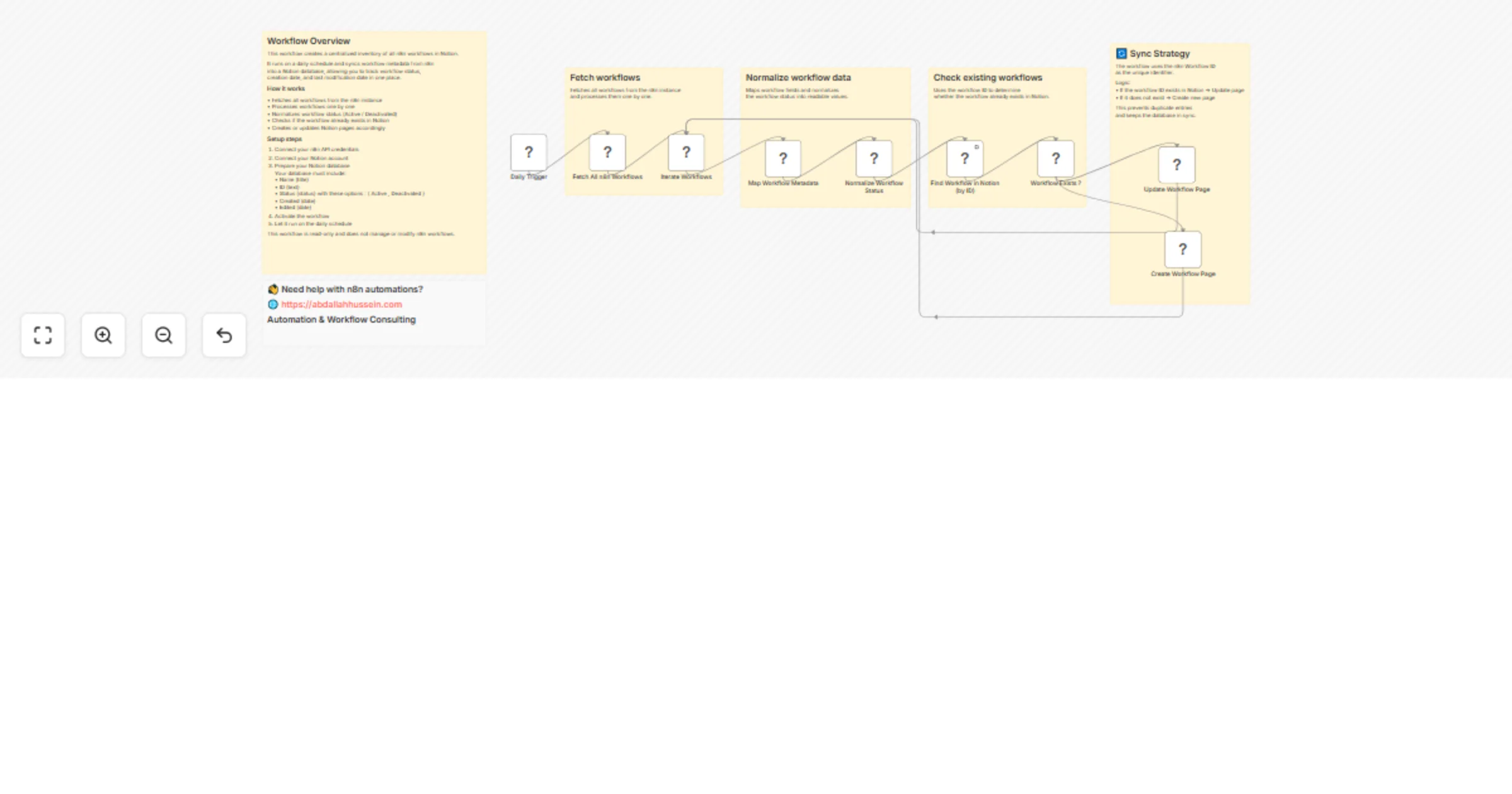
Workflow preview

$20/month : Unlimited workflows
2500 executions/month

THE #1 IN WEB SCRAPING
Scrape any website without limits
HOSTINGER  Early Deal
DISCOUNT 20% Try free
Early DealDISCOUNT 20%
Self-hosted n8n
Unlimited workflows - from $4.99/mo

#1 hub for scraping, AI & automation
6000+ actors - $5 credits/mo
Overview
Who this template is for
This template is for n8n users who want clear visibility into their workflows by maintaining a simple inventory in Notion.
It’s ideal for:
- Automation engineers tracking multiple workflows
- Teams documenting their n8n workflows
- Anyone who wants a read-only overview of workflows and their status
What this workflow does
This workflow creates and maintains a Notion database that serves as a centralized inventory of n8n workflows.
It automatically:
- Fetches all workflows from n8n
- Stores workflow metadata in Notion
- Tracks workflow status (Active / Deactivated)
- Tracks creation and last edit timestamps
- Creates new database entries for new workflows
- Updates existing entries when metadata changes
This workflow does not manage or control workflows. It only provides visibility and documentation.
How it works
- A scheduled trigger runs the workflow daily.
- Workflow metadata is fetched from the n8n API.
- Data is normalized into readable values.
- Each workflow is matched in Notion by its ID.
- Database entries are created or updated accordingly.
How to set up
- Connect your n8n API credentials.
- Connect your Notion account.
- Select or create a Notion database with the required properties.
- Activate the workflow and let it run on the schedule.
Requirements
- An active n8n instance
- n8n API credentials
- A Notion account and database
How to customize the workflow
You can extend this workflow by:
- Adding more workflow metadata fields
- Adjusting the sync schedule
- Adding tags or ownership fields
- Using the database for audit or documentation purposes
Detailed instructions are included inside the workflow using sticky notes.