Sync self-hosted workflow backups to GitHub for version control
Workflow preview


 Early Deal
DISCOUNT 20%

Overview
Automatically back up and sync your n8n workflows to GitHub with unlimited version control. This workflow ensures your repository always reflects the latest state of your n8n instance by creating, updating, and deleting workflow files as needed.
Ideal for developers, teams, and DevOps use cases where workflow backup, versioning, and audit tracking are important.
♾️ Unlimited Version Control
This workflow enables unlimited version control using GitHub, solving the limitation of version history that is not available in the self-hosted free version of n8n.
Every workflow change is stored as a Git commit, allowing you to:
Track full history of changes Roll back to previous versions anytime Maintain a reliable audit trail
⚡ Key Features
🔄 Automatic Sync – Runs on a schedule to keep workflows updated 🆕 Create New Workflows – Automatically adds new workflows to GitHub ✏️ Update Only When Changed – Detects and updates modified workflows 🧹 Auto Cleanup – Removes deleted or renamed workflows from GitHub ⚡ Smart Diff Check – Skips unchanged workflows to avoid unnecessary commits 🕒 Timestamped Commits – Clear and trackable commit history ♾️ Unlimited Version Control – Store unlimited workflow versions in GitHub
🛠️ How It Works
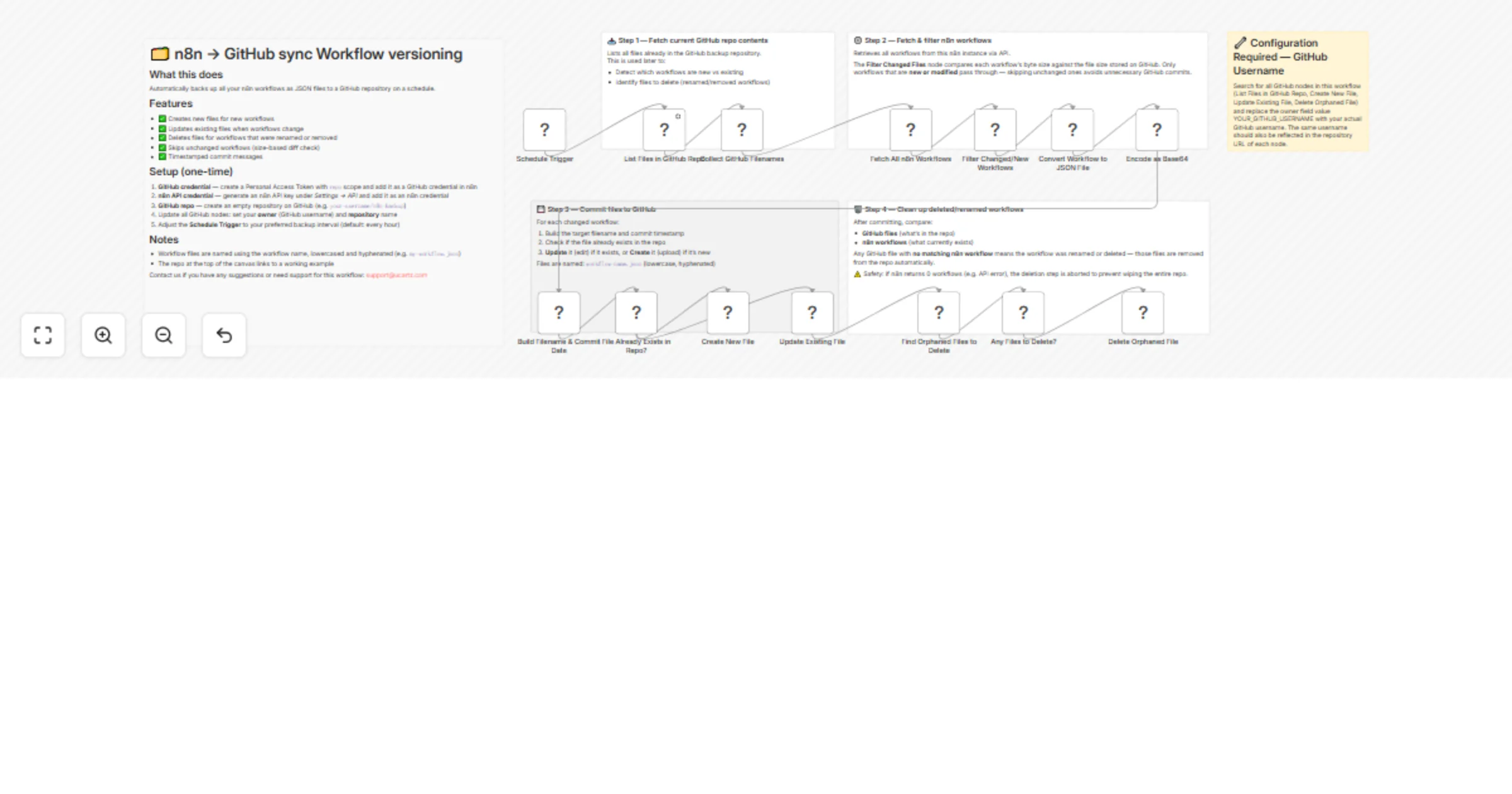
Fetch existing files from your GitHub repository Retrieve all workflows from your n8n instance via API Compare workflows using size-based change detection Create or update workflow JSON files in GitHub Remove orphaned files (deleted or renamed workflows)
⚙️ Setup Requirements
GitHub Personal Access Token (with repo scope) n8n API Key (Settings → API) A GitHub repository for storing workflow backups Update GitHub nodes with your repository name and owner Configure the schedule trigger as needed
📁 File Naming
Workflows are stored as: workflow-name.json (lowercase, hyphen-separated)
🛡️ Safety Mechanism
Includes a safety check to prevent accidental deletion of all files if the n8n API returns zero workflows (e.g., due to an error).
💡 Use Cases
Backup and restore n8n workflows Version control and change tracking Team collaboration via GitHub CI/CD integration for workflow management
📬 Support
Contact us for suggestions or support: [email protected]