Sync Gmail emails to PostgreSQL with S3 attachment storage
Workflow preview

$20/month : Unlimited workflows
2500 executions/month

THE #1 IN WEB SCRAPING
Scrape any website without limits
HOSTINGER  Early Deal
DISCOUNT 20% Try free
Early DealDISCOUNT 20%
Self-hosted n8n
Unlimited workflows - from $4.99/mo

#1 hub for scraping, AI & automation
6000+ actors - $5 credits/mo
Important notice
This workflow is provided as-is. Please review and test before using in production.
Overview
Sync Gmail emails to PostgreSQL with S3 attachment storage
Automated Gmail Email Processing System
Who's it for
Businesses and individuals who need to:
- Archive email communications in a searchable database
- Backup email attachments to cloud storage
- Analyze email patterns and communication data
- Comply with data retention policies
- Integrate emails with other business systems
What it does
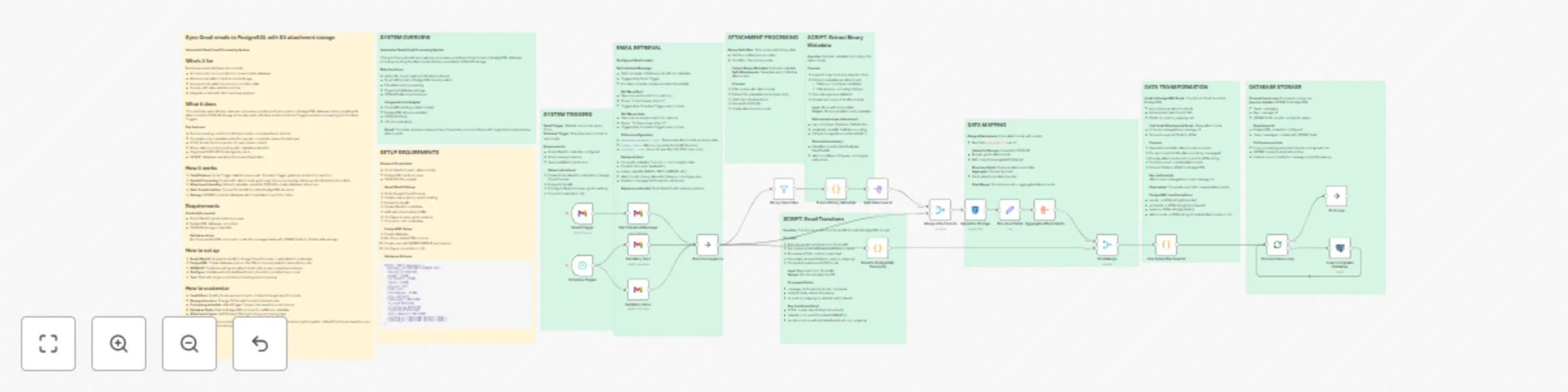
This workflow automatically captures, processes, and stores Gmail emails in a PostgreSQL database while uploading file attachments to S3/MinIO storage. It handles both individual emails (via Gmail Trigger) and bulk processing (via Schedule Trigger).
Key features:
- Dual processing: real-time individual emails + scheduled bulk retrieval
- Complete email metadata extraction (sender, recipients, labels, timestamps)
- HTML to plain text conversion for searchable content
- Binary attachment processing with metadata extraction
- Organized S3/MinIO file storage structure
- UPSERT database operations to prevent duplicates
How it works
- Email Capture: Gmail Trigger detects new emails, Schedule Trigger gets bulk emails from last hour
- Parallel Processing: Emails with attachments go through binary processing, others go directly to transformation
- Attachment Handling: Extract metadata, upload to S3/MinIO, create database references
- Data Transformation: Convert Gmail API format to PostgreSQL structure
- Storage: UPSERT emails to database with linked attachment information
Requirements
Credentials needed:
- Gmail OAuth2 (gmail.readonly scope)
- PostgreSQL database connection
- S3/MinIO storage credentials
Database setup: Run the provided SQL schema to create the messages table with JSONB fields for flexible data storage.
How to set up
- Gmail OAuth2: Enable Gmail API in Google Cloud Console, create OAuth2 credentials
- PostgreSQL: Create database and run the SQL schema provided in setup sticky note
- S3/MinIO: Create bucket "gmail-attachments" with proper upload permissions
- Configure: Update authenticatedUserEmail in transform scripts to your email
- Test: Start with single email before enabling bulk processing
How to customize
- Email filters: Modify Gmail queries (in:sent, in:inbox) to target specific emails
- Storage structure: Change S3 file path format in Upload node
- Processing schedule: Adjust trigger frequencies based on email volume
- Database fields: Extend PostgreSQL schema for additional metadata
- Attachment types: Add file type filtering in binary processing logic
Note: This workflow processes emails from the last hour to avoid overwhelming the system. Adjust timeframes based on your email volume and processing needs.