Block 1 - Extract relevant data
- Type / Role
- n8n-nodes-base.set - set
- Config choices
- Version 2


 Early Deal
This workflow is provided as-is. Please review and test before using in production.
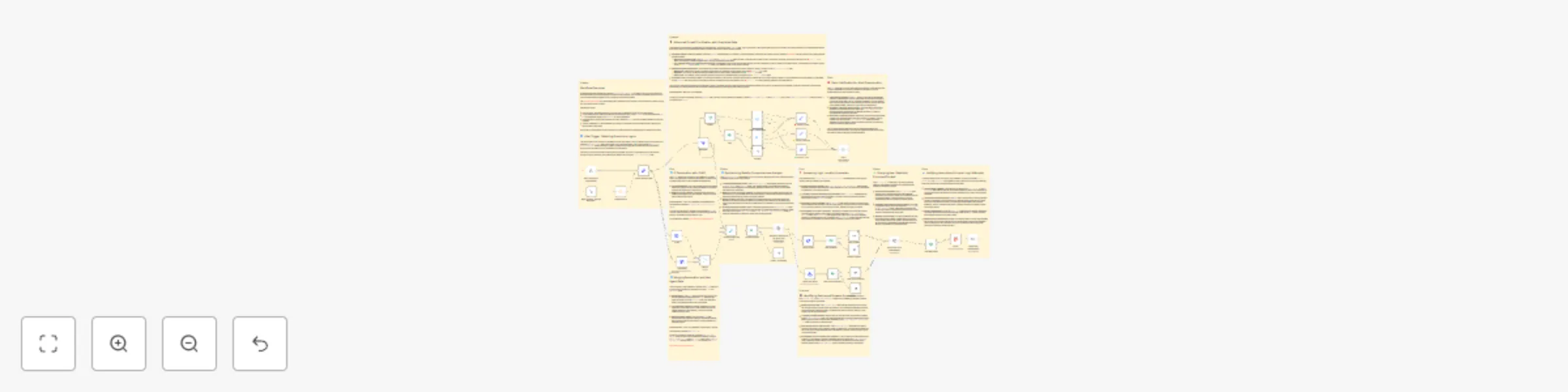
This n8n workflow is designed for security monitoring and incident response when suspicious login events are detected. It can be initiated either manually from within the n8n UI for testing or auto...
n8n-nodes-base.set, n8n-nodes-base.webhook, n8n-nodes-base.if, n8n-nodes-base.postgres, n8n-nodes-base.httprequest, n8n-nodes-base.merge, n8n-nodes-base.noop, n8n-nodes-base.html
This workflow is cataloged by N8N Workflows and links back to its original n8n.io source page by n8n Team.
Original n8n.io sourceThis n8n workflow is designed for security monitoring and incident response when suspicious login events are detected. It can be initiated either manually from within the n8n UI for testing or automatically triggered by a webhook when a new login event occurs.
The workflow first extracts relevant data from the incoming webhook payload, including the IP address, user agent, timestamp, URL, and user ID. It then splits into three parallel processing paths.
In the first path, it queries GreyNoise's Community API to retrieve information about the investigated IP address. Depending on the classification and trust level received from GreyNoise, the alert is given a High, Medium, or Low priority. This priority is assigned based on the best practices documentation from GreyNoise on how to apply their data to analysis. Once a priority is assigned, a message is sent to a Slack channel to notify users about the alert.
The second path involves fetching geolocation data about the IP address using IP-API's Geolocation API and merging it with data from the UserParser node. This data is then combined with the data obtained from GreyNoise.
In the third path, the UserParser node queries the Userparser IP address and user agent lookup API to obtain information about the user's IP and user agent. This data is merged with the IP-API data and GreyNoise data.
The workflow then checks if the IP address is considered an unknown threat by examining both the noise and riot fields from GreyNoise. If it is considered an unknown threat, the workflow proceeds to retrieve the last 10 login records for the same user from a Postgres database.
If there are any discrepancies in the login information, indicating a new location or device/browser, the user is informed via email.
Potential issues when setting up this workflow include ensuring that credentials are correctly entered for GreyNoise and UserParser nodes, and addressing any discrepancies in the data sources that could lead to false positives or negatives in threat detection. Additionally, the usage of hardcoded API keys should be replaced with credentials for security and flexibility. Thorough testing and validation with sample data are crucial to ensure the workflow performs as expected and aligns with security incident response procedures.
This catalog entry is organized from the workflow JSON. The node-level section below shows the executable blocks available for review before importing the template.
Showing the first 24 of 43 workflow blocks. Download the JSON for the full node graph.
| Workflow | Suspicious login detection |
|---|---|
| Complexity | advanced |
| Nodes | 43 |
| Categories | SecOps |
| Author | n8n Team |
| Published | 27 Nov 2023 |
Use the JSON export at /data/workflows/1993/1993.json as the source template for this automation.
Open n8n, import the downloaded JSON, and review each node before activating the workflow.
Replace placeholder credentials, API keys, webhook URLs, account IDs, and environment-specific values with your own settings.
Run the workflow manually or in a staging workspace, inspect node output, and confirm downstream systems receive the expected data.
Enable the workflow only after testing, then monitor executions, errors, and rate limits during the first production runs.
Review imported nodes carefully before activation. This catalog entry is intended to help you inspect the workflow structure, understand required services, and find related templates faster.
Node names, credentials, schedules, webhook paths, and external service limits may need adjustment for your workspace.
This n8n workflow is designed for security monitoring and incident response when suspicious login events are detected. It can be initiated either manually from within the n8n UI for testing or auto...
Review the workflow JSON, configure any required credentials in n8n, and test the automation in a safe workspace before using it in production.
Yes. Use the block-by-block analysis and the downloadable JSON to inspect each node, then adjust credentials, prompts, schedules, filters, or destinations for your SecOps use case.