Share time-limited preview links with UploadToURL, SendGrid, and Google Sheets

Workflow preview

Workflow preview
100%
Share time-limited preview links with UploadToURL, SendGrid, and Google Sheets preview
Open on n8n.io

1. Workflow Overview

Stop sending sensitive agency drafts as permanent email attachments. This workflow creates a "self destructing" delivery system that hosts files via UploadToURL , sends branded previews via SendGri...

Best for

  • File Management automation workflows
  • advanced n8n builders looking for reusable templates

Tools used

n8n-nodes-base.stickynote, n8n-nodes-base.webhook, n8n-nodes-base.code, n8n-nodes-base.if, n8n-nodes-uploadtourl.uploadtourl, n8n-nodes-base.googlesheets, n8n-nodes-base.sendgrid, n8n-nodes-base.respondtowebhook

Source and attribution

This workflow is cataloged by N8N Workflows and links back to its original n8n.io source page by Jitesh Dugar.

Original n8n.io source

1.1 Workflow description

Title
Share time-limited preview links with UploadToURL, SendGrid, and Google Sheets
Workflow name
Share time-limited preview links with UploadToURL, SendGrid, and Google Sheets

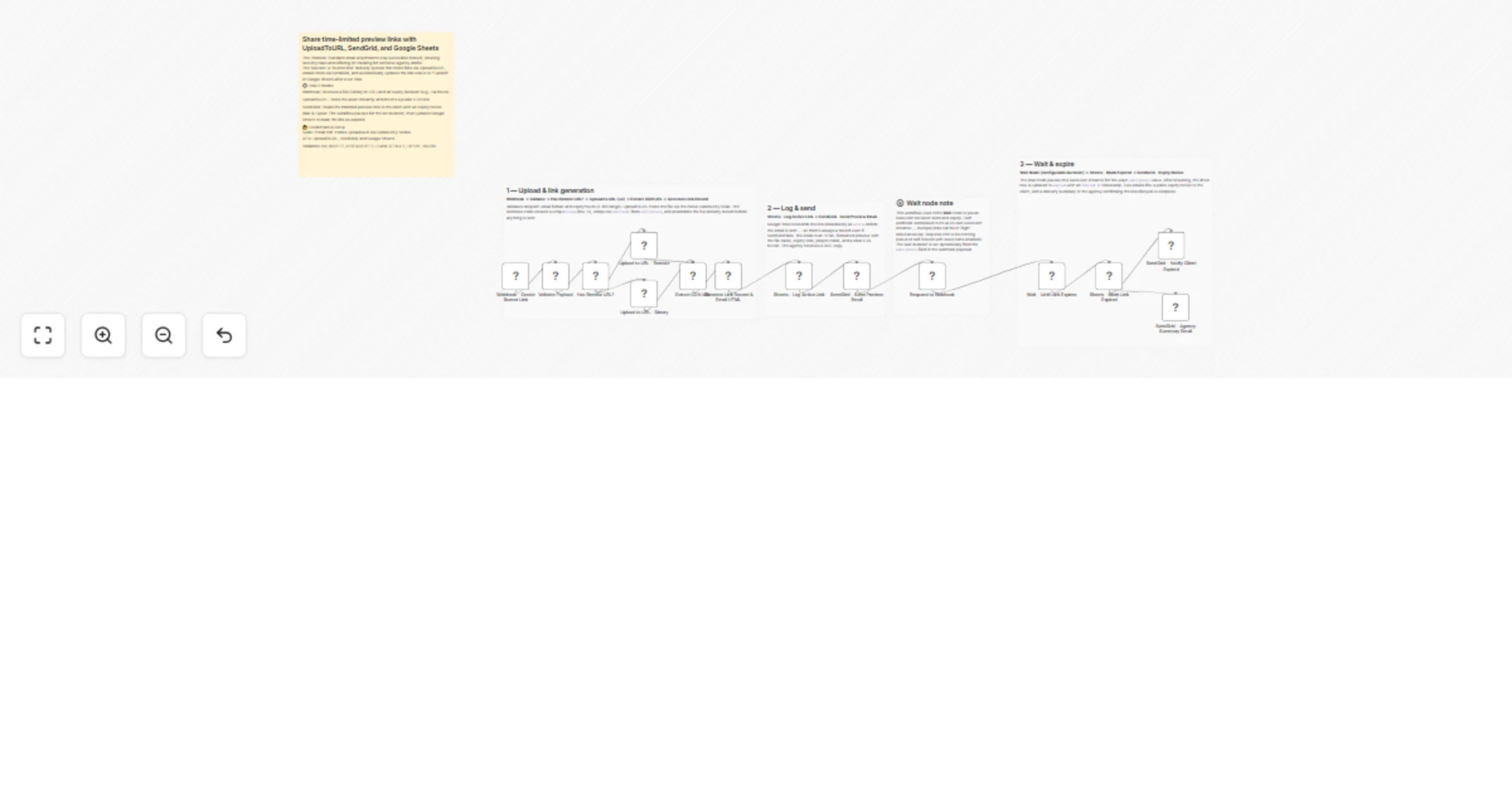
Stop sending sensitive agency drafts as permanent email attachments. This workflow creates a "self-destructing" delivery system that hosts files via UploadToURL, sends branded previews via SendGrid, and automatically expires access after a set duration while logging the entire lifecycle in Google Sheets.

🎯 What This Workflow Does

Turns any sensitive file into a professional, time-limited client preview:

  1. πŸ“ Captures Delivery Request - Receives the file (binary or URL), recipient info, and desired expiry duration (e.g., 24 hours) via Webhook.
  2. ☁️ Instant CDN Hosting - UploadToURL hosts the asset and returns a high-speed public link.
  3. πŸ”‘ Secure Token Generation - Generates a unique hex token and calculates the exact UTC expiry timestamp.
  4. πŸ“Š Real-time Logging - Records the link in Google Sheets as active with all metadata before the email is sent.
  5. πŸ“§ Branded Delivery - Sends a professional HTML email via SendGrid featuring your branding, a secure "View File" button, and a clear expiry notice.
  6. ⏳ Automated Expiration - Pauses execution for the specified duration using the Wait node, then updates the sheet to expired and notifies both the client and the agency.

✨ Key Features

  • UploadToURL Integration: Native community node hosting ensures your files are web-ready instantly without manual cloud storage setup.
  • Dynamic "Burner" Logic: The link stays active only as long as you specify (from 1 to 168 hours).
  • Dual-Phase Notifications: Clients get a polite notice when the link is active and a second one when it has officially expired.
  • Lifecycle Tracking: A centralized Google Sheet acts as your "Delivery Command Center," tracking tokens, sent times, and expiry statuses.
  • Agency Audit Trail: The agency receives a final summary email once a link's lifecycle is complete, providing a full record for project management.

πŸ’Ό Perfect For

  • Creative Agencies: Sharing draft designs, videos, or proposals that shouldn't live in a client's inbox forever.
  • Legal & Finance: Providing temporary access to sensitive documents or statements.
  • Freelancers: Delivering final assets that require a "preview-only" window before final payment.
  • HR Teams: Sending temporary access to employee handbooks or internal policy drafts.

πŸ”§ What You'll Need

Required Integrations

  • UploadToURL - To host assets and provide secure CDN links.
  • n8n Community Node - n8n-nodes-uploadtourl must be installed.
  • SendGrid - To send the branded preview and expiry emails.
  • Google Sheets - To act as the database for link tracking.

Configuration Variables

  • GSHEET_SPREADSHEET_ID: The ID of your tracking sheet.
  • DEFAULT_EXPIRY_HOURS: Default time (e.g., 24) if not specified in the webhook.
  • AGENCY_NAME & AGENCY_EMAIL: For branding the automated emails.

πŸš€ Quick Start

  1. Import Template - Copy the JSON and import it into your n8n canvas.
  2. Install Node - Ensure the UploadToURL community node is installed.
  3. Set Credentials - Link your UploadToURL, SendGrid, and Google Sheets accounts.
  4. Prepare Sheet - Create a sheet named BurnerLinks with columns: Token, Recipient Email, Status, Sent At, Expires At, and CDN URL.
  5. Define Variables - Update the n8n variables with your Sheet ID and Agency details.
  6. Deploy - Activate the workflow and start sending secure, timed previews.

🎨 Customization Options

  • Branding: Edit the Generate Link Record code node to update the HTML/CSS for the email templates to match your brand colors.
  • Extended Wait: For links lasting weeks, ensure your n8n instance is configured to persist executions across restarts.
  • Slack Alerts: Add a Slack node to notify your team the moment a client clicks the link (requires a redirect/tracking layer).
  • Password Protection: Integrate an additional layer that requires a password (sent via a separate channel) to view the UploadToURL link.

πŸ“ˆ Expected Results

  • Enhanced Security: Sensitive files no longer float around indefinitely in client inboxes.
  • Professional Impression: Clients receive branded, structured previews that emphasize security and professionalism.
  • Zero Manual Cleanup: No need to manually delete files or remember to "turn off" links.
  • Complete Transparency: Always know exactly which links are active and when they were accessed.

πŸ† Use Cases

Pitch Deck Delivery

Send your high-stakes pitch deck with a 48-hour window. The urgency encourages the client to review it promptly while protecting your IP.

Contract Previews

Share a draft agreement for a quick 24-hour review. Once the window closes, the client is prompted to contact you for the final version.

Limited-Time Portfolio

Share a custom portfolio or "lookbook" with a lead, giving them 7 days of access to create a "limited time" feel to your availability.

πŸ’‘ Pro Tips

  • Wait Node Execution: Each link runs as a separate execution. If you send 100 links, you will see 100 "Waiting" executions in your history.
  • File Types: The workflow includes validation for PDF, JPG, PNG, DOCX, and MP4. You can expand this in the Validate Payload code node.
  • BCC Records: The workflow automatically BCCs the agency on the first email so you have a copy in your own sent folder.

Ready to secure your deliveries? Import this template and connect UploadToURL to start sending professional "burner" links today.

Questions about the Google Sheet setup? The workflow includes a detailed sticky note explaining the exact column headers needed for the database sync.

1.2 Logical Blocks

This catalog entry is organized from the workflow JSON. The node-level section below shows the executable blocks available for review before importing the template.

2. Block-by-Block Analysis

Block 1 - πŸ“‹ Overview

Type / Role
n8n-nodes-base.stickyNote - stickyNote
Config choices
Version 1

Block 2 - Section 1 β€” Upload

Type / Role
n8n-nodes-base.stickyNote - stickyNote
Config choices
Version 1

Block 3 - Section 2 β€” Log & Send

Type / Role
n8n-nodes-base.stickyNote - stickyNote
Config choices
Version 1

Block 4 - Section 3 β€” Wait & Expire

Type / Role
n8n-nodes-base.stickyNote - stickyNote
Config choices
Version 1

Block 5 - Wait node note

Type / Role
n8n-nodes-base.stickyNote - stickyNote
Config choices
Version 1

Block 6 - Webhook - Create Burner Link

Type / Role
n8n-nodes-base.webhook - webhook
Config choices
Version 2

Block 7 - Validate Payload

Type / Role
n8n-nodes-base.code - code
Config choices
Version 2

Block 8 - Has Remote URL?

Type / Role
n8n-nodes-base.if - if
Config choices
Version 2

Block 9 - Upload to URL - Remote

Type / Role
n8n-nodes-uploadtourl.uploadToUrl - uploadToUrl
Config choices
Version 1

Block 10 - Upload to URL - Binary

Type / Role
n8n-nodes-uploadtourl.uploadToUrl - uploadToUrl
Config choices
Version 1

Block 11 - Extract CDN URL

Type / Role
n8n-nodes-base.code - code
Config choices
Version 2

Block 12 - Generate Link Record & Email HTML

Type / Role
n8n-nodes-base.code - code
Config choices
Version 2

Block 13 - Sheets - Log Active Link

Type / Role
n8n-nodes-base.googleSheets - googleSheets
Config choices
Version 4.5

Block 14 - SendGrid - Send Preview Email

Type / Role
n8n-nodes-base.sendGrid - sendGrid
Config choices
Version 1

Block 15 - Respond to Webhook

Type / Role
n8n-nodes-base.respondToWebhook - respondToWebhook
Config choices
Version 1.1

Block 16 - Wait - Until Link Expires

Type / Role
n8n-nodes-base.wait - wait
Config choices
Version 1.1

Block 17 - Sheets - Mark Link Expired

Type / Role
n8n-nodes-base.googleSheets - googleSheets
Config choices
Version 4.5

Block 18 - SendGrid - Notify Client Expired

Type / Role
n8n-nodes-base.sendGrid - sendGrid
Config choices
Version 1

Block 19 - SendGrid - Agency Summary Email

Type / Role
n8n-nodes-base.sendGrid - sendGrid
Config choices
Version 1

3. Summary Table

Workflow Share time-limited preview links with UploadToURL, SendGrid, and Google Sheets
Complexity advanced
Nodes 19
Categories File Management
Author Jitesh Dugar
Published 23 Feb 2026

4. Reproducing the Workflow from Scratch

  1. 1. Download the workflow JSON

    Use the JSON export at /data/workflows/13634/13634.json as the source template for this automation.

  2. 2. Import the template into n8n

    Open n8n, import the downloaded JSON, and review each node before activating the workflow.

  3. 3. Configure credentials and variables

    Replace placeholder credentials, API keys, webhook URLs, account IDs, and environment-specific values with your own settings.

  4. 4. Test with sample data

    Run the workflow manually or in a staging workspace, inspect node output, and confirm downstream systems receive the expected data.

  5. 5. Activate and monitor

    Enable the workflow only after testing, then monitor executions, errors, and rate limits during the first production runs.

5. General Notes & Resources

Review imported nodes carefully before activation. This catalog entry is intended to help you inspect the workflow structure, understand required services, and find related templates faster.

Node names, credentials, schedules, webhook paths, and external service limits may need adjustment for your workspace.

Frequently asked questions

What does Share time-limited preview links with UploadToURL, SendGrid, and Google Sheets do?

Stop sending sensitive agency drafts as permanent email attachments. This workflow creates a "self destructing" delivery system that hosts files via UploadToURL , sends branded previews via SendGri...

What do I need before importing this workflow?

Review the workflow JSON, configure any required credentials in n8n, and test the automation in a safe workspace before using it in production.

Can I customize this workflow?

Yes. Use the block-by-block analysis and the downloadable JSON to inspect each node, then adjust credentials, prompts, schedules, filters, or destinations for your File Management use case.