Block 1 - Cron – Check Facebook Reactions
- Type / Role
- n8n-nodes-base.scheduleTrigger - scheduleTrigger
- Config choices
- Version 1.2


 Early Deal
Facebook Reactions → Airtable → Slack “Wall of Love” Automation This n8n workflow automatically monitors positive reactions on Facebook Page posts, stores them in Airtable and notifies your team in...
n8n-nodes-base.scheduletrigger, n8n-nodes-base.set, n8n-nodes-base.splitinbatches, n8n-nodes-base.splitout, n8n-nodes-base.httprequest, n8n-nodes-base.if, n8n-nodes-base.airtable, n8n-nodes-base.slack
This workflow is cataloged by N8N Workflows and links back to its original n8n.io source page by WeblineIndia.
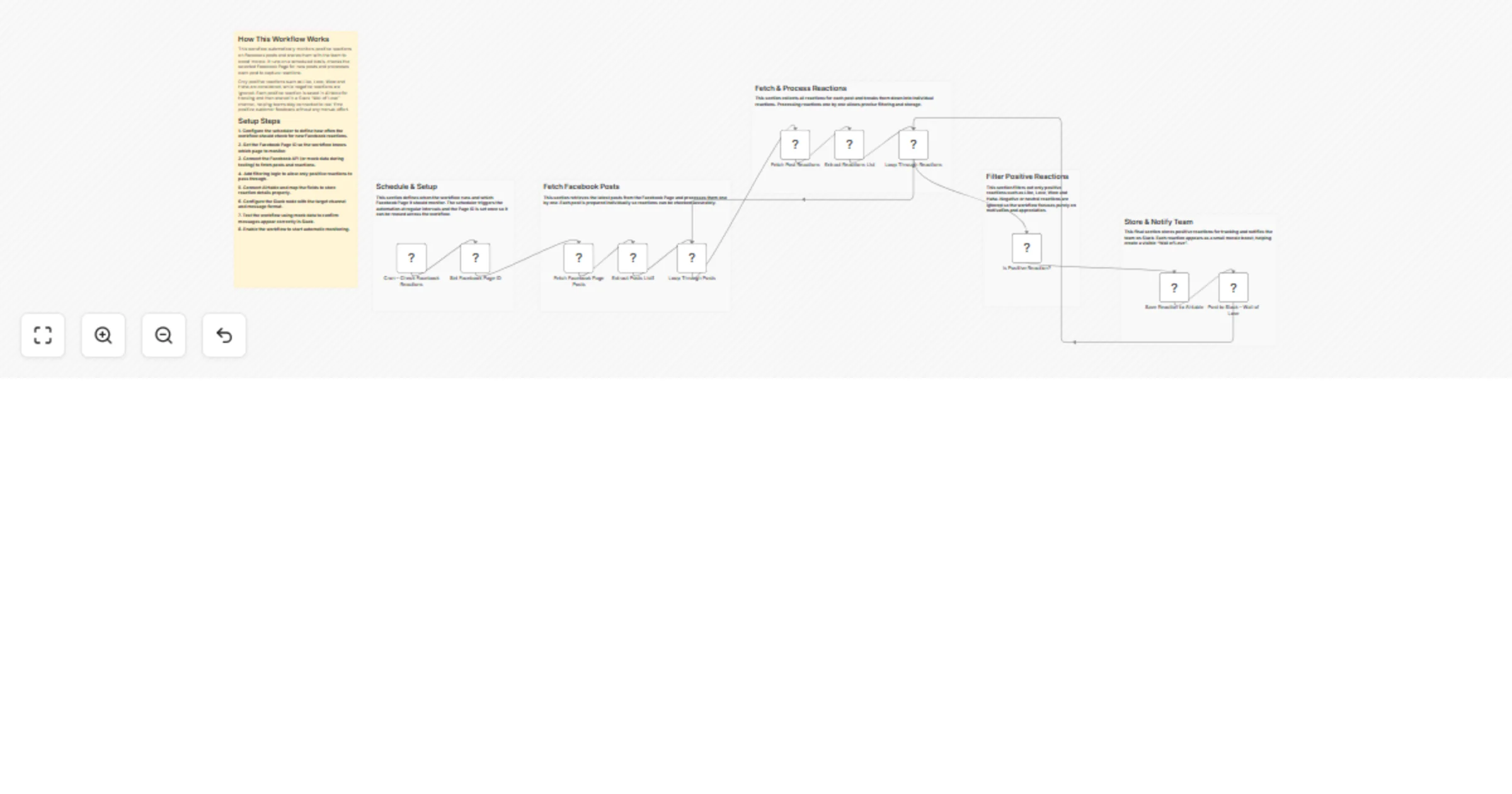
Original n8n.io sourceThis n8n workflow automatically monitors positive reactions on Facebook Page posts, stores them in Airtable and notifies your team in Slack to create a motivational “Wall of Love.” It runs on a schedule, fetches posts and their reactions using the Facebook Graph API, filters only positive reactions and sends real-time Slack updates after saving the data.
This workflow runs automatically at a defined interval and checks a specific Facebook Page for recent posts. Each post is processed individually to fetch all associated reactions using the Facebook Graph API. This ensures reactions are captured accurately without missing engagement.
Only positive reactions such as Like, Love, Wow and Haha are allowed to continue through the workflow. Negative or neutral reactions are ignored to keep the focus on appreciation and encouragement. Each qualifying reaction is handled one by one, which enables precise tracking and clean notifications.
Once a positive reaction is identified, the workflow saves the reaction details—such as the user name, reaction type and timestamp—into Airtable for reporting and history. After the Airtable entry is successfully created, a formatted message is posted to Slack, creating a visible and motivating “Wall of Love” for the team.
pages_read_engagementpages_read_user_contentOnce enabled, the workflow runs automatically without manual intervention.
limit parameter to fetch more or fewer posts or reactions.> There can be many more similar use cases depending on how this workflow is extended.
| Issue | Possible Cause | Solution |
|---|---|---|
| No data from Facebook | Missing or invalid access token | Add a valid Page Access Token |
| Permission error | App not in production mode | Switch Facebook App to Production |
| No Slack messages | Airtable step failed | Verify Airtable credentials and table |
| Only some reactions appear | Reaction filter applied | Update IF node conditions |
| Workflow runs but nothing happens | Cron schedule too wide | Reduce schedule interval |
Need assistance setting up this workflow, adding extensions or building similar automations?
Our n8n developers at WeblineIndia can help you configure, customize and scale workflows like this to match your business needs.
This catalog entry is organized from the workflow JSON. The node-level section below shows the executable blocks available for review before importing the template.
| Workflow | Send positive Facebook reactions to Airtable and Slack for a Wall of Love |
|---|---|
| Complexity | advanced |
| Nodes | 17 |
| Categories | Social Media |
| Author | WeblineIndia |
| Published | 04 Apr 2026 |
Use the JSON export at /data/workflows/14706/14706.json as the source template for this automation.
Open n8n, import the downloaded JSON, and review each node before activating the workflow.
Replace placeholder credentials, API keys, webhook URLs, account IDs, and environment-specific values with your own settings.
Run the workflow manually or in a staging workspace, inspect node output, and confirm downstream systems receive the expected data.
Enable the workflow only after testing, then monitor executions, errors, and rate limits during the first production runs.
Review imported nodes carefully before activation. This catalog entry is intended to help you inspect the workflow structure, understand required services, and find related templates faster.
Node names, credentials, schedules, webhook paths, and external service limits may need adjustment for your workspace.
Facebook Reactions → Airtable → Slack “Wall of Love” Automation This n8n workflow automatically monitors positive reactions on Facebook Page posts, stores them in Airtable and notifies your team in...
Review the workflow JSON, configure any required credentials in n8n, and test the automation in a safe workspace before using it in production.
Yes. Use the block-by-block analysis and the downloadable JSON to inspect each node, then adjust credentials, prompts, schedules, filters, or destinations for your Social Media use case.