Block 1 - Fetch All Subscribers
- Type / Role
- n8n-nodes-base.googleSheets - googleSheets
- Config choices
- Version 4.4


 Early Deal
Description Most learning newsletters send the same email to everyone. This workflow does the opposite — every subscriber gets a completely different email every single day, personalized to thei...
n8n-nodes-base.googlesheets, n8n-nodes-base.scheduletrigger, n8n-nodes-base.code, n8n-nodes-base.splitinbatches, @n8n/n8n-nodes-langchain.openai, n8n-nodes-base.gmail, n8n-nodes-base.stickynote
This workflow is cataloged by N8N Workflows and links back to its original n8n.io source page by Rahul Joshi.
Original n8n.io sourceMost learning newsletters send the same email to everyone. This workflow does the opposite — every subscriber gets a completely different email every single day, personalized to their topic interest, learning phase, and how far they've come in their journey. Built specifically for women's skill development programs, coaching platforms, and edtech creators who want to deliver real personalized learning at scale without manually writing hundreds of emails. You manage the content library, the AI handles the personalization, and the workflow handles the delivery — every morning at 9AM without you touching anything.
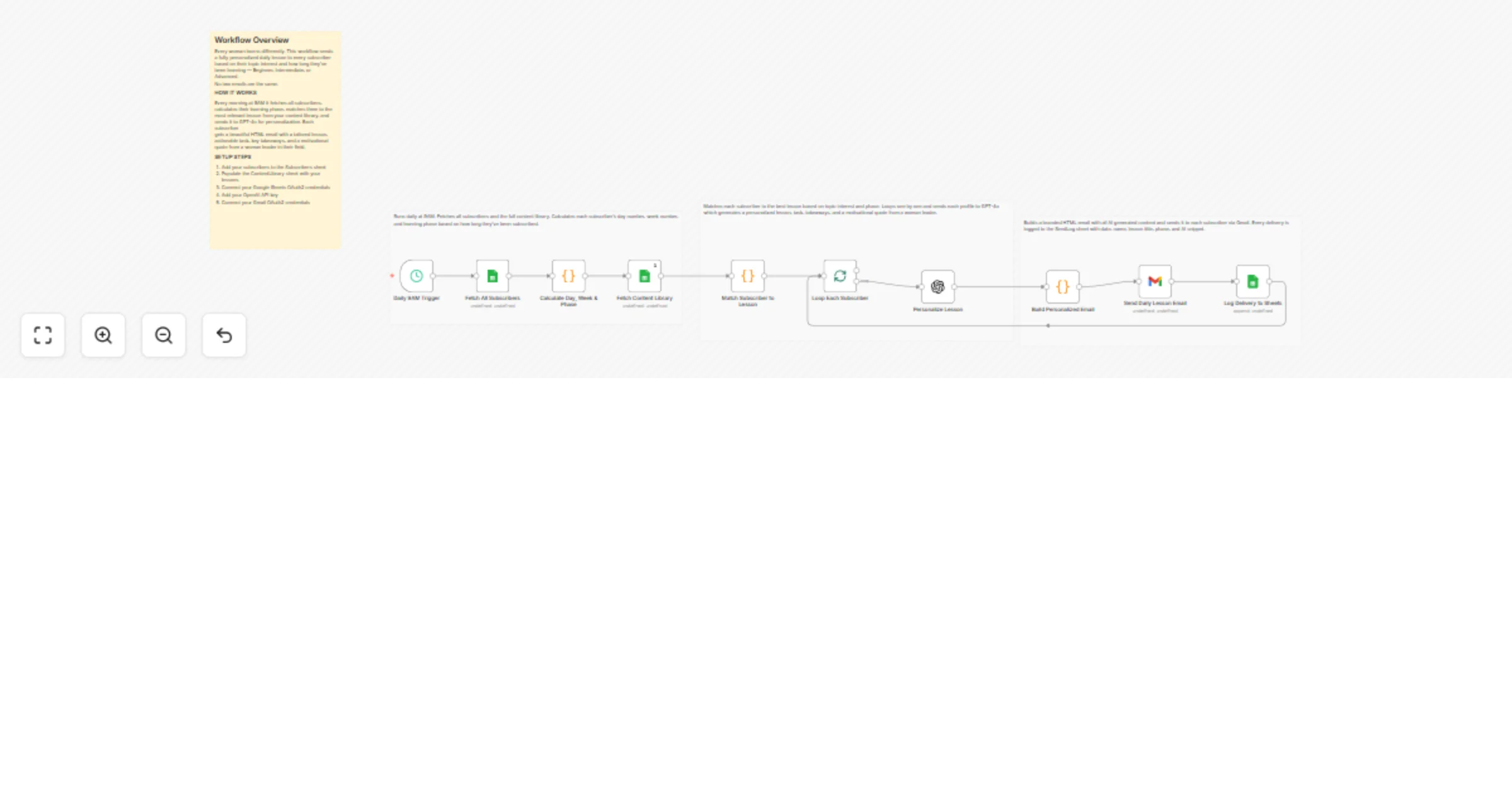
⏰ Triggers every morning at 9AM automatically 📋 Fetches all subscribers from Google Sheets with their name, email, topic interest, and subscription date 🧮 Calculates each subscriber's day number, week number, and learning phase — Beginner, Intermediate, or Advanced — based on how long they've been subscribed 📚 Fetches your full content library and scores every lesson against each subscriber's topic interest and phase 🎯 Picks the best matching lesson per subscriber — falls back to day-index rotation if no strong match found 🔁 Loops through each subscriber one at a time to ensure every email is individually generated 🤖 Sends each subscriber's profile and matched lesson to GPT-4o which generates a fully personalized 3-paragraph lesson explanation, actionable task, key takeaways, and a motivational quote from a woman leader in their field 📧 Builds a beautiful branded HTML email and sends it via Gmail 📝 Logs every delivery to a SendLog sheet with date, name, lesson title, phase, category, and AI snippet
✅ Every subscriber gets a unique email — no generic blasts ✅ Learning phase auto-advances as subscribers stay longer ✅ GPT-4o adapts lesson tone and depth to Beginner, Intermediate, or Advanced ✅ Motivational quotes always come from women leaders in the relevant field ✅ Full delivery log in Google Sheets for tracking and analytics ✅ Works for any skill category — coding, finance, leadership, marketing, and more
🎓 Women's skill development platforms and bootcamps 📧 Edtech creators running personalized learning newsletters 💼 Career coaches who want to deliver daily value to their community 🤖 Automation agencies building AI-powered email learning systems for clients
This catalog entry is organized from the workflow JSON. The node-level section below shows the executable blocks available for review before importing the template.
| Workflow | Send personalized daily learning emails for women using GPT-4o and Gmail |
|---|---|
| Complexity | intermediate |
| Nodes | 14 |
| Categories | Social Media, Multimodal AI |
| Author | Rahul Joshi |
| Published | 13 Mar 2026 |
Use the JSON export at /data/workflows/14021/14021.json as the source template for this automation.
Open n8n, import the downloaded JSON, and review each node before activating the workflow.
Replace placeholder credentials, API keys, webhook URLs, account IDs, and environment-specific values with your own settings.
Run the workflow manually or in a staging workspace, inspect node output, and confirm downstream systems receive the expected data.
Enable the workflow only after testing, then monitor executions, errors, and rate limits during the first production runs.
Review imported nodes carefully before activation. This catalog entry is intended to help you inspect the workflow structure, understand required services, and find related templates faster.
Node names, credentials, schedules, webhook paths, and external service limits may need adjustment for your workspace.
Description Most learning newsletters send the same email to everyone. This workflow does the opposite — every subscriber gets a completely different email every single day, personalized to thei...
Review the workflow JSON, configure any required credentials in n8n, and test the automation in a safe workspace before using it in production.
Yes. Use the block-by-block analysis and the downloadable JSON to inspect each node, then adjust credentials, prompts, schedules, filters, or destinations for your Social Media, Multimodal AI use case.