Block 1 - Form Trigger
- Type / Role
- n8n-nodes-base.formTrigger - formTrigger
- Config choices
- Version 2.2


 Early Deal
Who's it for This workflow is built for sales professionals, recruiters, growth marketers, and founders who want to convert engaged LinkedIn audiences into warm leads. Perfect for anyone running co...
n8n-nodes-base.formtrigger, n8n-nodes-base.set, n8n-nodes-base.httprequest, n8n-nodes-base.code, n8n-nodes-base.splitinbatches, n8n-nodes-base.if, n8n-nodes-base.wait, n8n-nodes-base.aggregate
This workflow is cataloged by N8N Workflows and links back to its original n8n.io source page by ConnectSafely.
Original n8n.io sourceThis workflow is built for sales professionals, recruiters, growth marketers, and founders who want to convert engaged LinkedIn audiences into warm leads. Perfect for anyone running competitive intelligence, building prospect lists from viral content, or targeting people who've already shown interest in your industry.
If you're watching competitors get massive engagement on their posts while their commenters slip away uncontacted, this automation captures those profiles and sends personalized connection requests automatically—with built-in daily limits that respect LinkedIn's guidelines.
Ideal for:
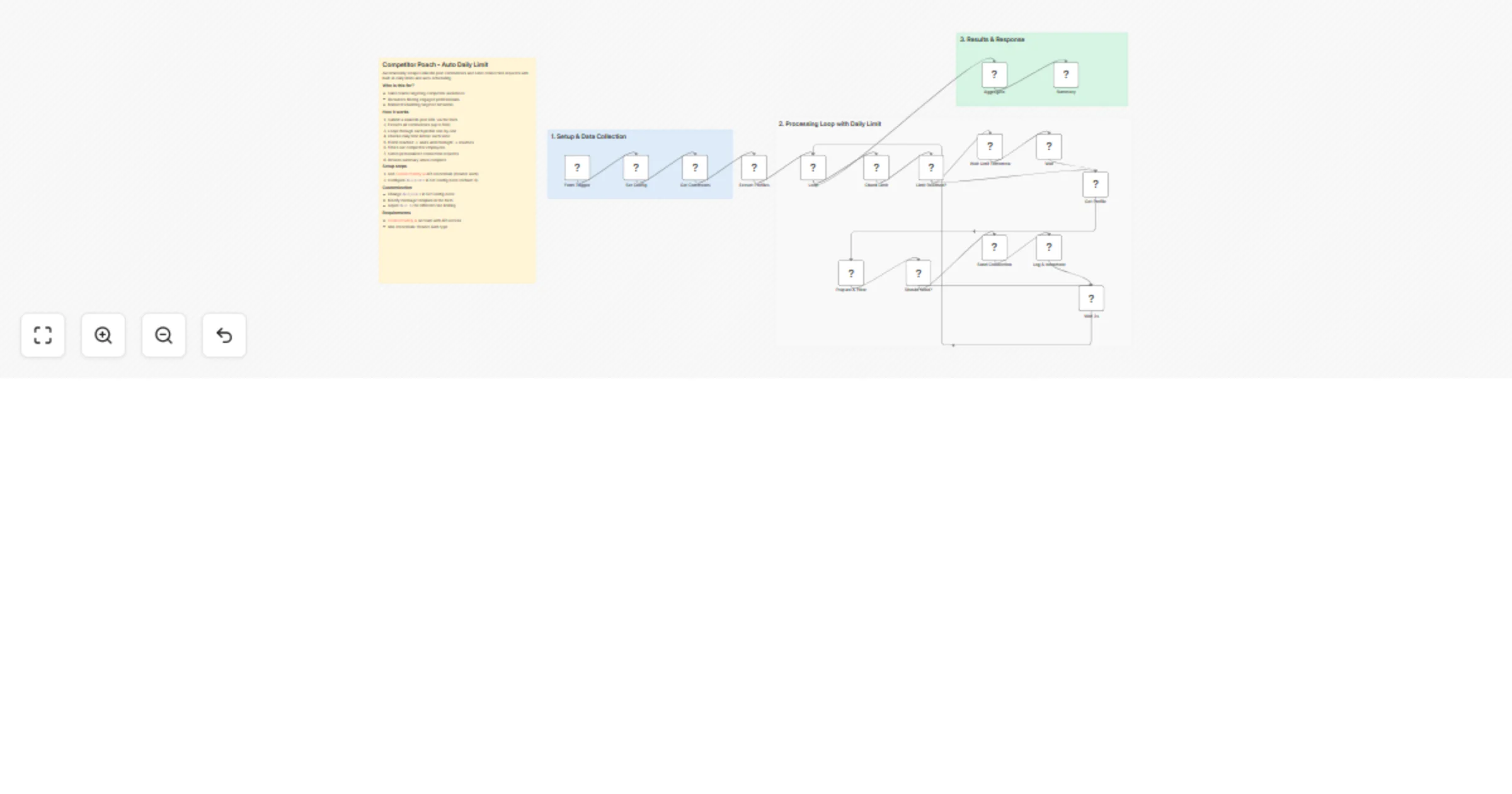
The workflow extracts all commenters from any LinkedIn post, filters out competitor employees, and sends personalized connection requests with intelligent daily limits that automatically pause overnight and resume the next day.
The process flow:
{firstName} placeholder supportThe magic: When you hit your daily limit (default: 8), the workflow calculates seconds until midnight, pauses automatically, then resumes processing the next day. Submit once, let it run for days.
Obtain API Key:
Add Bearer Auth Credential in n8n:
AuthorizationBearer YOUR_API_KEY (replace with your actual key)2.1 Open the Set Config Node
Customize your daily limit and other settings:
| Parameter | Description | Default |
|---|---|---|
| dailyLimit | Maximum connection requests per day | 8 |
Pro Tips:
2.2 Update HTTP Request Nodes
Select your ConnectSafely.ai Header Auth credential in these nodes:
https://www.linkedin.com/posts/competitor_topic-activity-123456789)Competitor Inc){firstName} placeholderSales Outreach:
Hi {firstName}, noticed your comment on that [industry] post. I'm working on similar challenges at [Your Company]—would love to connect and share insights.
Recruiting:
Hi {firstName}, your perspective on [topic] stood out. We're building something exciting at [Company] and I'd love to connect.
Founder Networking:
Hey {firstName}, great take on that thread. Always looking to connect with folks thinking deeply about [industry]. Let's stay in touch!
Minimal (Higher Acceptance):
Hi {firstName}, enjoyed your comment. Let's connect!
Open the Set Config node and modify:
{
 "dailyLimit": 10
}
Recommended limits by account age:
Add CRM Integration: Connect the Summary output to HubSpot, Salesforce, or Pipedrive to automatically create contacts
Add Slack Notifications: Insert a Slack node after Summary to get daily reports in your channel
Chain with Follow-up: Schedule a separate workflow to send follow-up messages to accepted connections
Add Lead Scoring: Insert a Code node to score leads based on headline, company size, or other criteria before sending requests
Form Input:
{
 "postUrl": "https://www.linkedin.com/posts/competitor_topic-activity-123456789",
 "competitorName": "Competitor Inc",
 "connectionMessage": "Hi {firstName}, let's connect!"
}
Summary Output:
{
 "totalProcessed": 45,
 "connectionsSent": 32,
 "skippedCompetitor": 8,
 "skippedOther": 5,
 "dailyLimitReached": true,
 "daysSpanned": 4
}
Individual Result (per profile):
{
 "profileId": "john-doe-123",
 "name": "John Doe",
 "action": "sent",
 "timestamp": "2025-01-29T14:30:00.000Z"
}
Competitive Lead Capture: Your competitor posts about a product launch and gets 200 comments. Those commenters are interested in your space—capture them before your competitor does.
Event Attendee Networking: Conference speaker posts their slides and gets engagement. Connect with attendees who couldn't make your session.
Thought Leadership Amplification: Industry influencer sparks a debate. Everyone commenting is a potential prospect or partner.
Talent Sourcing: Competitor announces layoffs and employees comment. Recruit displaced talent automatically.
Community Building: Popular post in your niche generates discussion. Build your network with engaged professionals.
Partner Discovery: Integration partner's post attracts their customers. Connect with potential mutual customers.
Issue: "No comments found" error
Issue: Daily limit reached immediately
Issue: All profiles skipped as "competitor"
Issue: Connection requests failing
Issue: Workflow stops unexpectedly
Issue: {firstName} not replaced in message
{firstName} (case-sensitive). The workflow replaces this with the actual first name.Issue: Rate limit errors from API
Daily Limit Behavior:
Compliance Considerations:
Best Practices:
Stay updated with the latest automation tips, LinkedIn strategies, and platform updates:
Looking to build sophisticated LinkedIn automation workflows tailored to your business needs?
Contact our team for custom automation development, strategy consulting, and enterprise solutions.
We specialize in:
This catalog entry is organized from the workflow JSON. The node-level section below shows the executable blocks available for review before importing the template.
| Workflow | Send LinkedIn connection requests to competitor post commenters via ConnectSafely.ai |
|---|---|
| Complexity | advanced |
| Nodes | 21 |
| Categories | Lead Generation |
| Author | ConnectSafely |
| Published | 29 Jan 2026 |
Use the JSON export at /data/workflows/13094/13094.json as the source template for this automation.
Open n8n, import the downloaded JSON, and review each node before activating the workflow.
Replace placeholder credentials, API keys, webhook URLs, account IDs, and environment-specific values with your own settings.
Run the workflow manually or in a staging workspace, inspect node output, and confirm downstream systems receive the expected data.
Enable the workflow only after testing, then monitor executions, errors, and rate limits during the first production runs.
Review imported nodes carefully before activation. This catalog entry is intended to help you inspect the workflow structure, understand required services, and find related templates faster.
Node names, credentials, schedules, webhook paths, and external service limits may need adjustment for your workspace.
Who's it for This workflow is built for sales professionals, recruiters, growth marketers, and founders who want to convert engaged LinkedIn audiences into warm leads. Perfect for anyone running co...
Review the workflow JSON, configure any required credentials in n8n, and test the automation in a safe workspace before using it in production.
Yes. Use the block-by-block analysis and the downloadable JSON to inspect each node, then adjust credentials, prompts, schedules, filters, or destinations for your Lead Generation use case.