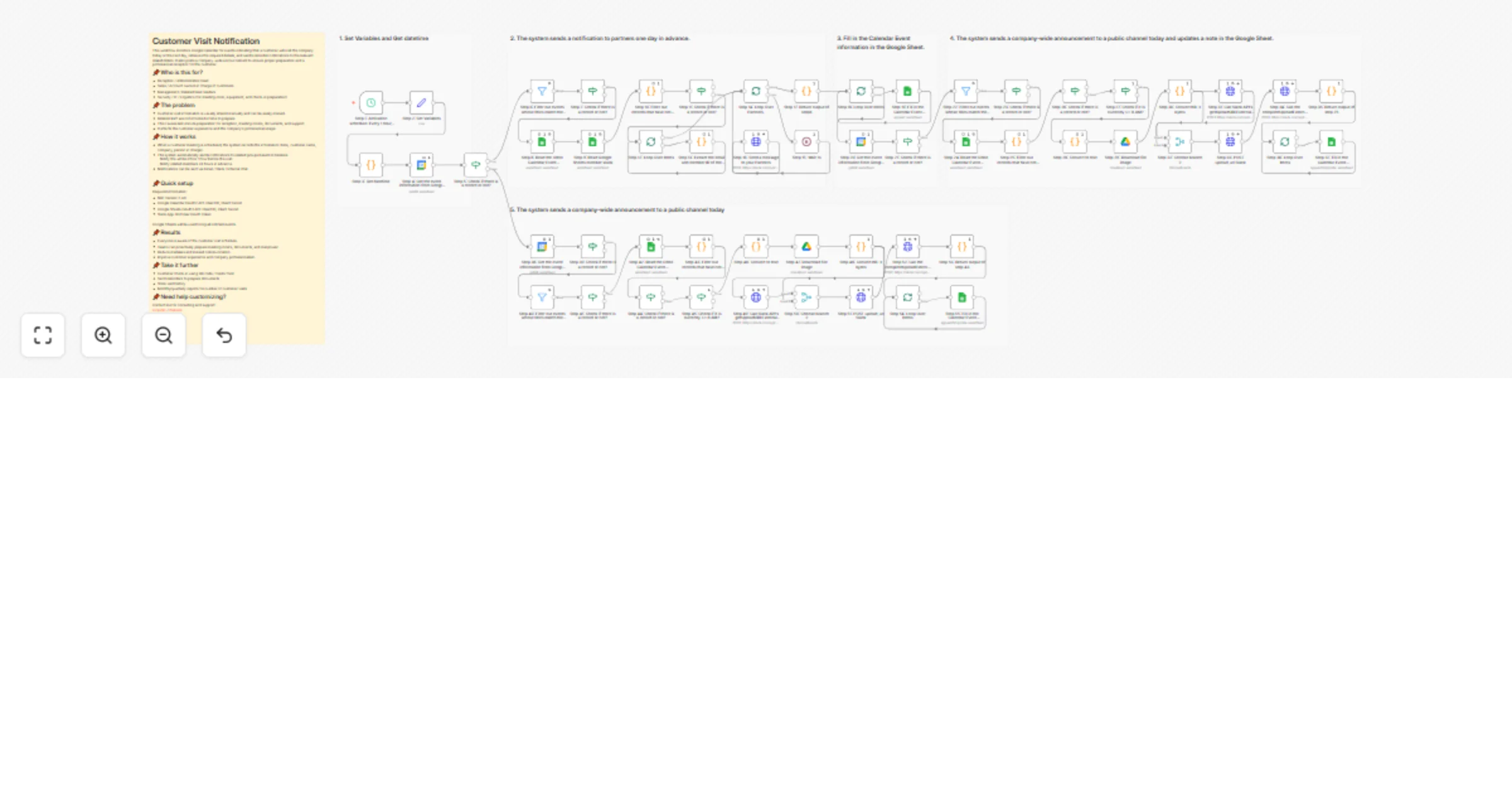
Send customer visit notifications from Google Calendar to Slack and Sheets

Workflow preview

Workflow preview
100%
Send customer visit notifications from Google Calendar to Slack and Sheets preview
Open on n8n.io

1. Workflow Overview

Customer Visit Notification This workflow monitors Google Calendar for events indicating that a customer will visit the company today or the next day, retrieves the required details, and sends remi...

Best for

  • Internal Wiki automation workflows
  • advanced n8n builders looking for reusable templates

Tools used

n8n-nodes-base.scheduletrigger, n8n-nodes-base.googlecalendar, n8n-nodes-base.set, n8n-nodes-base.code, n8n-nodes-base.if, n8n-nodes-base.filter, n8n-nodes-base.googlesheets, n8n-nodes-base.splitinbatches

Source and attribution

This workflow is cataloged by N8N Workflows and links back to its original n8n.io source page by BHSoft.

Original n8n.io source

1.1 Workflow description

Title
Send customer visit notifications from Google Calendar to Slack and Sheets
Workflow name
Send customer visit notifications from Google Calendar to Slack and Sheets

Customer Visit Notification

This workflow monitors Google Calendar for events indicating that a customer will visit the company today or the next day, retrieves the required details, and sends reminder notifications to the relevant stakeholders. It also posts a company-wide announcement to ensure proper preparation and a professional reception for the customer.

📌Who is this for?

  • Reception / Administration team
  • Sales / Account owners in charge of customers
  • Management / Related team leaders
  • Security / IT / Logistics (for meeting room, equipment, and check-in preparation)

📌The problem

  • Customer visit information is usually shared manually and can be easily missed.
  • Related staff are not informed in time to prepare.
  • This causes last-minute preparation for reception, meeting rooms, documents, and support.
  • It affects the customer experience and the company’s professional image.

📌How it works

  • When a customer meeting is scheduled, the system records the information (time, customer name, company, person in charge).
  • The system automatically sends notifications to related groups based on timeline:
  • Notify the whole office 1 hour before the visit.
  • Notify related members 24 hours in advance.
  • Notifications can be sent via Email / Slack / Internal chat.

📌Quick setup

Required information:

  • N8n Version 2.4.6
  • Google Calendar OAuth2 API: Client ID, Client Secret
  • Google Sheets OAuth2 API: Client ID, Client Secret
  • Slack App: Bot User OAuth Token

Google Sheets will be used to log all notified events.

📌Results

  • Everyone is aware of the customer visit schedule.
  • Teams can proactively prepare meeting rooms, documents, and manpower.
  • Reduce mistakes and missed communication.
  • Improve customer experience and company professionalism.

📌Take it further

  • Customer check-in using QR code / Visitor form
  • Send reminders to prepare documents
  • Store visit history
  • Monthly/quarterly reports for number of customer visits

📌Need help customizing?

Contact me for consulting and support: Linkedin / Website

1.2 Logical Blocks

This catalog entry is organized from the workflow JSON. The node-level section below shows the executable blocks available for review before importing the template.

2. Block-by-Block Analysis

Block 1 - Step 1: Activation schedule: Every 1 hour, from 6 AM to 6 PM.

Type / Role
n8n-nodes-base.scheduleTrigger - scheduleTrigger
Config choices
Version 1.2

Block 2 - Step 4: Get the event information from Google Calendar for tomorrow.

Type / Role
n8n-nodes-base.googleCalendar - googleCalendar
Config choices
Version 1.3

Block 3 - Step 2: Set Variables

Type / Role
n8n-nodes-base.set - set
Config choices
Version 3.4

Block 4 - Step 3: Get datetime

Type / Role
n8n-nodes-base.code - code
Config choices
Version 2

Block 5 - Step 5: Check if there is a record or not?

Type / Role
n8n-nodes-base.if - if
Config choices
Version 2.3

Block 6 - Step 6: Filter out events whose titles match the action of a customer visiting the company.

Type / Role
n8n-nodes-base.filter - filter
Config choices
Version 2.3

Block 7 - Step 7: Check if there is a record or not?

Type / Role
n8n-nodes-base.if - if
Config choices
Version 2.3

Block 8 - Step 8: Read the Odoo Calendar Event notifications that have been sent.

Type / Role
n8n-nodes-base.googleSheets - googleSheets
Config choices
Version 4.7

Block 9 - Step 9: Read Google Sheets member slack

Type / Role
n8n-nodes-base.googleSheets - googleSheets
Config choices
Version 4.5

Block 10 - Step 10: Filter out records that have not been sent.

Type / Role
n8n-nodes-base.code - code
Config choices
Version 2

Block 11 - Step 11: Check if there is a record or not?

Type / Role
n8n-nodes-base.if - if
Config choices
Version 2.3

Block 12 - Step 12: Loop Over Items

Type / Role
n8n-nodes-base.splitInBatches - splitInBatches
Config choices
Version 3

Block 13 - Step 13: Extract the email and member ID of the partners.

Type / Role
n8n-nodes-base.code - code
Config choices
Version 2

Block 14 - Step 14: Loop Over Partners.

Type / Role
n8n-nodes-base.splitInBatches - splitInBatches
Config choices
Version 3

Block 15 - Step 15: Wait 1s

Type / Role
n8n-nodes-base.wait - wait
Config choices
Version 1.1

Block 16 - Step 16: Send a message to your Partners

Type / Role
n8n-nodes-base.httpRequest - httpRequest
Config choices
Version 4.2

Block 17 - Step 17: Return output of step8

Type / Role
n8n-nodes-base.code - code
Config choices
Version 2

Block 18 - Step 18: Loop Over Items

Type / Role
n8n-nodes-base.splitInBatches - splitInBatches
Config choices
Version 3

Block 19 - Step 19: Fill in the Calendar Event information in the Google Sheet.

Type / Role
n8n-nodes-base.googleSheets - googleSheets
Config choices
Version 4.7

Block 20 - Step 20: Get the event information from Google Calendar for today..

Type / Role
n8n-nodes-base.googleCalendar - googleCalendar
Config choices
Version 1.3

Block 21 - Step 21: Check if there is a record or not?

Type / Role
n8n-nodes-base.if - if
Config choices
Version 2.3

Block 22 - Step 22: Filter out events whose titles match the action of a customer visiting the company.

Type / Role
n8n-nodes-base.filter - filter
Config choices
Version 2.3

Block 23 - Step 23: Check if there is a record or not?

Type / Role
n8n-nodes-base.if - if
Config choices
Version 2.3

Block 24 - Step 24: Read the Odoo Calendar Event notifications that have been sent.

Type / Role
n8n-nodes-base.googleSheets - googleSheets
Config choices
Version 4.7

Showing the first 24 of 61 workflow blocks. Download the JSON for the full node graph.

3. Summary Table

Workflow Send customer visit notifications from Google Calendar to Slack and Sheets
Complexity advanced
Nodes 61
Categories Internal Wiki
Author BHSoft
Published 30 Jan 2026

4. Reproducing the Workflow from Scratch

  1. 1. Download the workflow JSON

    Use the JSON export at /data/workflows/13111/13111.json as the source template for this automation.

  2. 2. Import the template into n8n

    Open n8n, import the downloaded JSON, and review each node before activating the workflow.

  3. 3. Configure credentials and variables

    Replace placeholder credentials, API keys, webhook URLs, account IDs, and environment-specific values with your own settings.

  4. 4. Test with sample data

    Run the workflow manually or in a staging workspace, inspect node output, and confirm downstream systems receive the expected data.

  5. 5. Activate and monitor

    Enable the workflow only after testing, then monitor executions, errors, and rate limits during the first production runs.

5. General Notes & Resources

Review imported nodes carefully before activation. This catalog entry is intended to help you inspect the workflow structure, understand required services, and find related templates faster.

Node names, credentials, schedules, webhook paths, and external service limits may need adjustment for your workspace.

Frequently asked questions

What does Send customer visit notifications from Google Calendar to Slack and Sheets do?

Customer Visit Notification This workflow monitors Google Calendar for events indicating that a customer will visit the company today or the next day, retrieves the required details, and sends remi...

What do I need before importing this workflow?

Review the workflow JSON, configure any required credentials in n8n, and test the automation in a safe workspace before using it in production.

Can I customize this workflow?

Yes. Use the block-by-block analysis and the downloadable JSON to inspect each node, then adjust credentials, prompts, schedules, filters, or destinations for your Internal Wiki use case.