Send automated invoice payment reminders with Gmail, Google Sheets and Twilio
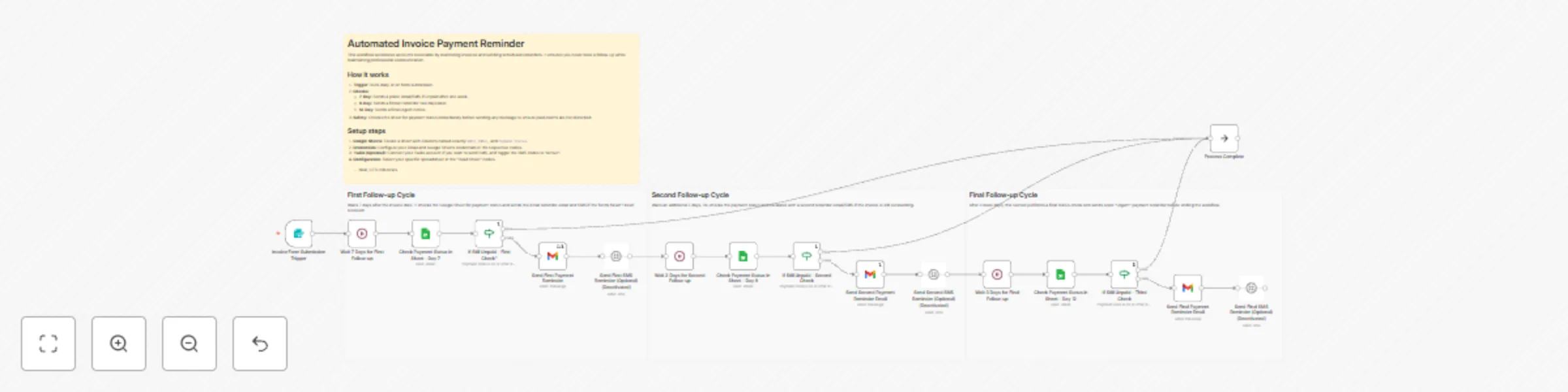
Workflow preview

$20/month : Unlimited workflows
2500 executions/month

THE #1 IN WEB SCRAPING
Scrape any website without limits
HOSTINGER  Early Deal
DISCOUNT 20% Try free
Early DealDISCOUNT 20%
Self-hosted n8n
Unlimited workflows - from $4.99/mo

#1 hub for scraping, AI & automation
6000+ actors - $5 credits/mo
Important notice
This workflow is provided as-is. Please review and test before using in production.
Overview
This workflow streamlines accounts receivable management by automatically monitoring invoices in Google Sheets and sending scheduled payment reminders. It is designed for businesses using Gmail and Google Sheets that need a scalable alternative to complex accounting software.
How it works
- Watches for invoices: Triggers daily or via form submission to check for new entries.
- First Follow-up (Day 7): Checks payment status one week after the invoice date. If unpaid, it sends a friendly email (and optional SMS).
- Second Follow-up (Day 9): Re-checks status and sends a firmer reminder if funds are still not received.
- Final Notice (Day 12): Sends a final urgent reminder before closing the cycle.
- Smart Stopping: The workflow checks the 'Payment Status' column before every single message to ensure clients who have already paid are never disturbed.
Setup time: About 20 minutes.
Prerequisites: A Google Sheet with columns for Date, Email, and Payment Status.