Send a curated tech RSS digest to Gmail with OpenAI GPT-5 Mini
Workflow preview


 Early Deal
DISCOUNT 20%

Overview
Workflow: RSS to E-Mail
*7 Nodes + AI Model *
⚙️ Pipeline Steps
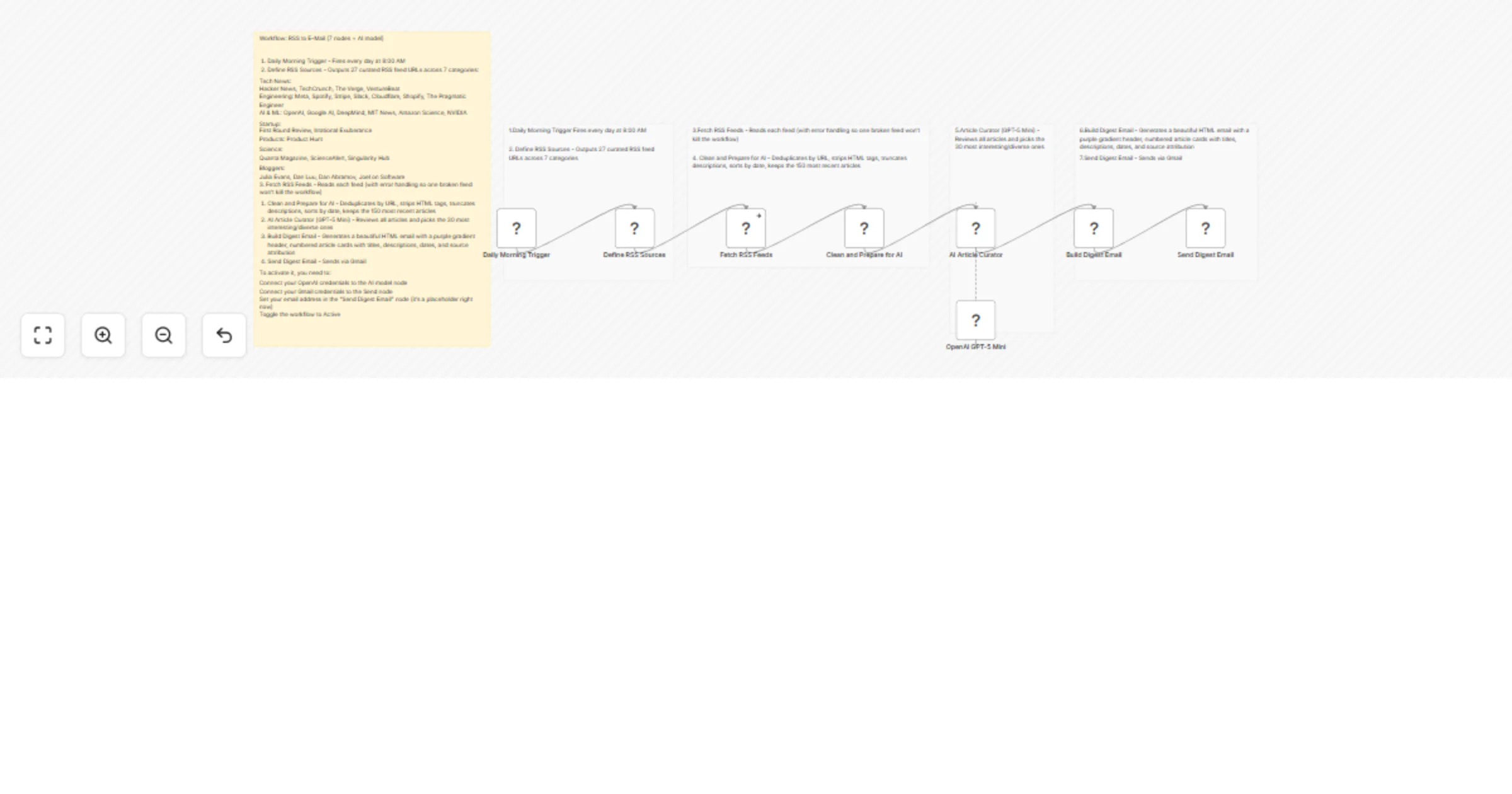
Daily Morning Trigger Fires every day at 8:00 AM.
Define RSS Sources Outputs 27 curated RSS feed URLs across 7 categories:
Category --------Sources
Fetch RSS Feeds Reads each feed (includes error handling so one broken feed won't kill the workflow).
Clean and Prepare for AI Deduplicates by URL, strips HTML tags, truncates descriptions, sorts by date, and keeps the 150 most recent articles.
AI Article Curator (GPT-5 Mini) Reviews all articles and picks the 30 most interesting and diverse ones.
Build Digest Email Generates a beautiful HTML email with a purple gradient header, numbered article cards with titles, descriptions, dates, and source attribution.
Send Digest Email Sends the final curated digest via Gmail.
🚀 How to Activate
To get this workflow running, you need to:
• Connect OpenAI: Add your credentials to the AI model node.
• Connect Gmail: Add your credentials to the Send node.
• Set Target Email: Update your email address in the "Send Digest Email" node (it is currently a placeholder).
Enable: Toggle the workflow to Active.