Scrape Skool community data using the Olostep API and Google Sheets

Workflow preview

Workflow preview
100%
Scrape Skool community data using the Olostep API and Google Sheets preview
Open on n8n.io

1. Workflow Overview

Skool Community Scraper Using Olostep API This n8n template automates scraping content from Skool communities using the Olostep API. It collects structured data from Skool pages and stores it in a ...

Best for

  • Market Research automation workflows
  • AI Summarization automation workflows
  • advanced n8n builders looking for reusable templates

Tools used

n8n-nodes-olostep.olostepscrape, n8n-nodes-base.filter, n8n-nodes-base.splitout, n8n-nodes-base.set, n8n-nodes-base.formtrigger, n8n-nodes-base.aggregate, n8n-nodes-base.code, n8n-nodes-base.merge

Source and attribution

This workflow is cataloged by N8N Workflows and links back to its original n8n.io source page by Yasser Sami.

Original n8n.io source

1.1 Workflow description

Title
Scrape Skool community data using the Olostep API and Google Sheets
Workflow name
Scrape Skool community data using the Olostep API and Google Sheets

Skool Community Scraper Using Olostep API

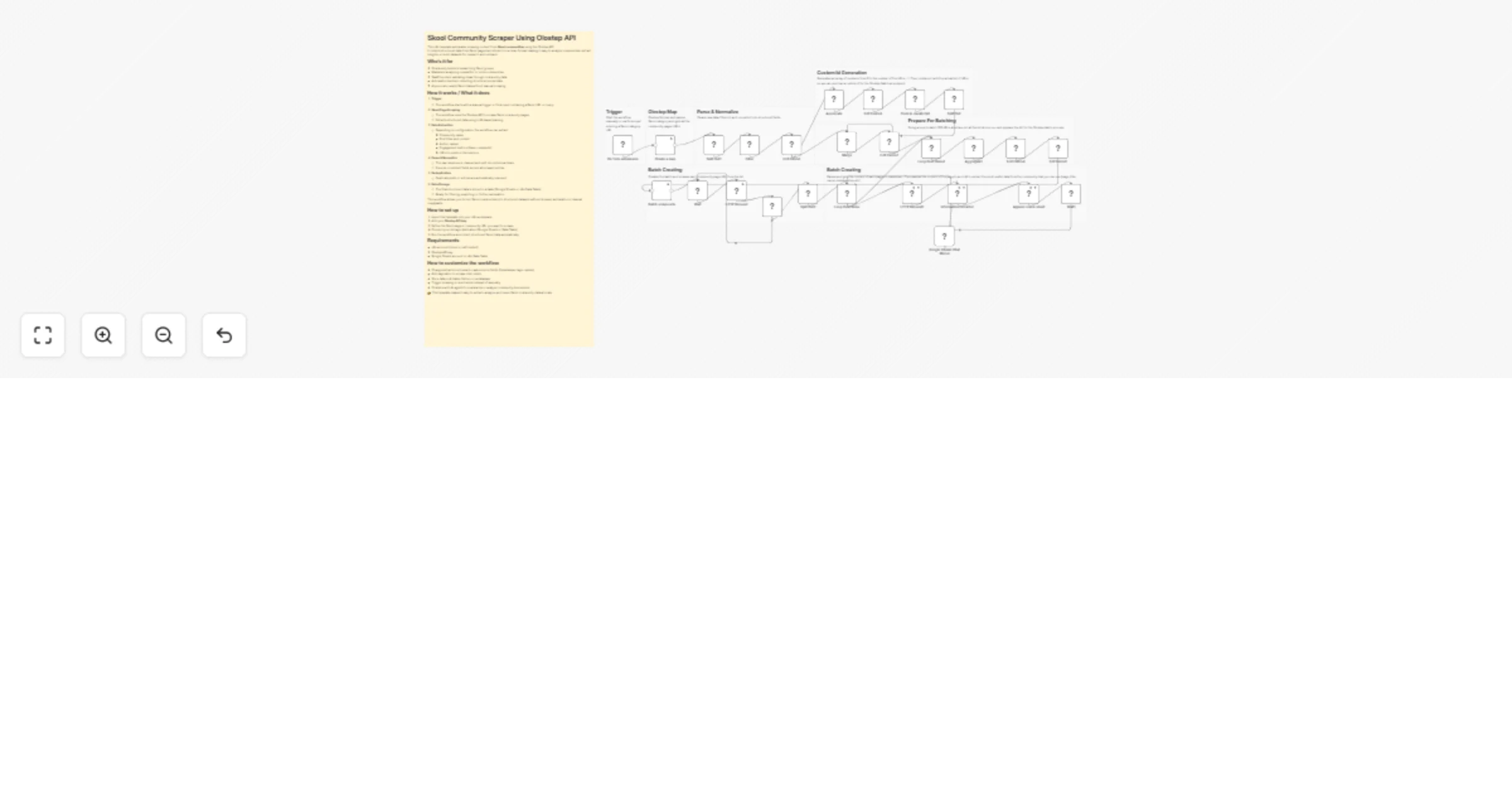
This n8n template automates scraping content from Skool communities using the Olostep API. It collects structured data from Skool pages and stores it in a clean format, making it easy to analyze communities, extract insights, or build datasets for research and outreach.

Who’s it for

  • Community builders researching Skool groups
  • Marketers analyzing competitor or niche communities
  • SaaS founders validating ideas through community data
  • Automation builders collecting structured social data
  • Anyone who wants Skool data without manual scraping

How it works / What it does

  1. Trigger
  • The workflow starts with a manual trigger or form input containing a Skool URL or query.
  1. Skool Page Scraping
  • The workflow uses the Olostep API to scrape Skool community pages.
  • Extracts structured data using LLM-based parsing.
  1. Data Extraction
  • Depending on configuration, the workflow can extract:
  • Community name
  • Post titles and content
  • Author names
  • Engagement metrics (likes, comments)
  • URLs to posts or discussions
  1. Parse & Normalize
  • The raw response is cleaned and split into individual items.
  • Ensures consistent fields across all scraped entries.
  1. Deduplication
  • Duplicate posts or entries are automatically removed.
  1. Data Storage
  • The final structured data is stored in a table (Google Sheets or n8n Data Table).
  • Ready for filtering, exporting, or further automation.

This workflow allows you to turn Skool communities into structured datasets without browser automation or manual copy/paste.

How to set up

  1. Import the template into your n8n workspace.
  2. Add your Olostep API key.
  3. Define the Skool page or community URL you want to scrape.
  4. Connect your storage destination (Google Sheets or Data Table).
  5. Run the workflow and collect structured Skool data automatically.

Requirements

  • n8n account (cloud or self-hosted)
  • Olostep API key
  • Google Sheets account or n8n Data Table

How to customize the workflow

  • Change extraction schema to capture more fields (timestamps, tags, replies).
  • Add pagination to scrape older posts.
  • Store data in Airtable, Notion, or a database.
  • Trigger scraping on a schedule instead of manually.
  • Combine with AI agents to summarize or analyze community discussions.

👉 This template makes it easy to extract, analyze, and reuse Skool community data at scale.

1.2 Logical Blocks

This catalog entry is organized from the workflow JSON. The node-level section below shows the executable blocks available for review before importing the template.

2. Block-by-Block Analysis

Block 1 - Create a map

Type / Role
n8n-nodes-olostep.olostepScrape - olostepScrape
Config choices
Version 1

Block 2 - Filter

Type / Role
n8n-nodes-base.filter - filter
Config choices
Version 2.3

Block 3 - Split Out1

Type / Role
n8n-nodes-base.splitOut - splitOut
Config choices
Version 1

Block 4 - Edit Fields1

Type / Role
n8n-nodes-base.set - set
Config choices
Version 3.4

Block 5 - On form submission

Type / Role
n8n-nodes-base.formTrigger - formTrigger
Config choices
Version 2.5

Block 6 - Edit Fields2

Type / Role
n8n-nodes-base.set - set
Config choices
Version 3.4

Block 7 - Batch scrape urls

Type / Role
n8n-nodes-olostep.olostepScrape - olostepScrape
Config choices
Version 1

Block 8 - Aggregate

Type / Role
n8n-nodes-base.aggregate - aggregate
Config choices
Version 1

Block 9 - Code in JavaScript

Type / Role
n8n-nodes-base.code - code
Config choices
Version 2

Block 10 - Edit Fields3

Type / Role
n8n-nodes-base.set - set
Config choices
Version 3.4

Block 11 - Split Out

Type / Role
n8n-nodes-base.splitOut - splitOut
Config choices
Version 1

Block 12 - Merge

Type / Role
n8n-nodes-base.merge - merge
Config choices
Version 3.2

Block 13 - Aggregate1

Type / Role
n8n-nodes-base.aggregate - aggregate
Config choices
Version 1

Block 14 - Edit Fields4

Type / Role
n8n-nodes-base.set - set
Config choices
Version 3.4

Block 15 - Edit Fields5

Type / Role
n8n-nodes-base.set - set
Config choices
Version 3.4

Block 16 - HTTP Request

Type / Role
n8n-nodes-base.httpRequest - httpRequest
Config choices
Version 4.3

Block 17 - HTTP Request1

Type / Role
n8n-nodes-base.httpRequest - httpRequest
Config choices
Version 4.3

Block 18 - Split Out2

Type / Role
n8n-nodes-base.splitOut - splitOut
Config choices
Version 1

Block 19 - Loop Over Items

Type / Role
n8n-nodes-base.splitInBatches - splitInBatches
Config choices
Version 3

Block 20 - Wait

Type / Role
n8n-nodes-base.wait - wait
Config choices
Version 1.1

Block 21 - If

Type / Role
n8n-nodes-base.if - if
Config choices
Version 2.3

Block 22 - Google Gemini Chat Model

Type / Role
@n8n/n8n-nodes-langchain.lmChatGoogleGemini - lmChatGoogleGemini
Config choices
Version 1

Block 23 - Append row in sheet

Type / Role
n8n-nodes-base.googleSheets - googleSheets
Config choices
Version 4.7

Block 24 - Wait1

Type / Role
n8n-nodes-base.wait - wait
Config choices
Version 1.1

Showing the first 24 of 35 workflow blocks. Download the JSON for the full node graph.

3. Summary Table

Workflow Scrape Skool community data using the Olostep API and Google Sheets
Complexity advanced
Nodes 35
Categories Market Research, AI Summarization
Author Yasser Sami
Published 16 Feb 2026

4. Reproducing the Workflow from Scratch

  1. 1. Download the workflow JSON

    Use the JSON export at /data/workflows/13437/13437.json as the source template for this automation.

  2. 2. Import the template into n8n

    Open n8n, import the downloaded JSON, and review each node before activating the workflow.

  3. 3. Configure credentials and variables

    Replace placeholder credentials, API keys, webhook URLs, account IDs, and environment-specific values with your own settings.

  4. 4. Test with sample data

    Run the workflow manually or in a staging workspace, inspect node output, and confirm downstream systems receive the expected data.

  5. 5. Activate and monitor

    Enable the workflow only after testing, then monitor executions, errors, and rate limits during the first production runs.

5. General Notes & Resources

Review imported nodes carefully before activation. This catalog entry is intended to help you inspect the workflow structure, understand required services, and find related templates faster.

Node names, credentials, schedules, webhook paths, and external service limits may need adjustment for your workspace.

Frequently asked questions

What does Scrape Skool community data using the Olostep API and Google Sheets do?

Skool Community Scraper Using Olostep API This n8n template automates scraping content from Skool communities using the Olostep API. It collects structured data from Skool pages and stores it in a ...

What do I need before importing this workflow?

Review the workflow JSON, configure any required credentials in n8n, and test the automation in a safe workspace before using it in production.

Can I customize this workflow?

Yes. Use the block-by-block analysis and the downloadable JSON to inspect each node, then adjust credentials, prompts, schedules, filters, or destinations for your Market Research, AI Summarization use case.