Scrape Shopify store leads with ScraperCity and push verified contacts to HubSpot CRM

Workflow preview

Workflow preview
100%
Scrape Shopify store leads with ScraperCity and push verified contacts to HubSpot CRM preview
Open on n8n.io

1. Workflow Overview

Who is this for This workflow is built for digital agencies and sales teams that sell services to ecommerce brands. If you prospect Shopify store owners and want a repeatable, automated pipeline fr...

Best for

  • Lead Generation automation workflows
  • advanced n8n builders looking for reusable templates

Tools used

n8n-nodes-base.stickynote, n8n-nodes-base.manualtrigger, n8n-nodes-base.set, n8n-nodes-base.httprequest, n8n-nodes-base.wait, n8n-nodes-base.splitinbatches, n8n-nodes-base.if, n8n-nodes-base.code

Source and attribution

This workflow is cataloged by N8N Workflows and links back to its original n8n.io source page by Alex Berman.

Original n8n.io source

1.1 Workflow description

Title
Scrape Shopify store leads with ScraperCity and push verified contacts to HubSpot CRM
Workflow name
Scrape Shopify store leads with ScraperCity and push verified contacts to HubSpot CRM

Who is this for

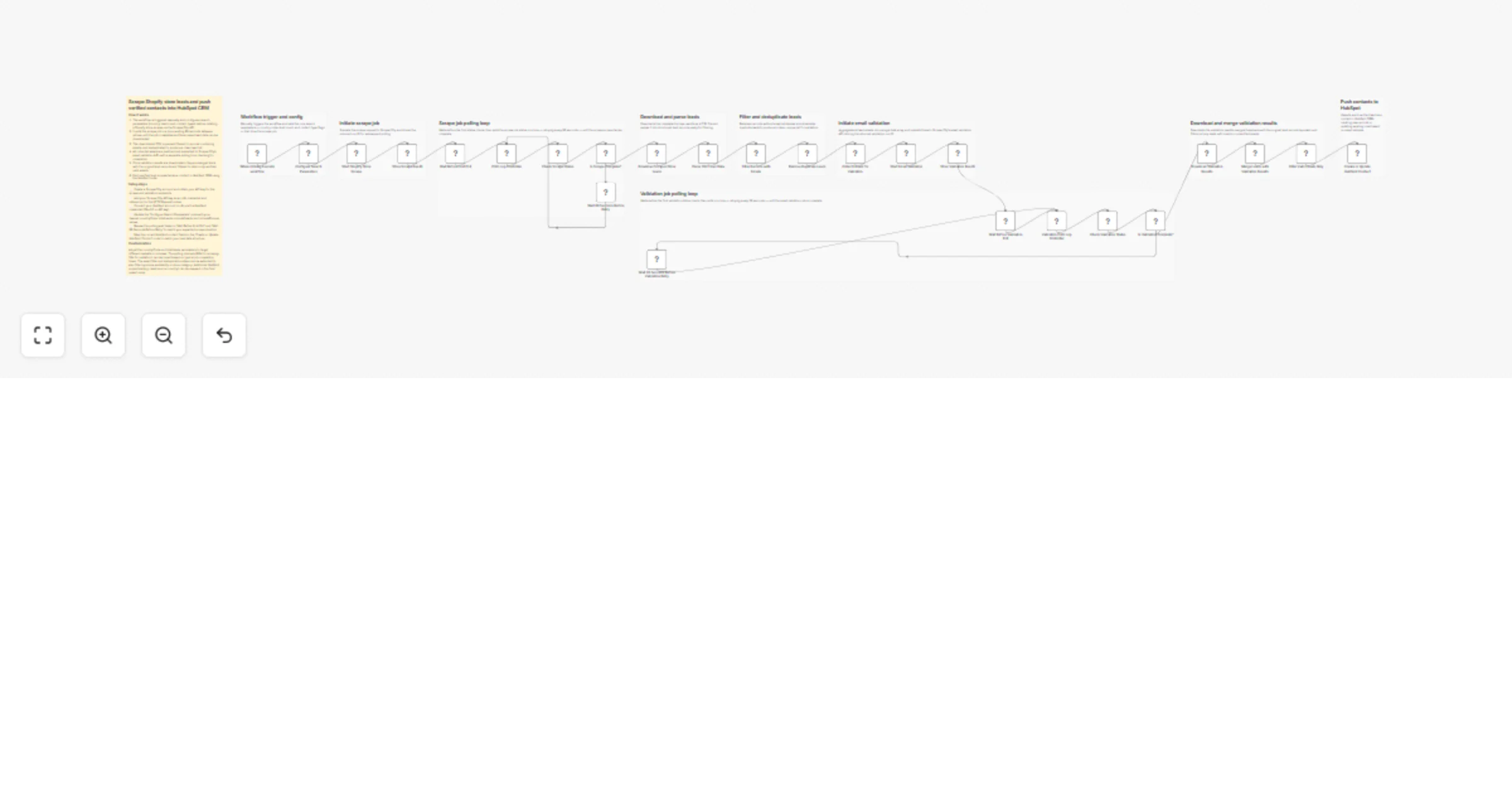
This workflow is built for digital agencies and sales teams that sell services to ecommerce brands. If you prospect Shopify store owners and want a repeatable, automated pipeline from discovery to CRM -- this template handles the entire process.

How it works

  1. A configuration node lets you set your target country, lead volume, and filters before anything runs.
  2. ScraperCity's store-leads API scrapes live Shopify stores and returns emails, phone numbers, and social profiles.
  3. The workflow polls for job completion every 60 seconds, then downloads and parses the CSV results.
  4. All harvested emails are sent in bulk to ScraperCity's email-validator API, which checks deliverability, MX records, and catch-all status.
  5. Only contacts with valid or acceptable email status pass through a filter node.
  6. Duplicate records are removed before each verified lead is created or updated as a contact in HubSpot CRM.

How to set up

  1. Create a ScraperCity account at app.scrapercity.com and copy your API key.
  2. In n8n, create an HTTP Header Auth credential named "ScraperCity API Key" with the header name "Authorization" and value "Bearer YOUR_KEY".
  3. Connect your HubSpot account using the HubSpot App Token credential.
  4. Open the Configure Search Parameters node and set your target country code and lead volume.

Requirements

  • ScraperCity account (app.scrapercity.com) -- store-leads and email-validator products
  • HubSpot account with a private app token
  • n8n instance (cloud or self-hosted)

How to customize the workflow

  • Change countryCode in the config node to target any market (GB, AU, CA, etc.)
  • Adjust totalLeads to control scrape volume per run
  • Add a filter node after email validation to restrict to specific domains or revenue signals
  • Swap HubSpot for another CRM by replacing the final node with a Salesforce, Pipedrive, or Airtable node

1.2 Logical Blocks

This catalog entry is organized from the workflow JSON. The node-level section below shows the executable blocks available for review before importing the template.

2. Block-by-Block Analysis

Block 1 - Sticky Note

Type / Role
n8n-nodes-base.stickyNote - stickyNote
Config choices
Version 1

Block 2 - Sticky Note1

Type / Role
n8n-nodes-base.stickyNote - stickyNote
Config choices
Version 1

Block 3 - Sticky Note2

Type / Role
n8n-nodes-base.stickyNote - stickyNote
Config choices
Version 1

Block 4 - Sticky Note3

Type / Role
n8n-nodes-base.stickyNote - stickyNote
Config choices
Version 1

Block 5 - Sticky Note4

Type / Role
n8n-nodes-base.stickyNote - stickyNote
Config choices
Version 1

Block 6 - Sticky Note5

Type / Role
n8n-nodes-base.stickyNote - stickyNote
Config choices
Version 1

Block 7 - Sticky Note6

Type / Role
n8n-nodes-base.stickyNote - stickyNote
Config choices
Version 1

Block 8 - Sticky Note7

Type / Role
n8n-nodes-base.stickyNote - stickyNote
Config choices
Version 1

Block 9 - Sticky Note8

Type / Role
n8n-nodes-base.stickyNote - stickyNote
Config choices
Version 1

Block 10 - Sticky Note9

Type / Role
n8n-nodes-base.stickyNote - stickyNote
Config choices
Version 1

Block 11 - When clicking Execute workflow

Type / Role
n8n-nodes-base.manualTrigger - manualTrigger
Config choices
Version 1

Block 12 - Configure Search Parameters

Type / Role
n8n-nodes-base.set - set
Config choices
Version 3.4

Block 13 - Start Shopify Store Scrape

Type / Role
n8n-nodes-base.httpRequest - httpRequest
Config choices
Version 4.2

Block 14 - Store Scrape Run ID

Type / Role
n8n-nodes-base.set - set
Config choices
Version 3.4

Block 15 - Wait Before First Poll

Type / Role
n8n-nodes-base.wait - wait
Config choices
Version 1.1

Block 16 - Poll Loop Controller

Type / Role
n8n-nodes-base.splitInBatches - splitInBatches
Config choices
Version 3

Block 17 - Check Scrape Status

Type / Role
n8n-nodes-base.httpRequest - httpRequest
Config choices
Version 4.2

Block 18 - Is Scrape Complete?

Type / Role
n8n-nodes-base.if - if
Config choices
Version 2.2

Block 19 - Wait 60 Seconds Before Retry

Type / Role
n8n-nodes-base.wait - wait
Config choices
Version 1.1

Block 20 - Download Scraped Store Leads

Type / Role
n8n-nodes-base.httpRequest - httpRequest
Config choices
Version 4.2

Block 21 - Parse CSV Lead Data

Type / Role
n8n-nodes-base.code - code
Config choices
Version 2

Block 22 - Filter Records with Emails

Type / Role
n8n-nodes-base.filter - filter
Config choices
Version 2.2

Block 23 - Remove Duplicate Leads

Type / Role
n8n-nodes-base.removeDuplicates - removeDuplicates
Config choices
Version 2

Block 24 - Collect Emails for Validation

Type / Role
n8n-nodes-base.code - code
Config choices
Version 2

Showing the first 24 of 35 workflow blocks. Download the JSON for the full node graph.

3. Summary Table

Workflow Scrape Shopify store leads with ScraperCity and push verified contacts to HubSpot CRM
Complexity advanced
Nodes 35
Categories Lead Generation
Author Alex Berman
Published 14 Mar 2026

4. Reproducing the Workflow from Scratch

  1. 1. Download the workflow JSON

    Use the JSON export at /data/workflows/14032/14032.json as the source template for this automation.

  2. 2. Import the template into n8n

    Open n8n, import the downloaded JSON, and review each node before activating the workflow.

  3. 3. Configure credentials and variables

    Replace placeholder credentials, API keys, webhook URLs, account IDs, and environment-specific values with your own settings.

  4. 4. Test with sample data

    Run the workflow manually or in a staging workspace, inspect node output, and confirm downstream systems receive the expected data.

  5. 5. Activate and monitor

    Enable the workflow only after testing, then monitor executions, errors, and rate limits during the first production runs.

5. General Notes & Resources

Review imported nodes carefully before activation. This catalog entry is intended to help you inspect the workflow structure, understand required services, and find related templates faster.

Node names, credentials, schedules, webhook paths, and external service limits may need adjustment for your workspace.

Frequently asked questions

What does Scrape Shopify store leads with ScraperCity and push verified contacts to HubSpot CRM do?

Who is this for This workflow is built for digital agencies and sales teams that sell services to ecommerce brands. If you prospect Shopify store owners and want a repeatable, automated pipeline fr...

What do I need before importing this workflow?

Review the workflow JSON, configure any required credentials in n8n, and test the automation in a safe workspace before using it in production.

Can I customize this workflow?

Yes. Use the block-by-block analysis and the downloadable JSON to inspect each node, then adjust credentials, prompts, schedules, filters, or destinations for your Lead Generation use case.