Scrape RSS job posts, deduplicate with Google Sheets, and send Telegram alerts

Workflow preview

Workflow preview
100%
Scrape RSS job posts, deduplicate with Google Sheets, and send Telegram alerts preview
Open on n8n.io

1. Workflow Overview

Who is this for This workflow is perfect for job seekers, recruiters, freelancers, and anyone actively monitoring job boards who wants to automate their search — getting instant Telegram alerts for...

Best for

  • Lead Generation automation workflows
  • advanced n8n builders looking for reusable templates

Tools used

n8n-nodes-base.stickynote, n8n-nodes-base.scheduletrigger, n8n-nodes-base.httprequest, n8n-nodes-base.code, n8n-nodes-base.if, n8n-nodes-base.googlesheets, n8n-nodes-base.telegram

Source and attribution

This workflow is cataloged by N8N Workflows and links back to its original n8n.io source page by Tony Adijah.

Original n8n.io source

1.1 Workflow description

Title
Scrape RSS job posts, deduplicate with Google Sheets, and send Telegram alerts
Workflow name
Scrape RSS job posts, deduplicate with Google Sheets, and send Telegram alerts

Who is this for

This workflow is perfect for job seekers, recruiters, freelancers, and anyone actively monitoring job boards who wants to automate their search — getting instant Telegram alerts for new matching jobs without manually refreshing pages or missing time-sensitive postings.

What this workflow does

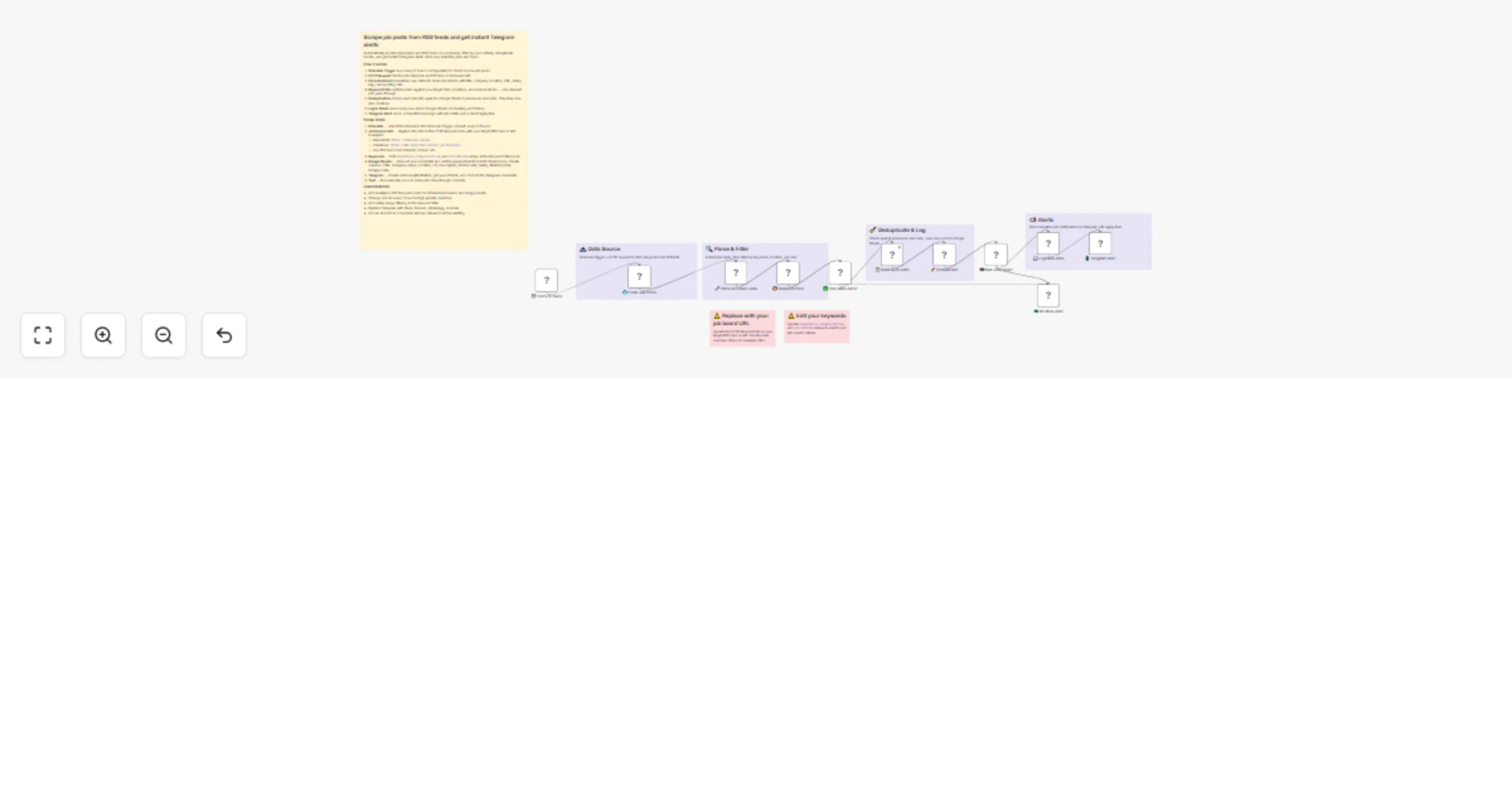
It automatically scrapes job posts from RSS feeds or job board APIs on a schedule, filters them by your target roles, locations, and keywords, deduplicates results against previously seen jobs stored in Google Sheets, and sends formatted Telegram alerts with job details and direct apply links for every new matching position.

How it works

  • Schedule Trigger runs every 6 hours (configurable) to check for new job posts.
  • HTTP Request fetches job data from an RSS feed or job board API (default: RemoteOK).
  • Parse & Extract normalizes raw data into clean job objects with title, company, location, URL, salary, tags, and posting date.
  • Keyword Filter matches jobs against your configurable target roles, locations, and exclude terms — only relevant jobs pass through.
  • Deduplication checks each job against a Google Sheet of previously seen jobs. Only truly new jobs continue.
  • Log to Sheet saves every new job to Google Sheets for tracking and history.
  • Telegram Alert sends a formatted message with job details, tags, salary, and a direct apply link.

Setup steps

  • Schedule — Adjust the interval in the Schedule Trigger node (default: every 6 hours). Set to every 1 hour for active searches.
  • Job Source URL — Replace the URL in the HTTP Request node with your target job board RSS feed or API endpoint. Examples: RemoteOK (https://remoteok.com/api), Arbeitnow (https://www.arbeitnow.com/api/job-board-api), or any RSS feed from LinkedIn, Indeed, etc.
  • Keywords — Edit the arrays in the Keyword Filter node: targetRoles, targetLocations, and excludeTerms.
  • Google Sheets — Connect your Google Sheets OAuth credential. Create a spreadsheet with columns: Title, Company name, Location, Url, Description, Posted date, Salary, Matched Role, Scraped date. Set the spreadsheet ID in both Sheet nodes.
  • Telegram — Create a bot via @BotFather, get your Chat ID, connect the Telegram credential, and set your Chat ID in the alert node.
  • Test — Run the workflow manually once to verify jobs flow through correctly.

Requirements

  • Google Sheets account with OAuth credentials
  • Telegram bot (created via @BotFather) with bot token and chat ID
  • n8n instance (cloud or self-hosted)
  • A job board with an RSS feed or public API

How to customize

  • Add multiple HTTP Request nodes for different job boards and merge results with a Merge node.
  • Change the cron to every 1 hour for high-priority searches.
  • Add salary range filtering in the keyword filter code.
  • Replace Telegram with Slack, Discord, WhatsApp, or email alerts.
  • Add an AI node (Ollama, OpenAI) to score and rank jobs by relevance before alerting.
  • Adjust the Parse & Extract node field mappings when switching to a different job board API.

1.2 Logical Blocks

This catalog entry is organized from the workflow JSON. The node-level section below shows the executable blocks available for review before importing the template.

2. Block-by-Block Analysis

Block 1 - Sticky Note - Main Overview

Type / Role
n8n-nodes-base.stickyNote - stickyNote
Config choices
Version 1

Block 2 - Sticky Note - Data Source

Type / Role
n8n-nodes-base.stickyNote - stickyNote
Config choices
Version 1

Block 3 - Sticky Note - Parse Filter

Type / Role
n8n-nodes-base.stickyNote - stickyNote
Config choices
Version 1

Block 4 - Sticky Note - Deduplicate

Type / Role
n8n-nodes-base.stickyNote - stickyNote
Config choices
Version 1

Block 5 - Sticky Note - Alerts

Type / Role
n8n-nodes-base.stickyNote - stickyNote
Config choices
Version 1

Block 6 - Sticky Note - Warning URL

Type / Role
n8n-nodes-base.stickyNote - stickyNote
Config choices
Version 1

Block 7 - Sticky Note - Warning Keywords

Type / Role
n8n-nodes-base.stickyNote - stickyNote
Config choices
Version 1

Block 8 - ⏰ Every 6 Hours

Type / Role
n8n-nodes-base.scheduleTrigger - scheduleTrigger
Config choices
Version 1.2

Block 9 - 🌐 Fetch Job Posts

Type / Role
n8n-nodes-base.httpRequest - httpRequest
Config choices
Version 4.2

Block 10 - 🔧 Parse & Extract Jobs

Type / Role
n8n-nodes-base.code - code
Config choices
Version 2

Block 11 - 🎯 Keyword Filter

Type / Role
n8n-nodes-base.code - code
Config choices
Version 2

Block 12 - ✅ Has Valid Jobs?

Type / Role
n8n-nodes-base.if - if
Config choices
Version 2.2

Block 13 - 📋 Read Seen Jobs

Type / Role
n8n-nodes-base.googleSheets - googleSheets
Config choices
Version 4.6

Block 14 - 🧹 Deduplicate

Type / Role
n8n-nodes-base.code - code
Config choices
Version 2

Block 15 - 🆕 New Jobs Only?

Type / Role
n8n-nodes-base.if - if
Config choices
Version 2.2

Block 16 - 📊 Log New Jobs

Type / Role
n8n-nodes-base.googleSheets - googleSheets
Config choices
Version 4.6

Block 17 - 📲 Telegram Alert

Type / Role
n8n-nodes-base.telegram - telegram
Config choices
Version 1.2

Block 18 - 💤 No New Jobs

Type / Role
n8n-nodes-base.code - code
Config choices
Version 2

3. Summary Table

Workflow Scrape RSS job posts, deduplicate with Google Sheets, and send Telegram alerts
Complexity advanced
Nodes 18
Categories Lead Generation
Author Tony Adijah
Published 17 Feb 2026

4. Reproducing the Workflow from Scratch

  1. 1. Download the workflow JSON

    Use the JSON export at /data/workflows/13464/13464.json as the source template for this automation.

  2. 2. Import the template into n8n

    Open n8n, import the downloaded JSON, and review each node before activating the workflow.

  3. 3. Configure credentials and variables

    Replace placeholder credentials, API keys, webhook URLs, account IDs, and environment-specific values with your own settings.

  4. 4. Test with sample data

    Run the workflow manually or in a staging workspace, inspect node output, and confirm downstream systems receive the expected data.

  5. 5. Activate and monitor

    Enable the workflow only after testing, then monitor executions, errors, and rate limits during the first production runs.

5. General Notes & Resources

Review imported nodes carefully before activation. This catalog entry is intended to help you inspect the workflow structure, understand required services, and find related templates faster.

Node names, credentials, schedules, webhook paths, and external service limits may need adjustment for your workspace.

Frequently asked questions

What does Scrape RSS job posts, deduplicate with Google Sheets, and send Telegram alerts do?

Who is this for This workflow is perfect for job seekers, recruiters, freelancers, and anyone actively monitoring job boards who wants to automate their search — getting instant Telegram alerts for...

What do I need before importing this workflow?

Review the workflow JSON, configure any required credentials in n8n, and test the automation in a safe workspace before using it in production.

Can I customize this workflow?

Yes. Use the block-by-block analysis and the downloadable JSON to inspect each node, then adjust credentials, prompts, schedules, filters, or destinations for your Lead Generation use case.