Score and route new trial leads with Firecrawl, Scrapin.io, OpenAI, Slack and Instantly

Workflow preview

Workflow preview
100%
Score and route new trial leads with Firecrawl, Scrapin.io, OpenAI, Slack and Instantly preview
Open on n8n.io

1. Workflow Overview

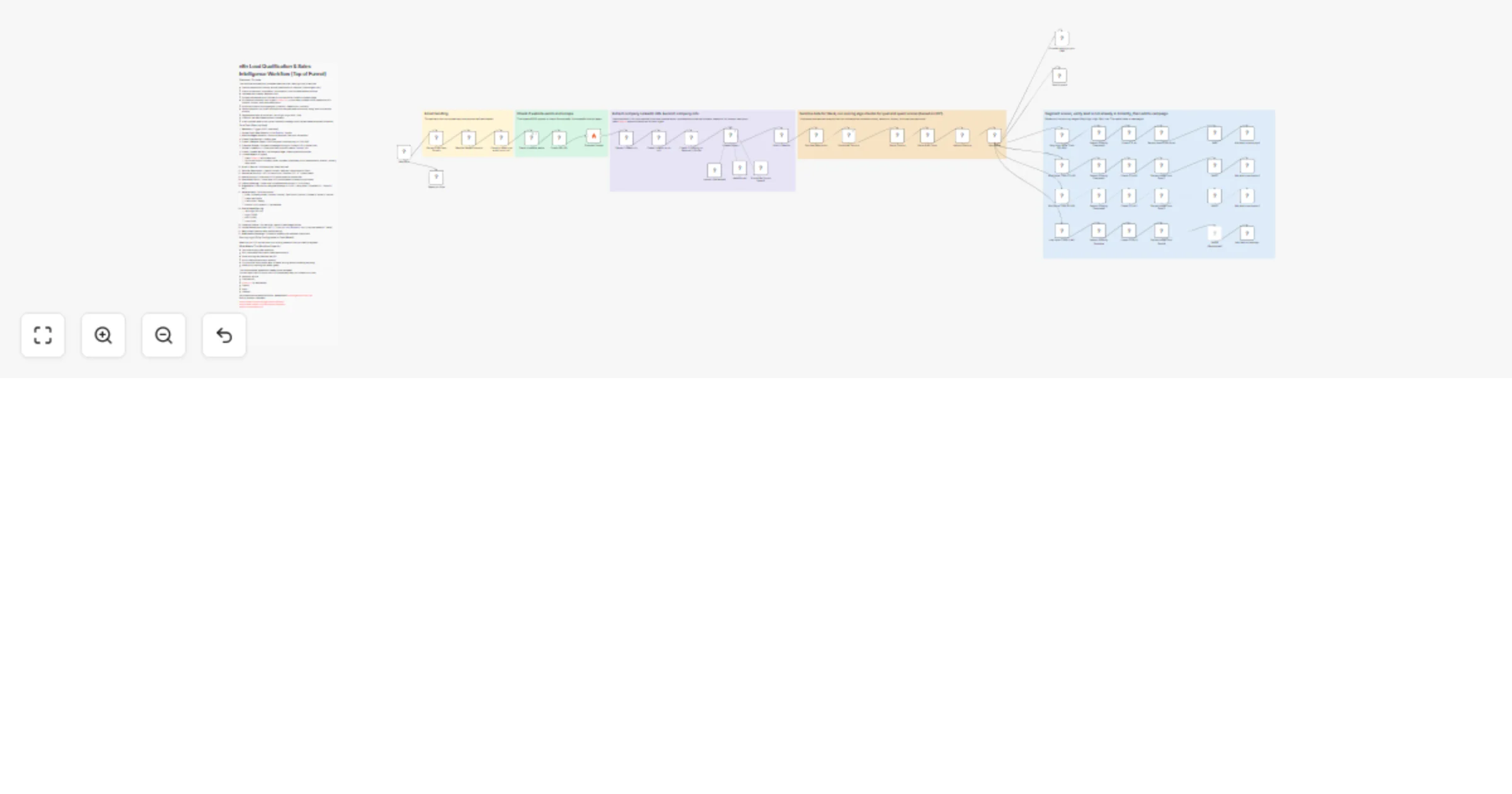
n8n Lead Qualification & Sales Intelligence Workflow (Top of Funnel) Overview / Purpose This workflow automatically processes new free trial / lead sign ups in real time: Catches a webhook from any...

Best for

  • Lead Generation automation workflows
  • AI Summarization automation workflows
  • advanced n8n builders looking for reusable templates

Tools used

n8n-nodes-base.webhook, n8n-nodes-base.set, n8n-nodes-base.if, @n8n/n8n-nodes-langchain.outputparserstructured, @n8n/n8n-nodes-langchain.agent, n8n-nodes-base.httprequest, @n8n/n8n-nodes-langchain.openai, n8n-nodes-base.code

Source and attribution

This workflow is cataloged by N8N Workflows and links back to its original n8n.io source page by Brandon Charleson.

Original n8n.io source

1.1 Workflow description

Title
Score and route new trial leads with Firecrawl, Scrapin.io, OpenAI, Slack and Instantly
Workflow name
Score and route new trial leads with Firecrawl, Scrapin.io, OpenAI, Slack and Instantly

n8n Lead Qualification & Sales Intelligence Workflow (Top of Funnel)

Overview / Purpose

This workflow automatically processes new free-trial / lead sign-ups in real time:

  • Catches a webhook from any source (Webflow form, Intercom, custom agent, etc.)
  • Filters out personal / disposable / .edu emails → only business emails continue
  • Validates the company website is live
  • Scrapes the website with Firecrawl to find the official LinkedIn company page
  • Enriches the company via AI Agent (Scrapin.io) → pulls name, follower count, headcount, HQ location, industry, and clean description
  • Runs a multi-factor scoring engine (Location + Headcount + Industry)
  • Sends a beautiful rich Slack notification to the sales team with score, rating, and quick-action buttons
  • Segments the lead by score tier (Very High / High / Mid / Low)
  • Checks if the lead already exists in Instantly
  • Adds qualified leads to the correct Instantly campaign with first/last name extracted from email

Core Flow (Step-by-Step)

  1. Webhook – Trigger (POST /new-lead)
  2. Extract Email Root Domain – Pulls @company.com part
  3. Blacklist Regex Domains – Blocks all personal, free, and .edu emails
  4. Check Email Not Null – Safety gate
  5. Check if Website Exists – HEAD request (continues only on 200-399)
  6. Firecrawl Scrape – Scrapes homepage looking for LinkedIn URL in footer/links
  7. Extract LinkedIn Url – Code node that finds and cleans /company/ URL
  8. Check LinkedIn Not Null + Is Company Page – Rejects personal profiles
  9. LinkedIn Agent (AI Agent)
  • Uses Scrapin.io enrichment tool
  • Structured output: company_name, followers, employee_count, headquarters_location, industry, description
  1. Audit LI Results – Ensures all key fields returned
  2. Sanitize Description – Cleans Unicode, newlines, caps length for Slack
  3. Normalize Country – GPT-4.1-nano turns "Sheridan, US" → "United States"
  4. Score Country – Code node (0–10 points based on market tier)
  5. Score Staff Count – Code node (0–10 points based on headcount buckets)
  6. Industry Scoring – Code node (normalizes raw industry + 0–10 points)
  7. Algo Score – Final score = weighted average → 0–100 + rating label ("Excellent Fit", "Good Fit", etc.)
  8. Send to Slack – Rich blocks with:
  • Email, Company Name, Location (+score), Staff Count (+score), Followers, Industry (+score)
  • Clean description
  • Final Score + Rating
  • Buttons: Visit LinkedIn + Visit Website
  1. Score-Based Routing
  • Very High (90–100)
  • High (70–89)
  • Mid (50–69)
  • Low (0–49)
  1. Instantly Checks – For each tier: search if lead already exists
  2. Extract Name From Email (GPT) – Turns [email protected] → First/Last Name (or "there")
  3. Wait nodes (optional delay before adding)
  4. Add Lead to Campaign – Pushes to Instantly with website custom field

Scoring Logic (Fully Configurable in Code Nodes)

Based on your ICP, narrow down your scoring based on how you want to segment.

What Makes This Workflow Powerful

  • Zero manual work after webhook
  • Rich, actionable Slack alerts (sales team loves it)
  • Smart scoring that matches real ICP
  • Built-in deduplication with Instantly
  • Fully modular code nodes (easy to tweak scoring without breaking anything)
  • Heavy error handling and safety gates

This is a complete, production-ready, public template. You can import the JSON and it will run immediately after you connect your own:

  • Webhook source
  • Firecrawl API
  • Scrapin.io (or alternative)
  • OpenAI
  • Slack
  • Instantly

Any questions/comments/concerns, please email [email protected] Built by Brandon Charleson https://www.youtube.com/@brandoncharleson https://www.linkedin.com/in/brandon-charleson https://x.com/brandon_ai

1.2 Logical Blocks

This catalog entry is organized from the workflow JSON. The node-level section below shows the executable blocks available for review before importing the template.

2. Block-by-Block Analysis

Block 1 - Webhook

Type / Role
n8n-nodes-base.webhook - webhook
Config choices
Version 2

Block 2 - Extract Email Root Domain

Type / Role
n8n-nodes-base.set - set
Config choices
Version 3.4

Block 3 - Check to make sure email is not null

Type / Role
n8n-nodes-base.if - if
Config choices
Version 2.2

Block 4 - Structured Output Parser1

Type / Role
@n8n/n8n-nodes-langchain.outputParserStructured - outputParserStructured
Config choices
Version 1.2

Block 5 - LinkedIn Agent

Type / Role
@n8n/n8n-nodes-langchain.agent - agent
Config choices
Version 1.7

Block 6 - Check if website exists

Type / Role
n8n-nodes-base.httpRequest - httpRequest
Config choices
Version 4.2

Block 7 - Normalize Country

Type / Role
@n8n/n8n-nodes-langchain.openAi - openAi
Config choices
Version 1.8

Block 8 - Score Country

Type / Role
n8n-nodes-base.code - code
Config choices
Version 2

Block 9 - Score Staff Count

Type / Role
n8n-nodes-base.code - code
Config choices
Version 2

Block 10 - Sanitize Description

Type / Role
n8n-nodes-base.code - code
Config choices
Version 2

Block 11 - OpenAI Chat Model1

Type / Role
@n8n/n8n-nodes-langchain.lmChatOpenAi - lmChatOpenAi
Config choices
Version 1.2

Block 12 - Execution Data

Type / Role
n8n-nodes-base.executionData - executionData
Config choices
Version 1

Block 13 - Industry Scoring

Type / Role
n8n-nodes-base.code - code
Config choices
Version 2

Block 14 - Algo Score

Type / Role
n8n-nodes-base.code - code
Config choices
Version 2

Block 15 - Extract Name From Email

Type / Role
@n8n/n8n-nodes-langchain.openAi - openAi
Config choices
Version 1.8

Block 16 - Wait

Type / Role
n8n-nodes-base.wait - wait
Config choices
Version 1.1

Block 17 - Extract LinkedIn Url

Type / Role
n8n-nodes-base.code - code
Config choices
Version 2

Block 18 - Check if Company or Personal LI Profile

Type / Role
n8n-nodes-base.if - if
Config choices
Version 2.2

Block 19 - Check root URL

Type / Role
n8n-nodes-base.if - if
Config choices
Version 2.2

Block 20 - Extract Name From Email2

Type / Role
@n8n/n8n-nodes-langchain.openAi - openAi
Config choices
Version 1.8

Block 21 - Wait2

Type / Role
n8n-nodes-base.wait - wait
Config choices
Version 1.1

Block 22 - High Value Trials (70-89)

Type / Role
n8n-nodes-base.if - if
Config choices
Version 2.2

Block 23 - Very High Value Trials (90-100)

Type / Role
n8n-nodes-base.if - if
Config choices
Version 2.2

Block 24 - Extract Name From Email3

Type / Role
@n8n/n8n-nodes-langchain.openAi - openAi
Config choices
Version 1.8

Showing the first 24 of 54 workflow blocks. Download the JSON for the full node graph.

3. Summary Table

Workflow Score and route new trial leads with Firecrawl, Scrapin.io, OpenAI, Slack and Instantly
Complexity advanced
Nodes 54
Categories Lead Generation, AI Summarization
Author Brandon Charleson
Published 24 Feb 2026

4. Reproducing the Workflow from Scratch

  1. 1. Download the workflow JSON

    Use the JSON export at /data/workflows/13644/13644.json as the source template for this automation.

  2. 2. Import the template into n8n

    Open n8n, import the downloaded JSON, and review each node before activating the workflow.

  3. 3. Configure credentials and variables

    Replace placeholder credentials, API keys, webhook URLs, account IDs, and environment-specific values with your own settings.

  4. 4. Test with sample data

    Run the workflow manually or in a staging workspace, inspect node output, and confirm downstream systems receive the expected data.

  5. 5. Activate and monitor

    Enable the workflow only after testing, then monitor executions, errors, and rate limits during the first production runs.

5. General Notes & Resources

Review imported nodes carefully before activation. This catalog entry is intended to help you inspect the workflow structure, understand required services, and find related templates faster.

Node names, credentials, schedules, webhook paths, and external service limits may need adjustment for your workspace.

Frequently asked questions

What does Score and route new trial leads with Firecrawl, Scrapin.io, OpenAI, Slack and Instantly do?

n8n Lead Qualification & Sales Intelligence Workflow (Top of Funnel) Overview / Purpose This workflow automatically processes new free trial / lead sign ups in real time: Catches a webhook from any...

What do I need before importing this workflow?

Review the workflow JSON, configure any required credentials in n8n, and test the automation in a safe workspace before using it in production.

Can I customize this workflow?

Yes. Use the block-by-block analysis and the downloadable JSON to inspect each node, then adjust credentials, prompts, schedules, filters, or destinations for your Lead Generation, AI Summarization use case.