Block 1 - Lead Intake Form
- Type / Role
- n8n-nodes-base.formTrigger - formTrigger
- Config choices
- Version 2.5


 Early Deal
++Who is this for++ Small business owners, freelancers, and agencies who receive inbound leads through a web form and want instant, personalized follow up — without manually reading every submissio...
n8n-nodes-base.formtrigger, n8n-nodes-base.set, @n8n/n8n-nodes-langchain.openai, n8n-nodes-base.code, n8n-nodes-base.switch, n8n-nodes-base.gmail, n8n-nodes-base.googlesheets, n8n-nodes-base.stickynote
This workflow is cataloged by N8N Workflows and links back to its original n8n.io source page by Alejandro Alfonso.
Original n8n.io source++Who is this for++ Small business owners, freelancers, and agencies who receive inbound leads through a web form and want instant, personalized follow-up — without manually reading every submission.
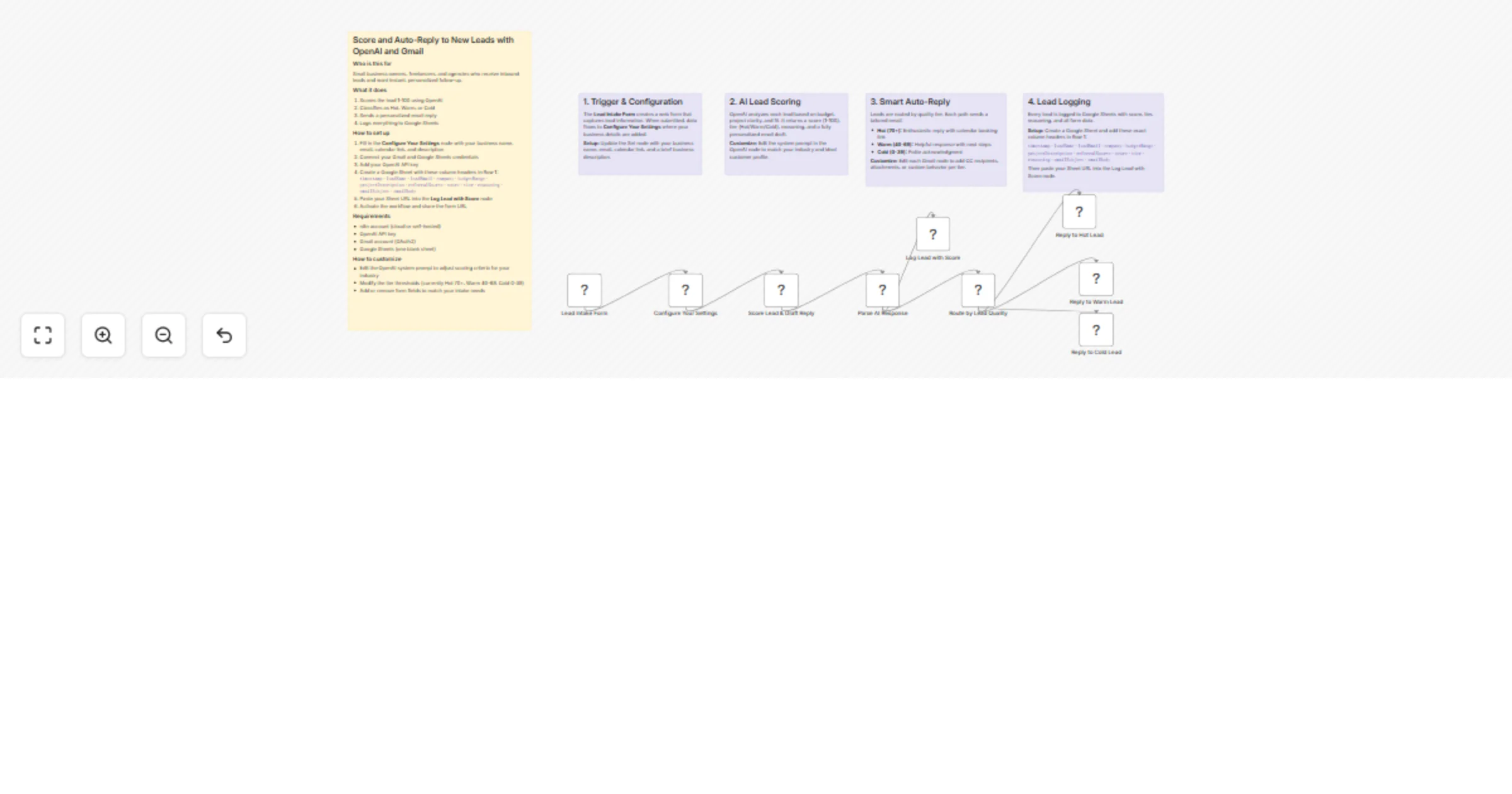
++What it does++ When someone fills out your lead intake form, this workflow instantly:
Scores the lead 1-100 using OpenAI based on budget, project fit, and clarity Classifies them as Hot, Warm, or Cold Sends a personalized email reply that references what they actually wrote Logs everything to Google Sheets with the score and AI reasoning Hot leads get an enthusiastic reply with a calendar booking link. Warm leads get a helpful response with suggested next steps. Cold leads get a polite acknowledgment. Every lead gets a response within seconds.
++How to set up++ Fill in the "Configure Your Settings" node with your business name, email, calendar link, and description Connect your Gmail and Google Sheets credentials Add your OpenAI API key Create a Google Sheet with the column headers listed in the workflow's sticky notes Paste your Sheet URL into the "Log Lead with Score" node Activate the workflow and share the form URL Requirements n8n account (cloud or self-hosted) OpenAI API key Gmail account (OAuth2) Google Sheets (one blank sheet) How to customize Edit the OpenAI system prompt to adjust scoring criteria for your industry Modify the tier thresholds (currently Hot 70+, Warm 40-69, Cold 0-39) Customize the email tone by editing each Gmail node Add or remove form fields to match your intake need
This catalog entry is organized from the workflow JSON. The node-level section below shows the executable blocks available for review before importing the template.
| Workflow | Score and auto-reply to new leads with OpenAI and Gmail |
|---|---|
| Complexity | intermediate |
| Nodes | 14 |
| Categories | Lead Nurturing, AI Summarization |
| Author | Alejandro Alfonso |
| Published | 08 Mar 2026 |
Use the JSON export at /data/workflows/13946/13946.json as the source template for this automation.
Open n8n, import the downloaded JSON, and review each node before activating the workflow.
Replace placeholder credentials, API keys, webhook URLs, account IDs, and environment-specific values with your own settings.
Run the workflow manually or in a staging workspace, inspect node output, and confirm downstream systems receive the expected data.
Enable the workflow only after testing, then monitor executions, errors, and rate limits during the first production runs.
Review imported nodes carefully before activation. This catalog entry is intended to help you inspect the workflow structure, understand required services, and find related templates faster.
Node names, credentials, schedules, webhook paths, and external service limits may need adjustment for your workspace.
++Who is this for++ Small business owners, freelancers, and agencies who receive inbound leads through a web form and want instant, personalized follow up — without manually reading every submissio...
Review the workflow JSON, configure any required credentials in n8n, and test the automation in a safe workspace before using it in production.
Yes. Use the block-by-block analysis and the downloadable JSON to inspect each node, then adjust credentials, prompts, schedules, filters, or destinations for your Lead Nurturing, AI Summarization use case.