Block 1 - 📋 Workflow Documentation
- Type / Role
- n8n-nodes-base.stickyNote - stickyNote
- Config choices
- Version 1


 Early Deal
This workflow is provided as-is. Please review and test before using in production.
Schedule Weekly Facebook Posts from Google Sheets Every Sunday 1 Click Weekly FB & IG Posts for Busy Solopreneurs ️ Automate your social media with grace and simplicity. The SoftTech Sunda...
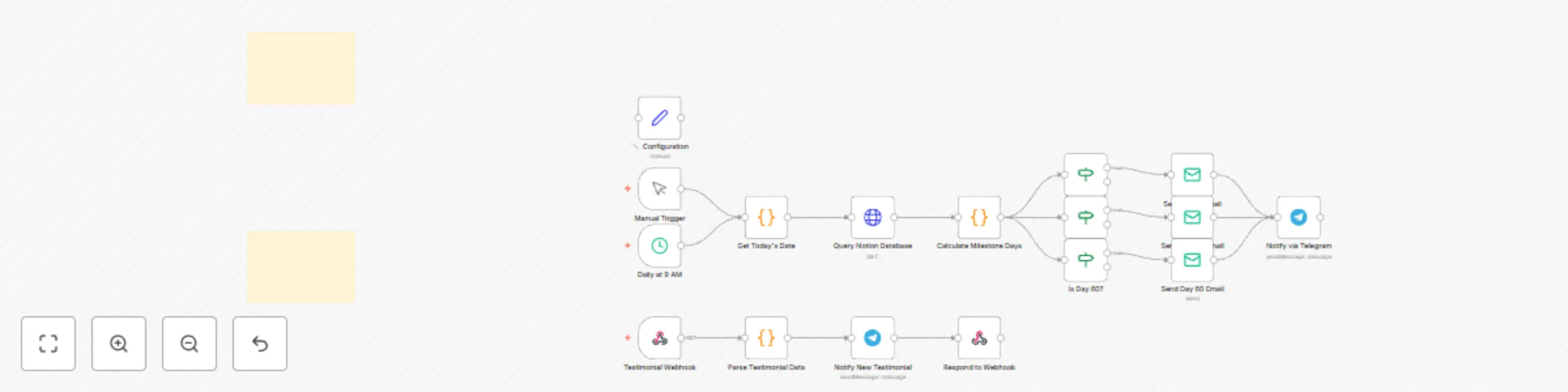
n8n-nodes-base.stickynote, n8n-nodes-base.set, n8n-nodes-base.manualtrigger, n8n-nodes-base.scheduletrigger, n8n-nodes-base.code, n8n-nodes-base.httprequest, n8n-nodes-base.if, n8n-nodes-base.emailsend
This workflow is cataloged by N8N Workflows and links back to its original n8n.io source page by Shelly-Ann Davy.
Original n8n.io sourceAutomate your social media with grace and simplicity. The SoftTech Sunday Scheduler is a no-code Google Sheets + Make (formerly Integromat) integration that lets solopreneurs plan, schedule, and publish a full week of Facebook and Instagram content in under a minute—every Sunday at 7 PM. Designed for gentle growth, this system blends soft-tech ease with technical precision, so you stay consistent without burnout.
Follow these clear steps to get your SoftTech Sunday Scheduler up and running:
Your sheet must follow this exact column structure for seamless automation:
| Column | Header | Required | Format & Notes |
|---|---|---|---|
| A | Post Date |
Yes | MM/DD/YYYY – Suggested publish date (for your reference) |
| B | Content |
Yes | Plain text or rich text (emojis allowed). Max 2,200 characters. |
| C | Hashtags |
No | Comma-separated or space-separated hashtags (e.g., #MindfulMarketing, #SolopreneurLife). Auto-appended to post. |
| D | Media URL |
No | Direct public link to image or video (must be hosted online: Google Drive shared link, Imgur, etc.). GIFs and MP4s supported. |
| E | Platform |
Yes | Facebook, Instagram, or Both – determines where the post goes. |
| F | Status |
Auto | Leave blank initially. Will be auto-updated to Published - [Timestamp] after posting. |
| G | Notes |
No | Optional internal notes (e.g., campaign name, draft source). |
> ✅ Tip: Freeze Row 1 (header row) and use Data Validation in Column E (Facebook, Instagram, Both) to prevent input errors.
The SoftTech Sunday Scheduler runs a fully automated weekly cycle:
Status cell.ContentHashtags (appends to content)Media URL (if present)Platform (determines destination)Status column with Published - [YYYY-MM-DD HH:MM].🔁 Evergreen Tip: Duplicate your favorite content rows and insert them at the bottom to recycle high-performing posts.
Before using this template, ensure you meet the following:
> ⚠️ Note: Instagram carousel posts are not supported in this version. Only single-image or video posts.
Make this system your own with these flexible tweaks:
Status already filled.Media URL is valid.Perfect for:
This system grows with you—start solo, scale with automation.
This catalog entry is organized from the workflow JSON. The node-level section below shows the executable blocks available for review before importing the template.
| Workflow | Schedule weekly Facebook posts from Google Sheets every Sunday |
|---|---|
| Complexity | advanced |
| Nodes | 19 |
| Categories | Social Media, Multimodal AI |
| Author | Shelly-Ann Davy |
| Published | 28 Aug 2025 |
Use the JSON export at /data/workflows/7977/7977.json as the source template for this automation.
Open n8n, import the downloaded JSON, and review each node before activating the workflow.
Replace placeholder credentials, API keys, webhook URLs, account IDs, and environment-specific values with your own settings.
Run the workflow manually or in a staging workspace, inspect node output, and confirm downstream systems receive the expected data.
Enable the workflow only after testing, then monitor executions, errors, and rate limits during the first production runs.
Review imported nodes carefully before activation. This catalog entry is intended to help you inspect the workflow structure, understand required services, and find related templates faster.
Node names, credentials, schedules, webhook paths, and external service limits may need adjustment for your workspace.
Schedule Weekly Facebook Posts from Google Sheets Every Sunday 1 Click Weekly FB & IG Posts for Busy Solopreneurs ️ Automate your social media with grace and simplicity. The SoftTech Sunda...
Review the workflow JSON, configure any required credentials in n8n, and test the automation in a safe workspace before using it in production.
Yes. Use the block-by-block analysis and the downloadable JSON to inspect each node, then adjust credentials, prompts, schedules, filters, or destinations for your Social Media, Multimodal AI use case.