Block 1 - Sticky Note
- Type / Role
- n8n-nodes-base.stickyNote - stickyNote
- Config choices
- Version 1


 Early Deal
This n8n template is a complete, automated sales operating system. It acts as an AI powered sales development representative (SDR) that moves leads into a CRM, sends highly personalized follow up s...
n8n-nodes-base.stickynote, n8n-nodes-base.scheduletrigger, n8n-nodes-base.googlesheets, n8n-nodes-base.splitinbatches, n8n-nodes-base.wait, n8n-nodes-base.summarize, n8n-nodes-base.filter, n8n-nodes-base.switch
This workflow is cataloged by N8N Workflows and links back to its original n8n.io source page by Vincent Nguyen.
Original n8n.io sourceInstead of manually tracking who needs to be emailed next or cross-referencing your calendar with your spreadsheet, this workflow handles the entire outreach lifecycle in the background.
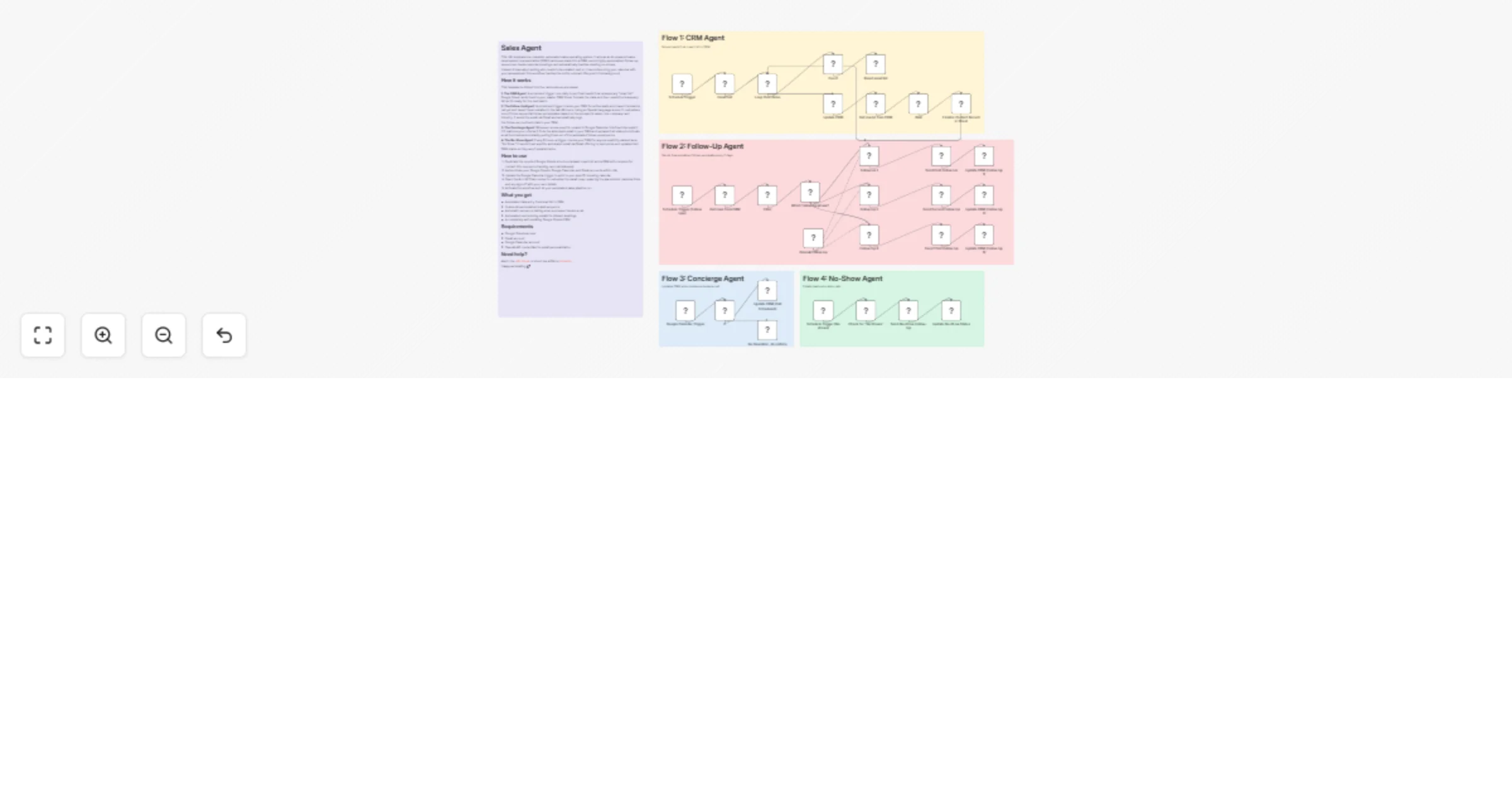
This template is divided into four autonomous processes:
1. The CRM Agent: A scheduled trigger runs daily to pull fresh leads from a temporary "Lead List" Google Sheet, adds them to your master CRM Sheet, formats the data, and then resets the temporary list so it's ready for the next batch.
2. The Follow-Up Agent: A scheduled trigger checks your CRM for active leads who haven't booked a call yet and haven't been emailed in the last 48 hours. Using an OpenAI language model, it customizes one of three sequential follow-up templates based on the prospect's name, role, company, and industry. It sends the email via Gmail and automatically logs the follow-up count and date in your CRM.
3. The Concierge Agent: Whenever a new event is created in Google Calendar, this flow intercepts it. If it matches your criteria, it finds the attendee's email in your CRM and updates their status to indicate a call is scheduled—instantly pulling them out of the automated follow-up sequence.
4. The No-Show Agent: Every 6 hours, a trigger checks your CRM for anyone explicitly marked as a "No Show." It sends them a polite, automated email via Gmail offering to reschedule and updates their CRM status so they aren't emailed twice.
Duplicate the required Google Sheets structure (a basic Lead List and a CRM with columns for contact info, sequence tracking, and call statuses).
Authenticate your Google Sheets, Google Calendar, and Gmail accounts within n8n.
Update the Google Calendar trigger to point to your specific booking calendar.
Open the AI LLM Chain nodes to customize the email copy, replacing the placeholder calendar links and my sign-off with your own details.
Activate the workflow and let your automated sales pipeline run.
Ask in the n8n Forum or shoot me a DM on LinkedIn.
Happy automating 🚀
This catalog entry is organized from the workflow JSON. The node-level section below shows the executable blocks available for review before importing the template.
Showing the first 24 of 36 workflow blocks. Download the JSON for the full node graph.
| Workflow | Run an AI SDR sales pipeline with OpenAI, Google Sheets, Gmail and Calendar |
|---|---|
| Complexity | advanced |
| Nodes | 36 |
| Categories | Lead Nurturing, AI Chatbot |
| Author | Vincent Nguyen |
| Published | 20 Feb 2026 |
Use the JSON export at /data/workflows/13529/13529.json as the source template for this automation.
Open n8n, import the downloaded JSON, and review each node before activating the workflow.
Replace placeholder credentials, API keys, webhook URLs, account IDs, and environment-specific values with your own settings.
Run the workflow manually or in a staging workspace, inspect node output, and confirm downstream systems receive the expected data.
Enable the workflow only after testing, then monitor executions, errors, and rate limits during the first production runs.
Review imported nodes carefully before activation. This catalog entry is intended to help you inspect the workflow structure, understand required services, and find related templates faster.
Node names, credentials, schedules, webhook paths, and external service limits may need adjustment for your workspace.
This n8n template is a complete, automated sales operating system. It acts as an AI powered sales development representative (SDR) that moves leads into a CRM, sends highly personalized follow up s...
Review the workflow JSON, configure any required credentials in n8n, and test the automation in a safe workspace before using it in production.
Yes. Use the block-by-block analysis and the downloadable JSON to inspect each node, then adjust credentials, prompts, schedules, filters, or destinations for your Lead Nurturing, AI Chatbot use case.