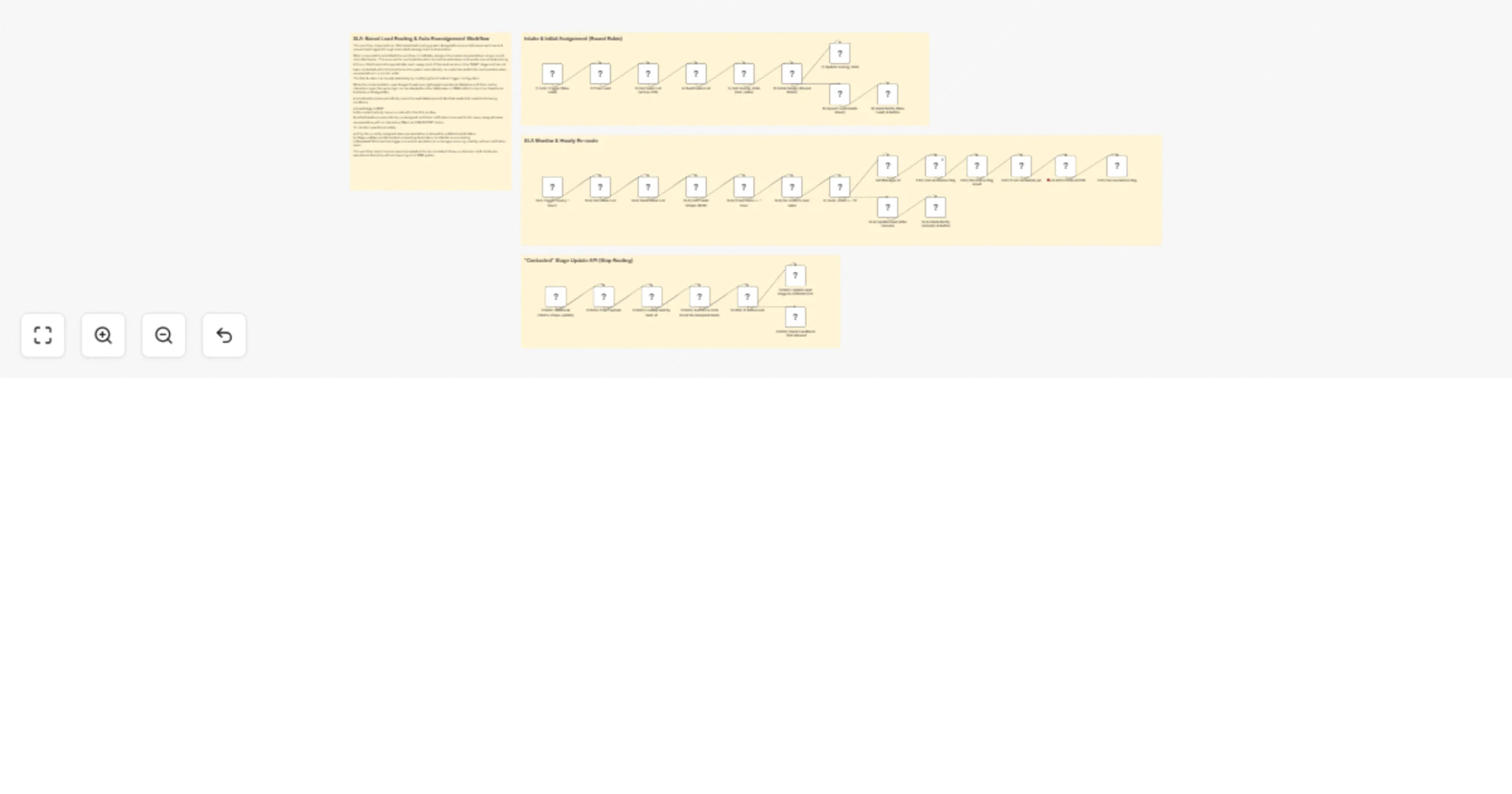
Route and reassign leads with SLA using Google Sheets and Slack

Workflow preview

Workflow preview
100%
Route and reassign leads with SLA using Google Sheets and Slack preview
Open on n8n.io

1. Workflow Overview

Lead Routing Engine with SLA Auto Reassignment This repository contains an SLA based lead routing workflow built in n8n, designed to ensure fast lead response, fair sales distribution, and controll...

Best for

  • Lead Nurturing automation workflows
  • advanced n8n builders looking for reusable templates

Tools used

n8n-nodes-base.formtrigger, n8n-nodes-base.code, n8n-nodes-base.googlesheets, n8n-nodes-base.scheduletrigger, n8n-nodes-base.if, n8n-nodes-base.webhook, n8n-nodes-base.stickynote, n8n-nodes-base.slack

Source and attribution

This workflow is cataloged by N8N Workflows and links back to its original n8n.io source page by Muh Resky Adiansyah.

Original n8n.io source

1.1 Workflow description

Title
Route and reassign leads with SLA using Google Sheets and Slack
Workflow name
Route and reassign leads with SLA using Google Sheets and Slack

Lead-Routing-Engine-with-SLA-Auto-Reassignment

This repository contains an SLA-based lead routing workflow built in n8n, designed to ensure fast lead response, fair sales distribution, and controlled escalation without relying on a full CRM system.

The workflow focuses on routing discipline and operational safety, not feature completeness.

What This Workflow Does

At a high level, the system:

  1. Accepts new leads from a generic intake form
  2. Assigns leads to sales reps using round-robin
  3. Enforces a response SLA
  4. Automatically re-routes uncontacted leads
  5. Allows sales to mark leads as CONTACTED via Slack
  6. Escalates to a manager once if SLA is repeatedly violated

Architecture Overview

Core Components

  1. n8n
  2. Google Sheets
  3. Slack

Primary Data Stores

  1. sales_sheet (list of active sales reps)
  2. lead_sheet (lead state and routing history)
  3. routing_state_sheet (global routing + escalation flags)

End-to-End Flow

A) Lead Intake & Normalization

  1. New leads enter via Form Trigger
  2. Phone numbers are normalized to 62xxxxxxxx (Indonesia International Direct Dialing code)
  3. A unique lead_id is generated
  4. Lead is initialized with:
  • stage = NEW
  • route_count = 0

B) Initial Assignment (Round Robin)

  1. Active sales reps are loaded from sales_sheet
  2. Global last_index is read from routing_state_sheet
  3. Lead is assigned to the next sales rep in sequence
  4. Assignment metadata is stored:
  • assigned sales
  • timestamps
  • route count
  1. last_index is updated centrally

C) Slack Notification (New Lead)

  1. Assigned sales receives a Slack message
  2. Message includes a “Mark as CONTACTED” button
  3. SLA expectation is clearly communicated (1 hour by default)

D) SLA Monitoring (Scheduled)

  1. A scheduled trigger runs every hour
  2. Workflow scans leads where:
  • stage = NEW
  • SLA window has elapsed since last assignment

E) SLA Re-Routing

For each qualifying lead:

  1. Lead is reassigned to the next sales rep
  2. Route count is incremented
  3. Timestamps are updated
  4. Slack notification is sent to the new assignee

This process repeats until the lead is contacted or escalated.

F) Controlled Escalation

If route_count >= threshold (default: 10):

  1. Workflow checks escalation state (escalated_<lead_id>)
  2. If not escalated yet:
  • Manager is notified via Slack
  • Escalation flag is written
  1. If already escalated:
  • No further action is taken

Escalation is one-time per lead.

G) Stage Update via Slack (CONTACTED)

  1. Sales marks a lead as CONTACTED via Slack button
  2. Incoming Slack action is validated:
  • Only assigned sales is allowed
  • Only if current stage is NEW
  1. Update is idempotent
  2. Unauthorized or stale actions receive Slack feedback

Once contacted:

  1. SLA routing stops
  2. Lead remains stable

Safeguards Built In

  1. Ownership enforcement (Only the assigned sales rep can update a lead)
  2. Idempotent stage transitions (Prevents duplicate or stale Slack actions)
  3. One-time escalation (No notification spam)
  4. Fail-fast behavior (Missing sales data or malformed payloads halt execution early)

Google Sheets Schema

sales_sheet

Column Description
name Sales name
email Optional
slack_id Slack user ID
active ON / TRUE

lead_sheet

Column Description
lead_id Unique identifier
name Lead name
phone Normalized phone
stage NEW / CONTACTED / QUALIFIED / CLOSED LOST
assigned_sales Current owner
sales_slack_id Slack ID
route_count Number of re-routes
created_at Creation timestamp
assigned_at Last assignment
last_routed_at Last SLA routing
contacted_at When marked contacted

routing_state_sheet

key value
last_index Last round-robin index
escalated_<lead_id> Escalation timestamp

Limitations (By Design)

  1. Google Sheets is not transactional
  2. SLA enforcement is time-bucketed, not real-time
  3. No concurrency locking across parallel runs
  4. Slack is required for interaction
  5. This is not a CRM, only a routing engine

These constraints are explicit and intentional.

When This Design Works Well

  1. Small to mid-size teams
  2. Human-response SLAs (minutes/hours)
  3. Teams needing discipline, not heavy tooling
  4. CRM-lite or pre-CRM environments

When to Migrate

Consider migrating if you need:

  1. High-volume ingestion
  2. Sub-minute SLA guarantees
  3. Strong transactional consistency
  4. Advanced analytics or forecasting

The routing logic itself is portable to SQL or CRM systems.

1.2 Logical Blocks

This catalog entry is organized from the workflow JSON. The node-level section below shows the executable blocks available for review before importing the template.

2. Block-by-Block Analysis

Block 1 - 1) Form Trigger (New Lead)

Type / Role
n8n-nodes-base.formTrigger - formTrigger
Config choices
Version 2.4

Block 2 - 2) Prep Lead

Type / Role
n8n-nodes-base.code - code
Config choices
Version 2

Block 3 - 3) Get Sales List (active=ON)

Type / Role
n8n-nodes-base.googleSheets - googleSheets
Config choices
Version 4.7

Block 4 - 4) Build Sales List

Type / Role
n8n-nodes-base.code - code
Config choices
Version 2

Block 5 - 5) Get routing_state (last_index)

Type / Role
n8n-nodes-base.googleSheets - googleSheets
Config choices
Version 4.7

Block 6 - 6) Initial Assign (Round Robin)

Type / Role
n8n-nodes-base.code - code
Config choices
Version 2

Block 7 - 7) Update routing_state

Type / Role
n8n-nodes-base.googleSheets - googleSheets
Config choices
Version 4.7

Block 8 - 8) Upsert Lead (leads sheet)

Type / Role
n8n-nodes-base.googleSheets - googleSheets
Config choices
Version 4.7

Block 9 - SLA Trigger (every 1 hour)

Type / Role
n8n-nodes-base.scheduleTrigger - scheduleTrigger
Config choices
Version 1.3

Block 10 - SLA) Get Sales List

Type / Role
n8n-nodes-base.googleSheets - googleSheets
Config choices
Version 4.7

Block 11 - SLA) Build Sales List

Type / Role
n8n-nodes-base.code - code
Config choices
Version 2

Block 12 - SLA) Get Leads (stage=NEW)

Type / Role
n8n-nodes-base.googleSheets - googleSheets
Config choices
Version 4.7

Block 13 - SLA) If last route >= 1 hour

Type / Role
n8n-nodes-base.if - if
Config choices
Version 2.3

Block 14 - SLA) Re-route to next sales

Type / Role
n8n-nodes-base.code - code
Config choices
Version 2

Block 15 - SLA) Update lead (after reroute)

Type / Role
n8n-nodes-base.googleSheets - googleSheets
Config choices
Version 4.7

Block 16 - STAGE) Webhook (/demo-stage-update)

Type / Role
n8n-nodes-base.webhook - webhook
Config choices
Version 2

Block 17 - Sticky Note1

Type / Role
n8n-nodes-base.stickyNote - stickyNote
Config choices
Version 1

Block 18 - Sticky Note2

Type / Role
n8n-nodes-base.stickyNote - stickyNote
Config choices
Version 1

Block 19 - Sticky Note3

Type / Role
n8n-nodes-base.stickyNote - stickyNote
Config choices
Version 1

Block 20 - STAGE) Update lead stage to CONTACTED

Type / Role
n8n-nodes-base.googleSheets - googleSheets
Config choices
Version 4.7

Block 21 - SLA) Slack Notify (reroute) & Button

Type / Role
n8n-nodes-base.slack - slack
Config choices
Version 2.4

Block 22 - 9) Slack Notify (New Lead) & Button

Type / Role
n8n-nodes-base.slack - slack
Config choices
Version 2.4

Block 23 - STAGE) Lookup lead by lead_id

Type / Role
n8n-nodes-base.googleSheets - googleSheets
Config choices
Version 4.7

Block 24 - STAGE) Prep Payload

Type / Role
n8n-nodes-base.code - code
Config choices
Version 2

Showing the first 24 of 35 workflow blocks. Download the JSON for the full node graph.

3. Summary Table

Workflow Route and reassign leads with SLA using Google Sheets and Slack
Complexity advanced
Nodes 35
Categories Lead Nurturing
Author Muh Resky Adiansyah
Published 14 Jan 2026

4. Reproducing the Workflow from Scratch

  1. 1. Download the workflow JSON

    Use the JSON export at /data/workflows/12702/12702.json as the source template for this automation.

  2. 2. Import the template into n8n

    Open n8n, import the downloaded JSON, and review each node before activating the workflow.

  3. 3. Configure credentials and variables

    Replace placeholder credentials, API keys, webhook URLs, account IDs, and environment-specific values with your own settings.

  4. 4. Test with sample data

    Run the workflow manually or in a staging workspace, inspect node output, and confirm downstream systems receive the expected data.

  5. 5. Activate and monitor

    Enable the workflow only after testing, then monitor executions, errors, and rate limits during the first production runs.

5. General Notes & Resources

Review imported nodes carefully before activation. This catalog entry is intended to help you inspect the workflow structure, understand required services, and find related templates faster.

Node names, credentials, schedules, webhook paths, and external service limits may need adjustment for your workspace.

Frequently asked questions

What does Route and reassign leads with SLA using Google Sheets and Slack do?

Lead Routing Engine with SLA Auto Reassignment This repository contains an SLA based lead routing workflow built in n8n, designed to ensure fast lead response, fair sales distribution, and controll...

What do I need before importing this workflow?

Review the workflow JSON, configure any required credentials in n8n, and test the automation in a safe workspace before using it in production.

Can I customize this workflow?

Yes. Use the block-by-block analysis and the downloadable JSON to inspect each node, then adjust credentials, prompts, schedules, filters, or destinations for your Lead Nurturing use case.